






















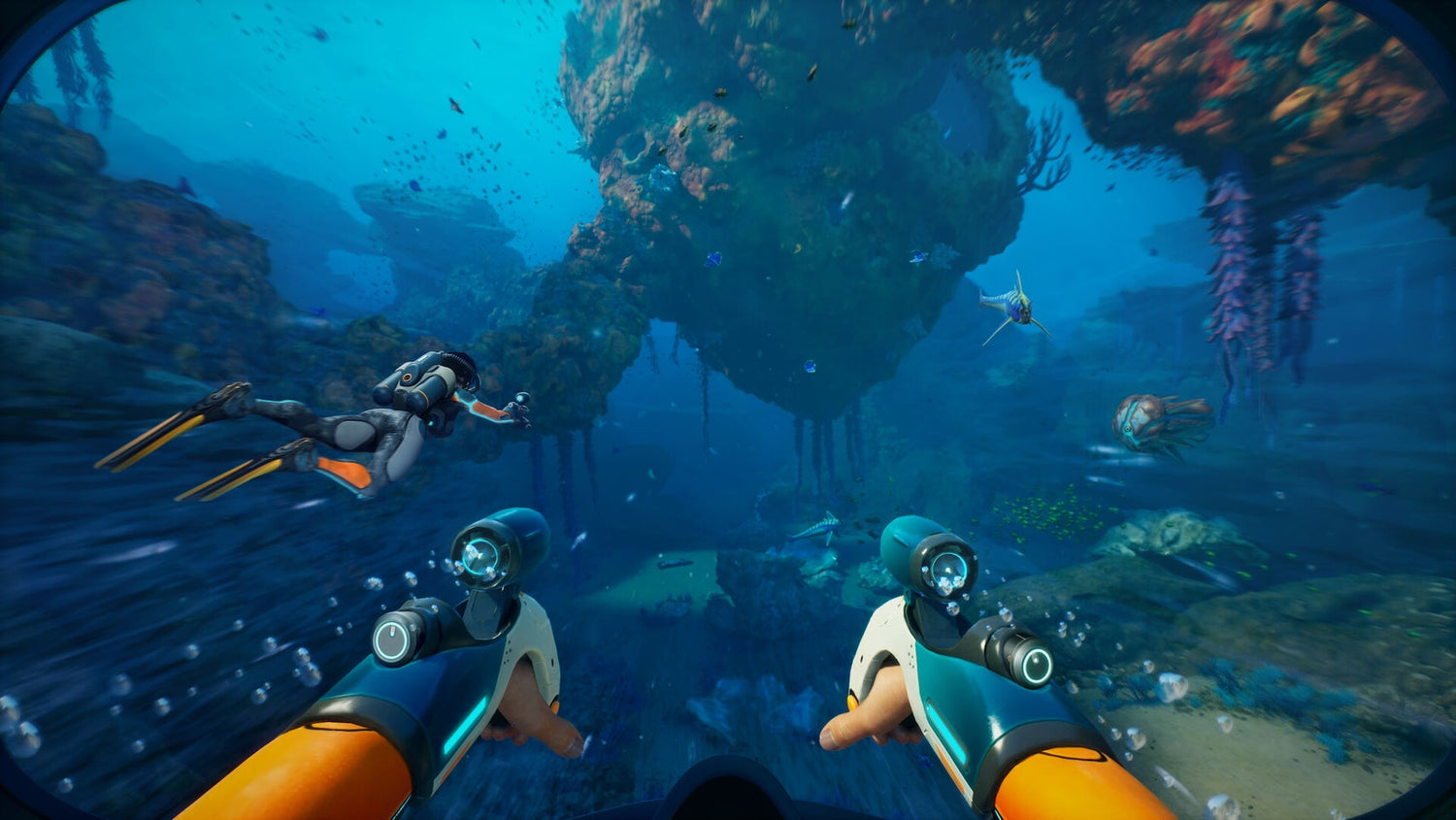
Subnautica 2 Bonus News and What It Means for Buying a Gaming PC in Canada
The latest Subnautica 2 bonus news is more than a studio leadership headline. It is also a reminder that when a major game is tied to deadlines, early access plans, financial targets, and release timing, PC buyers should think carefully about their own timing too. If you are reading about development drama, release pressure, and shifting plans around a high-profile PC game, the next logical question is simple: is your current system actually ready for the kind of games you want to play next?
According to the source material provided, the conflict between Krafton and former Unknown Worlds executives ended in a settlement that includes a bonus package worth roughly C$340 million, with payments extending across staff at the studio. The report also notes that CEO Ted Gill stepped down after the settlement, despite a prior ruling that had reinstated him earlier in the year. On the business side, it is a major games industry story. On the consumer side, it tells us something equally important: game development timelines can shift, but demand for capable gaming hardware does not disappear.
For Canadian players, creators, and PC shoppers, this matters because game launches, early access momentum, and hype cycles often influence when people upgrade. Some readers see a title like Subnautica 2 in the news and immediately ask themselves, Can my PC run this properly when it lands? Others go one step further: Should I upgrade now while I can still choose the parts and performance tier I actually want?
Why does the Subnautica 2 studio story matter to Gaming PC Canada buyers?
When a major game becomes the centre of a legal and financial battle, it highlights how valuable a successful release can be. That usually means one thing for PC buyers: expectations rise. Players expect better visuals, bigger worlds, smoother frame rates, stronger CPU performance, more VRAM headroom, and enough system memory to handle modern game engines without stutter.
That is especially true for atmospheric survival games and large-scale open-world experiences. These are the kinds of titles where weak hardware does not just lower average FPS. It can hurt the experience entirely through inconsistent frame pacing, slower asset streaming, long load times, texture compromises, and reduced immersion.
So what should Canadian buyers be asking right now? Are you planning for 1080p gaming and good value? Are you aiming for 1440p with high settings and smoother performance over the next few years? Or are you trying to move into 4K, ray tracing, streaming, and creator workloads at the same time?
What the source story gets right about pressure, timing, and expectations
The source article focuses on a corporate dispute, but underneath that is a familiar truth in gaming: timelines matter, revenue targets matter, and launch windows matter. Big releases can influence player behaviour quickly. Once a game gets traction, buyers who waited too long often rush into the market at the same time as everyone else.
That is where hardware buying gets tricky. If you wait until a major launch window, a sale season, or a broader demand spike, you may face fewer ideal configuration choices, less budget flexibility, and a higher chance of settling for a weaker build than you really wanted.
Would you rather buy in a rush because a release suddenly feels close, or would you rather choose a balanced, tested custom system with the right GPU, CPU, RAM, cooling, and storage before demand gets noisy?
What do you want your next PC to do for you?
This is the question that matters more than any headline.
Do you want your next desktop to play upcoming games at solid settings without forcing another upgrade too soon? Do you want enough power for gaming and streaming at the same time? Are you also editing videos, working in Photoshop, creating thumbnails, recording gameplay, or managing school and work tasks alongside gaming?
Many Canadian buyers no longer fit into a single category. A customer shopping for a gaming system today might also need a Content Creation PC Canada setup tomorrow. Someone interested in Subnautica 2 might also be playing competitive titles, recording clips, rendering 4K footage, or building in Blender on the side. That changes what “good enough” means.
Instead of buying only for one game, it is smarter to buy for your actual lifestyle. Ask yourself:
- What games do I want to play over the next two to four years?
- Do I care more about 1080p value, 1440p quality, or 4K visual impact?
- Will I stream to Twitch or YouTube?
- Will I edit short-form content, YouTube videos, or photos?
- Do I want a system that stays relevant longer so I avoid upgrading too soon?
What kind of Gaming PC Canada buyer are you?
1. The budget-conscious player
If you mainly want smooth 1080p gaming, fast load times, and good overall value, a Budget Gaming PC Canada approach may be the right fit. This type of build is ideal if you play a mix of esports titles, lighter AAA games, indie games, and online multiplayer while still wanting a machine that feels responsive day to day.
But here is the real question: Are you buying the cheapest system possible, or are you buying the cheapest system that will still feel good a year from now? Those are not the same thing.
A properly balanced entry-level custom desktop should still prioritize:
- A modern multi-core CPU
- A capable dedicated GPU
- Fast NVMe SSD storage
- Enough RAM for modern gaming and background tasks
- A power supply and motherboard that do not trap you in a dead-end upgrade path
2. The 1440p sweet-spot gamer
For many buyers, 1440p is the smartest place to be. It offers a major visual jump over 1080p without demanding the same premium budget as a high-end 4K setup. If you are looking for a 1440p Gaming PC Canada build, this is often the tier where long-term satisfaction really improves.
Why does this tier matter so much? Because it balances image quality, frame rate, and future readiness. It is often the best answer to questions like What gaming PC do I need? and How much should I spend on a gaming PC?
If you want to enjoy modern worlds, higher texture settings, stronger lighting, and better longevity, 1440p is often the most sensible performance target for serious PC gamers in Canada.
3. The premium buyer chasing immersion
If your goal is high refresh 1440p, ultra settings, strong ray tracing, or 4K gaming, then a High End Gaming PC Canada build is worth considering. This is the tier for players who want more than basic playability. They want consistency, headroom, and a system that can keep up with newer releases without compromises showing up too fast.
Are you the type of player who notices texture quality, draw distance, lighting, shadows, and frame-time stability? Do you want upcoming games to feel like an upgrade instead of a warning sign that your PC is aging out? Then a premium RTX gaming system may be the better investment.
Could a Subnautica 2-style release wave push you to upgrade later at a worse time?
That is one of the biggest practical takeaways from this story. Whether a game arrives exactly when expected or not, highly anticipated releases create waves of attention. New trailers, previews, review cycles, influencer streams, and early access conversation can all trigger sudden buying interest.
If your current PC is already borderline, waiting until the last minute can be risky. You may end up paying more for the same class of performance, or you may downgrade your expectations just to fit what is available.
Canadian buyers should always think beyond one title. New game releases, creator software updates, GPU demand shifts, memory pricing movement, and storage market changes can all affect full-system cost. If your machine is already struggling, is waiting actually saving you money, or is it increasing the chance that you buy under pressure?
What performance tier fits your actual needs?
Choosing the right tier is not about bragging rights. It is about matching the system to your real use case.
Entry Tier: good for 1080p gaming and everyday use
This is best for players who want dependable 1080p performance, faster boot times, responsive desktop use, and enough flexibility for school, browsing, and lighter multitasking. It can also be suitable for basic content capture and casual creator work.
Ask yourself: Do I only need smooth gameplay now, or do I need room for future titles too?
Mid Tier: ideal for 1440p gaming, streaming, and longer relevance
This is often the strongest value zone. It suits gamers who want better texture settings, smoother frame rates, stronger multitasking, and a more durable platform for upcoming titles.
It is also a strong fit for buyers who need a Gaming and Streaming PC Canada setup, especially if they use OBS, Discord, browser tabs, and recording tools at the same time. If you have ever asked, What PC do I need for streaming? this is often where the answer starts getting more practical.
High Tier: best for 4K gaming, ray tracing, and mixed creator workloads
This performance level is for users who want more visual fidelity and stronger multitasking for advanced workloads. It is the right conversation if you game heavily but also export video, edit photos, work with layered graphics, or handle demanding software on the same machine.
If you are asking, Should I buy a stronger PC now so I do not have to replace it early? then this is likely the tier worth comparing seriously.
Are you only gaming, or do you also need a creator or workstation advantage?
Many readers coming from game news do not realize they have already crossed into creator-PC territory. If you are recording gameplay, clipping highlights, editing shorts, posting on social platforms, or making thumbnails, you may need more than a standard gaming setup.
For streaming and recording
A proper Streaming PC Canada build should balance CPU performance, GPU encoding capability, memory capacity, and storage speed. Smooth gameplay while streaming depends on more than average FPS. You also need headroom.
Do you want to stream at 1080p while gaming? Record long sessions without juggling storage every day? Run OBS, Discord, browser tabs, and overlays without your system feeling overloaded?
For video editing and content creation
If your workflow includes Premiere Pro, DaVinci Resolve, After Effects, CapCut, or regular 4K editing, a Video Editing PC Canada or Creator PC Canada build may be the better fit than a purely gaming-focused machine.
Do you need fast timeline responsiveness? Faster exports? Better playback with layered effects? More RAM for larger projects? More SSD space for footage and scratch files?
A customer who buys only for game performance can easily underbuy for creative work. That leads to frustration later.
For photo editing and graphic design
If your workflow is built around Photoshop, Lightroom, Illustrator, InDesign, Canva, or other Adobe Creative Cloud tools, your needs shift again. A Photo Editing PC Canada or Graphic Design PC Canada build should emphasize responsiveness, memory capacity, display support, fast storage, and balanced CPU/GPU selection.
Are you editing high-resolution RAW photos? Working with large layered PSD files? Running multiple creative apps side by side? If so, your “gaming PC” may actually need creator-grade balance to feel right.
For 3D modeling and workstation use
If you use Blender, Unreal Engine, CAD tools, rendering software, animation software, or simulation workloads, then you may need a 3D Modeling PC Canada or Workstation PC Canada solution. This is where component matching matters even more.
What PC do you need for Blender? What PC do you need for Unreal Engine? The answer depends on whether your workload is more CPU-heavy, GPU-heavy, memory-heavy, or storage-sensitive. A generic one-size-fits-all desktop is often a poor answer.
Why custom builds matter more when game demand and hardware pricing feel uncertain
In a market shaped by release hype, shifting part costs, and changing performance expectations, a custom system has a clear advantage over random off-the-shelf options. A well-planned build lets you put money where it actually matters.
That might mean:
- Spending more on the GPU if your priority is 1440p or 4K gaming
- Choosing more RAM if you stream, edit, or multitask heavily
- Prioritizing SSD speed and capacity if you work with large games or media files
- Selecting stronger cooling for long gaming sessions or sustained workstation loads
- Leaving a cleaner path for future upgrades so the system lasts longer
Why buy a machine filled with mismatched compromises if you can choose a build designed around how you actually play and work?
Should you buy now or wait?
This is one of the most common questions in PC buying, and game-industry stories like this make it even more relevant. There is no universal answer, but there is a useful way to think about it.
You should consider buying sooner if:
- Your current PC already struggles in the games you play now
- You plan to jump into upcoming releases close to launch
- You want a better system before software demands increase further
- You also need the machine for editing, streaming, or productivity work today
- You want to secure a stronger performance tier before replacement costs rise
You may be able to wait if:
- Your current system still delivers the experience you actually want
- You are not tied to any upcoming release or workload deadline
- You are still deciding between gaming-only and mixed creator use
- You want to plan your ideal budget and feature list first
But ask yourself honestly: Is waiting a strategy, or is it just delaying a purchase you already know you need?
Could financing help you get the right PC before prices move?
For many buyers, the issue is not whether they need a better system. It is whether they can step into the right tier immediately without settling for a weaker build that gets replaced too soon.
That is where financing can make practical sense. Instead of buying the cheapest desktop that fits this month’s cash limit, some customers prefer to secure the better GPU, stronger CPU, more RAM, or larger SSD they actually need and spread the cost over time.
If financing is available for up to 4 years, the smarter question becomes: Should I finance a better PC instead of buying a cheaper one that I will outgrow quickly?
This matters for gamers, streamers, editors, and students alike. A stronger system can often deliver better value over its usable lifespan, especially when it avoids the need for an early replacement.
What questions should you ask before buying or financing a custom PC?
- What games or software do I need this PC to run well?
- Am I targeting 1080p, 1440p, or 4K?
- Do I care about ray tracing or just raw frame rate?
- Will I stream, record, or edit content on the same machine?
- How much SSD space do I realistically need for games and files?
- Do I want to avoid another upgrade in the near future?
- Would monthly payments help me secure a better long-term build?
- Do I want a tested custom system with warranty support instead of a risky generic option?
Why more Canadians are choosing Groovy Computers for custom builds
Groovy Computers is built around what serious buyers actually need: properly matched custom systems, strong Canadian service, practical upgrade guidance, and confidence before purchase. Whether you are looking for a gaming rig, a creator system, or a workstation-class desktop, the goal is not just to sell a box. It is to help you get the right machine for your use case.
That means thinking beyond marketing hype and focusing on real-world results:
- Custom build recommendations based on gaming or software needs
- Balanced part selection instead of random spec inflation
- Rigorous testing before delivery
- A 1-year warranty for added peace of mind
- Canadian support from a trusted custom PC builder
- Financing options that can help buyers secure a stronger system sooner
For customers in Nova Scotia, Atlantic Canada, and across the country, that trust factor matters. If you are ordering online, you want to know your build was planned properly, assembled carefully, and tested seriously.
Are you buying for one game, or for the next few years of gaming?
The Subnautica 2 story is a timely reminder that game releases can shift, but the pressure to be ready does not. The biggest mistake buyers make is planning only for the headline they are reading today. The better move is planning for the games, software, and expectations that will shape the next few years.
If your next PC needs to handle modern AAA games, online multiplayer, streaming, editing, design work, or 3D workloads, then this is the moment to think clearly about the right tier. Do you want an entry-level value system? A balanced 1440p machine? A premium RTX gaming desktop? A creator-focused rig? A full workstation?
And if cost is the only thing holding you back, is financing the better path to getting the right build now instead of replacing a weaker one later?
Need help choosing the right custom PC in Canada?
If you are asking what your next system should actually do, what tier fits your budget, or whether you should buy now before pricing and demand shift again, Groovy Computers can help. Visit GroovyComputers.ca to explore custom gaming PCs, creator desktops, workstation options, and financing-friendly paths to a stronger build. If you want a system built for upcoming games, streaming, editing, or long-term value, why not start with a build that is designed around you?
In short, the Subnautica 2 bonus news is not just industry drama. It is another signal that game momentum, release planning, and buyer readiness are closely connected. For Canadian shoppers, the smartest move is often to choose a custom system before urgency takes over. Whether you need a gaming desktop, creator workstation, or balanced all-around build, Groovy Computers is positioned to help you buy with more confidence and fewer compromises.
#Subnautica2 #GamingPCCanada #CustomPCBuilderCanada #GamingPCBuildsCanada #1440pGamingPCCanada #HighEndGamingPCCanada #StreamingPCCanada #VideoEditingPCCanada #CreatorPCCanada #WorkstationPCCanada #CustomGamingPCNovaScotia #CanadianCustomPCBuilders
Groovy Computers | All Rights Reserved


Leave a comment
This site is protected by hCaptcha and the hCaptcha Privacy Policy and Terms of Service apply.