



































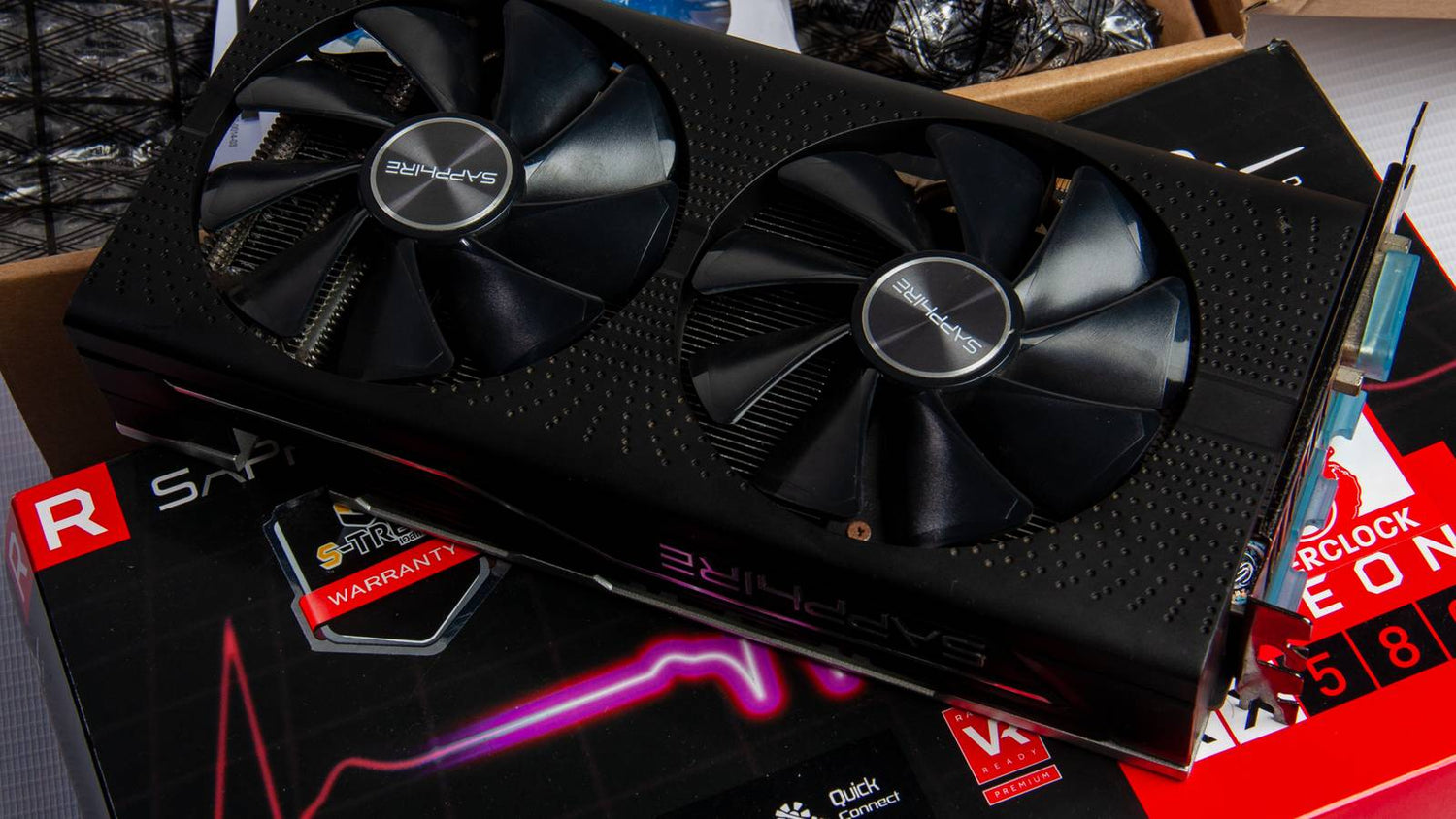
Gaming PC Financing Canada: Smart GPU Cooling Fixes and Why Locking In a Custom Build Now Makes More Sense Than Waiting
Gaming PC Financing Canada is becoming a far more practical decision for serious players, creators, and power users who want strong graphics performance without getting trapped by rising replacement costs later. The original discussion around GPU cooling fixes highlights an important reality: graphics cards run hot, expensive hardware is harder to replace when the market tightens, and many users would rather avoid opening up a card and risking warranty issues. For Canadian buyers, that lesson goes even further. If a GPU is already one of the most expensive components in a modern system, it makes sense to protect it properly, buy intelligently, and secure the right custom PC before the next demand surge pushes pricing and availability in the wrong direction.
At Groovy Computers, this is not just a maintenance topic. It is a buying-strategy topic. Cooling, airflow, warranty protection, component longevity, and financing all connect. A properly designed custom gaming PC can run cooler, stay stable longer, and deliver stronger value over time than a rushed purchase made after prices spike. For buyers across Canada, that makes timing and build quality just as important as raw specs.
What the GPU Cooling Advice Gets Right
The source material correctly focuses on non-invasive ways to reduce GPU temperatures before taking apart the graphics card. That approach matters because many owners are dealing with expensive hardware that they do not want to disassemble unless absolutely necessary. Replacing thermal paste can help in some cases, but it is not always the right first move, especially if the card is still under warranty or the user is not comfortable handling delicate hardware.
The practical fixes are straightforward and effective:
- Adjusting the fan curve so cooling responds more aggressively under load
- Lowering room temperature and improving ventilation around the PC
- Cleaning dust from the system and GPU shroud area
- Improving case airflow with sensible intake and exhaust configuration
- Limiting FPS to reduce unnecessary power draw and heat output
- Underclocking or lowering power targets carefully for better thermal control
- Removing the side panel temporarily in extreme situations
These are sensible steps because GPU heat is not only about the card itself. It is about the entire thermal ecosystem around it. A strong graphics card installed in a poorly ventilated case, inside a hot room, with clogged dust filters and unrestricted frame generation will run hotter than it should. A better cooling environment can preserve performance and reduce thermal throttling without opening the card.
Why Canadian Buyers Should Think Beyond Cooling Alone
For Canadian shoppers, the bigger issue is not just how to cool an overheating graphics card. The bigger issue is how to avoid being forced into a bad buying decision later if that hardware fails, degrades early, or becomes too expensive to replace. GPU pricing has a history of swinging hard during periods of high demand, low inventory, new-game cycles, and premium product launches. The same pressure can affect memory, storage, power supplies, and even cases with strong airflow.
That means a cooling conversation naturally leads into a purchasing conversation. When hardware prices are volatile, prevention has real value. A well-built system with proper airflow and good component selection is easier to live with, less likely to suffer avoidable heat stress, and often cheaper to own over time than a bargain machine with poor thermals.
It also means buyers should not think only in terms of the video card. The total system matters. A premium GPU installed in a weak chassis with limited intake, poor cable routing, and budget cooling can become an expensive mistake. A balanced build from experienced Canadian Custom PC Builders gives buyers better odds of stable gaming, quieter operation, and fewer support headaches.
Gaming PC Financing Canada Matters More When Component Prices Are Volatile
Gaming PC Financing Canada is especially valuable when buyers know they need a capable system but do not want to delay until supply pressure and replacement costs worsen. Waiting for a “better time” in the PC market often sounds smart on paper, but in reality, waiting can mean paying more for the same tier of performance later. GPUs are the clearest example, but they are not the only one. Fast DDR5 memory, quality NVMe SSDs, high-wattage power supplies, and airflow-focused cases can all become more expensive when demand rises.
Financing changes the decision because it lets buyers secure the right build while availability and pricing are still manageable, instead of settling later for weaker parts, compromised cooling, or reduced upgrade flexibility. Rather than trying to absorb the full cost of a stronger system in one payment, many buyers prefer to spread the cost over time and get a machine that actually meets their needs now.
That matters for gamers targeting modern AAA titles, esports performance, streaming workloads, video editing, and hybrid gaming-creator setups. A stronger build purchased at the right time is often more economical than buying too low, overheating the system under constant load, and then replacing major parts earlier than expected.
How Heat, Load, and Replacement Cost Are All Connected
GPU cooling is not just a comfort issue. It is a cost-control issue. High temperatures can contribute to louder fan operation, inconsistent boost behaviour, frame-time instability, and in worst-case scenarios, shortened component lifespan. While modern graphics cards are built to operate safely at elevated temperatures, sustained unnecessary heat is still undesirable, especially in systems used for gaming marathons, rendering, or streaming.
When a buyer is running a modern RTX-class or high-end Radeon-class card, the financial exposure is substantial. Replacing a premium GPU in Canada can mean spending well into four figures depending on model and market conditions. If the system also needs a better power supply, extra cooling, or a new case to support the replacement, the total cost grows quickly. That is why proper cooling and a well-planned purchase are inseparable.
A custom system that is designed with thermal headroom from day one helps reduce that risk. The card can breathe, the case can exhaust heat properly, and the system can maintain stronger performance without relying on risky quick fixes later.
Why Buying a Custom Build Beats Buying on Panic Timing
Many buyers only start researching cooling after they notice high temperatures, loud fans, thermal throttling, or instability. By that point, the purchasing decision has already happened, and the system may have weak airflow baked into its design. That is exactly why planning ahead matters.
When you Buy Gaming Computer Canada shoppers actually need, the smarter move is to start with a system built around airflow, load balance, upgrade room, and the intended use case. That is where custom builds stand out. A custom PC builder can match the GPU, CPU, cooler, case, fan layout, power supply, and storage profile to the user’s real workload instead of forcing every buyer into the same generic chassis.
For example, a buyer who mainly plays competitive titles at high refresh rates may benefit from a different thermal and performance approach than someone who wants 4K single-player gaming, streaming, and a Computer System for Video Editing. Both need cooling, but they do not need the same exact build priorities.
GPU Cooling Fixes That Help Protect Your Investment Before You Ever Open the Card
1. Fine-Tune the GPU Fan Curve
A stock GPU fan profile usually balances noise and thermals for a broad range of users. That is acceptable, but not always ideal. A more assertive fan curve can reduce load temperatures by a few valuable degrees, especially in warmer rooms or enclosed cases. The key is moderation. Running fans at 100% all the time is not necessary for most users and often creates unnecessary noise. A gradual increase tied to temperature is the smarter approach.
This is one of the easiest adjustments to make because it does not require opening the hardware. It simply improves how aggressively the cooler responds when the GPU starts pulling more power. For buyers who already own a system, it is a useful first step. For buyers planning a new build, it reinforces why thermal behaviour should be considered before purchase, not after.
2. Reduce the Ambient Temperature Around the PC
Room temperature matters more than many users expect. If the system is gaming in a hot room, under direct sun, near a radiator, or in a tight desk enclosure, even an expensive GPU cooler will struggle more than it should. Cooler intake air improves the effectiveness of every fan in the system. That can mean opening the room up, improving airflow, or moving the PC into a less restrictive space.
In many Canadian homes and apartments, seasonal conditions vary widely. Summer gaming heat can be intense even in regions better known for colder weather, especially in upper rooms, smaller offices, and spaces with limited ventilation. This is particularly relevant for Gaming Computers Ontario buyers dealing with warm seasonal indoor temperatures and for customers in compact urban setups.
3. Clean Dust Before It Becomes a Thermal Barrier
Dust buildup acts like insulation where you do not want it and blockage where you need airflow the most. GPU heatsinks, intake fans, mesh filters, and front panels can all accumulate enough debris to raise temperatures noticeably over time. Cleaning should be routine. Compressed air, careful fan restraint during cleaning, and gentle detail work around filters and shrouds can make a meaningful difference.
Dust is also one of the most common reasons a system that once ran well starts running hotter months later. That does not mean the hardware has become bad. It often means the airflow path has degraded. Buyers who want longer-term value should treat cleaning as part of protecting a major investment.
4. Improve Case Airflow Instead of Blaming the GPU Alone
Many overheating complaints are really airflow complaints. Even a powerful triple-fan graphics card cannot cool itself efficiently if hot air lingers in the case. The classic front-intake and rear-exhaust strategy still matters because it supports a clear thermal path. Good cable management helps too, as does a case with sufficient clearance around the GPU.
This is where quality custom builds clearly outperform random off-the-shelf compromises. A system builder who knows how to balance intake, exhaust, fan placement, and internal spacing gives the graphics card a better environment from the start. That is one of the practical reasons many buyers seeking Gaming PC Builds Canada should prioritize build quality and testing over flashy shell design alone.
5. Cap FPS to Lower Power Draw and Heat
Unlimited frame rates can push a GPU harder than necessary, particularly in lighter titles where the system can generate frames far beyond the refresh rate of the monitor. If the display is 144 Hz and the game is rendering much higher than that, capping FPS often reduces heat and power consumption with little real-world downside. The result can be a quieter and cooler system that still feels fast.
This approach is especially useful for users who want better efficiency without reducing visual quality heavily. It is also a practical strategy for streamers and creators who need a more controlled thermal profile during long sessions.
6. Underclock or Lower Power Targets Carefully
Not every GPU needs to run at its absolute maximum all the time. A modest underclock or reduced power target can lower temperatures while preserving most of the performance buyers actually notice in daily use. This can be especially helpful in smaller rooms, warmer climates, or builds where silence matters almost as much as frame rate.
Care is important here. Any tuning should be done gradually and tested for stability. The point is not to cripple the GPU. The point is to improve efficiency and avoid pushing hardware harder than necessary. In some cases, reduced thermal throttling can even produce more consistent results over long sessions.
7. Remove the Side Panel Only as a Temporary Test
Taking off the tempered glass side panel can lower temperatures in certain cases, but it is best treated as a temporary diagnostic move rather than a permanent answer. If temperatures drop significantly with the side panel removed, that usually indicates the case airflow setup needs attention. The long-term fix is better fan placement, a more breathable case design, or a better-configured system overall.
Open-panel operation also invites more dust and increases exposure for components. It is useful for troubleshooting, not ideal as a permanent solution.
Why This Cooling Discussion Leads Directly to Financing
Once buyers understand how important proper airflow and component protection are, the next question becomes obvious: should they wait, or should they lock in a stronger system now? In a market where premium graphics hardware can jump in price or become harder to source, financing is often the practical bridge between “I need this soon” and “I want to buy smart.”
Finance Gaming PC Canada shoppers are not only trying to make a monthly payment manageable. They are also trying to secure a machine with enough thermal headroom, gaming power, and upgrade runway to stay relevant longer. That is an important distinction. Financing is not only about affordability. It is about access to the right build at the right time.
With financing up to 4 years available through Groovy Computers where applicable, buyers can often move up from a compromised configuration to a much more balanced custom build. That may mean better case airflow, a stronger power supply, a superior GPU tier, more memory, or a larger SSD. All of those decisions can improve long-term satisfaction and reduce the chance of regretting the system six months later.
Who Should Buy Which Tier of Gaming PC in Canada
Entry and Budget-Focused Buyers
Not every buyer needs flagship hardware. For those shopping for a Budget Gaming Computer Canada option or an Economical Gaming PC, the goal should still be balance rather than cutting every corner. A strong budget build should prioritize a capable GPU for the target resolution, adequate airflow, a dependable power supply, and enough memory and storage for modern use. The biggest mistake budget shoppers make is assuming cooling does not matter until the premium tiers. It matters at every tier.
Even a value-focused build should be assembled with proper fan configuration and a case that supports clean airflow. That is how budget buyers get better reliability and lower noise, not just lower upfront cost.
Mainstream Performance Buyers
This is the sweet spot for many Canadian gamers. Systems in this category often target high-settings 1080p, strong 1440p, competitive gaming, and mixed productivity. This is where parts like an RTX 4070 Ti Canada build, an RTX 4080 PC, or a well-balanced Ryzen 7000 Gaming PC can make excellent sense depending on priorities. These buyers usually want strong current performance with enough room for streaming, editing, and future game releases.
For this group, financing can be especially strategic. A small change in monthly cost can sometimes move the buyer into better cooling, a stronger graphics tier, or a larger SSD, all of which improve the ownership experience in ways that are felt every day.
Premium and Enthusiast Buyers
At the high end, proper system design becomes even more important because these machines generate more heat and represent a much larger investment. Buyers considering an RTX 5090 Gaming PC, RTX 5090 32GB configuration, RTX 5080 16GB system, or an i9 Gaming PC Canada setup need a chassis, airflow strategy, and power delivery solution that are chosen intentionally, not casually.
These are also the buyers most exposed to price volatility. If premium GPUs move upward in cost or become scarce, replacement and upgrade paths can become much more expensive. Locking in a well-built system through Gaming PC Financing Canada is often the sensible move for this segment, particularly when the buyer wants top-tier gaming, high-refresh 4K performance, serious rendering capability, or advanced creator workloads.
Gaming and Creator Hybrid Buyers
There is a large category of Canadian users who need one system to do everything: game at high settings, stream smoothly, edit video, process photos, and handle demanding multitasking. These users are not just looking for a gaming rig. They need a Good Desktop for Photo Editing, a Computer System for Video Editing, and a gaming machine in one enclosure.
For that profile, cooling is critical because workloads can stay heavy for hours. A custom build with the right CPU, GPU, memory capacity, and airflow setup is far more sensible than trying to repurpose an undercooled generic prebuilt. This is where Groovy Computers can tailor the system around actual usage rather than forcing a one-size-fits-all solution.
Why Groovy Computers Is a Stronger Fit for Canadian Buyers
Groovy Computers is built around what serious Canadian buyers actually need: custom builds, real performance planning, rigorous testing, and confidence after purchase. In a market where pricing can shift quickly and buyer expectations are high, that matters. Buyers are not just purchasing components. They are purchasing a complete thermal, performance, and support strategy.
That includes:
- Custom PC configurations based on gaming, streaming, editing, and productivity goals
- Attention to case airflow, cooling layout, and balanced component selection
- Rigorous testing before delivery
- A 1-year warranty for added confidence
- Canadian service and support from a builder that understands local buyer priorities
- Financing options that can make a stronger build easier to secure now
This is particularly important for shoppers comparing Canadian Custom PC Builders and trying to avoid the common trap of buying too cheaply, overheating under real workloads, and then spending more to fix those compromises later. A properly planned custom machine often costs less over the long run than a “deal” that was never designed for sustained gaming load in the first place.
Regional Relevance Across Canada
The Canadian market is not one-size-fits-all. Buyers in major urban centres may care most about turnaround time, modern aesthetics, and compact setups, while buyers in smaller communities often care even more about dependable support, tested systems, and avoiding return complications. That makes a Canadian-first builder valuable.
Groovy Computers is a practical option for shoppers searching terms like Gaming Computers Toronto, Gaming Computers Ontario, Gaming Computers Vancouver, Gaming Computers Nova Scotia, Gaming Computers New Glasgow, Gaming Computers Trenton, and even Computer Stores Victoria BC Canada when what they really want is a trustworthy Canadian source for custom performance systems. The specific city matters less than the buying principle: secure the right build from a reliable Canadian builder before pricing pressure forces compromises.
Why Waiting Can Cost More Than Financing
There is a hidden cost to waiting in the PC market. If demand spikes around major game launches, premium GPU releases, creator-hardware cycles, or seasonal shopping periods, the same class of system may cost more later than it does now. Even if the exact graphics card you want remains available, supporting parts can move up in price too. SSDs, memory, power supplies, and cooling hardware are not immune to volatility.
That means delaying a purchase can create three separate risks:
- You pay more for the same performance tier later
- You settle for a weaker system because the preferred tier moved out of reach
- You rush into a compromised purchase when availability tightens
By contrast, Gaming PC Financing Canada helps buyers lock in a stronger system while the numbers are still manageable. Instead of chasing the market later, they can secure the machine they actually want now and spread the cost in a predictable way. In practical terms, that can be the difference between a truly satisfying custom setup and a disappointing near-miss.
Cooling, Warranty Confidence, and Long-Term Ownership
The original source emphasized avoiding unnecessary disassembly and protecting warranty status. That is good advice. Buyers should always try non-invasive cooling improvements before opening a modern GPU unless they are fully prepared for the risks involved. But the stronger lesson is this: the best time to protect your graphics card is before the problems start, by buying a system built correctly in the first place.
Good airflow, smart part pairing, stable power delivery, and proper testing all reduce the likelihood that buyers will need to resort to extreme fixes later. That is one reason a professionally built custom PC delivers value that goes beyond benchmark charts. It lowers stress. It simplifies ownership. It gives the hardware a better chance to perform as intended over the long term.
The Smart Canadian Move Right Now
The smartest move for many buyers in Canada is not to wait for perfect conditions that may never arrive. It is to secure a well-designed custom system with proper cooling, tested performance, and financing that makes the purchase practical today. Whether the target is an entry-level build, a mainstream RTX 4080 PC, a Ryzen V-Cache Gaming PC, a creator-focused hybrid machine, or a no-compromise RTX 5090 Gaming PC, the same principle applies: buy intelligently before the market gets less forgiving.
If your current system is running hot, noisy, or close to its limits, that is often a signal that it is time to think bigger than a temporary fix. Strong cooling habits help, but they do not replace the value of a properly engineered custom PC. For buyers ready to upgrade, GroovyComputers.ca is the place to explore Gaming PC Builds Canada shoppers can trust, with custom configurations, rigorous testing, a 1-year warranty, and financing options designed to help Canadians secure a stronger machine before prices shift again.
In short, Gaming PC Financing Canada is not only about making a purchase easier. It is about making a smarter purchase while cooling, reliability, and long-term value are still under your control. In a market shaped by GPU pressure, supply volatility, and rising replacement costs, acting earlier with the right custom builder is often the most practical decision available.
#GamingPCFinancingCanada #FinanceGamingPCCanada #BuyGamingComputerCanada #GamingPCBuildsCanada #CanadianCustomPCBuilders #GamingComputersToronto #GamingComputersOntario #RTX5090GamingPC #RTX4080PC #BudgetGamingComputerCanada #ComputersForStreamingCanada
Groovy Computers | All Rights Reserved


Leave a comment
This site is protected by hCaptcha and the hCaptcha Privacy Policy and Terms of Service apply.