






















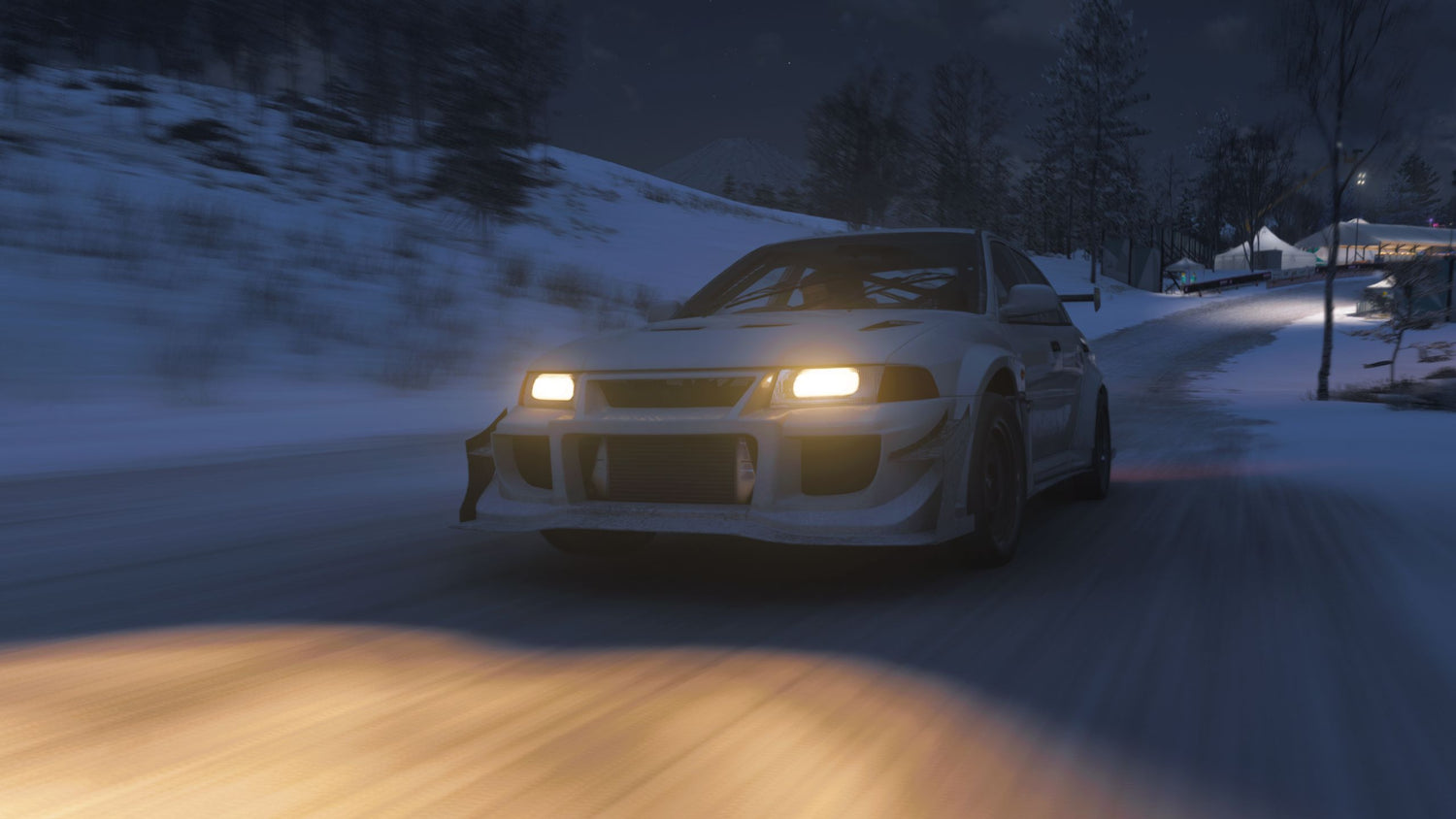
Forza Horizon 6 Festival Loop Speed Zone Guide: What Kind of Gaming PC Do You Need to Play Racing Games at Their Best in Canada?
The Forza Horizon 6 Festival Loop speed zone challenge is a small objective with a bigger lesson behind it: modern racing games are no longer just about finding the right road or choosing the right car. They are also about having the right hardware. The source guide explains where to find the Festival Loop speed zone, how to hit the three-star target, and why tuning the 2001 Mitsubishi Lancer Evolution VI GSR TM matters. For Canadian players, though, the next question is obvious: if you are playing a fast, visually rich open-world racer like Forza Horizon 6, is your current PC actually giving you the experience you want?
If your frame rate dips during high-speed night driving, if snowy dirt routes feel less responsive than they should, or if you are planning to play new racing and open-world games at higher settings, this is exactly where a smart buying decision starts. At Groovy Computers, we build custom systems for gamers across Canada who want stronger performance, better value, cleaner upgrade paths, and more confidence before hardware prices move again.
What the Festival Loop speed zone challenge tells us about modern PC gaming
According to the source, the Festival Loop speed zone sits on the southern side of the Horizon Festival grounds in the Ohtani region. It is a short dirt route with only two key turns, and the challenge asks players to maintain an average speed high enough to earn three stars. On paper, that sounds simple. In practice, it shows how modern racing games push both player skill and system responsiveness.
Why does this matter? Because open-world racing games depend on more than raw top speed. They need quick asset streaming, stable frame pacing, strong CPU performance for world simulation, fast storage for smooth loading, and a capable GPU for visual effects like lighting, weather, reflections, and terrain detail. When the game throws snow, dirt, fast cornering, and busy festival environments at you, weak hardware becomes much more noticeable.
Are you only trying to complete a challenge like Festival Loop, or do you want the full experience with high settings, smooth driving, and room for future games too? That is the kind of question that can save you from buying too little PC now and upgrading too soon later.
If you play Forza Horizon 6, what do you want your next PC to do for you?
Before you compare parts, brands, or budgets, start with the real question: what do you want your next PC to do?
Do you want a system that simply runs racing games at 1080p smoothly? Do you want a 1440p gaming setup with high refresh rate performance? Are you chasing 4K visuals, ray tracing, and ultra settings? Do you also want to stream races, clip highlights, edit videos for YouTube, or create thumbnails in Photoshop after you are done driving?
Many buyers begin by searching for one game-specific answer, but their actual needs are broader:
- Gaming only: smooth performance in racing, shooters, and new AAA titles
- Gaming and streaming: enough CPU and GPU headroom for OBS, Discord, and background apps
- Gaming and editing: stronger multitasking for video exports, clips, and social content
- Creator workflow: support for Premiere Pro, DaVinci Resolve, Photoshop, Lightroom, Illustrator, or Blender
- Long-term value: a future-ready build that avoids an early replacement cycle
If you are already researching game guides for current releases, there is a good chance you are also close to a hardware decision. The real opportunity is choosing a system that matches not just one challenge in one game, but your next two to four years of gaming and creative use.
What gaming PC do you need for Forza Horizon 6 and other new racing games?
For Canadian shoppers looking for a Gaming PC Canada buying guide tied to real gameplay, racing titles are a useful benchmark. They reward both visual horsepower and responsiveness. A weak machine can still launch the game, but the difference between “it runs” and “it feels great” is massive.
Entry-level 1080p gaming: who is it for?
If you mainly want to play at 1080p with solid settings and good smoothness, an entry-to-midrange gaming desktop can make sense. This tier is ideal for players asking, What gaming PC do I need if I just want to enjoy Forza, esports games, and popular AAA releases without overspending?
This category is often right for:
- first-time PC gamers
- students
- console players moving to desktop
- buyers looking for a Budget Gaming PC Canada option
The key here is balance. A decent modern CPU, enough RAM, a fast SSD, and a capable graphics card will do much more for the experience than chasing one flashy part and cutting corners everywhere else.
1440p gaming: the sweet spot for many Canadian buyers?
For many shoppers, 1440p is where the value-to-performance ratio gets very attractive. If you are asking what PC do I need for 1440p gaming, this is often the tier where racing games feel dramatically more premium without jumping all the way into the highest price bracket.
A 1440p Gaming PC Canada build is a great fit if you want:
- higher visual clarity than 1080p
- better use of a high-refresh monitor
- strong performance in open-world racers and action games
- extra headroom for future releases
If your current PC struggles when weather effects, dense scenery, or nighttime lighting appear, this tier is often where those problems start disappearing.
4K and premium gaming: do you actually need it?
Not every buyer needs a 4K Gaming PC Canada system, but some absolutely do. If you are planning to game on a large 4K display, care deeply about visual quality, or want a premium setup for racing games, cinematic AAA titles, and long-term performance, this tier can be worth it.
But ask yourself honestly: are you buying for esports-style speed, immersive single-player visuals, or both? If your goal is ultra settings, advanced effects, and high-end longevity, a High End Gaming PC Canada build makes more sense than buying a weaker system and replacing key components in stages.
Why the source guide’s tuning advice matters to PC buyers too
The source article points out that the stock B-class Lancer struggles to hit the target and recommends upgrading it to S1 with suitable dirt or snow-ready tuning. That advice is game-specific, but the logic applies perfectly to PC buying.
A stock or entry-level setup often looks affordable at first. But if it cannot comfortably deliver the performance you actually want, you end up spending more through upgrades, frustration, or an early replacement. In other words, buying too low can be like attempting a speed zone with the wrong setup: technically possible, but harder than it needs to be.
This is why custom builds matter. Groovy Computers helps buyers avoid mismatched systems by aligning the build to the way the PC will really be used. That means better part balance, better cooling, better long-term value, and fewer regrets.
Are you only gaming, or do you also want to stream, edit, and create?
This is one of the most important questions in the entire buying process. A surprising number of customers start by looking for a gaming desktop, then realize they also want to stream to Twitch, cut race clips for YouTube, edit social content, or design thumbnails and overlays.
If that sounds like you, your needs are no longer just gaming. You are crossing into Content Creation PC Canada territory.
What if you want a gaming and streaming PC?
If you are planning to race, stream, and record at the same time, your system needs more than basic game performance. A proper Gaming and Streaming PC Canada build should give you enough overhead for:
- OBS or Streamlabs
- voice chat and browser windows
- recording gameplay while playing
- stable performance during busy scenes
Are you planning to stream in 1080p? Do you want clean footage for clips and highlight reels? Do you want one machine that handles gaming and content without feeling overloaded? If yes, a stronger CPU-GPU balance becomes more important than raw gaming numbers alone.
What if you want to edit race footage or social content?
Maybe Forza Horizon 6 is not just a game to you. Maybe it is also part of your content pipeline. If you edit videos for YouTube, TikTok, Reels, or short-form motorsport content, you should be thinking about a Video Editing PC Canada or hybrid creator build.
That matters especially if you use:
- Adobe Premiere Pro
- DaVinci Resolve
- After Effects
- CapCut on desktop
What PC do you need for video editing if you also game? In many cases, a carefully selected creator-gaming hybrid is the answer. You get the GPU strength for modern games plus the CPU, RAM, and storage performance needed for smoother editing timelines and faster exports.
What if your work includes Photoshop, Lightroom, or graphic design too?
Some buyers discover that their “gaming PC” is really a do-everything desktop. If you handle photography, thumbnails, marketing assets, logos, social graphics, or Adobe Creative Cloud work, you may need a system that behaves more like a Graphic Design PC Canada or Photo Editing PC Canada build.
Do you edit RAW images? Work with large PSD files? Use multiple monitors? Need colour-consistent workflows? Those details change the ideal parts list. They also affect how much RAM, SSD space, and CPU class you should aim for.
What if you are doing Blender, Unreal Engine, or 3D rendering?
If your interest in racing games overlaps with modding, game development, asset creation, or 3D visualization, you may need something beyond a standard gaming desktop. A proper 3D Modeling PC Canada or Workstation PC Canada build should be selected differently.
Ask yourself:
- What PC do I need for Blender?
- Do I need more GPU power for rendering?
- How much RAM do I need for 3D modeling?
- Is a gaming PC good for workstation use, or should I move into a dedicated professional build?
The answer depends on your software, project complexity, and whether gaming is still the main priority or just one part of a broader workflow.
Which performance tier fits you best?
One of the biggest reasons customers overspend or underspend is that they do not define their tier clearly enough. Here is a practical way to think about it.
Tier 1: Budget-conscious gamer
You may fit this tier if you want a Best Budget Gaming PC Canada option for 1080p gaming, everyday use, and popular multiplayer titles without stepping into premium pricing.
This tier is best if:
- you mainly play at 1080p
- you want good value first
- you are not focused on max settings in every new AAA release
- you want a first gaming PC that can still be upgraded later
If that sounds like you, the better question may be how much should I spend on a gaming PC without limiting myself too quickly?
Tier 2: Mainstream enthusiast
This is the sweet spot for many players. You want stronger visuals, smoother gameplay, and enough headroom for future releases. You may also want light streaming or content work.
This tier is best if:
- you want 1440p gaming
- you care about higher settings and better longevity
- you may stream casually or edit clips
- you want a better experience now rather than a compromise you replace soon
If you are asking what is the best gaming PC for the money, this is often where the answer lands.
Tier 3: Premium gamer or serious creator
This tier is for buyers who want premium gaming, major multitasking, advanced content creation, or a longer replacement cycle. It is also a strong fit for people considering a Custom Creator PC Canada build or a high-end open-world and racing setup.
This tier is best if:
- you want 4K or ultra-tier 1440p performance
- you stream and edit regularly
- you use demanding software
- you would rather buy strong once than upgrade repeatedly
Are you trying to avoid upgrading in a year or two? This is where smarter upfront investment can reduce total ownership cost over time.
Is it better to buy a gaming PC now or wait?
This is one of the most common buyer-stage questions in Canada, and it matters even more when a game release pushes hardware interest higher. Game-specific hype often sends buyers into the market at the same time. That can create pressure on parts, especially GPUs, certain CPU tiers, memory, and storage.
Waiting can work if you already have a strong system and are simply browsing. But if your current desktop is holding you back now, waiting is not automatically the safer move. Why?
- popular new releases can increase demand
- higher-tier GPUs can tighten in availability
- component replacement costs can shift unexpectedly
- software workloads keep growing, not shrinking
- buying too late may reduce your best-value options
So ask yourself: are you waiting for a guaranteed better deal, or are you just delaying a purchase you already know you need? If your current PC is already underperforming in modern games, streaming, or editing, the cost of waiting is not only financial. It is also lost time, lower performance, and a worse day-to-day experience.
Should you choose a cheaper PC now or finance a stronger one?
This is where buying strategy becomes important. Many shoppers limit themselves to the cash price they can handle immediately, even when that means settling for a weaker system that may age out faster. But if financing is available, the real question changes.
Should you finance a better PC instead of buying a cheaper one?
For a lot of customers, the answer is yes. If financing lets you move from an entry-level machine into a properly balanced gaming or creator build, you may get:
- better gaming performance right away
- more useful lifespan before the next upgrade
- stronger multitasking for streaming or editing
- fewer compromises on storage, memory, or cooling
At Groovy Computers, financing can help Canadian buyers secure a stronger custom PC without needing to pay the full amount upfront. If your goal is to avoid getting trapped in the cycle of buying underpowered now and replacing sooner, that option can make a lot of practical sense.
Would monthly payments make it easier to choose the performance tier you actually want? Would it help you step up from basic 1080p to a more future-ready 1440p build, or from a gaming-only system to a gaming-and-editing machine? Those are worth asking before you lock yourself into a compromise.
Why custom builds matter more when you want game-specific performance
A guide like the source article is useful because it solves one immediate problem: where to find the speed zone and how to beat it. But for hardware buyers, the bigger issue is not one route in one game. It is whether your full system is properly matched to the experience you want across many games and tasks.
That is where a Custom Gaming PC Canada approach wins. Instead of a generic one-size-fits-all desktop, a custom build can be selected around:
- your target resolution
- your preferred game genres
- whether you stream
- whether you edit content
- how long you want the system to stay relevant
- how much upgrade room you want later
Are you playing racing games today but expecting to jump into other AAA releases soon? Do you want a machine that handles open-world games now and creator software later? That is exactly why custom configuration matters.
Why Canadian buyers should think differently about gaming PC value
Canadian shoppers often face a different buying environment than large U.S.-focused audiences. Shipping, part availability, exchange-driven pricing pressure, and support confidence all matter more when you are choosing a full desktop.
That is why working with a Canadian builder matters. Groovy Computers serves buyers who want a Canada Built Gaming PC with real support, proper part matching, and a build process designed for actual use cases, not generic mass-market specs.
For customers in Nova Scotia and across Atlantic Canada, there is also local trust value in choosing a builder that understands the market. For buyers elsewhere in the country, the advantage is still clear: a custom gaming or creator desktop built for Canadian customers and shipped with care.
What should you ask before buying your next gaming PC?
If a guide on a Forza challenge led you into PC shopping, these are the questions that matter most:
-
What games am I really buying this PC for?
Is it just Forza Horizon 6, or also future open-world titles, competitive shooters, and visually demanding releases? -
What resolution do I want to play at?
1080p, 1440p, or 4K changes the entire value equation. -
Do I want high settings, high FPS, or both?
Some buyers prioritize image quality. Others care most about responsiveness. -
Will I stream or record gameplay?
If yes, a stronger build is often the smarter long-term buy. -
Will I edit video, photos, or graphics too?
Your gaming PC may need to double as a creator workstation. -
Do I want to avoid upgrading too soon?
If yes, buying a better-balanced system now may save money later. -
Would financing help me get the right build instead of the cheapest build?
This is one of the most practical questions in the market today.
Why choose Groovy Computers for your next custom PC in Canada?
Groovy Computers is built around what serious buyers actually need: custom PCs that are selected with purpose, assembled with care, and designed to make sense for the customer instead of forcing the customer to fit a generic box.
That means:
- custom gaming PCs for different performance tiers
- creator and editing systems for mixed-use workflows
- workstation options for heavier professional tasks
- rigorous testing before delivery
- a 1-year warranty for added confidence
- financing options that can help you buy stronger without full upfront strain
Are you looking for a budget-friendly first gaming desktop, a premium racing-and-streaming machine, or a creator-ready system that can game after hours too? Groovy Computers can help match the build to the workload so you are not guessing alone.
Need help choosing between a budget gaming PC, a premium RTX build, or a creator system?
If you are unsure where you fit, that is normal. Many buyers do not need “the most expensive PC.” They need the right PC.
If you mainly want smooth racing and general gaming at sensible settings, a value-focused gaming build may be perfect. If you want higher refresh 1440p performance and better future-proofing, a stronger enthusiast-tier system likely makes more sense. If you are planning to stream, edit, design, or create content around your gaming, a hybrid creator build may be the smartest move of all.
So what do you want your next PC to do for you six months from now, not just this weekend? That is the question that leads to better buying decisions.
The bottom line: a Forza Horizon 6 guide can reveal a bigger upgrade decision
The Forza Horizon 6 Festival Loop speed zone challenge is about finding the right route, using the right setup, and maintaining the right speed. Buying a PC is not that different. If your current machine is limiting your games, your streaming, your editing, or your future plans, the smarter move may be to upgrade with intention instead of waiting until prices or demands climb further.
If you are asking what gaming PC you need, what performance tier fits your budget, whether financing is worth it, or whether you should buy now instead of later, Groovy Computers is the place to start. Explore builds, compare options, and get help choosing a custom system at GroovyComputers.ca.
#ForzaHorizon6 #FestivalLoopSpeedZone #GamingPCCanada #CustomGamingPCCanada #GamingPCBuildsCanada #BudgetGamingPCCanada #1440pGamingPCCanada #4KGamingPCCanada #ContentCreationPCCanada #VideoEditingPCCanada #StreamingPCCanada #CanadianCustomPCBuilders #NovaScotiaGamingPC #GroovyComputers
Groovy Computers | All Rights Reserved


Leave a comment
This site is protected by hCaptcha and the hCaptcha Privacy Policy and Terms of Service apply.