






















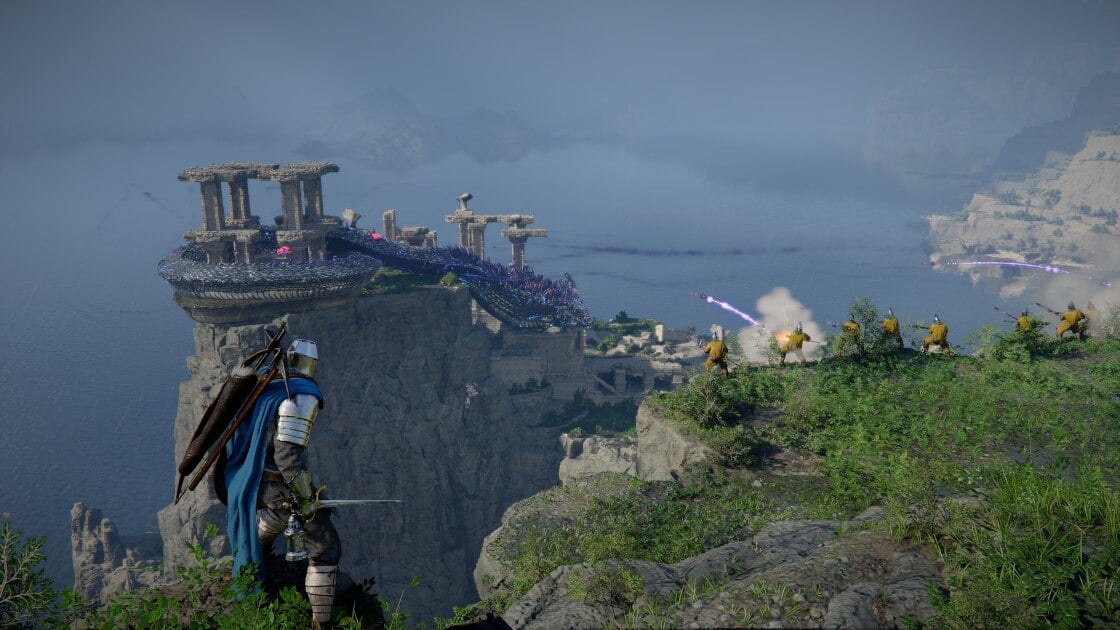
Gaming PC for New Games: What Crimson Desert Teaches Canadian Buyers About Custom PC Performance
If you are shopping for a gaming PC for new games, Crimson Desert is exactly the kind of title that should make you think carefully before buying a generic desktop. Massive open worlds, dense physics systems, high-detail environments, dynamic lighting, climbing, gliding, action-heavy combat, and demanding visual effects are no longer reserved for tech demos. They are becoming the expectation for modern AAA gaming, and they are also the reason Canadian players should be asking a bigger question before they buy: what do I actually need my next PC to handle?
Crimson Desert stands out because it combines several performance-heavy ideas at once. It has the scale and exploration-first design of modern open-world adventures, the physicality of action RPG combat, the environmental interaction of sandbox games, and the visual density of a premium fantasy world. That combination is exciting for players, but it is also demanding for hardware. A game like this does not only ask your PC to render pretty scenery. It asks your system to manage lighting, physics, animation, enemy AI, traversal systems, large outdoor spaces, fast combat, and sudden changes in frame pacing.
For Groovy Computers customers across Canada, that matters. Whether you are in Nova Scotia, Atlantic Canada, Ontario, Alberta, British Columbia, or anywhere else ordering online, the lesson is the same: new games are becoming more ambitious, and the right custom gaming PC is no longer just about buying the most expensive graphics card you can afford. It is about choosing a balanced system that matches your resolution, your monitor, your favourite games, your streaming plans, your editing workload, your upgrade timeline, and your budget.
So, before you buy your next gaming desktop, ask yourself this: are you building for the games you play today, or for the games you know are coming next?
Why Crimson Desert Is a Useful Warning Sign for Anyone Buying a Gaming PC for New Games
Crimson Desert is a strong example of where PC gaming is headed because it pushes several hardware-sensitive categories at the same time. Open-world games are not simple benchmark numbers. They are messy, dynamic, and often unpredictable. One moment you may be walking through a quiet forest. The next, you may be fighting multiple enemies, climbing a large creature, triggering particle effects, watching foliage react around you, and moving through a lighting-heavy environment with a fluctuating camera.
That is why a gaming PC for new games needs more than a “good enough” spec sheet. It needs a CPU that can keep up with simulation and world activity, a GPU that can push your target resolution, enough memory to avoid stutters, fast SSD storage to support streaming assets, and cooling that keeps performance stable during long sessions.
The source material described Crimson Desert running on a PC with an AMD Ryzen 5 3600, an Nvidia GeForce RTX 2080, and 16GB of RAM at medium settings and 1440p, with performance around 60fps in many moments but dips during heavier scenes. That is an important takeaway. A capable older system can still play a demanding open-world game, but if you want smoother performance, higher settings, stronger 1440p gameplay, better 4K capability, or more headroom for streaming and recording, you should be looking at a more modern and better-balanced build.
What does that mean for you? It means the best PC for new games is not always the cheapest PC that can launch the game. It is the PC that gives you the experience you actually want: stable frame rates, fast loading, visual quality, lower noise, better thermals, and enough performance headroom that you are not shopping for another upgrade too soon.
What Do You Want Your Next PC to Do for You?
This is the most important question in the entire buying process: what do you want your next PC to do for you?
Do you want a budget gaming computer that plays today’s major titles at 1080p without overspending? Do you want a 1440p gaming PC Canada buyers can rely on for high settings and smoother frame rates? Are you building around a 4K monitor, ray tracing, ultra settings, and premium visuals? Do you also want to stream on Twitch or YouTube, record gameplay, edit videos, design thumbnails, create short-form content, work in Photoshop, render 3D scenes, or run productivity software for school or business?
Many customers start by saying, “I need a gaming PC.” But that can mean very different things. A competitive esports player chasing high FPS in shooters has different needs than a cinematic RPG fan who wants ultra settings. A streamer needs different hardware priorities than someone who only plays offline. A video editor needs more memory and storage planning than a casual gamer. A 3D artist may need a workstation-class approach, not just a gaming-focused build.
Before you choose a system, think about these questions:
- What games do you play most? Open-world RPGs, competitive shooters, simulators, strategy games, survival games, racing games, and heavily modded titles can all stress a PC differently.
- What resolution do you want? 1080p, 1440p, and 4K are very different buying decisions.
- Do you care more about frame rate or graphics quality? Competitive players often prioritize FPS, while cinematic players may prefer higher visual settings.
- Will you stream, record, or edit content? If yes, your PC should be planned as a gaming and creator system, not just a gaming box.
- How long do you want to avoid upgrading? A slightly stronger system now may be cheaper than replacing a weak system too soon.
- Would financing help you secure the right PC instead of settling for one that is already near its limit? For many Canadian buyers, monthly payments can make a stronger, longer-lasting build more realistic.
What the Source Gets Right: Ambitious Games Reward Better Hardware
The discussion around Crimson Desert highlights something experienced PC players already know: ambitious games reward capable systems. The game’s appeal comes from density, interaction, scale, movement, combat variety, and immersion. Those same strengths are exactly what make performance more complicated.
When a game world includes dynamic NPC behaviour, physics interactions, climbing, gliding, large enemies, weathered towns, reflective lighting, detailed foliage, combat abilities, and environmental puzzles, performance is not only about the graphics card. Your CPU has to process world logic. Your GPU has to draw complex scenes. Your RAM has to support the workload. Your SSD has to help assets load smoothly. Your cooling has to prevent thermal throttling. Your power supply has to support the system reliably.
This is where a custom PC builder matters. A random prebuilt may advertise one impressive part but cut corners elsewhere. A strong GPU paired with weak cooling, limited RAM, poor airflow, or a low-quality power supply is not a premium experience. A proper gaming PC for new games should be built as a complete system.
At Groovy Computers, the goal is not simply to put popular parts into a case. The goal is to match the build to the customer’s real use: gaming, streaming, video editing, photo editing, graphic design, content creation, 3D modeling, workstation use, or a hybrid of several workloads.
Why Canadian Buyers Should Think Differently Before Buying a New Gaming PC
Canadian PC buyers face a different purchasing reality than many online reviews suggest. Prices are in Canadian dollars, availability can vary by region, shipping matters, warranty support matters, and replacement costs can change quickly. A component that looks affordable one month may be harder to source or more expensive later. GPUs, RAM, SSDs, power supplies, and cases can all shift in price depending on demand, supply, exchange rates, launches, and seasonal buying pressure.
That is why waiting is not always the low-risk choice. If you already know you need a stronger PC before a major game release, a software upgrade, a school term, a creator project, or a busy sales season, the smarter move may be to plan early. If you wait until demand spikes, you may face fewer options, higher prices, longer build times, or pressure to settle for a system that is not ideal.
Ask yourself: are you buying because your current PC is already struggling, or are you waiting until it completely fails to keep up? Those are very different buying positions. Planning early gives you more control. Panic-buying later often limits your choices.
For customers looking for Gaming Computers Canada wide, Groovy Computers offers a Canadian custom PC buying path that focuses on the complete system: performance, testing, support, warranty confidence, and build quality. That matters when you are investing in a machine you may rely on for years.
Which Performance Tier Fits You Best?
Not every customer needs a flagship build. Not every customer should buy the cheapest system either. The right performance tier depends on your monitor, your games, your software, your expectations, and how long you want the PC to remain comfortable.
Entry-Level 1080p: Is a Budget Gaming PC Enough?
If you play esports titles, lighter games, older favourites, Minecraft, Roblox, Fortnite, indie games, or less demanding competitive games, a budget gaming PC can be a smart choice. A well-built 1080p system can deliver excellent value, especially for students, first-time PC gamers, and families buying a first gaming desktop.
But here is the key question: do you only need the PC to run games, or do you want it to run new AAA games comfortably for several years? A low-cost system may be fine today, but it may struggle sooner with future open-world games, higher-resolution textures, heavier updates, and background tasks like Discord, browsers, capture software, and game launchers.
A budget gaming computer makes sense if:
- You mostly play at 1080p.
- You are comfortable lowering some graphics settings in demanding games.
- You do not need heavy streaming or editing performance.
- You want the best value without overspending.
- You plan to upgrade later and want a clean path forward.
If you are asking, “How much should I spend on a gaming PC?” the answer depends on how long you want it to last. Buying too low can feel cheaper at checkout but more expensive if you need another upgrade sooner than expected.
Mid-Range 1440p: The Sweet Spot for Many Canadian Gamers
For many players, a 1440p Gaming PC Canada buyers can depend on is the best balance of sharp visuals, high frame rates, and long-term value. 1440p looks significantly clearer than 1080p, but it is usually far easier to drive than 4K. For open-world games like Crimson Desert, this tier is often where performance and visual quality meet comfortably.
If you want high settings, strong FPS, modern GPU features, smooth gameplay, and enough headroom for upcoming releases, 1440p is often the right target. It is also a strong fit for streamers and creators who want one PC for gaming, recording, editing, and everyday productivity.
Ask yourself: what PC do I need for 1440p gaming if I want to avoid upgrading too soon? The answer usually involves a balanced CPU, a strong modern GPU, 32GB of RAM for extra headroom, fast NVMe SSD storage, and a quality case with reliable airflow.
A 1440p-focused system makes sense if:
- You want a noticeable visual upgrade from 1080p.
- You play modern open-world games and AAA releases.
- You want high settings without jumping all the way to 4K costs.
- You may stream, record, or edit videos.
- You want a system that feels strong for several years.
Premium 4K and Ray Tracing: Do You Want Ultra Settings Without Compromise?
A 4K Gaming PC Canada buyer is usually looking for a premium experience: sharper visuals, larger displays, cinematic settings, ray tracing, high-resolution textures, and a more future-focused build. This is where component choice becomes especially important because 4K gaming can heavily stress the GPU.
Open-world games are particularly demanding at 4K because the system must render large spaces with high detail. If you also want ray tracing, high refresh rates, streaming, or recording, the build needs even more headroom.
Ask yourself: what PC do I need for 4K gaming, and how long do I expect it to feel high-end? If your goal is ultra settings, premium visuals, and a long useful life, it may be worth financing a stronger system rather than buying a cheaper one that struggles with your monitor from day one.
A premium high-end gaming PC makes sense if:
- You play on a 4K monitor or large high-resolution display.
- You want ultra settings in visually demanding games.
- You care about ray tracing and advanced visual effects.
- You want excellent performance in current and upcoming AAA games.
- You also create content, edit videos, or render projects.
- You want the longest practical upgrade runway.
Do You Need a Gaming PC, a Streaming PC, or a Creator PC?
Many modern buyers are not only gamers. They are also streamers, editors, designers, students, freelancers, business owners, and content creators. That changes the buying decision. A PC that is great for gaming can often be good for content creation, but only if the full system is configured properly.
Are you planning to stream your Crimson Desert gameplay, record walkthroughs, upload YouTube clips, edit TikToks, design thumbnails, or run Discord and OBS while gaming? If yes, you should think beyond a standard gaming desktop. You may need a Gaming and Streaming PC Canada customers can rely on for multitasking.
A streaming-focused build should consider:
- GPU encoding: Helpful for OBS, streaming, and recording gameplay efficiently.
- CPU headroom: Important for multitasking, background apps, browser sources, alerts, and production tools.
- Memory: 32GB is often a smart target for gaming plus streaming or editing.
- Storage: Fast NVMe SSDs help with game loading, footage storage, project files, and smooth workflow.
- Noise and cooling: A quieter PC is better if your microphone is nearby.
What PC do you need for streaming? The answer depends on whether you are streaming esports at 1080p, playing AAA games at 1440p, recording high-bitrate footage, or editing content afterward. A custom streaming PC should be planned around the full workflow, not just the game.
Is a Gaming PC Good for Video Editing, Photo Editing, and Graphic Design?
A well-built gaming PC can be excellent for creative work, but only if it has the right supporting components. Video editing, photo editing, graphic design, and content creation can all benefit from strong CPUs, capable GPUs, fast SSDs, and higher RAM capacity.
If you use Adobe Premiere Pro, DaVinci Resolve, After Effects, Photoshop, Lightroom, Illustrator, Canva, or other creative tools, your PC should be designed to save time, not just run games. Export speed, timeline smoothness, preview performance, batch processing, AI-assisted tools, and multitasking can affect your daily productivity.
Ask yourself: will this PC help me create faster, or will I spend the next few years waiting on exports and previews?
A Creator PC Canada buyer should consider:
- 32GB RAM as a strong starting point for gaming, streaming, photo editing, and lighter video editing.
- 64GB RAM or more for heavier 4K editing, After Effects, large Photoshop files, and demanding creator workflows.
- Fast NVMe SSD storage for active projects, game installs, media cache, and application responsiveness.
- A strong GPU for accelerated effects, DaVinci Resolve, AI tools, 3D work, and high-resolution timelines.
- A balanced CPU for rendering, encoding, multitasking, and general creative performance.
If you are asking, “Is a gaming PC good for content creation?” the answer is yes when it is built intentionally. A random gaming prebuilt may not have enough RAM, storage, cooling, or CPU strength for serious creative work. A custom creator PC can be tailored to your software, your files, and your deadlines.
What About 3D Modeling, Rendering, Unreal Engine, and Workstation Use?
Crimson Desert’s world is a reminder that modern games are built with the same kinds of heavy tools many creators use: 3D modeling, animation, lighting, environment design, physics systems, and real-time rendering. If you are not only playing games but also building assets, rendering scenes, working in Blender, Unreal Engine, Unity, Maya, 3ds Max, Cinema 4D, AutoCAD, Revit, SolidWorks, or SketchUp, your PC decision becomes more workstation-focused.
A 3D Modeling PC Canada buyer should ask different questions than a casual gamer. Do you render on the GPU or CPU? Are your scenes memory-heavy? Do you need lots of VRAM? Are you working with architectural visualization, product rendering, animation, game development, CAD files, or simulation?
Ask yourself: what PC do I need for 3D rendering if I also want to game at high settings? This is exactly where a custom build can provide better value than a one-size-fits-all machine. A workstation PC can still be a powerful gaming PC, but the parts should be selected based on your software priorities.
A 3D or workstation-focused build may need:
- A stronger GPU for GPU rendering, viewport performance, real-time engines, and AI-assisted workflows.
- More VRAM for complex scenes, high-resolution textures, and heavy projects.
- 64GB or 128GB RAM for large models, multitasking, simulation, and rendering workloads.
- High-capacity SSD storage for project libraries, cache files, assets, and backups.
- Reliable cooling and power delivery for long render sessions.
If you use your computer for both work and play, the cheapest gaming PC is rarely the best long-term choice. A custom workstation PC Canada customers can depend on should be built for stability, upgradeability, and workload-specific performance.
Why Custom Builds Matter More Than Ever for Demanding Open-World Games
When a game like Crimson Desert blends open-world scale with dense interaction and action-heavy combat, weak points in a PC become obvious. A low-quality build may look good in a product photo but struggle under sustained load. The GPU may be strong, but the case may have poor airflow. The CPU may be capable, but the cooler may be insufficient. The storage may be too small. The RAM may be minimal. The power supply may leave little upgrade room.
This is why buying from a Custom PC Builder Canada customers trust can make a major difference. A custom gaming PC should be planned around the complete experience, including:
- Performance balance: Avoiding mismatches between CPU, GPU, RAM, and storage.
- Cooling: Keeping the system stable during long gaming, streaming, or rendering sessions.
- Power supply quality: Supporting the parts safely and allowing future upgrades where possible.
- Case airflow: Reducing heat buildup and unnecessary fan noise.
- Storage planning: Ensuring you have enough fast space for large games and creative files.
- Testing: Helping catch issues before the system reaches the customer.
- Warranty support: Giving Canadian buyers confidence after purchase.
Groovy Computers focuses on custom builds, rigorous testing, and a 1-year warranty so customers are not left guessing. That matters whether you are buying a budget gaming computer, a premium RTX gaming PC, a custom creator PC, an editing workstation, or a 3D modeling workstation.
Should You Buy Now or Wait Before Prices Change?
One of the biggest questions Canadian PC buyers ask is: is it better to buy a gaming PC now or wait?
There is no universal answer, but there are clear signs that waiting can be risky. If your current PC already struggles with the games or software you use, waiting may cost you time, performance, and missed opportunities. If a major game release is coming, demand for GPUs and gaming desktops can increase. If creator software becomes more demanding, older systems can feel outdated quickly. If RAM, SSD, GPU, or exchange-rate pressure changes, the build you priced today may not cost the same later.
Waiting can make sense if you are not in a hurry, your current system works well, and you are comfortable watching the market. But if you are already lowering settings, dealing with stutters, running out of storage, waiting on exports, or avoiding new games because you are unsure your PC can handle them, it may be time to plan a better system.
Ask yourself: are you waiting strategically, or are you delaying until your current PC forces your hand?
Buying earlier can give you:
- More time to choose the right parts.
- More flexibility before demand spikes.
- Better control over your budget.
- Less pressure to settle for an available but poorly matched system.
- More time to use and enjoy the PC before the next major game or project deadline.
Could Financing Help You Buy the Right PC Instead of Settling?
Financing is not about buying more than you need. Used properly, it is about avoiding a weak purchase that becomes expensive later. If the system you can pay for upfront is already borderline for your goals, financing may help you choose a stronger, more balanced PC with a longer useful life.
Should you finance a gaming PC? That depends on your budget, your income, your priorities, and how important the system is to your gaming, school, work, or creative projects. But for many Canadian buyers, financing up to 4 years can make a stronger build more accessible without requiring the full payment at once.
Here is the practical question: should you buy a cheaper PC today and upgrade sooner, or finance a better PC that matches your actual needs from day one?
Financing may make sense if:
- You want a 1440p or 4K gaming PC instead of settling for entry-level performance.
- You plan to stream, record, or edit content and need stronger multitasking performance.
- You use your PC for work, school, business, or creative projects.
- You want to buy before a major game release, sale rush, or price change.
- You want to avoid replacing the system too soon.
- You prefer predictable monthly payments over a large upfront purchase.
Financing may not be the right fit if you only need a very basic system, already have the funds for the build you want, or prefer to avoid monthly payments. The goal is not to overspend. The goal is to choose the right system for your real workload.
What Specs Should You Prioritize for Games Like Crimson Desert?
For visually dense open-world action RPGs, your build should prioritize balance. A powerful graphics card matters, but it is not the only part of the experience. The best PC for new games should be built around your desired resolution and performance target.
GPU: The Heart of Visual Performance
The GPU is the most important part for high-resolution gaming, ray tracing, visual settings, and GPU-accelerated creator work. If you want 1080p gaming, you can choose a more value-focused GPU. If you want 1440p gaming, you should move into a stronger tier. If you want 4K, ray tracing, or ultra settings, the GPU becomes the central investment.
Ask yourself: do you want to play at medium settings today, or high settings comfortably for years? That question often determines whether a budget GPU is enough or whether a stronger RTX gaming PC is worth considering.
CPU: The Part That Keeps the World Moving
Open-world games rely heavily on CPU performance for simulation, AI, physics, background tasks, and frame consistency. A weak CPU can create stutters even when the GPU is strong. For streaming, editing, rendering, and multitasking, CPU choice becomes even more important.
If you are playing only, a strong gaming CPU is ideal. If you are gaming and creating, you may want more cores and stronger multitasking performance. If you are rendering or working in professional software, CPU selection should be matched to your workflow.
RAM: The Difference Between Smooth Multitasking and Frustration
For modern gaming, 16GB can still work in many cases, but 32GB is increasingly the safer choice for new games, multitasking, streaming, and creator work. If you edit video, work with large photo libraries, use After Effects, render 3D scenes, or keep many applications open, 64GB may be a better target.
Ask yourself: how much RAM do you need if your PC is not just for gaming? If your answer includes Discord, OBS, Chrome tabs, editing software, game launchers, and high-resolution files, extra memory is not a luxury. It is practical headroom.
SSD Storage: New Games Are Large, and Creative Files Are Larger
Fast NVMe SSD storage is one of the most noticeable quality-of-life upgrades in a modern PC. It improves boot times, game loading, application responsiveness, project handling, and general system feel. Large AAA games can consume significant space, and creator projects can fill drives even faster.
A 1TB SSD may be enough for some gamers, but many customers are better served by 2TB or more, especially if they play several large games or create content. If you record gameplay or edit video, plan storage carefully from the start.
Cooling, Case, and Power Supply: The Parts People Forget Until Something Goes Wrong
Cooling, airflow, and power delivery are often overlooked by first-time buyers, but they affect stability, noise, lifespan, and upgrade options. A system that runs hot may throttle performance. A poor case may trap heat. A weak power supply may limit future upgrades. A cheap build may seem fine at checkout but become frustrating under real use.
Groovy Computers builds with the complete system in mind, which is especially important for demanding gaming PCs, creator PCs, and workstation PCs that may run under load for hours at a time.
Custom PC vs Prebuilt PC Canada: Which Makes More Sense?
Canadian buyers often compare custom PCs with generic prebuilts. A prebuilt gaming PC can be convenient, but convenience does not always mean the best fit. Many mass-market systems are designed to hit a price point, not to match your exact games, software, monitor, and future upgrade needs.
A custom PC is especially valuable when you know what you want the system to do. If you want high-FPS esports, the build can prioritize CPU and frame rate. If you want 1440p open-world games, the GPU and cooling can be matched accordingly. If you want streaming and editing, the RAM, storage, GPU encoder, and CPU can be planned together. If you want Blender or Unreal Engine performance, the system can be built with workstation-style priorities.
Ask yourself: why buy a custom gaming PC instead of taking whatever is on the shelf? Because your needs are specific, and your PC should be too.
A custom build gives you:
- Better part matching for your actual workload.
- Cleaner upgrade planning.
- More control over performance priorities.
- Better cooling and airflow options.
- More suitable storage and memory configurations.
- A stronger fit for gaming, streaming, editing, design, or workstation use.
- Confidence that the system was selected for you, not for a generic buyer.
What Kind of Buyer Are You?
The best gaming PC for new games depends on the person buying it. Use the categories below to help narrow your direction.
The Value Gamer
You want strong 1080p performance, good pricing, and a reliable entry into PC gaming. You do not need ultra settings in every new release, but you want a system that feels responsive and upgradeable. A budget gaming PC Canada buyer in this category should focus on smart part selection, not just the lowest possible price.
The 1440p Enthusiast
You want modern games to look sharp and run smoothly. You care about high settings, strong FPS, and a PC that will not feel outdated immediately. This is one of the most popular sweet spots for serious gamers because it balances visual quality and cost better than 4K.
The 4K Visual Perfectionist
You want premium visuals, ultra settings, high-end hardware, and a system that can handle demanding releases with confidence. You may also care about ray tracing and advanced visual features. This tier is where financing can be especially helpful because the right build costs more upfront but may last longer.
The Streamer and YouTuber
You want to play, record, stream, edit, and publish content. You need performance while multitasking, not just while gaming. A gaming and streaming PC should include enough CPU, RAM, GPU encoding capability, and storage to support your full workflow.
The Creator
You use your PC for Premiere Pro, DaVinci Resolve, Photoshop, Lightroom, Illustrator, Canva, After Effects, or social media content creation. You need a creator PC that saves time and handles multiple applications smoothly. Your PC should be built around productivity as much as entertainment.
The 3D Artist or Workstation User
You work in Blender, Unreal Engine, Unity, CAD, architecture, product rendering, animation, or visualization. You may need more memory, stronger GPU resources, more VRAM, and serious cooling. A gaming PC may not be enough unless it is configured with workstation needs in mind.
Questions to Ask Before You Buy or Finance a Custom PC
Before you commit to a build, take a few minutes to answer these questions. They can help prevent buyer’s remorse and make your conversation with Groovy Computers much more productive.
- What are the top three games I want to play over the next year?
- Am I targeting 1080p, 1440p, or 4K?
- Do I care about ray tracing, ultra settings, or high refresh rates?
- Will I stream, record, or edit gameplay?
- Do I use Adobe Creative Cloud, DaVinci Resolve, Blender, Unreal Engine, CAD, or other demanding software?
- How much storage do I realistically need for games, footage, and projects?
- How long do I want the PC to feel strong before upgrading?
- Would monthly financing help me choose the right build instead of compromising too much?
- Am I buying before a major game release, work deadline, school term, or price spike?
- Do I want expert help choosing parts instead of guessing?
If you are unsure about any of these answers, that is normal. Most customers do not need to know every part name. They just need to know what they want the PC to do. Groovy Computers can help translate those goals into the right build category.
Why Groovy Computers Is Built for Canadian PC Buyers
Groovy Computers is a Canadian custom PC builder focused on matching customers with systems that fit their gaming, creator, and workstation needs. Whether you are shopping for a budget gaming computer, a premium RTX gaming PC, a custom video editing PC, a creator workstation, or a 3D rendering system, the advantage is guidance.
Canadian buyers need more than a checkout button. They need clear advice, reliable testing, warranty support, and systems that make sense for Canadian pricing and availability. Groovy Computers provides custom builds, rigorous testing, Canada-wide relevance, and a 1-year warranty to help customers buy with confidence.
That matters because a gaming PC is not a small purchase. It is often the centre of your entertainment, work, school, content creation, and online life. A weak or poorly matched build can create years of frustration. A well-planned custom PC can make every session smoother.
Ready to Choose a Gaming PC for New Games?
If Crimson Desert has you thinking about massive open worlds, better visuals, smoother performance, and a stronger future-ready system, now is the time to ask the practical question: what gaming PC for new games should you buy before your current setup falls behind?
If you want help choosing between a budget gaming computer, a 1440p gaming PC, a 4K gaming PC, a streaming and editing PC, a custom creator PC, or a workstation build, visit GroovyComputers.ca. Groovy Computers can help you compare performance tiers, understand financing options, and choose a system that matches your real goals instead of guessing from a generic spec list.
Are you buying before a major game release, before prices shift, or before your current PC becomes the bottleneck? If so, financing up to 4 years may help you secure a stronger custom PC now rather than settling for a weaker system and upgrading too soon. The right build should feel exciting on day one and still make sense years later.
The Bottom Line: Big Games Need Better PC Planning
Crimson Desert is more than a visually impressive open-world action RPG. It is a reminder that modern games are becoming more demanding, more interactive, and more system-intensive. If you want to enjoy games like this at the quality level they deserve, your PC needs to be planned around your resolution, frame-rate target, graphics expectations, software needs, and upgrade timeline.
The best gaming PC for new games is not always the most expensive system, and it is rarely the cheapest one. It is the build that matches your actual life: the games you play, the content you create, the work you do, the monitor you own, the performance you expect, and the budget you can manage. For Canadian buyers, Groovy Computers offers a smarter path: custom builds, expert guidance, testing, warranty confidence, and financing options that can help you buy the right system before costs or demand move against you.
#GamingPCForNewGames #GamingPCCanada #CustomGamingPCCanada #1440pGamingPC #4KGamingPC #CreatorPCCanada #StreamingPCCanada #GroovyComputers
Groovy Computers | All Rights Reserved



Leave a comment
This site is protected by hCaptcha and the hCaptcha Privacy Policy and Terms of Service apply.