






















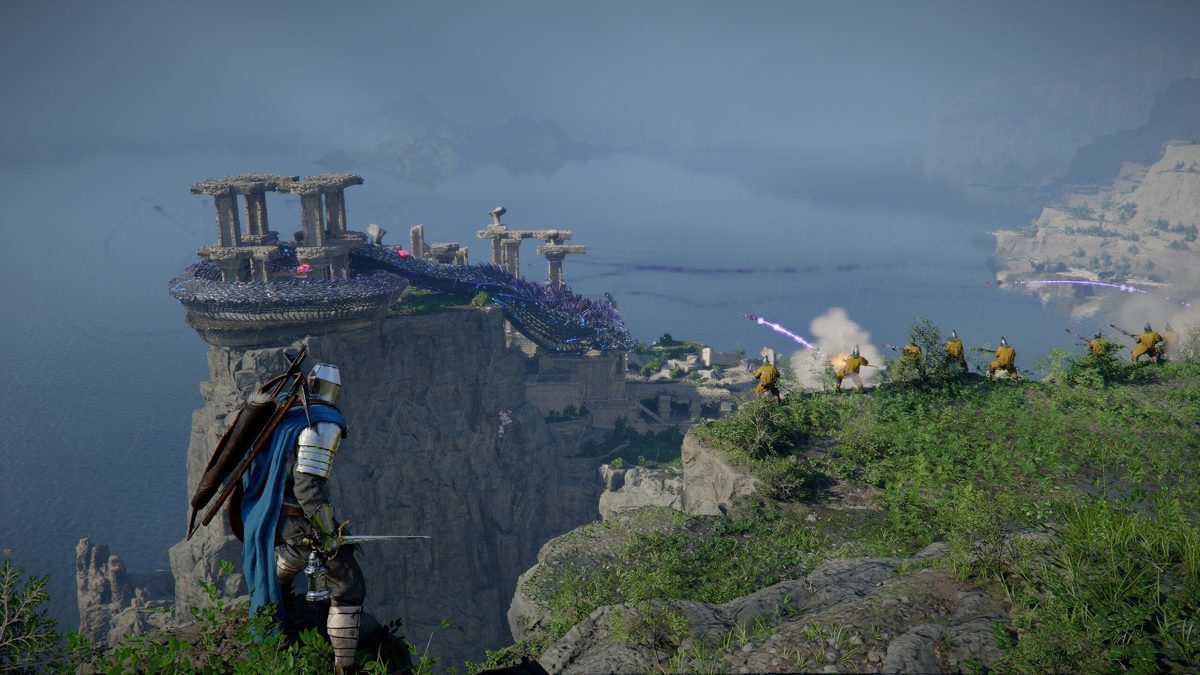
Gaming PC for New Games: What Crimson Desert Teaches Canadian Buyers About Choosing the Right Custom PC
If you are shopping for a Gaming PC for New Games, Crimson Desert is exactly the kind of title that should make you pause before buying the cheapest desktop you can find. Massive open-world action RPGs are no longer just about whether your computer can technically launch the game. They are about whether your system can handle dense environments, fast combat, high-resolution textures, dynamic lighting, NPC-heavy cities, physics-driven exploration, streaming, recording, and future updates without making you regret your purchase six months later.
For Canadian gamers, creators, streamers, students, and professionals, the lesson is bigger than one game. Crimson Desert shows where PC gaming is heading: huge worlds, complicated control systems, cinematic visuals, heavy GPU demand, and gameplay that benefits from smooth frame rates. That matters if you are deciding between a budget gaming computer, a premium RTX gaming PC, a custom creator PC, a video editing workstation, or a high-performance desktop built to last through the next wave of AAA releases.
So the practical question is simple: what do you want your next PC to do for you? Do you want to play visually rich open-world games at 1080p, 1440p, or 4K? Do you want to stream to Twitch or YouTube while gaming? Do you want to edit clips for TikTok, YouTube Shorts, or long-form videos? Do you want a system that also handles Photoshop, Lightroom, Blender, Unreal Engine, CAD, or Adobe Creative Cloud? Or are you mostly trying to avoid buying a weak PC now and upgrading again too soon?
At Groovy Computers, we build custom PCs in Canada for exactly these kinds of decisions. A modern gaming desktop is no longer just a “gaming machine.” For many customers, it is their entertainment system, school computer, streaming rig, creative workstation, business tool, and long-term productivity investment. This guide uses the excitement around Crimson Desert as a practical buying lens for Canadians who want a smarter, better-matched, future-ready system.
Why Crimson Desert Is a Warning Shot for Anyone Buying a Gaming PC for New Games
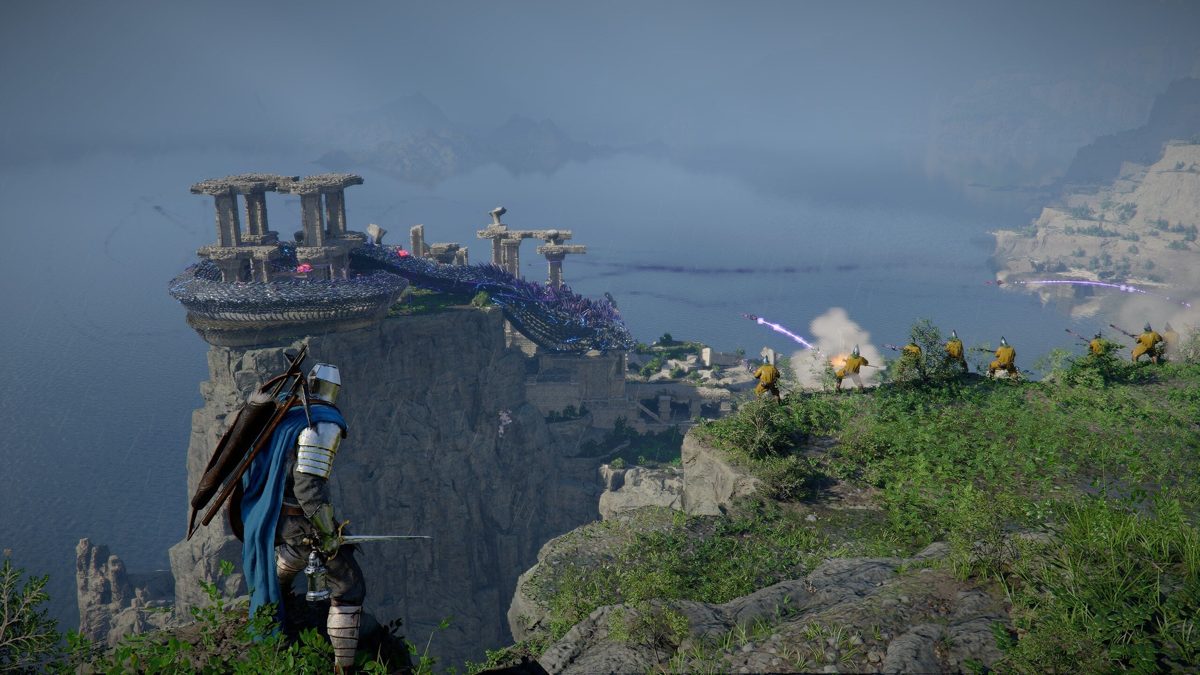
Crimson Desert stands out because it blends several demanding game design trends into one package. It has the massive scale and traversal freedom players associate with modern open-world adventures. It has physical interaction, climbing, gliding, dense foliage, dynamic lighting, enemy-heavy encounters, and complex action combat. It also has a world designed to feel reactive, where NPCs, environments, and systems work together to make exploration feel alive.
That type of game can expose the difference between a basic desktop and a properly balanced gaming PC. You might be able to run a modern open-world game on lower settings, but will it feel good? Will it hold a stable frame rate in towns, storms, forests, boss fights, or crowded battle scenes? Will your system keep up after patches add new features, new content, improved visuals, or heavier CPU and GPU workloads?
When buyers ask, “Can my PC run this game?” the better question is often: can my PC run this game the way I actually want to play it?
For some players, that means smooth 1080p gaming on high settings without spending more than necessary. For others, it means a 1440p Gaming PC Canada setup that gives a sharper, more cinematic experience. Premium buyers may want a 4K Gaming PC Canada configuration with ultra settings, high refresh rates, ray tracing where supported, and enough headroom for upcoming releases. Streamers may need a Gaming and Streaming PC Canada build that can play, encode, record, and multitask at the same time.
Crimson Desert is the kind of game that makes the wrong PC choice obvious. If the CPU is too weak, busy towns and physics-heavy gameplay can stutter. If the GPU is underpowered, higher resolutions and visual effects can drag performance down. If RAM is too limited, background apps, game updates, recording tools, and browsers can start to compete for memory. If storage is slow or too small, game loading, patching, and content libraries become frustrating.
What the Source Conversation Gets Right: Modern Games Are Becoming Full-System Workloads
The discussion around Crimson Desert highlights several things that Canadian PC buyers should take seriously. First, modern open-world games are no longer simple GPU benchmarks. They stress the whole system. A beautiful game world needs graphics power, but smooth interaction also depends on CPU performance, fast memory, and responsive storage.
Second, post-launch updates matter. A game that launches as a big, ambitious experience can become even bigger over time. New gear, extra boss encounters, expanded housing systems, quality-of-life improvements, and deeper customization can all add to the long-term appeal. But they also reinforce why a PC should not be chosen only for today’s minimum requirements. If you want to keep enjoying new content over several years, you need performance headroom.
Third, control-heavy action games feel better when frame pacing is smooth. In a slow game, occasional dips may be tolerable. In a fast action RPG where you are dodging, blocking, climbing enemies, using abilities, and fighting bosses, inconsistent performance can make the controls feel worse than they are. A better PC does not just make the game prettier. It can make the game feel more responsive.
Fourth, the best modern gaming PCs often double as creator PCs. If you are already buying a strong GPU and CPU for games like Crimson Desert, Grand Theft Auto-style open worlds, Elden Ring-style action, or future AAA releases, you may also be close to having a great PC for editing, streaming, graphic design, and content creation. The key is choosing the right balance of parts from the beginning.
Canadian Buyers Should Think Differently: Your PC Is a Longer-Term Investment
Buying a gaming PC in Canada comes with a different set of realities. Component pricing can shift. Graphics cards, memory, SSDs, power supplies, and cases can rise or fall depending on demand, availability, exchange rates, product cycles, and seasonal buying pressure. Big game launches, holiday sales, back-to-school demand, creator hardware demand, and AI-related component pressure can all affect the market.
That does not mean you should panic-buy. It does mean you should make an informed decision before the system you actually want becomes more expensive or harder to configure. If you already know you want a PC for upcoming games, streaming, editing, or workstation use, waiting too long can sometimes turn a good plan into a compromise.
Ask yourself this: are you buying because your current PC is already struggling, or are you trying to get ahead of the next wave of games and software updates?
If your current desktop is only barely keeping up, the next major open-world release may be the tipping point. If your storage is full, RAM is maxed out, fans are loud, or your GPU is several generations behind, you may already be losing performance in the games and software you use today. If you wait until a major release is days away, you may face tighter stock, less configuration flexibility, and more pressure to choose quickly.
Groovy Computers helps Canadian customers avoid that scramble by matching the build to the workload. Whether you are looking for Gaming Computers Canada buyers can trust, a performance-focused custom desktop, or financing that makes a stronger system possible now, the goal is the same: buy the right PC once, instead of replacing the wrong PC too soon.
What Do You Want Your Next PC to Do for You?
Before choosing a CPU, GPU, RAM amount, or storage size, start with your real use case. A PC built only for casual 1080p gaming is different from a system built for 1440p ultra settings, livestreaming, video editing, or 3D rendering. The best custom build is the one that matches your actual habits.
Do you mostly play competitive games where high FPS matters more than maximum visual settings? Do you love cinematic open-world games where lighting, textures, and resolution matter? Do you want to record every boss fight and upload it later? Do you run Discord, OBS Studio, a browser, music, capture software, and a game at the same time? Do you use your gaming PC for homework, business, design, or editing after work?
These questions matter because they determine where your money should go. Some buyers need a stronger GPU. Some need more CPU cores. Some need more RAM. Some need a larger SSD. Some need quiet cooling because their PC sits in a bedroom, studio, or home office. Some need a workstation-class approach because their creative software matters just as much as their games.
A good custom PC builder should not simply ask, “What is your budget?” A better question is: what would make this PC feel successful two years from now?
Which Performance Tier Fits You?
Choosing a gaming PC becomes much easier when you think in performance tiers. You do not need the most expensive PC to enjoy modern games, but you do need a system that fits your resolution, settings target, and workload. Below is a practical way to think about your options.
Do You Need a Budget Gaming PC for 1080p?
A budget gaming PC is a smart choice if you mainly play at 1080p, want solid performance in popular games, and do not need ultra settings in every new release. This tier is ideal for students, first-time PC gamers, families, esports players, and buyers who want strong value without overspending.
For a game like Crimson Desert, a value-focused system should be chosen carefully. The goal is not just to “run” the game; it is to provide enough GPU and CPU performance for smooth play at reasonable settings. You may need to lower some visual features in the most demanding scenes, but a well-built budget desktop can still deliver a much better experience than an aging laptop or generic office PC.
Ask yourself: are you comfortable adjusting settings, or do you want the game to look great without constant tweaking? If you are okay with balanced settings, a budget gaming computer can make sense. If you want high settings in new AAA games for several years, consider stepping up.
Is 1440p the Sweet Spot for Your Next Gaming PC?
For many Canadian gamers, 1440p is the best balance of sharp visuals, high frame rates, and long-term value. A 1440p Gaming PC Canada build is ideal if you want open-world games to look significantly cleaner than 1080p without jumping all the way to the heavier demands of 4K.
This is where Crimson Desert-style games really start to shine. More resolution makes landscapes, towns, character models, foliage, armour, lighting, and distant scenery feel more immersive. A stronger GPU also gives you more room to use higher textures, better shadows, and smoother frame rates.
Ask yourself: what PC do I need for 1440p gaming if I want new games to feel smooth, not just playable? The answer usually involves a well-balanced modern GPU, a capable gaming CPU, 32GB of RAM for better multitasking headroom, and fast NVMe SSD storage. If you also stream or edit, the configuration should be adjusted further.
Should You Choose a Premium 4K or Ray Tracing Gaming PC?
A premium gaming PC is for buyers who want the most cinematic experience possible. If you are using a 4K monitor, large OLED display, high-refresh panel, or living-room gaming setup, a 4K Gaming PC Canada build becomes far more demanding. High settings, ray tracing, advanced lighting, and open-world detail can push a system hard.
This tier is also about longevity. A high-end system costs more, but it can delay the need for major upgrades and keep you ready for upcoming AAA games, heavier texture packs, and more demanding engines. If you hate lowering settings, hate stutter, or want your PC to feel premium for years, investing more upfront may be smarter than buying low and replacing sooner.
Ask yourself: do you want ultra settings now, or do you want to avoid upgrading too soon? If the answer is both, a premium custom build is the right conversation to have.
Do You Need a Gaming and Streaming PC?
Streaming changes the equation. A game might run well by itself, but adding OBS Studio, overlays, alerts, browser sources, chat windows, Discord, recording, and background apps can increase the workload. A Gaming and Streaming PC Canada build should be designed for smooth gameplay and clean broadcast quality at the same time.
If you plan to stream Crimson Desert, open-world RPGs, competitive games, or story-driven playthroughs, your PC should have enough CPU and GPU headroom to maintain frame rates while encoding. Many streamers also benefit from extra RAM, a larger SSD for recordings, and a dual-monitor setup.
Ask yourself: what PC do I need for streaming if I want my game and my broadcast to look good? If you are serious about Twitch, YouTube Live, TikTok Live, or recording gameplay for later editing, do not buy a system that only meets basic gaming needs. Build for the full workflow.
Are You Secretly Buying a Creator PC Too?
Many customers come in asking for a gaming PC and then mention that they also edit videos, make thumbnails, record music, create social media content, design logos, or learn 3D software. If that sounds familiar, you may not need a simple gaming PC. You may need a Content Creation PC Canada build that is tuned for gaming and creative work.
A creator-focused system may need more RAM, a stronger CPU, more storage, better cooling, and a GPU that accelerates editing, rendering, effects, and AI-enhanced tools. If you use Adobe Premiere Pro, DaVinci Resolve, After Effects, Photoshop, Lightroom, Illustrator, Blender, Unreal Engine, or similar software, the right PC can save time every day.
Ask yourself: is a gaming PC good for content creation? It can be, but only if it is configured correctly. A gaming-first desktop with too little RAM or limited storage may feel fast in games but frustrating during exports, batch edits, large projects, or multitasking.
Gaming Performance: Why FPS, Resolution, and Settings Should Drive the Build
When shopping for a Gaming PC for New Games, the most important performance targets are resolution, frame rate, and visual settings. A system that is excellent for 1080p may be underpowered for 4K. A PC that handles esports titles at high FPS may still struggle with cinematic open-world games at ultra settings. A desktop that runs today’s game at medium settings may not feel future-proof for tomorrow’s releases.
For fast action RPGs like Crimson Desert, consistent frame pacing can matter as much as peak FPS. A benchmark might show a system reaching a good average frame rate, but if it dips hard during combat, cities, heavy effects, or traversal, the experience can feel uneven. That is why Groovy Computers focuses on balanced builds instead of simply pairing random parts together.
The CPU supports world simulation, NPC behaviour, physics, background tasks, and high-FPS gaming. The GPU handles resolution, textures, lighting, shadows, effects, and visual features. RAM helps with modern game memory usage, multitasking, browser tabs, Discord, launchers, and creator apps. NVMe SSD storage improves loading, responsiveness, patching, and general system feel. Cooling and power delivery help the PC maintain performance over long sessions.
Ask yourself: do you want a high FPS gaming PC for competitive games, an ultra settings gaming PC for cinematic titles, or a balanced system that does both well? That answer changes the build.
Crimson Desert-Style Open Worlds Are Built for Strong GPUs
Modern open-world games rely heavily on the graphics card. Dense foliage, dynamic weather, high-resolution textures, long draw distances, lighting, particles, water, reflections, and detailed character models all place demand on the GPU. If ray tracing or advanced upscaling features are part of your preferred experience, the GPU becomes even more important.
For 1080p, you can often achieve strong results with a sensible midrange graphics card. For 1440p, you should step up to a stronger GPU with more headroom. For 4K, high-refresh gaming, or ray tracing, a premium GPU becomes the centrepiece of the system. The mistake many buyers make is choosing a GPU only for today’s minimum requirement, then discovering that the next game, next monitor, or next update pushes them beyond comfortable performance.
Ask yourself: will you upgrade your monitor later? If you plan to move from 1080p to 1440p or 4K, it may be smarter to buy the GPU for the monitor you want, not just the one you currently own.
CPU Choice Matters More Than Many Gamers Realize
It is easy to focus only on the graphics card, but CPU choice matters in open-world games. A busy game world with NPC schedules, physics interactions, combat calculations, streaming assets, and background systems can expose a weak processor. If you also stream, record, edit, or multitask, CPU performance becomes even more important.
A well-matched gaming CPU helps maintain smooth performance, especially at higher frame rates. For creator workloads, more cores and stronger multi-threaded performance can reduce export times, improve rendering speed, and keep the system responsive while working. The right CPU depends on whether your PC is gaming-only, gaming-plus-streaming, editing-focused, or workstation-grade.
Ask yourself: is CPU or GPU more important for your workload? For most gamers, the GPU leads. For streamers, editors, 3D artists, and heavy multitaskers, the CPU deserves more attention.
How Much RAM Do You Really Need?
For modern gaming, 16GB can still be workable in some situations, but 32GB is increasingly the smarter choice for a new custom gaming PC. It gives more headroom for demanding games, launchers, voice chat, browsers, recording software, and future updates. If you are building a PC for streaming, video editing, heavy photo editing, design, or 3D work, 32GB may be the starting point rather than the finish line.
For 4K video editing, large Adobe projects, Blender scenes, Unreal Engine work, CAD, or heavy multitasking, 64GB can make a major difference. Some workstation users may need more, especially if they work with complex timelines, large assets, high-resolution textures, or professional rendering workloads.
Ask yourself: how much RAM do you need for gaming, streaming, and editing together? If you do all three, do not configure the PC like a gaming-only machine.
Storage Is No Longer an Afterthought
Large game installs, frequent patches, creator footage, replay recordings, project files, high-resolution images, and 3D assets can fill a small SSD quickly. A fast NVMe SSD should be considered essential for a modern gaming PC, but capacity matters too. If you only choose a small drive to save money, you may end up constantly deleting games or moving files to slower storage.
For gaming-only systems, a larger primary SSD gives convenience. For streaming and video editing, storage planning becomes more important. You may want separate space for games, active projects, recordings, exports, and archives. For workstation users, storage speed and reliability can directly affect workflow.
Ask yourself: will your PC store only games, or will it also store footage, projects, photos, design files, and renders? If the answer includes creative work, storage should be part of the build strategy from day one.
Is It Better to Buy a Gaming PC Now or Wait?
This is one of the most common questions Canadian buyers ask, and the honest answer depends on your situation. If your current PC still handles everything you do comfortably, waiting may be reasonable. But if you are already lowering settings, avoiding new games, dealing with crashes, running out of storage, waiting too long for exports, or missing out on streaming plans, waiting can cost you time and enjoyment.
There is also a market timing factor. Hardware prices can change due to GPU demand, memory pricing, SSD supply, shipping costs, exchange-rate pressure, and seasonal buying cycles. Major game releases can create demand spikes as players rush to upgrade. Creator software updates can also push users toward stronger systems as AI features, higher-resolution workflows, and GPU acceleration become more common.
Ask yourself: are you waiting because you have a plan, or are you waiting because the decision feels overwhelming? If it is the second one, a custom PC consultation can help you narrow the options quickly.
Buying now does not mean buying recklessly. It means choosing a build that fits your real needs before you are forced into a rushed decision. A properly configured system from Groovy Computers can help you stay ahead of new games, new software demands, and potential replacement-cost increases.
Could Financing Help You Secure a Stronger System Before Costs Rise?
Financing can make sense when it helps you avoid buying a PC that is too weak for your needs. If your budget today forces you into a system that you will outgrow quickly, spreading payments over time may allow you to choose a better GPU, more RAM, more storage, stronger cooling, or a more capable CPU. Groovy Computers offers financing options up to 4 years, making it easier for Canadian customers to access a stronger build without paying the full amount upfront.
This is especially relevant for buyers preparing for demanding games, streaming plans, video editing work, or workstation use. A cheaper PC may feel like the safer choice at checkout, but if it leads to early upgrades, poor performance, or lost productivity, it may not be the better value.
Ask yourself: should you finance a better PC instead of buying a cheaper one? If the stronger system helps you play at the resolution you want, stream smoothly, edit faster, work more efficiently, and avoid upgrading too soon, financing may be a practical option.
Financing is not about overspending. It is about matching the PC to the job. A student, streamer, small business owner, video editor, 3D artist, or serious gamer may benefit from a system that has enough headroom from the start. If component costs rise later, securing the right build now can be the smarter move.
Custom PC vs Generic Prebuilt: Why Part Matching Matters
A generic prebuilt may look attractive because it advertises a recognizable CPU or GPU, but the full system matters. What motherboard is used? Is the power supply reliable? Is the case airflow good? Is the cooling appropriate? Is the RAM capacity and speed suitable? Is the SSD large enough? Has the system been stress tested? Is the cable management clean? Is there a realistic upgrade path?
A custom gaming PC is not just a list of parts. It is a balanced system. If one component is too weak, too hot, too cheap, or poorly matched, the entire experience can suffer. A powerful GPU in a poorly ventilated case can run hot and loud. A strong CPU with inadequate cooling may throttle. A small SSD may become a daily annoyance. A low-quality power supply can create reliability concerns. A bargain motherboard can limit upgrades.
Ask yourself: is a custom gaming PC worth it if it gives you better balance, testing, support, and upgrade planning? For buyers who care about long-term reliability, the answer is often yes.
Groovy Computers builds custom systems with careful component selection, rigorous testing, and a 1-year warranty. That matters when your PC is expected to handle demanding games, streaming sessions, client work, creative deadlines, and long gaming nights.
What Kind of Buyer Are You?
Not every customer needs the same PC. The right build depends on what you play, what you create, how long you want the system to last, and whether you are buying for fun, work, school, or business. Use the following buyer profiles to think through your best fit.
The 1080p Gamer
You want a smooth, affordable gaming experience. You play popular titles, competitive games, and some AAA releases. You care about value and do not need every setting maxed out. A budget or midrange gaming PC may be ideal, especially if it is built with upgrade options.
Your key question: how much should I spend on a gaming PC if I mainly play at 1080p?
The 1440p Open-World Gamer
You want games like Crimson Desert, Cyberpunk-style RPGs, fantasy adventures, racing games, and cinematic single-player titles to look sharp and run smoothly. You care about visual quality, but you also want value. A strong 1440p build is likely your sweet spot.
Your key question: what PC do I need for 1440p gaming without upgrading too soon?
The 4K Ultra Settings Gamer
You want a premium experience. You have or plan to buy a 4K monitor, high-end display, or high-refresh setup. You want maximum detail, smoother frame rates, and long-term power. A high-end gaming PC with a strong GPU, excellent cooling, and premium supporting parts is the right category.
Your key question: what PC do I need for 4K gaming and ultra settings?
The Streamer and Gameplay Creator
You play, stream, record, edit, and upload. Your PC needs to handle gaming performance and content workflow at the same time. You may need a stronger CPU, RTX-class GPU acceleration, more RAM, and more storage than a gaming-only buyer.
Your key question: what PC do I need for streaming, recording, and editing gameplay?
The Video Editor
You work with Adobe Premiere Pro, DaVinci Resolve, After Effects, CapCut, or other editing tools. You care about timeline smoothness, render times, export speed, and storage. A Video Editing PC Canada build should be planned around CPU, GPU, RAM, SSD speed, and project size.
Your key question: what specs do I need for 4K video editing?
The Photographer or Graphic Designer
You use Photoshop, Lightroom, Illustrator, InDesign, Canva, Capture One, or similar tools. You need responsiveness, colour-workflow support, fast storage, enough RAM, and reliable multitasking. You may not need the same GPU as a 4K gamer, but you still need a system that is built for creative work.
Your key question: what PC do I need for photo editing or graphic design?
The 3D Artist, CAD User, or Workstation Buyer
You work with Blender, Unreal Engine, Unity, AutoCAD, Revit, SolidWorks, Maya, 3ds Max, Cinema 4D, SketchUp, or ZBrush. You need a serious workstation approach. GPU rendering, CPU rendering, scene complexity, viewport performance, RAM capacity, and storage speed all matter.
Your key question: what PC do I need for 3D rendering, Blender, Unreal Engine, or CAD?
Why Open-World Games Also Matter to Creators
Games like Crimson Desert do more than entertain. They influence content creation. Big open-world games generate streaming trends, benchmark videos, comparison clips, mod discussions, performance guides, photo mode content, lore videos, walkthroughs, and social media posts. If you want to participate in that ecosystem, your PC may need to do more than play.
A creator may play at 1440p, record at high bitrate, edit in DaVinci Resolve, make thumbnails in Photoshop, manage audio, export clips, and upload content. That workflow can turn a gaming PC into a production machine. If the system is underbuilt, the bottleneck may not show up during gameplay alone. It may show up when you try to record, edit, export, and multitask.
Ask yourself: are you buying a PC to consume content, create content, or both? If both, Groovy Computers can help you configure a custom creator PC that balances gaming performance with real production needs.
Why Cooling, Noise, and Reliability Matter More Than Spec Sheets
Spec sheets are important, but they do not tell the whole story. A powerful gaming PC must stay cool, stable, and reliable under load. Open-world games, rendering, streaming, and long editing sessions can keep the CPU and GPU working hard for hours. Poor airflow or weak cooling can make the system louder, hotter, and less consistent.
Good cooling supports sustained performance. A quality power supply supports stability and future upgrades. A well-designed case improves airflow and maintenance. Proper cable management improves build quality and airflow. Stress testing helps confirm that the system is ready before it reaches the customer.
Ask yourself: do you want the cheapest PC on paper, or do you want a reliable gaming PC that has been built and tested properly?
Groovy Computers focuses on complete-system quality, not just headline parts. That is especially important for customers who depend on their PC for both gaming and work.
What Questions Should You Ask Before Buying a Custom Gaming PC?
Before choosing a system, ask questions that connect directly to your real use. The right answers can prevent overspending in the wrong area or underspending where it matters most.
- What games do I want to play most? Open-world RPGs, esports titles, simulation games, shooters, and creative sandbox games can stress different parts of the PC.
- What resolution do I want? 1080p, 1440p, and 4K have very different GPU requirements.
- Do I care about ray tracing or ultra settings? If yes, plan for a stronger graphics card.
- Will I stream or record gameplay? If yes, consider extra CPU, GPU, RAM, and storage headroom.
- Will I edit video or photos? If yes, a creator-focused configuration may be better than a gaming-only build.
- Will I use 3D modeling, rendering, CAD, or Unreal Engine? If yes, workstation planning becomes important.
- How long do I want this PC to feel fast? A slightly stronger build now may delay upgrades later.
- Am I buying before a major game release or busy sale period? If yes, timing and availability matter.
- Would financing help me choose the right system instead of a short-term compromise? If yes, monthly payments may be worth considering.
- Do I want expert help choosing parts? If yes, a Canadian custom PC builder can make the process easier.
How Groovy Computers Helps Canadian Buyers Choose Smarter
Groovy Computers is built around one practical idea: the best PC is the one that matches the customer’s real life. Some customers want a clean, affordable gaming desktop. Some want a premium showpiece. Some want a quiet workstation. Some need a streaming and editing machine. Some want to finance a stronger system before prices shift. Some simply want expert help because PC parts can be confusing.
As a Canadian custom PC builder, Groovy Computers helps customers choose systems based on games, software, resolution, budget, upgrade goals, and performance expectations. That means you are not left guessing whether a random prebuilt is enough for Crimson Desert, upcoming AAA games, 4K editing, Blender rendering, or multitasking.
Every build decision matters. The GPU affects gaming visuals and acceleration. The CPU affects frame rates, streaming, editing, rendering, and workstation performance. RAM affects multitasking and large workloads. Storage affects loading, project workflow, and convenience. Cooling affects noise and sustained performance. Testing affects confidence. Warranty support affects peace of mind.
If you are searching for a Gaming PC for New Games and want a system that is properly matched to your needs, visit GroovyComputers.ca to explore custom gaming PCs, creator PCs, workstation options, and financing availability.
Should You Buy a Ready-to-Ship PC or Request a Custom Build?
A ready-to-ship gaming PC can be a great option if the specs already match your needs and you want a faster purchase. A custom build is better if you have specific goals: 1440p open-world gaming, 4K ultra settings, streaming, video editing, 3D rendering, quiet operation, specific aesthetics, more storage, or a longer upgrade path.
Ask yourself: do you need a PC quickly, or do you need a PC tailored to your exact workload?
If you are buying before a major game release, a ready-to-ship system may help you get upgraded sooner. If you are building for a multi-year gaming and creator setup, a custom configuration may give better long-term value. Groovy Computers can help you compare both paths.
Why Warranty and Support Should Be Part of the Buying Decision
A gaming PC is a major purchase. It should not feel like a gamble. Warranty and support matter because even high-quality components need proper installation, testing, and troubleshooting. A cheap marketplace PC may look good in photos, but if something goes wrong, support can be unclear, slow, or nonexistent.
Groovy Computers provides custom build expertise, testing, and a 1-year warranty, giving Canadian buyers more confidence in their purchase. For gamers, that means less stress before major releases. For creators, it means more confidence when client deadlines, school projects, or content schedules depend on the machine. For workstation users, it means the system is treated as a serious tool, not just a box of parts.
Ask yourself: if your PC becomes essential for gaming, school, work, streaming, or content creation, do you want local Canadian support behind it?
What If You Are Upgrading From an Older Gaming PC?
If you already own a gaming desktop, you may be wondering whether to upgrade parts or replace the whole system. The answer depends on the age and quality of your current platform. A GPU upgrade may help if your CPU, power supply, cooling, case, and motherboard are still strong enough. But if the whole system is aging, a new custom PC may be the better long-term move.
Signs that you may be ready for a full replacement include frequent stuttering, loud fans, thermal issues, limited RAM capacity, slow storage, no modern upgrade path, weak power supply headroom, or poor performance in newer games. If your system was built for older 1080p gaming and you now want 1440p, 4K, streaming, or editing, a complete rebuild may make more sense.
Ask yourself: are you trying to extend the life of a PC that still has a future, or are you pouring money into a platform that is already holding you back?
How to Think About Future-Proofing Without Overspending
Future-proofing does not mean buying the most expensive part in every category. It means spending strategically on the components that will matter for your expected use. For a 1080p gamer, future-proofing may mean choosing a better GPU and 32GB of RAM. For a streamer, it may mean stronger CPU/GPU encoding support and extra storage. For a video editor, it may mean 64GB of RAM and a faster CPU. For a 3D artist, it may mean more GPU memory and workstation-grade cooling.
The goal is to avoid obvious limitations. A PC that is too close to minimum requirements today may feel outdated quickly. A system with no storage expansion, limited power supply headroom, weak cooling, or minimal RAM can become frustrating even if the headline GPU looks appealing.
Ask yourself: what upgrade do you want to avoid making in the first year? That answer often reveals where you should spend a little more now.
Crimson Desert and the Bigger Trend: Games Are Becoming More Like Worlds
The most exciting thing about Crimson Desert is not just its graphics or combat. It is the feeling that modern games are becoming persistent, reactive worlds. They are packed with systems, movement options, side activities, environmental interactions, crafting loops, and immersive details. That is great for players, but it also means the PC has to do more work.
As open-world games become denser and more dynamic, buyers should stop thinking only in minimum specs. Minimum specs are about access. Recommended specs are about comfort. A custom PC is about the experience you actually want.
Do you want to explore without stutter? Fight bosses without frame drops? Stream without lag? Edit without waiting forever? Keep multiple apps open without slowdowns? Play upcoming games without immediately lowering settings? Those are the real buying questions.
The Groovy Computers Recommendation: Match the PC to the Experience, Not Just the Game
If Crimson Desert is the type of game that excites you, your next PC should be chosen for more than one title. Build for the experience category: open-world AAA gaming, high-FPS action, streaming, recording, editing, content creation, and long-term reliability. That is how you avoid buying a PC that looks fine today but feels limited tomorrow.
For 1080p gaming, choose value and upgradeability. For 1440p, choose a stronger GPU and balanced supporting parts. For 4K, invest in premium graphics power, cooling, and system quality. For streaming, add CPU/GPU headroom, RAM, and storage. For video editing and content creation, treat the system as a creator PC. For Blender, Unreal Engine, CAD, or rendering, think like a workstation buyer.
Most importantly, do not let confusion push you into the wrong system. If you are unsure whether you need a budget gaming computer, premium RTX gaming PC, custom creator PC, editing workstation, or 3D modeling workstation, Groovy Computers can help you choose based on what you actually do.
Ready to Build Around the Games and Workloads You Actually Care About?
If you are asking, what gaming PC do I need for Crimson Desert-style open worlds, upcoming AAA releases, streaming, video editing, or content creation, the best next step is to look at your real workload and choose a system that will not hold you back. A Gaming PC for New Games should feel smooth, reliable, upgradeable, and ready for what comes next.
Do you want 1080p value, 1440p balance, 4K power, ray tracing performance, streaming capability, faster editing, or workstation-grade rendering? Do you want to buy now before a major release, sale rush, supply squeeze, or price spike changes your options? Would financing up to 4 years help you secure the stronger system you actually need instead of settling for a short-term compromise?
Visit GroovyComputers.ca to browse Canadian custom gaming PCs, creator PCs, workstation builds, and financing options. Groovy Computers can help you build a PC that fits your games, your software, your budget, and your future upgrade goals.
Final Takeaway: The Best PC for New Games Is the One Built for Your Future
Crimson Desert is a powerful reminder that modern PC gaming is moving fast. Bigger worlds, better lighting, complex combat, creator-driven communities, and post-launch updates all raise expectations. If your current computer is already struggling, the next wave of games and software will not make that easier.
The smartest move is not always buying the cheapest PC or the most expensive one. The smartest move is choosing the right performance tier, the right component balance, and the right support behind the build. For Canadian buyers, Groovy Computers offers custom build expertise, testing, a 1-year warranty, and financing options that can help you secure a stronger system before market conditions change.
If you want a Gaming PC for New Games that can also support streaming, editing, design, content creation, or workstation use, now is the time to plan your build carefully. Ask the right questions, choose the right tier, and work with a Canadian custom PC builder that understands how your system will actually be used.
#GamingPCForNewGames #CustomGamingPCCanada #GamingComputersCanada #1440pGamingPC #4KGamingPC #StreamingPCCanada #CreatorPCCanada #GroovyComputers
Groovy Computers | All Rights Reserved


Leave a comment
This site is protected by hCaptcha and the hCaptcha Privacy Policy and Terms of Service apply.