






















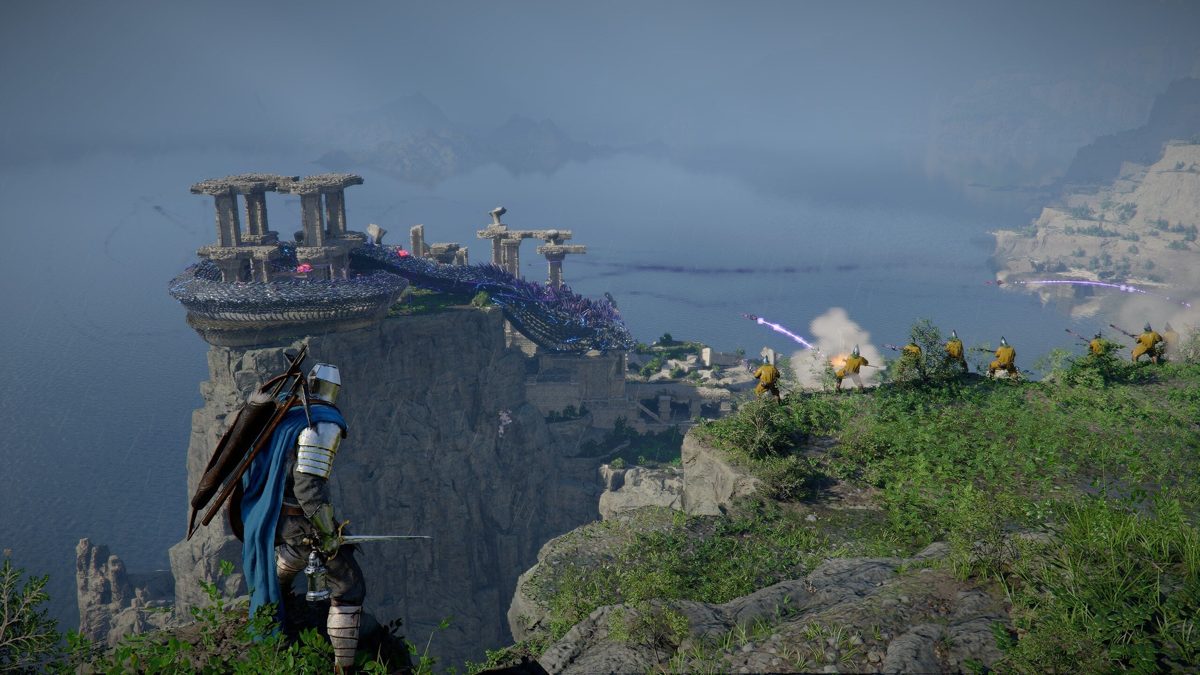
Gaming PC for New Games: What Crimson Desert Teaches Canadian Buyers About Building for Huge Open Worlds
If you are shopping for a gaming PC for new games, Crimson Desert is exactly the kind of title that should shape your buying decision. Big open-world action RPGs are no longer just about whether your computer can launch the game. They are about dense environments, fast combat, heavy physics, dynamic lighting, streaming, multitasking, high-resolution textures, and long-term support that keeps demanding more from your hardware after launch.
For Canadian gamers, streamers, creators, and workstation users, that matters. A game like Crimson Desert is not only entertainment; it is a reminder that modern PC buying has changed. The better question is no longer, “Can I run this game today?” The better question is, “Will my next PC still feel fast when the next wave of open-world games, creator software updates, graphics features, and hardware price changes arrive?”
That is where Groovy Computers comes in. As a Canadian custom PC builder, Groovy Computers helps customers choose gaming desktops, creator PCs, editing workstations, streaming systems, and high-performance rigs based on what they actually want to do. Whether you want 1080p value, smooth 1440p, premium 4K, ray tracing, livestreaming, YouTube editing, Blender rendering, Adobe Creative Cloud performance, or a stronger system financed over time, the right build starts with the right questions.
Crimson Desert’s scale, world detail, combat complexity, and PC performance demands give us a useful framework for choosing a modern system. If you are buying a PC in Canada right now, this is the kind of game that helps reveal whether a budget gaming computer is enough, whether a premium RTX gaming PC makes sense, or whether you should finance a stronger custom build before replacement costs rise.
Why Crimson Desert Is a Wake-Up Call for PC Buyers
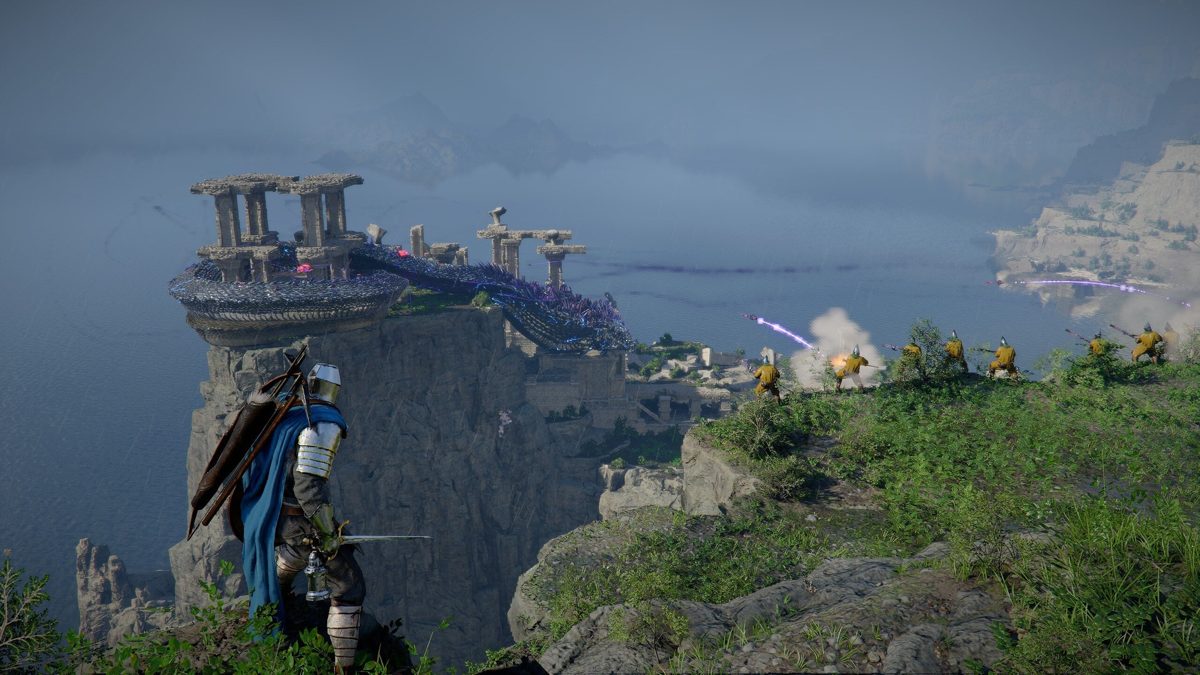
Crimson Desert stands out because it combines several demanding design trends in one package. It has a large fantasy world, real-time action combat, traversal systems, physics-driven exploration, dense towns, reactive lighting, foliage, weathered architecture, and cinematic presentation. It also includes a growing set of post-launch features, including expanded gameplay systems and content updates. That combination is exciting for players, but it is also exactly why PC hardware matters.
A large open-world game does not stress only one component. The graphics card matters for resolution, textures, lighting, frame generation, ray tracing-style effects, and visual settings. The processor matters for NPC behaviour, physics, world simulation, combat responsiveness, background tasks, and minimum frame rates. RAM matters when the game world, launcher, browser tabs, Discord, OBS, capture software, and creator tools are open at the same time. SSD speed matters for loading, streaming assets, and keeping big worlds from feeling sluggish.
So, if you are reading about a huge game world and thinking, “Will my PC handle this?” you are already asking the right question. But you should go one step further: what else do you want your PC to handle while you play?
Are you only gaming? Are you streaming to Twitch or YouTube? Are you recording gameplay clips? Are you editing 4K video after you play? Are you using Photoshop, Lightroom, Blender, Unreal Engine, AutoCAD, Revit, or DaVinci Resolve? Are you planning to upgrade your monitor from 1080p to 1440p or 4K? The answers should influence the entire build.
What Kind of Gaming PC for New Games Do You Actually Need?
A gaming PC for new games should be selected around your real target experience, not around vague marketing labels. “Gaming PC” can mean many things. A student buying a first desktop for esports and schoolwork does not need the same build as someone chasing ultra settings in cinematic open-world games. A streamer does not need the same system as a 3D artist. A competitive player focused on high FPS does not need the exact same configuration as a 4K single-player enthusiast.
Before you choose a system, ask yourself this: what would make the PC feel like a win six months after you buy it? Is it higher frame rates? Better graphics? Quieter cooling? More storage? Faster exports? Smooth livestreaming? Fewer upgrades? Lower monthly payments instead of one large upfront purchase?
For a modern open-world action RPG like Crimson Desert, many Canadian buyers should think in tiers. The right tier depends on the monitor you use, the settings you want, and whether the PC is purely for gaming or also for work and content creation.
Entry-Level and Budget Gaming: Is 1080p Enough for You?
A budget gaming PC in Canada can still be a smart choice if your goal is 1080p gaming, esports, schoolwork, light content creation, and popular multiplayer titles. If you are playing games like Fortnite, Valorant, Counter-Strike 2, Minecraft, Roblox, Call of Duty, or older RPGs, a well-built entry-level system can offer excellent value.
But big open-world games change the calculation. If you want newer AAA titles to feel smooth at medium to high settings, you should avoid buying the cheapest possible tower just because it has “gaming” in the name. Low storage, weak power supplies, limited cooling, minimal RAM, and outdated GPUs can lead to frustration quickly.
Ask yourself: are you buying a PC just to get started, or are you trying to avoid upgrading too soon? If the goal is long-term value, a carefully configured budget system from Groovy Computers can be a better investment than a random low-cost prebuilt with unclear parts and limited upgrade flexibility.
1440p Gaming: The Sweet Spot for Modern Open Worlds?
For many buyers, a 1440p Gaming PC Canada build is the sweet spot. It offers a major visual upgrade over 1080p without requiring the same GPU power as 4K. Games like Crimson Desert benefit from the added sharpness because the world is packed with environmental detail, lighting variation, character animation, textures, foliage, and distant scenery.
If you are using or planning to buy a 1440p high-refresh monitor, you should prioritize a stronger GPU, a capable modern CPU, 32GB of RAM where budget allows, and a fast NVMe SSD. This is also the tier where you should start thinking seriously about cooling, airflow, case quality, and power supply headroom.
Do you want high settings with stable performance rather than constantly adjusting sliders? Do you want to keep Discord, a browser, game launchers, RGB software, and recording tools open while you play? Do you want your PC to feel premium without going all the way to a flagship 4K build? Then 1440p is likely the right target.
4K and Ultra Settings: Do You Want a Premium Experience?
A 4K Gaming PC Canada build is for buyers who want the most cinematic experience possible. This is where premium GPUs, higher-end CPUs, larger RAM configurations, stronger cooling, and higher-quality power delivery become more important. If you want open-world games to look their best on a large 4K monitor or TV, you should not treat the PC as a short-term purchase.
4K gaming can be incredible, but it is demanding. High-resolution textures, advanced lighting, shadows, reflections, draw distance, and post-processing effects all push the graphics card hard. In large open-world games, the processor and memory subsystem also matter because the world does not pause just because you are admiring the scenery.
Ask yourself: are you buying for today’s game, or are you buying for the next several years of AAA releases? If you want a system that stays satisfying longer, financing a stronger build may make more sense than buying a cheaper PC now and replacing parts earlier than expected.
Ray Tracing and Visual Features: Do You Care About the Best-Looking Worlds?
A Ray Tracing Gaming PC Canada build is aimed at players who care about lighting, reflections, shadows, realism, and modern graphics features. Even when a game does not rely entirely on ray tracing, the trend is clear: developers are building more visually complex worlds, and GPUs with stronger feature support tend to age better.
For cinematic RPGs, survival games, racing titles, story-driven adventures, and future open-world releases, visual features can make the game feel more immersive. But they require hardware planning. If you want ray tracing, high settings, and smooth frame rates, the GPU becomes one of the most important parts of the build.
The practical question is simple: would you rather turn settings down often, or choose a build that gives you more headroom from day one?
What Crimson Desert Gets Right About Modern PC Gaming
Crimson Desert is interesting because it does not feel like a small game built around one simple loop. It is ambitious. It borrows ideas from large adventure games, action RPGs, physics-based puzzle design, immersive world simulation, and free-form combat systems. That mixture helps explain why modern gaming PCs need balance.
Some games are GPU-heavy. Some are CPU-heavy. Some are memory-hungry. Some punish slow storage. Some are easy to run alone but become demanding when you add streaming, recording, overlays, and background applications. Crimson Desert represents the growing category of games that can stress multiple parts of a system at once.
The source coverage highlighted a test system with a Ryzen 5-class processor, an RTX 2080-class graphics card, and 16GB of RAM running at 1440p with settings adjusted. That kind of setup can still play many games, but the dips in heavy action areas show why buyers should think beyond average FPS. The real experience is shaped by frame-time consistency, minimum FPS, responsiveness, loading behaviour, and how the PC handles busy scenes.
Have you ever played a game that runs fine in quiet areas but stutters during combat, cities, boss fights, or weather-heavy scenes? That is exactly why a properly matched custom PC matters.
Average FPS Is Not the Whole Story: What Performance Should You Care About?
Many customers shop by asking, “How many FPS will I get?” That is a useful starting point, but it is not the whole answer. A PC that averages 90 FPS but drops to 38 FPS in combat may feel worse than a system with a lower average but steadier frame pacing. For open-world games, consistency matters.
When Groovy Computers helps customers choose a gaming PC, the goal is not simply to chase a single benchmark number. The goal is to match the build to the player’s real-world expectations. That includes resolution, refresh rate, graphics settings, game type, multitasking, streaming, recording, storage needs, and future upgrades.
Here are the performance questions worth asking before you buy:
- What resolution do you actually play at? 1080p, 1440p, ultrawide, and 4K all require different GPU planning.
- What monitor refresh rate do you want to use? A 60Hz display, 144Hz monitor, and 240Hz esports monitor do not demand the same hardware strategy.
- Do you care more about ultra graphics or high FPS? Cinematic players and competitive players often need different builds.
- Will you stream, record, or edit gameplay? If yes, you may need more RAM, a stronger GPU encoder, more storage, and a better CPU.
- Do you keep lots of apps open? Discord, browser tabs, OBS, Spotify, RGB tools, and launchers all add overhead.
- Do you want to avoid upgrading too soon? Spending slightly more now can reduce the need for early replacement.
What Do You Want Your Next PC to Do for You?
This is the most important section of the entire buying guide: what do you want your next PC to do for you?
Do you want it to make new games feel smooth and beautiful? Do you want it to help you stream confidently? Do you want to edit videos faster so projects do not sit in export queues? Do you want to work in Photoshop, Lightroom, Illustrator, Blender, Unreal Engine, or CAD without waiting on lag? Do you want one machine for gaming at night and productivity during the day?
Your answer changes the build. A gaming-only system can prioritize GPU performance and frame rates. A streaming system needs gaming performance plus encoding strength and multitasking headroom. A video editing PC needs CPU power, RAM, GPU acceleration, fast storage, and often more capacity. A 3D modeling workstation may need a powerful GPU, large memory, and strong sustained cooling. A business workstation needs stability, reliability, and a configuration designed around daily workloads.
If you are unsure, that is normal. Most buyers do not need a list of random parts; they need a clear recommendation based on what they actually do. Groovy Computers can help you connect your games, software, monitor, budget, and financing preferences to the right custom PC category.
Gaming, Streaming, Editing, or Rendering: Which Build Category Fits You?
Modern PCs often serve multiple roles. A customer might start by searching for a gaming PC for new games, then realize they also want to livestream, edit clips, create thumbnails, design graphics, and maybe experiment with 3D tools. Buying too narrowly can become expensive later.
Here is how to think about the main categories.
Do You Need a Pure Gaming PC?
A pure gaming PC is best if your main priority is playing games at your chosen resolution and settings. For Crimson Desert-style open-world games, focus on a strong GPU, a capable CPU, enough RAM, fast NVMe storage, and quality cooling.
If you mostly play esports titles, you may prioritize high FPS and CPU responsiveness. If you play cinematic AAA games, you may prioritize GPU power and visual settings. If you play both, a balanced custom build is best.
Do You Need a Gaming and Streaming PC Canada Build?
A Gaming and Streaming PC Canada build is ideal if you want to play and broadcast at the same time. Streaming adds real workload. OBS Studio, Streamlabs, alerts, browser sources, chat bots, capture devices, microphones, cameras, and overlays can all increase system demand.
Ask yourself: what PC do I need for streaming if I also want high FPS? The answer usually involves choosing a GPU with strong encoding support, enough CPU performance to keep the system responsive, 32GB of RAM for smoother multitasking, and extra storage for recordings.
If you plan to record gameplay from large open-world games, do not underestimate storage. High-quality footage can fill drives quickly, especially if you record at 1440p or 4K.
Do You Need a Video Editing PC Canada Build?
A gaming PC can be good for editing, but a purpose-built Video Editing PC Canada configuration is better when editing becomes serious. Adobe Premiere Pro, DaVinci Resolve, After Effects, CapCut, and other tools can benefit from the right CPU, GPU, RAM, and storage layout.
Do you edit 1080p clips, 4K YouTube videos, vertical TikTok content, multi-camera footage, or 6K and 8K files? Do you use effects, colour grading, noise reduction, motion graphics, or AI tools? These choices matter.
For many creators, time is money. A faster export is not just a convenience; it can mean more projects completed, faster client delivery, and less frustration. If you are buying a PC for both gaming and editing, tell Groovy Computers how you create so the build can be balanced properly.
Do You Need a Content Creation PC Canada Build?
A Content Creation PC Canada build is for people who do more than one creative task. Maybe you stream, edit videos, create thumbnails, manage social media, record podcasts, design graphics, and play demanding games. This is one of the fastest-growing buyer categories because creators want one system that can do everything well.
For creators, the best PC is not always the most expensive one. It is the one that removes bottlenecks from your workflow. That may mean more RAM, more SSD storage, a stronger GPU, quieter cooling for microphone use, or a CPU better suited for exports and multitasking.
Ask yourself: what slows you down right now? Is it timeline lag, export time, full storage, fan noise, crashes, long load times, or poor gaming performance? Your pain point should guide your upgrade.
Do You Need a 3D Modeling PC Canada or Rendering Workstation?
A 3D Modeling PC Canada or rendering workstation is for Blender, Unreal Engine, Unity, Maya, 3ds Max, Cinema 4D, SketchUp, ZBrush, AutoCAD, Revit, SolidWorks, product rendering, animation, visualization, and game development workflows.
This category requires careful planning because some tasks lean heavily on the GPU, some on the CPU, and some on RAM capacity. A workstation PC also needs stable thermals because long renders can stress hardware for extended periods.
Ask yourself: are you modeling simple assets, rendering complex scenes, working with large CAD files, or building real-time environments? A gaming PC may be a good starting point for some 3D work, but a custom 3D workstation should be configured around the software you use most.
Which Performance Tier Fits You Best?
Choosing a PC becomes easier when you match yourself to a tier. These tiers are not rigid rules, but they help you think clearly before buying or financing.
Tier 1: Smart Value and First Gaming PC
This tier is for buyers who want strong everyday performance, 1080p gaming, schoolwork, light editing, esports, and a first step into desktop gaming. It is also for customers who want a reliable system without overspending.
Choose this tier if you ask questions like:
- How much should I spend on a gaming PC?
- Can a budget gaming PC play new games?
- Is a budget gaming PC worth it?
- Should I buy a cheap gaming PC or finance a better one?
The caution is simple: avoid going so low that the PC feels outdated too quickly. A value build should still use quality parts, sensible cooling, and upgrade-friendly choices.
Tier 2: 1440p Performance and Long-Term Sweet Spot
This tier is for gamers who want a visible jump in quality, smoother AAA performance, high-refresh monitors, and better longevity. It is one of the best categories for buyers who want a serious gaming computer without going all the way to ultra-premium pricing.
Choose this tier if you ask:
- What PC do I need for 1440p gaming?
- What gaming PC do I need for new open-world games?
- Can I stream and game on the same PC?
- Is a gaming PC good for content creation?
For many Groovy Computers customers, this is the tier that best balances price, performance, and future readiness.
Tier 3: Premium 4K, Ray Tracing, Streaming, and Creator Power
This tier is for buyers who want high-end visuals, stronger multitasking, premium GPUs, more RAM, faster storage, and fewer compromises. If you want a 4K gaming PC, a ray tracing-focused system, or a gaming and creator hybrid, this is where the conversation becomes more detailed.
Choose this tier if you ask:
- What PC do I need for 4K gaming?
- What PC do I need for ultra settings?
- Should I finance a high-end gaming PC?
- What PC do I need for streaming and editing?
This is also the tier where financing can make the biggest difference. Instead of buying a system that is slightly underpowered because of upfront budget limits, monthly payment options may help you secure the build you actually need.
Tier 4: Workstation, 3D Rendering, Heavy Editing, and Professional Use
This tier is for people whose PC supports income, production, school programs, technical work, or serious creative projects. A workstation PC Canada build should be designed around software, file sizes, rendering methods, multitasking, storage, and reliability.
Choose this tier if you ask:
- What workstation PC do I need?
- How much RAM do I need for workstation tasks?
- What PC do I need for Blender?
- What PC do I need for video editing?
- Workstation PC vs gaming PC: which is better for me?
If your computer is part of your work, buying the wrong system can cost more than the price difference between tiers. Slow exports, crashes, thermal throttling, and storage bottlenecks can quietly drain hours from every week.
Why Canadian Buyers Should Think Differently About Timing
Canadian PC buyers face a different set of pressures than shoppers in larger markets. Exchange rates, component availability, shipping costs, seasonal demand, GPU supply, memory pricing, storage pricing, and major game launches can all affect what a full system costs. Even when one part looks affordable, the total build can shift quickly if GPUs, RAM, SSDs, or power supplies move in price.
That is why “should I buy a gaming PC now or wait?” is one of the most practical questions you can ask. Waiting can help if a known sale is close or if you are not sure what you need. But waiting can also backfire when demand spikes around major game releases, holiday shopping, back-to-school season, creator software updates, new GPU cycles, or supply constraints.
If you already know your current PC is struggling, ask yourself: what is the cost of waiting? Are you missing out on new games? Turning settings down constantly? Losing time on exports? Avoiding streaming because your PC cannot handle it? Spending money on small upgrades that do not solve the real bottleneck?
For some buyers, the smarter move is to secure the right custom build before prices shift, especially if financing makes the stronger system manageable.
Should You Finance a Better PC Instead of Buying a Cheaper One?
Financing is not about buying more than you need. It is about avoiding the trap of buying less than you need and replacing it too soon. Groovy Computers offers financing options up to 4 years, which can help Canadian customers access a stronger gaming PC, creator PC, or workstation PC while spreading out the cost.
Ask yourself: should I finance a better PC instead of buying a cheaper one today? The answer depends on your workload, budget, and timing. If you only need light gaming, a value build may be perfect. But if you want 1440p or 4K gaming, streaming, editing, rendering, or long-term performance, financing can make a higher-quality system more practical.
A stronger build can mean a better GPU, more RAM, a faster SSD, improved cooling, a more reliable power supply, and an upgrade path that lasts longer. Those differences can matter more than a small monthly payment gap, especially when component prices are volatile.
If you are buying before a major game release, a software upgrade, a seasonal demand spike, or a possible price increase, financing can help you secure the system you actually want before replacement costs rise. The goal is not urgency for the sake of urgency; the goal is to make a confident purchase while the right configuration is available.
What Parts Matter Most for Open-World Gaming?
For a game like Crimson Desert, the best build is balanced. A powerful GPU paired with too little RAM or a weak CPU can still feel inconsistent. A strong CPU with an underpowered GPU will struggle at higher resolutions. A fast system with a tiny SSD may become annoying once modern games, recordings, and creative files pile up.
GPU: The Heart of Visual Performance
The graphics card is the key part for resolution, visual settings, frame rates, and modern effects. If you want 1440p, 4K, ray tracing, high textures, or future AAA readiness, the GPU deserves serious attention.
But the best GPU is not simply the most expensive one. The right choice depends on your monitor, game library, budget, and whether you create content. A player focused on 1080p esports does not need the same GPU as someone who wants ultra settings in cinematic RPGs. A video editor or 3D artist may need more VRAM or stronger acceleration than a pure gamer.
CPU: The Part That Keeps the World Moving
The processor matters for game logic, physics, NPC behaviour, background applications, high-refresh gaming, and productivity. Open-world games can become CPU-sensitive in towns, combat-heavy sequences, and areas with lots of simulation.
If you stream, edit, render, or multitask heavily, the CPU becomes even more important. This is why Groovy Computers builds around use case, not just part names.
RAM: The Difference Between Smooth Multitasking and Friction
16GB can still work for some gaming scenarios, but 32GB has become a stronger recommendation for many modern gaming and creator builds. If you stream, edit, use Adobe apps, work with large files, keep many browser tabs open, or want more future headroom, more RAM can make the system feel smoother.
For heavy video editing, 3D modeling, rendering, and workstation use, 64GB or more may be appropriate. The right amount depends on what you do, not what a generic spec sheet says.
SSD Storage: Do Not Let a Great PC Feel Slow
Modern games are huge. Creator files are huge. Recordings are huge. A fast NVMe SSD improves load times, system responsiveness, asset streaming, project loading, and general daily feel.
Ask yourself: will one small drive be enough after Windows, launchers, games, recordings, project files, and software are installed? Many buyers regret underbuying storage. A custom build can be planned with better capacity from the beginning.
Cooling and Power Supply: The Parts You Notice When They Are Wrong
Cooling and power delivery are often overlooked because they are less exciting than CPU and GPU names. But they matter. A PC that runs hot, loud, or unstable is not a premium experience. A cheap power supply can limit upgrade paths and reliability.
Groovy Computers emphasizes proper part matching, airflow, stress testing, and build quality because performance is not just about peak numbers. It is about how the system behaves after hours of gaming, streaming, exporting, or rendering.
Custom PC vs Generic Prebuilt PC in Canada: Why the Difference Matters
A generic prebuilt can look attractive because it seems simple. But many mass-market systems hide important details. The listing may mention the GPU and CPU while being vague about the power supply, motherboard, cooling, storage quality, case airflow, RAM configuration, and upgrade path.
A custom PC is different because the system is designed around your needs. If you want a gaming PC for new games, the build should reflect the types of games you play. If you want a creator PC, it should reflect your software. If you want a workstation, it should reflect your workload. If you want financing, the configuration should make sense over the payment term so you are not stuck with a system that feels underpowered halfway through.
Ask yourself: do you want a PC selected for a shelf, or a PC selected for you?
Groovy Computers gives Canadian buyers the benefit of custom configuration, expert guidance, rigorous testing, and a 1-year warranty. That matters when you are investing in a desktop you expect to use for gaming, work, school, streaming, or creative projects.
Why Testing and Warranty Support Matter More Than Ever
Modern PCs are complex. A system can boot and still have problems under load. It can look fine on a product page and still have thermal issues. It can advertise powerful parts and still be held back by weak cooling, poor airflow, unstable memory settings, or a low-quality power supply.
That is why stress testing matters. A tested gaming PC in Canada should be checked for stability, temperatures, performance behaviour, and build quality before it reaches the customer. For buyers who are not interested in troubleshooting, that confidence is valuable.
A 1-year warranty also matters because a PC is not a disposable accessory. It is the centre of your gaming setup, creator workflow, school setup, or business productivity. Buying from a Canadian gaming PC company with support is very different from taking a chance on a random marketplace tower with unknown parts and no meaningful assistance.
How Crimson Desert Connects to Streaming and Creator Trends
One reason games like Crimson Desert influence PC buying is that players are no longer only players. Many are also creators. A huge open world naturally leads to screenshots, clips, boss fight recordings, gameplay commentary, livestreams, guide videos, short-form social posts, and cinematic edits.
If you plan to stream or create content around new games, you should build for the full workflow. Playing the game is only step one. You may also need to record footage, manage audio, run OBS, edit video, create thumbnails, export clips, upload content, and store large files.
For that reason, a Gaming PC for Streaming Canada build or a Custom Creator PC Canada configuration can be smarter than a gaming-only system. The extra investment may go toward more RAM, better storage, a stronger CPU, a GPU with better encoding support, quieter cooling, or a more professional case and airflow setup.
Ask yourself: will your next PC only run games, or will it help you build an audience, portfolio, side hustle, or business?
What If You Also Edit Photos, Design Graphics, or Use Adobe Creative Cloud?
Many gamers also use their PCs for creative work. If you use Photoshop, Lightroom, Illustrator, InDesign, Canva, Capture One, or Adobe Creative Cloud, the build should not be chosen only around FPS. A good creative desktop needs responsive storage, enough RAM, a capable CPU, and a GPU that supports acceleration where useful.
A photographer may care about RAW image handling, batch exports, fast previews, colour workflows, and large storage capacity. A graphic designer may care about multi-monitor support, Photoshop and Illustrator responsiveness, fast SSDs, and smooth multitasking. A content creator may need all of that plus video editing and streaming performance.
So ask: is a gaming PC good for Photoshop or graphic design? It can be, if it is configured properly. But a random gaming tower may not have the RAM, storage, or balanced part selection your workflow needs. A custom build is the safer route when the PC has to serve both play and production.
Buying Before a Major Release, Sale Period, or Price Spike: What Should You Consider?
PC demand often moves in waves. Major game releases can push buyers to upgrade at the same time. Holiday shopping can tighten availability. Back-to-school season can increase demand for performance desktops. Creator software updates can make older systems feel slower. GPU and memory price changes can affect the full cost of a build.
If a major game is coming and your current PC is already struggling, waiting until the last minute can limit your options. You may face higher prices, fewer preferred configurations, longer lead times, or pressure to settle for a system that is not ideal.
Ask yourself: are you buying reactively because your PC finally failed, or proactively while you still have choices? Buying earlier gives you more time to select the right tier, arrange financing if needed, choose storage and memory properly, and avoid rushed decisions.
This is especially important for buyers who want a premium RTX gaming PC, 1440p or 4K performance, a workstation build, or a system configured for streaming and editing. Higher-performance builds rely on the right combination of parts, and part availability can change quickly.
Questions to Ask Before Buying or Financing a Custom PC
Before you buy, use these questions to narrow your decision. They are the same kinds of questions a good custom PC builder should care about.
- What games do you play most? Esports, AAA open-world games, simulation titles, shooters, RPGs, racing games, and VR all push hardware differently.
- What new games are you buying for? If you are planning around upcoming releases, build with headroom instead of minimum specs.
- What resolution do you want? 1080p, 1440p, ultrawide, and 4K are different buying categories.
- Do you want ray tracing or ultra settings? If yes, prioritize GPU strength and long-term headroom.
- Do you stream or record? If yes, plan for encoding, RAM, storage, and multitasking.
- Do you edit video or photos? If yes, consider a creator-focused configuration rather than a gaming-only build.
- Do you use 3D, CAD, or rendering software? If yes, your build may need workstation-level planning.
- How long do you want the PC to last? Avoid underbuying if you want several years of strong performance.
- Would financing help you buy the right system now? Monthly payments can make a better configuration more accessible.
- Do you want help choosing? If you are unsure, Groovy Computers can guide you toward a build that fits your goals.
Why Groovy Computers Is Built for Canadian PC Buyers
Groovy Computers is focused on Canadian buyers who want more than a generic tower. Whether you are shopping for a gaming PC for new games, a streaming PC, a video editing workstation, a graphic design desktop, a 3D rendering PC, or a custom workstation, the goal is to match the machine to the mission.
That includes guidance around performance tiers, part selection, cooling, upgrade paths, budget, financing, and long-term value. Customers across Canada, including Nova Scotia, Atlantic Canada, and buyers ordering online, can benefit from working with a Canadian custom PC builder that understands local pricing realities and support expectations.
Groovy Computers offers custom builds, rigorous testing, and a 1-year warranty. That combination matters because the best PC is not just the one with the biggest part names. It is the one that performs reliably for your games, software, monitor, and workflow.
If you want to explore a build, compare categories, or ask what configuration makes sense for your next upgrade, visit GroovyComputers.ca.
CTA: Need a Gaming PC for New Games Without Guessing?
Still wondering what gaming PC for new games actually fits your budget, monitor, and goals? Groovy Computers can help you choose between a budget gaming computer, a 1440p performance build, a premium 4K gaming PC, a streaming and editing system, a custom creator PC, or a workstation built for demanding software.
If upfront cost is holding you back, financing up to 4 years may help you secure a stronger system now instead of settling for a cheaper build that needs upgrading sooner. That can be especially useful if you are buying before a major game release, creator workload increase, hardware shortage, sale rush, or component price spike.
Do you want a PC that simply runs today’s games, or do you want a system that feels ready for the next wave of open-world RPGs, streaming tools, editing software, and creative workloads? If you want help making that decision, Groovy Computers is ready to guide you.
Final Take: Big Games Reward Better PC Planning
Crimson Desert is a perfect example of where PC gaming is heading: larger worlds, richer visuals, deeper systems, more physics, more post-launch content, and more reasons to keep playing months after release. That is great news for gamers, but it also means your PC choice matters more than ever.
A smart gaming PC for new games should be chosen around resolution, frame rate, settings, streaming, storage, software, future upgrades, and total value. A cheap system may save money today but cost more later if it cannot keep up. A carefully selected custom build can deliver smoother gameplay, better multitasking, stronger creator performance, and more confidence over time.
For Canadian buyers, the right move is to ask better questions before buying: What do you play? What do you create? What monitor do you use? What software matters? What performance tier fits your goals? Would financing help you buy the system you actually need before prices change?
When you are ready to stop guessing and start building around your real goals, Groovy Computers can help you choose a custom gaming PC, creator PC, or workstation that is built, tested, and supported for the way you actually use your computer.
#GamingPCForNewGames #GamingPCCanada #CustomGamingPCCanada #1440pGamingPC #4KGamingPC #StreamingPCCanada #CreatorPCCanada #GroovyComputers
Groovy Computers | All Rights Reserved


Leave a comment
This site is protected by hCaptcha and the hCaptcha Privacy Policy and Terms of Service apply.