



































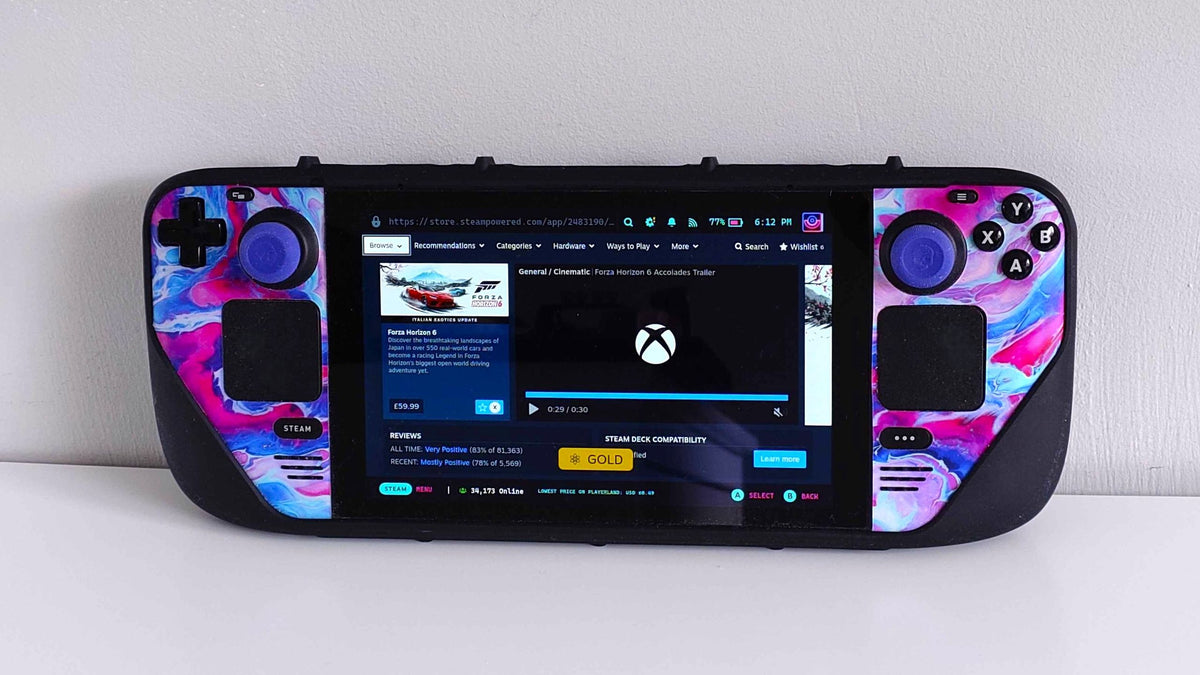
Xbox Cloud Sync Problems Are a Wake-Up Call for Anyone Shopping for a Gaming PC Canada Can Rely On
A recent report about a player being locked out of Forza Horizon 6 after a crash and cloud sync failure highlights a bigger issue than one bad support case. It shows how fragile your gaming experience can feel when software, account systems, and cloud services all sit between you and the game you paid for. For anyone researching a gaming PC Canada buyers can trust, this is exactly the kind of story that should trigger a more practical question: is your next system strong, stable, and flexible enough to reduce the odds of performance issues, crashes, and forced workarounds?
At Groovy Computers, we look at stories like this from a builder’s perspective. Yes, support and platform design matter. But so do hardware stability, thermal performance, storage reliability, memory capacity, driver behaviour, and the quality of the full system build. If you are planning a new custom gaming PC Canada shoppers can use for modern games, streaming, editing, and long-term ownership, this is the moment to think beyond minimum specs and ask what kind of machine will actually give you fewer headaches.
The source story focused on a player whose game crash appears to have led to a cloud sync block, leaving the title unplayable across devices while official support offered little relief beyond using an Xbox console to clear cloud save data. That is frustrating on its own. But it also raises a wider concern for PC gamers in Canada: if one crash can turn into weeks of downtime, why are so many buyers still settling for underpowered, poorly cooled, generic systems that are more likely to struggle under demanding workloads?
What does this Forza Horizon 6 support story really tell PC buyers?
It tells you that reliability matters just as much as raw frame rate. Most shoppers begin with a simple goal like smoother gameplay, higher FPS, or better graphics. That makes sense. But once a game library grows, once mods enter the picture, once cloud saves and launchers and streaming apps all overlap, the real value of a PC starts to shift. Stability becomes part of performance.
Think about your own use case. Are you only trying to launch a racing game at 1080p? Or do you also want Discord open, a browser running, gameplay recording in the background, a controller connected, updates downloading, and maybe OBS ready for streaming? The more layers you add, the more a weak or badly balanced system can turn one small issue into a much bigger problem.
That is why a properly built Gaming PC Canada customers buy today should not be chosen on GPU marketing alone. It should be selected as a complete system with the right CPU, enough RAM, fast SSD storage, proper cooling, reliable power delivery, and smart component matching.
Why Canadian buyers should think differently before buying their next gaming system
Canadian buyers often face a different reality than shoppers in larger U.S. markets. Hardware availability can shift quickly. GPU pricing pressure can affect complete system pricing. Shipping timelines matter more. Returns can be more inconvenient. And when software demands rise with new game releases, replacing a weak PC later can cost more than buying a better-balanced build now.
So what should you ask yourself before buying?
Do you want a budget gaming computer that handles esports and lighter AAA settings well today? Do you want a 1440p gaming system that can keep up with open-world games, racing titles, and multiplayer releases for years? Do you want a premium RTX gaming PC with room for streaming, editing, and future games with ray tracing turned on? Or are you trying to avoid upgrading again in 12 months because your current machine already feels behind?
These are not minor questions. They directly affect what category of custom PC makes sense for you, how much performance headroom you need, and whether financing a stronger build now could save you from a more expensive replacement cycle later.
What do you want your next PC to do for you?
This is the most important question in the entire buying process, and too many shoppers skip it.
Do you want your next PC to run racing games smoothly at 1080p high settings without stutter? Do you want 1440p ultra settings and strong frame pacing for newer open-world games? Do you want to game and stream at the same time? Do you want to edit YouTube videos after your gaming sessions? Do you want one machine that can also handle Photoshop, Lightroom, Illustrator, Premiere Pro, DaVinci Resolve, Blender, or Unreal Engine?
If your answer includes more than one of those tasks, then you are no longer shopping for a basic entry-level box. You are shopping for a system that needs balanced horsepower, not just a flashy spec sheet.
At Groovy Computers, this is where a custom approach matters. A custom build can be tailored for your actual mix of gaming, content creation, workstation tasks, and upgrade goals instead of forcing you into a one-size-fits-all machine.
Why game crashes, sync failures, and poor support make stronger PCs more valuable
To be clear, even a powerful PC cannot prevent every server-side issue. If a cloud platform handles save data poorly, that is outside the user’s control. But a better PC can absolutely reduce the number of local problems that trigger instability in the first place.
That means:
- Better cooling helps maintain stable clocks under long gaming sessions.
- Stronger CPUs reduce hitching and background process strain.
- More RAM helps when games, launchers, browsers, overlays, and recording tools all run together.
- Faster SSDs improve load behaviour and reduce general system sluggishness.
- Proper component matching lowers the chance of weird bottlenecks and inconsistent performance.
- Stress testing helps identify problems before the PC lands on your desk.
Would you rather troubleshoot every new release and hope support helps if something breaks? Or would you rather start with a tested, stable, Canada built gaming PC designed to handle modern game demands from day one?
What gaming performance tier fits you best?
If the Forza Horizon 6 story made you think about your own setup, this is a good time to identify your real performance tier. Not everyone needs the same machine, and not everyone should pay for a level of power they will never use. On the other hand, plenty of buyers underestimate what they need and end up replacing a system far too soon.
Entry tier: budget-friendly 1080p gaming
This tier is best for players focused on esports, lighter multiplayer titles, indie games, and moderate settings in newer AAA releases. If your main question is how much should I spend on a gaming PC, and your goal is to get into PC gaming without overspending, an entry-level system may be enough.
You may fit this tier if you:
- Play mostly at 1080p
- Focus on Fortnite, Valorant, Rocket League, Minecraft, or similar titles
- Want good performance without ray tracing being a priority
- Need a first gaming PC Canada students or budget-conscious buyers can justify
But ask yourself one more thing: are you also planning to record gameplay, multitask heavily, or move into newer AAA games soon? If yes, stepping up one tier may be the smarter value.
Mid tier: the sweet spot for 1440p gaming and long-term value
This is where many Canadian buyers should be looking if they want a serious custom gaming PC Canada players can enjoy for several years. A good 1440p system delivers stronger visuals, smoother modern gameplay, and more breathing room for future releases.
You may fit this tier if you:
- Want 1440p gaming with high settings
- Play racing games, shooters, RPGs, and open-world titles
- Care about frame consistency, not just average FPS
- Want a future proof gaming PC Canada buyers can keep longer
- Use a high refresh rate monitor or plan to upgrade soon
If you have been asking what PC do I need for 1440p gaming, this is likely your answer. It is often the best balance of cost, visual quality, and lifespan.
High end tier: 4K, ray tracing, streaming, and premium AAA performance
If you want ultra settings, advanced lighting features, strong creator performance, and room for demanding workloads, this is the category where premium builds start to make real sense. It is also where buying too cheap can backfire fastest.
You may fit this tier if you:
- Want 4K gaming or maximum-quality 1440p gaming
- Care about ray tracing performance
- Want to stream and game on one machine
- Edit videos or create content regularly
- Do not want to feel pressure to upgrade again soon
If your question is what PC do I need for 4K gaming, the answer is usually not a bargain system with one high-profile part and weak supporting hardware. It is a properly balanced premium gaming PC with enough CPU strength, cooling, memory, and storage to make the whole system feel high end.
Are you buying a PC only for gaming, or for streaming and content creation too?
This is where many buyers underestimate their needs. A lot of customers say they want a gaming desktop, but what they really need is a gaming and streaming PC Canada creators can rely on for multiple workloads at once.
If you stream to Twitch or YouTube, record gameplay clips, edit short-form content, or upload long-form video, your build requirements change. The same goes for podcasting, social media creation, and dual-monitor multitasking.
Ask yourself:
- Will you use OBS or Streamlabs?
- Do you want to record high-bitrate gameplay while gaming?
- Will you edit in Premiere Pro, DaVinci Resolve, or CapCut?
- Do you need fast exports and smooth timeline playback?
- Do you want one system for gaming, streaming, and editing rather than upgrading twice?
If yes, a custom creator PC or a gaming and creator hybrid may be the better fit than a basic gaming-only build.
What if you also edit videos, photos, or design graphics?
The source story was about a game support problem, but the buying lesson applies well beyond gaming. Modern PC buyers often want one machine to do everything. That means gaming at night, editing on weekends, and productivity during the day. If that sounds like you, then choosing the right build category matters even more.
For video editing
If you work in Adobe Premiere Pro, DaVinci Resolve, or After Effects, a stronger CPU, more RAM, and the right GPU acceleration can save significant time over the life of the machine. Are you cutting 1080p footage, or are you handling 4K timelines, colour work, motion graphics, and exports every week? The answer changes what kind of Video Editing PC Canada buyers should choose.
For photo editing
If you use Photoshop, Lightroom, Capture One, or AI-assisted photo tools, you want a responsive system with fast storage and enough memory for large RAW libraries and batch exports. Have you been waiting on previews, imports, or export queues? A properly spec’d Photo Editing PC Canada professionals use can make everyday workflow feel dramatically smoother.
For graphic design
If your work lives in Illustrator, Photoshop, InDesign, Canva, or broader Adobe Creative Cloud projects, system responsiveness matters more than many people realize. Do you juggle multiple apps, large layered files, client revisions, and browser-heavy research at the same time? A Graphic Design PC Canada users can depend on should be selected for consistency and multitasking, not just gaming specs.
For 3D modeling and rendering
If you use Blender, Unreal Engine, Maya, Cinema 4D, Revit, SolidWorks, or other demanding software, then workstation logic starts to matter. Are you rendering scenes, building assets, handling large project files, or trying to shorten preview times? A true 3D Modeling PC Canada creators need may overlap with a gaming build in some areas, but it should still be planned around production workloads first.
Is a gaming PC good for creator work and workstation use?
Sometimes yes, sometimes no.
A strong gaming PC can be an excellent starting point for streaming, light editing, and general content creation. But once your software use becomes more serious, you may need a build tuned more carefully for creator or workstation tasks.
That depends on questions like:
- How much RAM do you really need?
- Do your apps benefit more from CPU power or GPU acceleration?
- Are your files large enough to justify more storage speed and capacity?
- Do you need quiet operation during recording or editing?
- Will you be working in Adobe Creative Cloud, Blender, CAD tools, or a mix of everything?
If your workflow crosses gaming and production, Groovy Computers can help map you to the right kind of custom desktop instead of overspending in the wrong area or underbuilding where it counts most.
Is it better to buy a gaming PC now or wait?
This is one of the most common questions in the market, and it matters even more when game releases, software upgrades, and component demand start climbing.
Waiting can make sense if your needs are uncertain. But waiting can also cost you if:
- Your current PC is already struggling
- You are buying before a major game release
- You expect to start streaming or editing soon
- You are watching GPU demand rise
- You are concerned about replacement costs increasing later
The source story reminds buyers that delays are not always just about price. Downtime has a cost too. If your machine crashes more often, struggles with newer games, or leaves you constantly working around performance limits, the real question is not just whether you can wait. It is whether waiting helps you at all.
Are you trying to buy before the next wave of AAA titles arrives? Before your school term starts? Before a software upgrade increases hardware demands? Before holiday-season stock pressure affects availability? Those timing factors can matter more than many shoppers expect.
Could financing help you secure a better system before costs rise?
For many buyers, the smartest move is not buying the absolute cheapest PC they can find. It is choosing a stronger, more durable build that meets their real needs now and financing it over time instead of settling for a system they will outgrow too fast.
If you are deciding between a weaker budget build and a properly balanced custom machine, ask yourself:
- Would an extra performance tier help you keep the PC longer?
- Would more RAM or a better GPU save you from upgrading next year?
- Would a faster SSD setup improve both gaming and creator work right away?
- Would monthly payments make it easier to get the right build the first time?
Groovy Computers offers options that can help customers finance a stronger gaming PC, creator PC, or workstation build for up to 4 years. For buyers across Canada, that can be the difference between buying around today’s budget ceiling and buying the system they actually need.
Should you finance a gaming PC instead of buying a cheaper one outright? If the stronger build gives you better long-term value, more usable years, and less upgrade pressure, the answer can absolutely be yes.
Why custom PC vs prebuilt PC Canada is still a critical question
When stories about crashes, sync failures, and weak support hit the news cycle, they expose an uncomfortable truth: once something goes wrong, generic hardware choices become much more painful. A random off-the-shelf PC with weak cooling, mystery RAM, poor airflow, and minimal testing can make troubleshooting far harder than it should be.
That is why the custom PC vs prebuilt PC Canada debate still matters.
A custom build gives you:
- Better part selection for your actual use case
- More balanced CPU and GPU pairing
- Cooling that matches the workload
- Cleaner upgrade paths
- More confidence in system stability
- A machine designed for how you play and work
At Groovy Computers, custom systems are built with real-world use in mind, not just marketing checkboxes. That matters whether you want a budget gaming PC Canada shoppers can trust, a premium RTX gaming build, a creator desktop, or a workstation for rendering and design.
Why testing and warranty support matter more than ever
A powerful spec sheet is only part of the story. The real user experience comes from how the machine behaves under load. Does it stay cool? Does it stay stable during long sessions? Does it handle modern games and background tasks without strange behaviour? Was it actually tested before shipping?
That is a major reason buyers should care about stress testing and warranty support.
Groovy Computers builds systems with rigorous testing and backs them with a 1-year warranty. That matters because when you order a custom gaming PC Canada customers plan to use daily, you should not be gambling on assembly quality or hoping your system survives its first real workload.
Would you rather buy a machine that has been planned, assembled, and tested around your goals, or take a chance on a generic unit that looked good in a spec summary?
What kind of buyer should choose each Groovy Computers category?
Choose a budget gaming PC if:
- You want a first PC for esports and lighter AAA gaming
- You play mostly at 1080p
- You need value first, but still want upgrade potential
- You want to avoid low-quality marketplace systems
Choose a mid-range custom gaming PC if:
- You want strong 1440p performance
- You play a wide mix of competitive and cinematic games
- You want a system that feels modern for longer
- You value balance more than chasing one flagship part
Choose a premium RTX gaming PC if:
- You want 4K or ultra 1440p gaming
- You care about ray tracing and high visual settings
- You stream, multitask, or create content too
- You want more long-term headroom
Choose a creator PC if:
- You edit videos, stream, design, or produce content regularly
- You need one machine for gaming and production
- You want better export times and smoother multi-app workflow
- You use Adobe apps, OBS, CapCut, or similar tools often
Choose a workstation or 3D-focused build if:
- You work in Blender, Unreal Engine, CAD, or rendering software
- You need heavy multitasking, large memory capacity, or sustained load stability
- You want productivity and professional output first
- You cannot afford wasted time from slow previews or unstable performance
Questions to ask before you buy your next custom PC
Before placing an order, take a minute to answer these honestly.
- What games do you actually play most often?
- Are you targeting 1080p, 1440p, or 4K?
- Do you care about ray tracing or just high FPS?
- Will you stream, record, or edit video?
- Do you use Photoshop, Premiere Pro, Lightroom, Illustrator, or Blender?
- How long do you want this system to last before a major upgrade?
- Would a stronger build today save you money later?
- Would financing help you reach the right performance tier now?
These questions are simple, but they often determine whether a buyer ends up happy three years later or frustrated three months later.
Why Groovy Computers is a smart fit for Canadian buyers right now
Canadian shoppers want more than just parts in a box. They want guidance, reliability, a fair path to better performance, and confidence that the machine they buy will match the way they actually use it. That is where Groovy Computers stands out as a Canadian custom PC builder.
Whether you are shopping from Nova Scotia, Atlantic Canada, Ontario, Alberta, British Columbia, Quebec, or anywhere else in the country, the goal is the same: get a custom desktop that makes sense for your workload, your budget, and your timeline.
Groovy Computers helps customers move beyond vague specs and into real build logic. Need a Gaming PC Canada buyers can trust for modern titles? Need a creator-focused desktop for editing and streaming? Need a 3D workstation with the right balance of CPU, GPU, RAM, and storage? Need financing so you do not have to settle for less than you really need? That is exactly the kind of buying decision Groovy is built to support.
Ready to stop guessing and choose the right build?
If this Forza Horizon 6 support story made you think about stability, crashes, support limits, or the risk of underpowered hardware, that is a good thing. It means you are asking the right questions before spending money.
What do you want your next PC to do for you over the next three to five years? Handle the latest games without compromise? Power a streaming setup? Cut 4K video faster? Run Adobe Creative Cloud smoothly? Render 3D scenes with less waiting? Avoid an early upgrade cycle?
If you want help choosing the right custom gaming PC, creator PC, or workstation build, visit GroovyComputers.ca. It is the easiest way to move from uncertainty to a system built around your real needs, with tested performance, Canadian support, financing options, and a 1-year warranty.
The bottom line for buyers reading this now
The headline issue in the source report was poor support around a cloud sync problem. But the deeper buying lesson is about control. You cannot control every server-side failure, every launcher issue, or every support response. You can control the quality of the PC you buy, how well it is built, how much performance headroom it has, and whether it is ready for the games and workloads you actually care about.
That is why now is a smart time to think carefully about your next Gaming PC Canada purchase. Buy for stability. Buy for the way you really use your system. Buy for enough power that you are not boxed in right away. And if monthly payments help you secure a better long-term machine, do not ignore that option.
The right custom PC is not just about better benchmarks. It is about fewer compromises, less downtime, and a system that feels ready when your games, your software, and your plans get more demanding.
#GamingPCCanada #CustomGamingPCCanada #GamingPCBuilderCanada #CanadianCustomPCBuilders #GamingAndStreamingPCCanada #CreatorPCCanada #VideoEditingPCCanada #3DModelingPCCanada #GamingPCFinancingCanada #NovaScotiaComputers
Groovy Computers | All Rights Reserved


Leave a comment
This site is protected by hCaptcha and the hCaptcha Privacy Policy and Terms of Service apply.