



































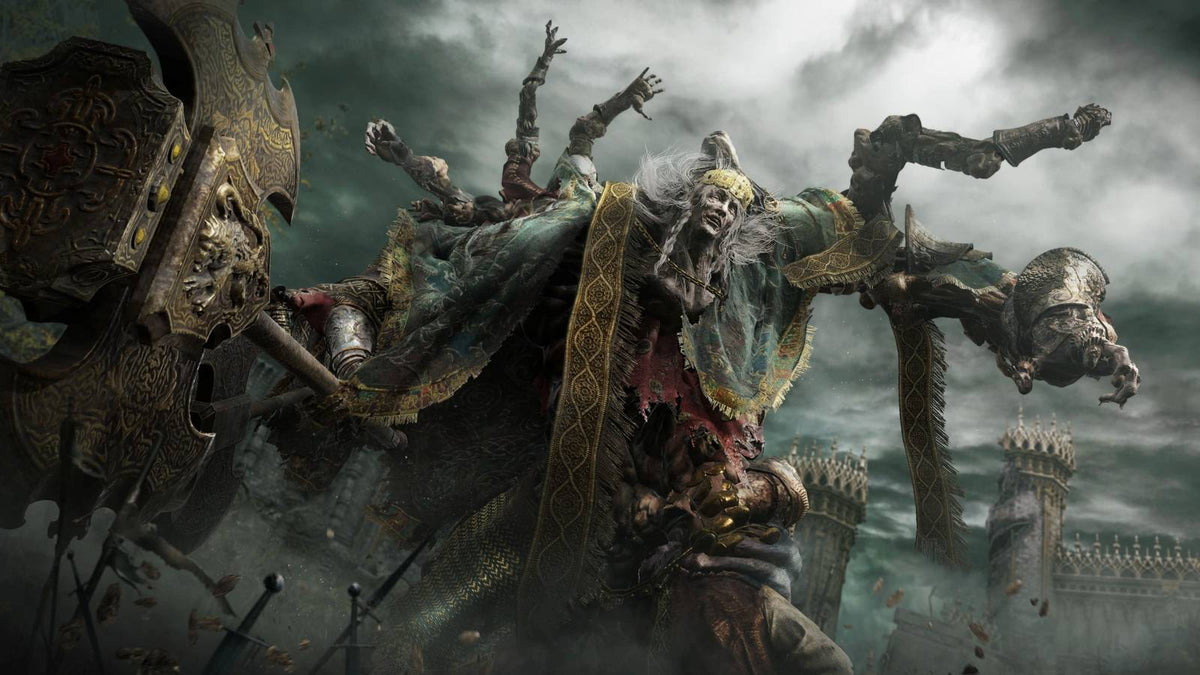
PC for Open World Games: The Canadian Buying Guide for Massive RPGs, 1440p Gaming, 4K Worlds, Streaming, and Creator Workloads
Open world games are no longer just big maps with extra side quests. For Canadian players shopping for a PC for open world games, today’s largest RPGs, action adventures, survival sandboxes, and live-service worlds can become full hardware stress tests. They demand fast processors, powerful graphics cards, enough memory for heavy streaming assets, high-speed SSD storage, stable cooling, and a system that can keep performing across dozens or even hundreds of hours of gameplay.
The recent discussion around long open world games that take forever to complete highlights something important for PC buyers: value is not only about the sticker price of a computer. It is about how long that computer stays enjoyable, smooth, quiet, reliable, and upgrade-friendly while you explore games like Elden Ring, The Witcher 3: Wild Hunt, Starfield, Assassin’s Creed Odyssey, Dragon Age: Inquisition, Genshin Impact, Like a Dragon: Infinite Wealth, Xenoblade Chronicles 3, and other huge worlds that can eat up nights, weekends, and entire seasons.
That raises the question Canadian buyers should ask before choosing a gaming desktop: what do you actually want your next PC to do for you? Do you want a budget-friendly 1080p gaming machine for story-rich RPGs? A 1440p gaming PC Canada buyers can rely on for high-FPS open world performance? A 4K Gaming PC Canada build for ultra settings and ray tracing? Or do you need one system that can also stream, record gameplay, edit videos, work in Photoshop, design graphics, run Blender, and handle productivity without slowing down?
At Groovy Computers, that is where the conversation gets practical. A long open world game is not just entertainment; it is a clue about the kind of system that will keep you satisfied. The longer the game, the more you notice stutters, loading screens, fan noise, storage limitations, weak multitasking, and upgrade regrets. If you are buying a new gaming computer in Canada, the better question is not only “Can it run the game?” It is: will it still feel good after 80, 150, or 300 hours?
Why Long Open World Games Are the Perfect Test for a Gaming PC Canada Build
Shorter games can hide hardware weaknesses. A linear action game may look impressive for a few hours, especially if it uses smaller environments and fewer persistent systems. Huge open world titles are different. They load massive landscapes, stream textures continuously, manage enemy AI, track quests, render cities, handle weather effects, process physics, and keep your character moving across large distances without breaking immersion.
That is why open world games are one of the best real-world tests for a Gaming PC Canada buyer. They expose weak CPUs during crowded city scenes. They expose limited VRAM when high-resolution texture packs are enabled. They expose slow storage when loading new zones or fast travelling. They expose low memory capacity when you alt-tab to Discord, a browser, Spotify, OBS Studio, or a guide while the game stays open in the background.
Do you play games for a few quick matches, or do you sink into a world for months? If your favourite games include enormous RPGs, survival games, simulators, MMOs, and heavily modded titles, you should think beyond minimum requirements. Minimum requirements are about launching the game. A proper custom gaming PC is about enjoying the game.
What the Source Topic Gets Right: Big Games Reward Stronger Systems
The original discussion correctly points out that some of the most memorable open world games are not short experiences. Kingdoms of Amalur: Re-Reckoning is packed with zones, factions, side quests, and expansion content. The Witcher 3 remains a benchmark for dense narrative design, monster contracts, political choices, and DLC that can feel large enough to be a separate game. Elden Ring rewards exploration, but its challenge and mystery can keep players experimenting for dozens of hours before they even understand how much world is left.
Genshin Impact represents another kind of long-term gaming workload: a continually expanding game where new regions, quests, characters, events, and updates can keep a player’s system in regular use for years. Starfield expands the concept from a single map to a galaxy-scale structure. Like a Dragon: Infinite Wealth shows how side activities can become almost full games inside the game. Assassin’s Creed Odyssey is a reminder that large maps, naval travel, quests, DLC, and exploration can turn a single purchase into a massive time investment.
For PC buyers, the lesson is simple: if the game takes forever to complete, your computer needs to feel good for the entire journey. A system that is “good enough” on day one can become frustrating when you add mods, increase settings, install DLC, use a higher-resolution monitor, start streaming, or realize you want to edit clips from your playthrough.
What Do You Want Your Next PC to Do for You?
Before choosing parts, financing a stronger build, or buying a ready-to-ship system, ask yourself this: what kind of player or creator are you becoming? Not just what are you playing today, but what do you want to do over the next few years?
- Do you want smooth 1080p gaming? A smart budget build can be excellent for RPGs, esports, indie games, and many AAA titles if the CPU, GPU, RAM, and SSD are balanced properly.
- Do you want 1440p high-FPS gaming? This is the sweet spot for many Canadian gamers because it offers a major visual upgrade over 1080p without the full cost and GPU demand of 4K.
- Do you want 4K ultra settings? A high-end gaming PC becomes much more important, especially for open world games with dense environments, ray tracing, and high-resolution texture packs.
- Do you want ray tracing? Ray tracing can transform lighting, reflections, and atmosphere, but it places heavier demand on the GPU and makes upscaling technologies more important.
- Do you want to stream or record? A Gaming and Streaming PC Canada build should be chosen differently from a gaming-only machine because encoding, multitasking, and storage all matter.
- Do you want to edit videos or create content? A Creator PC Canada build may need more RAM, more storage, stronger CPU performance, and a GPU that accelerates editing, effects, and exports.
- Do you want to work in Blender, Unreal Engine, CAD, or 3D rendering? A workstation-class build may be the better long-term purchase than a basic gaming desktop.
The right answer depends on how you use your computer. A student playing Genshin Impact at 1080p has different needs than a creator recording Elden Ring challenge runs, editing them in DaVinci Resolve, designing thumbnails in Photoshop, and streaming on weekends. The best custom PC is not the most expensive one; it is the one that matches your actual workload without forcing you to upgrade too soon.
What PC Do I Need for 1440p Gaming in Huge Open World Games?
For many buyers, 1440p is the modern performance sweet spot. It gives you a sharper image than 1080p, better use of larger monitors, and a premium feel in open world games without always requiring the highest-end graphics card available. If you are searching for a 1440p Gaming PC Canada build, you should focus on balance.
A strong 1440p open world gaming PC should include a capable modern multi-core CPU, a GPU with enough VRAM for high textures, 32GB of RAM for smoother multitasking, and a fast NVMe SSD. Open world games often stream assets constantly, so SSD speed and available storage matter more than many buyers realize. If your drive is nearly full, your game library is spread across slow storage, or your system has limited RAM, your experience can suffer even if your graphics card looks good on paper.
Ask yourself: do you want high settings now, or ultra settings for longer? Do you care more about visual quality or frame rate? Are you using a 144Hz or 165Hz monitor? Do you plan to add mods? Do you keep Discord, Chrome, music, capture software, and RGB control apps running while you play? These details can change the right build.
What PC Do I Need for 4K Gaming, Ray Tracing, and Ultra Settings?
4K gaming is where hardware decisions become more serious. A 4K Gaming PC Canada build needs a stronger graphics card, better cooling, and a more deliberate upgrade path. Open world games at 4K can look incredible, especially when landscapes, cities, shadows, foliage, lighting, and reflections are turned up. But 4K also multiplies the GPU workload, and ray tracing can push that demand even higher.
If you are chasing 4K ultra settings, the question is not simply “Can I run it?” It is “Can I run it at the frame rate I actually want?” A 60 FPS 4K cinematic experience is different from a high-refresh 4K gaming setup. If you also want to stream, record, or edit, the build needs more headroom.
This is where a custom high-end gaming PC makes sense. Better power delivery, better airflow, proper case selection, quality power supplies, thoughtful cable management, and stress testing all matter more when a system is drawing more power and generating more heat. A premium machine should not only benchmark well for a day; it should remain stable through long sessions, seasonal updates, large patches, and demanding future releases.
Are You Buying Before a Major Game Release, Hardware Shortage, Sale Period, or Price Spike?
Timing matters more than many PC buyers expect. Demand for GPUs, memory, SSDs, power supplies, and certain CPUs can shift quickly when major game releases, holiday shopping, creator hardware trends, AI demand, currency changes, or supply constraints hit the market. Canadian buyers also have to think about exchange rates, import costs, and availability across a smaller market than the United States.
So, is it better to buy a gaming PC now or wait? The honest answer depends on your current system, your target games, and how close you are to frustration. If your PC already struggles with the games you play, waiting can cost you months of poor performance. If prices rise, waiting can also mean paying more for the same level of hardware later. If a new game you care about is approaching, buying early gives you time to set up, test, install updates, transfer files, and tune settings before launch day.
Have you ever tried to upgrade right when everyone else wants the same GPU? Have you ever watched a sale end, a part go out of stock, or a configuration jump in price? That is why build timing is part of the buying decision. A system from Groovy Computers is not just about parts; it is about getting a complete, tested, warranty-backed computer before market conditions shift against you.
Should You Finance a Better PC Instead of Buying a Cheaper One?
Financing can be a practical tool when it helps you avoid buying a system that is already too weak for your needs. If you are comparing a lower-cost build that barely meets your target against a stronger system that will last longer, Gaming PC Financing Canada options can change the decision in a meaningful way.
Ask yourself: would you rather save a little today and upgrade sooner, or secure a stronger machine now and enjoy better performance for longer? If you plan to play large open world games, stream, edit, design, or use creative software, underbuying can become expensive. You may end up replacing RAM, adding storage, upgrading the GPU, changing the power supply, or buying a new system sooner than expected.
Groovy Computers offers financing options up to 4 years, which can help Canadian customers move into a better-balanced custom PC without paying the full amount upfront. Financing is not about buying more than you need. It is about matching your monthly budget to the system that better fits your gaming and creator goals before replacement costs, component pricing, or demand spikes make the same performance tier harder to reach.
Which Performance Tier Fits You Best?
Choosing a custom PC is easier when you match the performance tier to the way you actually play and work. Here is a practical breakdown for Canadian buyers thinking about long open world games, streaming, editing, and workstation use.
Budget Gaming PC Canada Tier: Best for 1080p, Students, and First Gaming PCs
A budget gaming PC can be a smart choice if you mainly play at 1080p, enjoy story games, esports, indie titles, older AAA games, and optimized open world games. This tier is ideal for first-time buyers, students, families, and anyone who wants a reliable gaming desktop without overspending.
The key is avoiding false economy. A cheap system with poor cooling, limited RAM, weak storage, or a low-quality power supply can become a headache. A properly selected budget build should still include a modern CPU platform, a dedicated GPU appropriate for your monitor, enough RAM for today’s games, and a fast SSD. Do you want the lowest possible price, or the best gaming PC for the money over the next few years? Those are not always the same thing.
Mid-Range 1440p Gaming PC Tier: Best for Most Open World Players
The mid-range tier is where many players get the best overall experience. A well-built 1440p system can handle large RPGs, action games, online worlds, and high-refresh monitors while leaving enough budget for a quality monitor, keyboard, mouse, headset, or extra storage.
If you are asking “What gaming PC do I need?” and you do not want to upgrade too soon, this is often the tier worth serious consideration. It gives you a strong mix of image quality, frame rate, and value. It is also a strong foundation for light streaming, clip recording, schoolwork, office tasks, and everyday productivity.
Premium Gaming PC Canada Tier: Best for 4K, Ray Tracing, Ultra Settings, and Longevity
A premium gaming PC is for buyers who want fewer compromises. If you want 4K gaming, high-refresh 1440p, ray tracing, ultra settings, heavy modding, VR, or long-term headroom, this tier makes sense. It is also the tier where custom part selection matters most because powerful hardware needs proper airflow, power delivery, and testing.
How long will a high-end gaming PC last? That depends on your expectations, but a better-built premium system generally gives you more years before you feel forced to lower settings or replace major parts. If you are already spending serious money on a monitor and a game library, it makes sense to pair them with a system that can actually show what they can do.
Gaming and Streaming PC Canada Tier: Best for Twitch, YouTube, OBS, and Recording
If you stream or record gameplay, your PC needs to do more than run the game. It must encode video, manage audio, handle overlays, run chat tools, capture footage, and stay stable under multitasking. A Gaming and Streaming PC Canada build should be selected with CPU cores, GPU encoding support, RAM capacity, and storage layout in mind.
What PC do you need for streaming? If you are streaming at 1080p while gaming at 1440p, your needs are different from someone recording 4K footage while editing clips afterward. The right system depends on your platform, bitrate, monitor setup, software, and whether you want to stream casually or build a serious content channel.
Creator PC Canada Tier: Best for YouTube, TikTok, Editing, Photoshop, and Design
Many gamers are also creators now. You may play a massive open world game, record highlights, edit a review, design a thumbnail, post clips, and stream a boss fight all from the same computer. A Creator PC Canada build should support that full workflow.
For video editing, software like Adobe Premiere Pro, DaVinci Resolve, and After Effects can benefit from strong CPU performance, GPU acceleration, large RAM capacity, and fast storage. For photo editing in Photoshop, Lightroom, Capture One, or similar tools, fast single-core performance, memory, SSD speed, and a good display workflow matter. For graphic design in Illustrator, InDesign, Canva, CorelDRAW, or Affinity Designer, reliability and multitasking can be just as important as raw gaming FPS.
Is a gaming PC good for content creation? Sometimes, yes. But a gaming-only configuration is not always the best creator system. If your income, schoolwork, freelance projects, or business content depends on your PC, Groovy Computers can help tune the build toward both performance and reliability.
3D Modeling PC Canada and Workstation Tier: Best for Blender, Unreal Engine, CAD, and Rendering
Open world games can also inspire creators who want to build worlds of their own. If you work in Blender, Unreal Engine, Unity, Maya, 3ds Max, Cinema 4D, SketchUp, AutoCAD, Revit, SolidWorks, or ZBrush, your needs may go beyond a normal gaming desktop. A 3D Modeling PC Canada build or custom workstation can prioritize GPU rendering, CPU rendering, RAM capacity, VRAM, storage, and long-duration stability.
What PC do you need for Blender or Unreal Engine? The answer depends on whether you model, animate, render, simulate, light scenes, build game environments, or handle architectural visualization. A workstation PC vs gaming PC decision should be based on workload, not labels. Some systems can do both extremely well, but they need to be planned carefully.
Why Storage Matters More When Games Take Forever to Complete
Long open world games usually come with large install sizes, frequent updates, DLC, screenshots, save files, mods, and sometimes high-resolution texture packs. If you also record gameplay, storage demand can climb quickly. A single long session of high-quality recording can create huge video files, and creators often need separate space for raw footage, project files, exports, and backups.
That is why a custom gaming PC should not treat storage as an afterthought. A fast NVMe SSD improves responsiveness, game loading, Windows performance, and creative software workflows. Many buyers benefit from a primary SSD for Windows and favourite games, plus additional SSD capacity for a growing library or content projects.
Ask yourself: do you uninstall games constantly because your drive is full? Do you keep large RPGs installed for months? Do you use mods? Do you record gameplay? Do you edit video? If yes, choosing enough storage up front may be cheaper and cleaner than scrambling for upgrades later.
Why RAM Matters for Open World Gaming, Streaming, and Creative Work
RAM is one of the easiest specs to underestimate. Many modern gaming systems can still run with modest memory, but open world games, multitasking, browsers, launchers, overlays, chat apps, and creative tools can quickly make extra RAM worthwhile. For many serious gaming and creator builds, 32GB has become a comfortable target. For heavier video editing, 3D work, large Photoshop files, After Effects projects, and workstation workloads, 64GB or more may be appropriate.
How much RAM do you need for gaming and streaming? How much RAM do you need for video editing? The answer depends on whether your PC is doing one job at a time or five. If you want your system to feel smooth while you game, stream, browse, record, edit, and chat, memory headroom matters.
Why the CPU Still Matters in Massive Worlds
Graphics cards get most of the attention, but CPUs are critical in open world games. Large RPGs and sandbox titles often rely on the processor for AI, physics, simulation, background systems, NPC behaviour, asset streaming coordination, and frame pacing. A weak CPU can cause stutters even when the GPU is powerful.
For competitive games, CPU performance can help drive high frame rates. For open world games, it can improve consistency. For streaming and editing, extra cores and threads can improve multitasking and exports. For workstation use, CPU choice can dramatically affect render times and productivity.
Are you choosing a PC only for today’s FPS chart, or for the total experience across gaming, updates, streaming, and creative work? A balanced CPU and GPU pairing is one reason working with a custom PC builder is valuable.
Why the GPU Is Still the Heart of Visual Performance
For 1440p, 4K, ray tracing, high textures, and future AAA games, the graphics card remains the biggest performance driver. It affects frame rate, resolution, visual settings, ray tracing, upscaling, VRAM headroom, GPU rendering, and creator acceleration. If you want a Ray Tracing Gaming PC Canada build or a high-FPS open world machine, GPU selection deserves careful attention.
But stronger is not always smarter. The best GPU for you depends on your monitor, your games, your creative software, your budget, and how long you want the system to last. Buying too little can force early upgrades. Buying far beyond your needs can waste money that might be better spent on RAM, storage, cooling, or a better monitor.
This is where Groovy Computers helps Canadian customers think in complete systems instead of isolated parts. A graphics card performs best when it is paired with the right CPU, case airflow, power supply, memory, and display target.
Custom PC vs Prebuilt PC Canada: Why Build Quality Matters More for Long Sessions
A generic prebuilt can look attractive if it lists a familiar CPU and GPU, but the full experience depends on everything around those headline parts. Case airflow, motherboard quality, power supply reliability, RAM configuration, SSD choice, cable management, BIOS setup, fan curves, thermal performance, and stress testing all affect day-to-day ownership.
Why does this matter for open world games? Because long sessions create heat. Heat tests cooling. Cooling affects noise. Noise affects comfort. Poor airflow can reduce boost clocks. Weak power supplies can limit upgrade options. Limited storage can become frustrating. A system that looks good in a product photo may not be the best long-term machine.
Groovy Computers builds custom gaming PCs, creator PCs, and workstation PCs for Canadian customers who want more confidence than a random marketplace listing or mystery-box configuration. Systems are selected with purpose, tested carefully, and supported with a 1-year warranty, giving buyers a more reliable path into PC gaming and content creation.
Canadian Buyers Should Think Differently About PC Timing
Canadian PC shoppers face a unique buying environment. Prices can be affected by currency movement, shipping costs, availability, seasonal sales, limited inventory, and sudden demand for popular components. If you are shopping from Nova Scotia, Atlantic Canada, Ontario, Alberta, British Columbia, or anywhere else across the country, the right time to buy is often when the right build is available at the right configuration, not when every buyer is rushing at once.
Groovy Computers serves Canadian customers with custom PCs built for gaming, streaming, editing, and workstation use. Whether you are looking for Gaming Computers Nova Scotia, a custom gaming PC shipped Canada wide, or a Canadian custom PC builder that can help you choose the right performance tier, the goal is the same: avoid guesswork and buy a system that fits.
Do you want to wait until your current PC fails, or would you rather upgrade while you still have time to choose carefully? Do you want to buy during a demand spike, or secure a stronger build before the parts you want become harder to source? Those timing questions can matter as much as the parts list.
How Long Open World Games Change the Value Equation
When a game lasts 10 hours, a few compromises may not bother you. When a game lasts 100 hours, those compromises become daily annoyances. Low frame rates, stutter, loud fans, long loading times, limited storage, and poor multitasking all become more noticeable the longer you play.
That is why open world games often justify a better system. If you are going to spend hundreds of hours exploring, building, fighting, questing, modding, and replaying, the hardware becomes part of the experience. A better gaming PC does not just produce prettier screenshots; it can make the entire journey smoother.
Think about the cost per hour of enjoyment. A stronger custom PC used for gaming, school, work, editing, streaming, and creative projects can deliver value every day. If financing helps you secure a system that avoids early replacement, the monthly difference between “barely enough” and “comfortably capable” may be easier to justify than a major upgrade later.
Questions to Ask Before Buying a PC for Open World Games
Before you buy, finance, or customize your next system, consider these questions. They will help you avoid underbuying, overspending, or choosing a PC that does not match your real needs.
- What games do I play most? Open world RPGs, competitive shooters, survival games, MMOs, strategy games, and simulators stress hardware differently.
- What resolution do I want? 1080p, 1440p, and 4K require different GPU tiers.
- Do I care about ray tracing? If yes, GPU choice and upscaling support become more important.
- What frame rate feels good to me? A cinematic 60 FPS target is different from high-refresh 144Hz or 165Hz gaming.
- Will I stream or record gameplay? If yes, plan for encoding, RAM, CPU headroom, and storage.
- Will I edit videos or photos? If yes, consider a Creator PC Canada configuration rather than a gaming-only build.
- Will I use Adobe Creative Cloud, DaVinci Resolve, Blender, Unreal Engine, CAD, or 3D software? These workloads may need more RAM, stronger CPUs, better GPUs, and workstation-focused planning.
- How long do I want to keep this PC? Future-proofing is not magic, but smart part selection can delay the need for upgrades.
- Would financing help me choose the right tier now? A stronger system today may be more cost-effective than replacing a weak one too soon.
- Do I want help choosing? If you are unsure, that is exactly where a custom PC builder can save you time and prevent expensive mistakes.
When Does a Budget Gaming Computer Make Sense?
A budget gaming computer makes sense when your expectations are clear. If you are playing at 1080p, using a standard refresh monitor, and focusing on games that do not require the latest ultra settings, a well-built budget system can be a great buy. It can also be ideal for younger gamers, students, casual players, and families who want a reliable entry point into PC gaming.
However, a budget build should still be thoughtfully configured. The wrong budget PC can become a trap if it has too little RAM, weak integrated graphics for your games, poor airflow, a small SSD, or limited upgrade options. The right budget PC should feel balanced and honest about what it is built to do.
Can a budget gaming PC play new games? Often, yes, if expectations are matched to settings and resolution. But if you already know you want 1440p, 4K, streaming, editing, and long-term AAA performance, financing a stronger build may be the smarter move.
When Should You Choose a Premium RTX Gaming PC?
A premium RTX gaming PC is the right choice when you want visual settings, resolution, and longevity to take priority. If you are buying a high-refresh 1440p monitor or a 4K display, planning to use ray tracing, or expecting to play future AAA releases at high settings, a higher-end GPU tier can make a major difference.
Premium builds also make sense for users who combine gaming with creation. GPU acceleration can help with video editing, effects, rendering, AI-enhanced tools, and 3D workflows. If your PC is also part of your side hustle, school program, freelance business, or content channel, the productivity value may be just as important as gaming performance.
Should you finance a high-end gaming PC? If the monthly payment fits your budget and the stronger build helps you avoid near-term upgrades, it can be a practical option. The key is choosing the right system, not simply the most expensive one.
When Is a Custom Creator PC the Better Choice?
A custom creator PC is the better choice when your computer needs to make things, not just play things. If your open world gaming sessions turn into YouTube videos, TikTok clips, stream highlights, thumbnails, tutorials, reviews, podcasts, or design work, your PC should be built for that full pipeline.
For creators, time saved is money saved. Faster exports, smoother timelines, quicker file transfers, better multitasking, and fewer crashes can make a meaningful difference. If you work with 4K footage, multiple camera angles, RAW photos, layered Photoshop files, After Effects compositions, or high-resolution design assets, a creator-focused configuration may be much more satisfying than a gaming-only build.
What PC do content creators need? Usually, they need balance: strong CPU performance, capable GPU acceleration, 32GB to 64GB of RAM depending on workload, fast NVMe storage, reliable cooling, and enough ports and expansion for monitors, capture devices, audio interfaces, external drives, and peripherals.
When Is a 3D Modeling Workstation the Right Move?
A 3D modeling workstation is the right move when your work depends on rendering, simulation, complex scenes, CAD assemblies, game development, architectural visualization, product design, or animation. Gaming performance may still matter, but workstation stability and workload-specific performance become central.
For Blender, Unreal Engine, Unity, Maya, 3ds Max, Cinema 4D, Revit, AutoCAD, SolidWorks, and similar software, the ideal build can vary widely. GPU rendering benefits from strong graphics hardware and VRAM. CPU rendering benefits from more cores. Large scenes benefit from more RAM. Fast storage helps with project loading, asset libraries, cache files, and exports.
If you are asking “What PC do I need for 3D rendering?” the safest answer is to talk through your actual projects. A custom workstation from Groovy Computers can be tailored around the software you use, the size of your scenes, and whether your priority is viewport performance, render speed, multitasking, or all of the above.
Why Rigorous Testing and Warranty Support Matter
When you buy a gaming PC, you are not just buying parts. You are buying assembly quality, configuration, stability, support, and peace of mind. This matters even more when you are investing in a system for long gaming sessions, creative work, or professional use.
Groovy Computers focuses on custom builds that are carefully selected and tested before they reach customers. Stress testing helps confirm that the system can handle real workloads, not just boot to the desktop. Proper testing can catch thermal issues, instability, memory problems, driver conflicts, and configuration mistakes before they become your problem.
A 1-year warranty adds another layer of confidence. For Canadian buyers, especially those ordering a custom gaming PC or workstation, warranty support and local accountability are important. A reliable gaming PC Canada buyer can trust is not only about FPS; it is about knowing someone stands behind the build.
Should You Buy Online from Groovy Computers?
If you are comparing systems and wondering where to start, the best next step is to look at builds designed around real performance tiers instead of guessing from random part lists. Groovy Computers helps Canadian customers choose gaming PCs, streaming PCs, creator PCs, and workstation PCs that make sense for their goals, budget, and upgrade timeline.
Do you want a PC for massive open world games, 1440p gaming, 4K ray tracing, streaming, video editing, graphic design, content creation, 3D modeling, or workstation use? Do you want to avoid upgrading too soon? Do you want financing options that can help you secure a stronger build before prices or availability change? Visit GroovyComputers.ca to browse custom gaming PCs, explore financing, and get help choosing a system built for the way you actually play and create.
The Bottom Line: A Long Game Deserves a Long-Lasting PC
The best open world games are memorable because they give you room to explore. They let you wander, experiment, discover, build, fight, customize, and return months later with more to do. But those experiences are better when your PC is ready for them.
A PC for open world games should be chosen with more than minimum requirements in mind. Think about your monitor, your favourite games, your desired resolution, your streaming plans, your editing workload, your storage needs, your upgrade timeline, and your budget. Think about whether a budget gaming computer is enough, whether a premium RTX gaming PC is the better long-term fit, or whether a custom creator PC or 3D modeling workstation would serve you better.
For Canadian buyers, the right custom PC can be a smarter investment than a rushed off-the-shelf purchase. With thoughtful part selection, rigorous testing, financing options up to 4 years, Canada-focused support, and a 1-year warranty, Groovy Computers helps you move from “Can my PC run it?” to “My PC is ready for what I want to do next.”
#GamingPCCanada #PCForOpenWorldGames #CustomGamingPCCanada #1440pGamingPCCanada #4KGamingPCCanada #GamingPCFinancingCanada #CreatorPCCanada #GroovyComputers
Groovy Computers | All Rights Reserved



Leave a comment
This site is protected by hCaptcha and the hCaptcha Privacy Policy and Terms of Service apply.