



































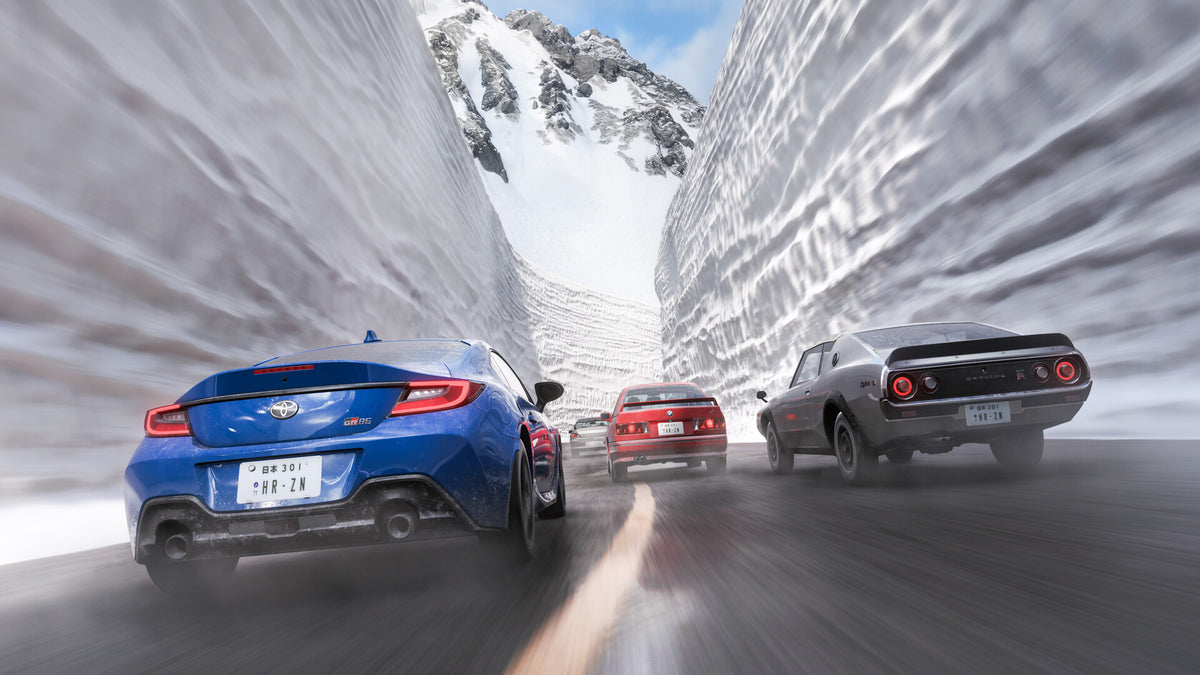
Forza Horizon 6 Japan Map and the PC You’ll Need to Truly Experience It in Canada
The biggest takeaway from the buzz around the Forza Horizon 6 Japan map is simple: this is not the kind of open-world racing game you merely glance at for a few minutes and move on from. If the source title is right that the map is built to be found, not admired, then players are looking at a game experience driven by exploration, speed, atmosphere, density, weather, lighting, and visual detail that rewards a strong system. For Canadian buyers, that turns hype into a practical question: what kind of PC do you actually need to enjoy a game like this the way it was meant to be played?
That is where Groovy Computers comes in. A visually rich, open-world driving game can be one of the clearest examples of why a one-size-fits-all computer is often the wrong choice. Some players want a smooth 1080p setup and fast loading times. Others want a 1440p gaming PC Canada buyers can rely on for higher settings, better reflections, and long-term value. And some want a premium system that can handle ultra settings, high refresh gameplay, ray tracing workloads in modern titles, and even streaming or editing car clips after the session is over.
If you are already thinking about a next PC, ask yourself something important: do you want your system to simply launch the next big racing game, or do you want it to make that experience feel cinematic, responsive, and future-ready?
Why the Forza Horizon 6 Japan Map Conversation Matters for PC Buyers
Open-world racing games hit differently on PC because they combine multiple hardware demands at once. You are not just rendering a race. You are often rendering distance, weather, traffic, vegetation, reflections, high-speed traversal, dynamic lighting, and a world full of side roads, hidden routes, and environmental detail. A map designed for discovery raises expectations for immersion, and immersion usually raises hardware expectations.
That matters because many customers underestimate what these games really ask from a system. It is easy to assume that because a racing game does not look like a heavy shooter or a giant RPG, almost any machine will do. But when you start chasing high settings, higher frame rates, better image quality, faster asset streaming, and smooth performance across a large world, the hardware gap becomes obvious.
Are you planning to play casually on one monitor at 1080p? Or are you already imagining a 1440p ultrawide setup with higher refresh rates and a graphics card that can keep up during long sessions?
For Canadian buyers, this also matters because PC prices can shift fast. GPU demand, memory volatility, SSD pricing, and broader component pressure can all change the value equation. Buying too little now can mean replacing your system sooner. Waiting too long can mean paying more for the same class of performance later.
What the Source Angle Gets Right: This Kind of Map Rewards Discovery
The source framing is smart because it shifts attention away from a static screenshot mentality. A great map is not just scenery. It is a design choice. If the game encourages exploration over passive admiration, then the best experience comes from moving through that world fluidly and without technical friction.
That means your PC should support the kind of experience the game is trying to create:
- Stable frame rates during fast driving and dense scenes
- Fast SSD performance for asset streaming and load times
- Enough VRAM and GPU headroom for higher-resolution textures and visual effects
- A balanced CPU to keep the world responsive and consistent
- Enough RAM for modern background tasks, launchers, voice chat, browsers, and recording tools
In other words, when a game world is built to be explored, your PC needs to be built to keep up.
Why Canadian Buyers Should Think Differently Before Choosing a Racing Game PC
A lot of buyers start with a narrow question like, “Can my PC run it?” That is fair, but it is often the wrong buying question. A better question is: how well do you want to run it, and what else do you want this machine to do over the next three to five years?
That shift matters. A buyer in Canada looking at a custom build is not just paying for today’s launch window. They are deciding how long their PC stays enjoyable before the next upgrade. With open-world racing games, you may start with one title in mind, but very quickly that same PC also becomes your system for other AAA games, livestreaming, Discord, YouTube uploads, sim peripherals, mods, photo mode captures, and editing short clips for social media.
Do you want a system that feels great only for one release, or one that still feels strong when the next wave of demanding games arrives?
This is where a Gaming PC Canada buyer should be careful not to choose purely by the cheapest upfront number. A lower-end machine may save money today, but if you end up turning settings down, replacing the GPU early, or wishing you had more storage and RAM six months later, the value disappears fast.
What Do You Want Your Next PC to Do for You?
Before picking parts, think about your actual use case. This is the most important step, and it is where many shoppers go wrong.
Do you want your next PC to:
- Play open-world racing games smoothly at 1080p?
- Handle 1440p gaming PC Canada performance with stronger visual settings?
- Push into 4K or ultrawide gaming territory?
- Support high refresh rates for competitive driving and fast input response?
- Stream to Twitch or YouTube while gaming?
- Edit racing clips, highlights, or full YouTube videos afterward?
- Run creative software like Photoshop, Premiere Pro, DaVinci Resolve, or Illustrator?
- Stay relevant long enough that you avoid upgrading too soon?
If you are asking more than one of those questions, you probably do not need a basic gaming desktop. You likely need a more balanced custom system designed around your real workload, not a generic spec sheet.
What PC Do You Need for the Forza Horizon 6 Japan Map at 1080p, 1440p, or 4K?
The answer depends on your target experience. Resolution changes everything because it changes how hard your GPU has to work. Frame rate goals matter too. A steady 60 FPS target is one thing. Chasing higher refresh rates with stronger image quality is another.
Entry-Level 1080p: Who Is This Tier For?
This is the right tier for players who want to enjoy modern racing games smoothly without overspending. If your goal is strong 1080p performance, good visual settings, and a better-than-console feel with the flexibility of PC, an entry-level to lower-midrange custom build can make sense.
This tier is a fit if you are asking:
- Do I mainly want great value?
- Am I gaming on a 1080p monitor?
- Am I okay aiming for smooth gameplay rather than maximum visual features?
- Do I want a Budget Gaming PC Canada buyers can still upgrade later?
A good 1080p system should still include a modern CPU, a capable dedicated GPU, fast NVMe storage, and enough RAM to avoid feeling dated too quickly. This is not the place to cut corners on power quality, airflow, or future upgradability.
1440p Sweet Spot: The Best Choice for Most Enthusiasts?
For many players, 1440p is where open-world racing really starts to shine. Visual detail is noticeably sharper, scenery has more impact, and you can still target strong frame rates without entering the most expensive hardware class.
If you are wondering, what PC do I need for 1440p gaming, this is often the best balance of image quality, performance, and long-term value. It is also one of the smartest categories for buyers who want to enjoy major new releases for years without instantly feeling underpowered.
This tier is ideal if you want:
- Higher settings with smoother image quality
- Better longevity for upcoming games
- Headroom for background apps and occasional streaming
- A more premium feel without immediately jumping to top-tier pricing
If the Forza Horizon 6 Japan map ends up being dense, detailed, and visually ambitious, 1440p will likely be the sweet spot for many serious players.
4K and Ultra Settings: Who Should Go Premium?
If your answer is “I want the best-looking experience I can reasonably justify,” then you are in premium territory. A 4K Gaming PC Canada buyer should think in terms of GPU strength first, then CPU balance, cooling, storage, and power delivery.
This tier is for players asking:
- What PC do I need for 4K gaming?
- Do I want ultra settings and stronger visual effects?
- Do I plan to keep this system for several years?
- Should I finance a stronger system instead of buying a weaker one now?
Premium systems make the most sense when you care deeply about image quality, monitor quality, longevity, and broader use beyond one game. If you also create content, stream, or edit, stepping up now can save money and frustration later.
Is This Just a Gaming PC Decision, or a Content Creation PC Decision Too?
That is one of the smartest questions a buyer can ask. A lot of people shopping for a racing game system are not only gamers anymore. They are streamers, editors, creators, students, designers, or side-hustle entrepreneurs who need one machine to do everything well.
If you are clipping races, editing videos, making thumbnails, recording voiceovers, or producing social content, then your purchase may need to be treated as a Content Creation PC Canada decision as much as a gaming one.
Ask yourself:
- Will you stream gameplay using OBS or Streamlabs?
- Will you edit 1080p or 4K footage in Premiere Pro or DaVinci Resolve?
- Will you use Photoshop or Lightroom for screenshots and promotional art?
- Do you want a machine that can game at night and work all day?
If the answer is yes, then you may want more CPU threads, more RAM, a larger SSD setup, and a GPU tier that supports both gaming and creator workloads effectively.
What If You Want to Stream the Game Too?
Streaming changes your build priorities. A PC that is excellent for solo gaming is not always ideal for gaming and livestreaming at the same time. Once you add OBS, overlays, browser sources, chat tools, music apps, and background recording, your performance headroom matters more.
A proper Streaming PC Canada setup should be built with this in mind. You do not always need a separate streaming PC, but you do need enough balance between CPU, GPU, memory, and storage to avoid turning your stream into a stutter test.
What PC do you need for streaming if you also want a visually impressive racing game experience? Usually, that means stepping above the bare minimum tier. If you know you want to game and stream from one system, that is exactly the kind of decision a custom builder should help you make before you spend your money.
What If You Want to Edit, Design, or Create After You Play?
This is where a lot of “gaming PC” purchases quietly turn into workstation-lite purchases. If your next system also needs to handle creator tasks, then build planning matters even more.
For Video Editing
A Video Editing PC Canada customer should think about CPU performance, export speed, RAM capacity, and storage organization. If you will be cutting gameplay footage, rendering social clips, or creating YouTube content, a stronger multicore CPU and more memory can dramatically improve the experience.
Are you editing occasional short clips, or full 4K timelines with transitions, effects, and multiple tracks? That answer changes the right build tier immediately.
For Photo Editing and Thumbnails
If your workflow includes Photoshop, Lightroom, or similar apps, a Photo Editing PC Canada or creator-focused setup may be a better fit than a gaming-only system. Storage speed, memory, display pairing, and CPU responsiveness all matter here.
Do you just want to crop and export screenshots, or are you handling large RAW photo libraries, AI tools, and batch exports too?
For Graphic Design
A Graphic Design PC Canada build is ideal for users balancing Photoshop, Illustrator, InDesign, Canva, browser tabs, and multitasking. Design users often underestimate the value of extra RAM, quiet cooling, and fast SSD performance until they live with a stronger machine.
Is your next PC only for gaming, or is it also your design workstation, content desk, and productivity centre?
For 3D Modeling and Rendering
If your world includes Blender, Unreal Engine, Unity, CAD, or rendering workloads, then the conversation moves well beyond a standard gaming desktop. A 3D Modeling PC Canada or custom workstation needs to be selected around software behavior, GPU acceleration, RAM scaling, and sustained thermal performance.
Are you buying for one game release, or are you also building a machine that can handle your next course, contract, or creative career move?
Should You Buy a Budget System Now or Finance a Better One?
This is one of the most practical questions in the entire PC market. If you go too cheap, you may end up replacing parts sooner, turning settings down faster, or paying twice through incremental upgrades. On the other hand, stepping too high without a plan can also feel uncomfortable.
That is why Gaming PC financing Canada shoppers often ask a smart version of the same question: should I finance a better PC instead of buying a cheaper one?
For many buyers, the answer depends on how long they want the system to last and what they need it to do. If the machine is only for entry-level 1080p gaming, staying conservative may be fine. But if you want 1440p performance, a smoother path into future games, or the ability to stream and create, financing a stronger system can make more long-term sense than settling for a build you outgrow quickly.
At Groovy Computers, that question is not about pressure. It is about fit. If spreading cost over time helps you secure a system that will genuinely serve you longer, it can be the smarter choice.
Why Timing Matters More Than Many Buyers Realize
When a major game or a heavily hyped title starts building momentum, buying behavior shifts. More people begin looking at GPUs, more shoppers move into upgrade mode, and value-friendly inventory can become less attractive fast. That does not mean panic-buying is wise. It does mean waiting is not always automatically better.
Ask yourself:
- Are you buying ahead of a major release window?
- Are you trying to upgrade before your current PC becomes frustrating?
- Would a delay force you into a rushed purchase later?
- Are you risking a situation where the same performance tier costs more down the road?
Component markets do not move in perfectly predictable ways. GPU pressure, memory pricing, storage cost changes, and supply fluctuations can all affect full-system pricing. If you already know your current PC is near its limit, waiting may not be a neutral decision.
How Pricing Volatility Affects the Real Cost of Waiting
Many buyers compare a system price today with a hypothetical lower price tomorrow. But that future lower price is not guaranteed. In fact, several things can happen instead:
- You pay more for the same GPU tier later
- You settle for weaker parts because preferred models become harder to find
- You spend extra on piecemeal upgrades that still do not fix the overall build balance
- You miss months of use while waiting for a “perfect time” that never really arrives
If you are already asking, is it better to buy a gaming PC now or wait, the most honest answer is this: it depends on your workload, budget, and how inadequate your current machine already feels. But if you know you want to enjoy upcoming games properly, and your current system is struggling, delaying can become more expensive than acting with a clear plan.
Which Performance Tier Fits You Best?
Not everyone needs the same class of system. The right build depends on what matters most to you.
Choose an Entry-Level to Value Build If:
- You mainly want 1080p gaming
- You are a first-time buyer
- You want a Best Budget Gaming PC Canada style approach
- You are not focused on high-end streaming or editing
Choose a Midrange Performance Build If:
- You want 1440p gaming and better longevity
- You play modern AAA titles regularly
- You may stream occasionally
- You want stronger value over the next few years
Choose a Premium Build If:
- You want 4K or ultrawide performance
- You care about ultra settings and stronger visual quality
- You are pairing the PC with content creation workloads
- You want to avoid upgrading too soon
Choose a Creator or Workstation-Focused Build If:
- You game, edit, design, and multitask heavily
- You use Adobe Creative Cloud, OBS, or 3D tools
- You need a machine for work and play
- You want a Custom Workstation PC Canada or creator-class setup with gaming capability
If you are unsure which category sounds most like you, that is exactly when talking to a custom builder matters most.
Custom PC vs Generic Prebuilt: Why It Matters for a Game Like This
A game centered on exploration and visual experience deserves a balanced system. Generic prebuilts often look attractive at first glance, but buyers frequently discover compromises in airflow, power supply quality, motherboard quality, memory configuration, storage choice, or upgrade path.
That is why Custom PC vs prebuilt PC Canada is still such an important buying topic. A custom-built system is not just about choosing a fancy case. It is about making sure the GPU is matched with the right CPU, the cooling is adequate, the RAM is sufficient, the SSD is fast enough, and the overall build has a future.
Would you rather buy the cheapest spec list, or buy a system designed around the way you actually play and work?
Why Groovy Computers Makes Sense for Canadian Buyers
Groovy Computers is positioned for customers who want more than a box with parts in it. If you are shopping for a Custom Gaming PC Canada build, a creator machine, or a workstation-class desktop, the value is in getting the right configuration from the start.
For Canadian customers, that means several things matter:
- Custom builds matched to your actual goals
- Rigorous testing before the system reaches you
- A 1-year warranty for added confidence
- Canada-focused service and buying relevance
- Financing options up to 4 years for buyers who want stronger performance without paying all at once
If you are in Nova Scotia, Atlantic Canada, or ordering from elsewhere in the country, trust matters. Buying from a Canadian custom PC builder matters when you want guidance, support, and a system that is meant to last.
Are You Buying for One Game, or for the Next Wave of Games Too?
This is the long-term question. A lot of buyers tell themselves they are upgrading for one title, but really they are upgrading because modern games in general are becoming more demanding. The same system you choose for a racing game today may also need to handle your next open-world action game, shooter, sim, RPG, or creator workload tomorrow.
So ask yourself honestly:
- Do you want a PC for this one release, or a Gaming PC for New Games across the next several years?
- Will you regret buying too low six months from now?
- Would a slightly stronger GPU or CPU tier save you an early rebuild?
- Do you want room for future monitors, accessories, storage, and software growth?
When a game gets people excited about hardware again, that is usually a signal that bigger performance expectations are coming, not shrinking.
What Questions Should You Ask Before You Buy or Finance Your Next PC?
Before you commit, ask these practical questions:
- What resolution do I actually want to game at: 1080p, 1440p, or 4K?
- Do I care more about value today or longevity over years?
- Will I also stream, record, or edit content?
- How much storage do I really need for modern games and media files?
- Do I want a budget build now, or a stronger system that avoids near-term upgrades?
- Would financing help me get the right machine instead of the cheapest one?
- Am I buying before a major release period or possible component price pressure?
- Do I want expert help choosing a build from Groovy Computers?
These are better buying questions than simply asking whether a game will launch. The goal is not to scrape by. The goal is to enjoy the experience and feel good about the investment.
So, What Should a Canadian Buyer Do Right Now?
If the Forza Horizon 6 Japan map hype has you thinking about your next system, do not treat it like empty speculation. Treat it like a useful buying checkpoint. This kind of game conversation highlights what many players already know: open-world visual showcases expose weak hardware fast.
If your current machine is aging, if you want smoother 1440p gameplay, if you plan to stream or edit, or if you want to avoid paying for another upgrade too soon, now is the time to think seriously about your next build. Waiting only makes sense if your current system still suits your goals. If it does not, waiting may just delay the inevitable while pricing and demand shift around you.
Need Help Choosing the Right PC for Forza, Streaming, Editing, or All of It?
What do you want your next PC to do for you: run open-world racing games beautifully, handle high FPS competitive play, power your content workflow, or replace an aging machine before it becomes a money pit? If you want a system built around your real needs, not generic assumptions, visit GroovyComputers.ca and explore a custom build that fits how you actually game, create, and work.
In the end, the Forza Horizon 6 Japan map discussion is really about experience. If the world is built to be found, your PC should be built to let you find it properly. For Canadian buyers, that means choosing a system with the right performance tier, upgrade path, reliability, and support from the start. Groovy Computers helps turn hype into a smart purchase, whether you need a value gaming desktop, a premium RTX-ready machine, or a creator-focused custom PC that will still make sense long after the next release cycle begins.
#ForzaHorizon6 #ForzaHorizon6JapanMap #GamingPCCanada #CustomGamingPCCanada #1440pGamingPCCanada #4KGamingPCCanada #ContentCreationPCCanada #StreamingPCCanada #VideoEditingPCCanada #CanadianCustomPCBuilders #NovaScotiaTech #GroovyComputers
Groovy Computers | All Rights Reserved



Leave a comment
This site is protected by hCaptcha and the hCaptcha Privacy Policy and Terms of Service apply.