






















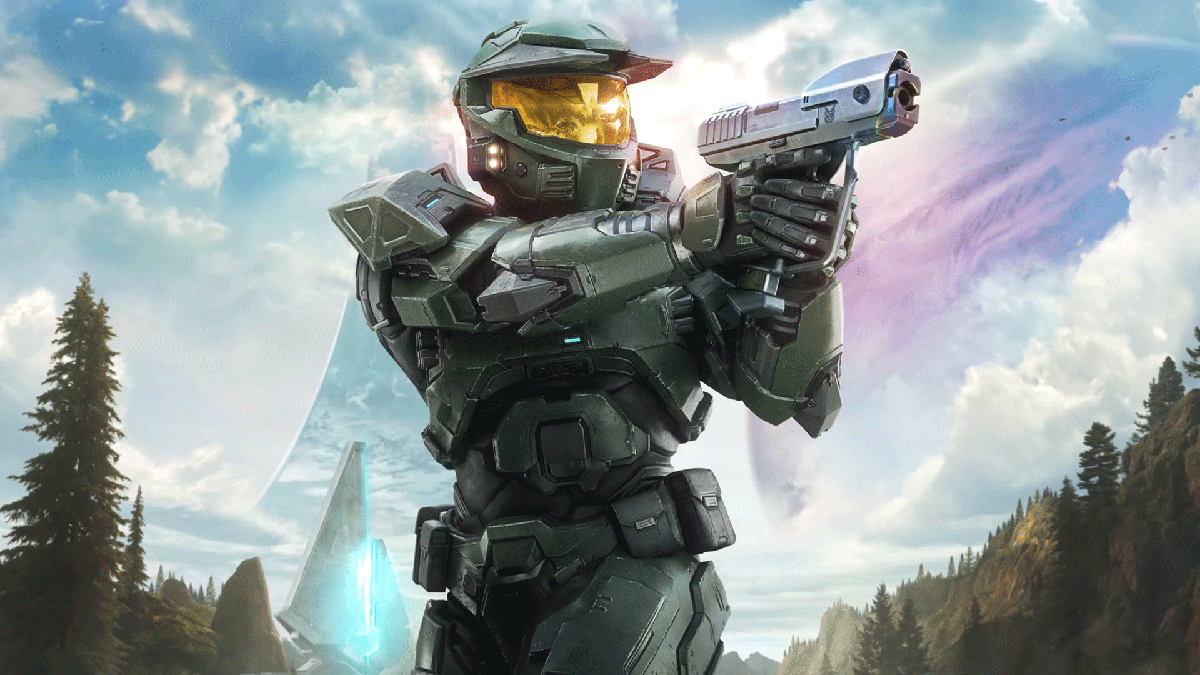
Physical Game Discs Are Disappearing: Why Canadian Buyers Should Rethink Their Next Gaming PC Now
The latest gaming industry shift around physical game discs is bigger than it looks. As major publishers move toward code-in-a-box releases and platform holders step away from disc-based distribution, the conversation is no longer just about collectors, shelves, or nostalgia. It is about ownership, download sizes, storage demands, day-one patches, platform flexibility, and whether your next Gaming PC Canada setup is ready for the way modern games are actually delivered. For Canadian buyers, this matters right now, because the move away from discs makes digital-first performance, fast storage, stronger hardware, and smarter upgrade timing more important than ever.
The source story highlights a simple but surprisingly important moment in gaming: one publisher is now using the presence of an actual disc as a selling point. That says a lot about where the market is going. When physical media becomes the exception instead of the default, gamers and creators need to think differently. If your next big title arrives as a massive download instead of a true physical install, is your current system ready? Do you have the SSD space? Do you have enough CPU and GPU power for higher settings, background downloads, streaming, recording, and future updates? And if hardware pricing tightens again before the next wave of AAA launches, will waiting actually cost you more?
What the Disc Shift Really Means for Gamers and Creators
At first glance, the disc debate sounds like a console story. But the real takeaway reaches far beyond console packaging. The gaming industry is moving deeper into an always-online, patch-heavy, digital-delivery model. Even when a physical box exists, the useful part of the experience may still depend on large downloads, storage management, and long-term platform support.
For PC buyers, that trend reinforces something experienced builders already understand: your hardware matters more than the box your game comes in. A modern AAA title can demand fast NVMe storage, a capable GPU, substantial RAM, and a strong CPU just to deliver smooth 1080p, 1440p, or 4K performance. Add ray tracing, mods, Discord, streaming software, browser tabs, or recording tools, and weaker systems fall behind fast.
So what should you be asking yourself? Are you buying a system just for today’s games, or for the next two to five years of larger installs, heavier updates, and more demanding engines? Are you trying to avoid another upgrade too soon? Are you planning for single-player blockbuster games, competitive multiplayer, content creation, or all of the above?
Why Canadian Buyers Should Think About This Differently
Canadian buyers face a different reality than many casual headlines acknowledge. Hardware costs can shift quickly due to exchange rates, import pressure, freight, component shortages, and spikes in demand around major game releases. When digital-only gaming keeps pushing people toward larger SSDs, stronger GPUs, and more future-proof builds, replacement costs can rise faster than expected.
That is why timing matters. If you already know your current PC is struggling, waiting for the perfect moment can backfire. The better question is often: What do I need my next PC to do, and how much more expensive will that be if I delay until demand spikes?
For buyers in Nova Scotia and across Canada, this is where a Canadian custom builder becomes especially valuable. You are not just buying a random list of parts. You are choosing a system built around your actual workloads, tested for reliability, supported in Canada, and designed to avoid the usual mismatch problems that happen when people chase specs without understanding performance balance.
What Do You Want Your Next PC to Do for You?
Before choosing a budget, start with the outcome. Do you want a machine that plays upcoming open-world games smoothly at 1080p? Do you want high-refresh 1440p competitive performance? Are you aiming for 4K gaming with ray tracing? Will you also stream to Twitch or YouTube, edit videos for social media, process RAW photos, design in Adobe apps, or work in Blender and Unreal Engine?
This is where many buyers go wrong. They shop by price first and purpose second. That often leads to a system that feels outdated too quickly. A better buying question is: What gaming, creator, or workstation tasks do I need to handle comfortably for the next few years?
If your answer includes newer AAA games, background downloads, game captures, OBS, Adobe Creative Cloud, or 3D workloads, then your build should be selected with headroom in mind. The physical-disc story is really another reminder that digital gaming is more infrastructure-heavy than ever. Your PC must be ready not just to launch games, but to live with the modern ecosystem around them.
Are You Shopping for a Gaming PC, a Creator PC, or a Hybrid System?
Many Canadian buyers no longer fit neatly into one category. A student might game at night, stream on weekends, edit short-form content for TikTok, and use Photoshop for school projects. A remote worker might need a system that runs multiple productivity apps all day and still handles demanding games after hours. A content creator might need gaming performance and fast export times in the same machine.
That is why custom builds matter. A strong gaming-focused build may not be ideal for heavy video editing if it lacks RAM or CPU depth. A creator-first workstation can be excellent for rendering and editing, but if it is not balanced properly, it may not deliver the gaming experience you expect for the money.
Ask yourself a practical question: do you need one system that does everything well, or a specialized machine built for one main purpose? If you want one PC for gaming, streaming, and editing, a balanced custom build is usually the smartest answer.
What Gaming Performance Tier Fits You Best?
One of the most useful ways to shop is by performance tier, not by vague labels like “good” or “high-end.” If you are wondering what gaming PC do I need, start here.
Entry-Level Gaming: Best for 1080p and Esports
If your main focus is esports titles, lighter multiplayer games, or older AAA games at 1080p, an entry-level or budget-focused build can still deliver strong value. This is often the right choice for first-time buyers, students, and players who care more about responsiveness than maximum visual settings.
But here is the question to consider: are you only playing today’s lighter games, or are you also planning for the next big release? If your interests are shifting toward larger open-world titles, ray tracing, or more demanding future games, going too low now can mean paying again sooner.
Mid-Range Gaming: The Sweet Spot for 1440p
For many buyers, 1440p is the real sweet spot. A quality Custom Gaming PC Canada build in this range can offer excellent image quality, high frame rates, and better long-term value. This is often ideal for players who want strong performance across current and upcoming titles without stepping all the way into flagship pricing.
Do you want a system that feels noticeably stronger for longer? Do you want smoother gameplay, better multitasking, and room for streaming or recording? Mid-range builds often make the most sense if you want performance now without upgrading again too quickly.
High-End Gaming: 4K, Ray Tracing, and Long-Term Headroom
If your goal is ultra settings, 4K gaming, heavy ray tracing, or keeping your system relevant through multiple hardware cycles, a premium build deserves serious consideration. High-end systems are also better suited to buyers who stream, capture gameplay, multitask heavily, or want to reduce compromise as games become more demanding.
Should you buy the absolute top tier? That depends on your monitor, your game library, and your expectations. If you are asking what PC do I need for 4K gaming, the answer is rarely the cheapest option. It is the one with enough GPU strength, cooling, storage, and platform longevity to avoid frustration later.
What If You Also Stream or Record Gameplay?
The move toward digital delivery increases background workload expectations. Downloads are larger, installs are heavier, and gamers are more likely to be running launchers, chat tools, overlays, browser tabs, and recording software at the same time. If you stream or capture gameplay, your system needs to do more than just run the game itself.
So ask the right question: What PC do I need for streaming? If you want smooth gameplay while using OBS, handling multiple monitors, and recording high-quality footage, you need a balanced CPU and GPU combination, enough RAM, and fast storage. A proper Streaming PC Canada setup is not just about brute-force specs. It is about build balance, thermal reliability, and choosing the right tier for your actual content goals.
If you are gaming and streaming from the same machine, do not underbuy RAM. Do not underbuy storage. And do not assume that a low-end system with a flashy GPU will feel premium under real-world multitasking.
Are You Also Editing Video, Photos, or Design Work?
This industry shift also matters for creators because gaming and creation workflows overlap more than ever. People buy one system to play, record, edit, publish, and repeat. If that sounds like you, your buying decision should include more than gaming benchmarks.
Are you editing 1080p videos for YouTube or social media? Working in 4K? Using Adobe Premiere Pro, DaVinci Resolve, Photoshop, Lightroom, Illustrator, or After Effects? If so, you may need a stronger CPU, more RAM, larger SSD capacity, and a GPU that helps with accelerated exports and effects.
A proper Video Editing PC Canada or Creator PC Canada build can save real time every week. Faster scrubbing, smoother timelines, shorter exports, and fewer crashes all matter. If your current machine stalls every time you stack effects or open large projects, then this is not just a convenience upgrade. It is a productivity upgrade.
For photographers and designers, the same logic applies. Large RAW files, AI-assisted tools, asset libraries, and multi-app workflows place real pressure on memory and storage. If you are asking what PC do I need for photo editing or what PC do I need for graphic design, the answer often depends on how many files you work with, how many applications stay open, and whether your income depends on smooth performance.
Do You Need a 3D Modeling or Workstation Build Instead?
Not every buyer reading a gaming news story is only a gamer. Some readers are students in architecture, indie developers, 3D artists, engineers, or small business owners who need stronger all-around hardware because modern software keeps scaling upward.
If you use Blender, Unreal Engine, CAD tools, or rendering software, your build needs change significantly. GPU rendering, CPU-heavy simulations, large scenes, and memory-intensive workloads can overwhelm a gaming-first system that was not planned correctly. If you are wondering what PC do I need for Blender or whether a gaming build is enough for workstation use, the answer depends on your scene complexity, rendering time expectations, and software stack.
A true 3D Modeling PC Canada or Workstation PC Canada build should focus on stability, cooling, upgrade path, RAM capacity, and the right CPU-GPU balance for your applications. This is exactly why custom building matters more than one-size-fits-all retail boxes.
Why the Death of Discs Makes Fast Storage More Important
As more games become digital-first, fast storage is no longer optional. Download sizes keep climbing. Patch sizes keep climbing. Texture packs keep growing. Open-world games stream more assets in real time, and background storage activity can affect the feel of your whole system.
That means buyers should stop treating storage like an afterthought. Do you only need enough room for a few games, or do you regularly keep a library of large titles installed? Will you also store gameplay captures, video projects, photo libraries, and design assets on the same machine? If yes, then buying too little SSD capacity now is one of the fastest ways to create upgrade regret.
A custom PC should be planned around how you actually use your machine. Many people focus on GPU first, then discover their drive is full, their project files are messy, or their system feels cramped by year one. A better build strategy includes fast NVMe storage from the start and room to expand later.
Should You Buy Now or Wait?
This is one of the most important buyer questions in Canada: Is it better to buy a gaming PC now or wait? There is no universal answer, but there is a smart framework.
If your current system already struggles with the games or workloads you care about, and you know you will need an upgrade soon, waiting can become expensive in two ways. First, you lose time and enjoyment on a machine that no longer fits your needs. Second, component pricing can change before you act. Demand spikes around major game launches, new GPU releases, software changes, and seasonal sales periods can all affect availability and system costs.
Are you buying before a major open-world release? Before another hardware cycle tightens supply? Before your school term starts? Before your freelance workload increases? Before software updates make your current machine feel even slower? Those are the questions that should drive your timing.
Sometimes waiting helps. But often, waiting without a plan just means paying more later for the same level of performance.
Could Financing a Stronger Build Make More Sense Than Buying Too Cheap?
Many buyers know they need a better system but still hesitate because they do not want to compromise or overspend. That is where financing can become a practical decision rather than an emotional one.
If a cheaper PC will need upgrading too soon, is it really the value option? If a stronger machine can last longer, perform better, and handle both gaming and work, it may be smarter to spread the cost over time instead of settling for less. This is especially true when hardware replacement costs are volatile.
For some customers, financing up to 4 years can help secure the right build before pricing moves again. That matters if you are trying to buy once and buy properly. It also matters if your system supports income-generating work like editing, design, streaming, or 3D work.
Ask yourself honestly: should you buy a cheaper PC now and replace it sooner, or choose a stronger custom system that stays capable longer? In many cases, the second option is the better long-term value.
What Questions Should You Ask Before Buying Your Next PC?
Before you commit, here are the questions that matter most.
What games or software will I actually use every week?
Am I targeting 1080p, 1440p, or 4K?
Do I want ray tracing, high FPS, or both?
Will I stream, record gameplay, or edit content?
How much SSD space will I realistically need for games and projects?
Do I want a system that lasts longer so I can avoid upgrading too soon?
Am I buying before a major game release, school term, work project, or price shift?
Would financing help me get the right build now instead of settling?
Do I want a budget gaming computer, a premium RTX gaming PC, a custom creator PC, or a workstation build?
Do I want help choosing a build from a Canadian custom PC builder instead of guessing?
Custom PC vs Generic Prebuilt: Why It Matters More When the Market Is Changing
When gaming distribution changes, software gets heavier, and hardware prices stay unpredictable, buying the wrong prebuilt becomes more costly. Generic systems often look good on paper but cut corners where new buyers do not always notice: power supply quality, cooling, motherboard features, airflow, SSD selection, memory configuration, and future upgrade flexibility.
A properly planned Custom PC Builder Canada experience should solve that. You should know what your system is built for. You should know it has been stress tested. You should know the parts are selected to work together properly. And you should know you are not overpaying for flashy but mismatched specs.
This is especially important if your next system needs to handle both entertainment and productivity. The right custom build can be tuned around your exact use case instead of forcing you into a compromise designed for mass retail shelves.
Why Groovy Computers Fits This Moment for Canadian Buyers
Groovy Computers is well positioned for buyers who want more than a generic machine. If you are looking for a custom gaming PC, creator PC, or workstation in Canada, the value is not just in the parts. It is in the guidance, the balance, the testing, and the confidence that your build is ready for real-world use.
For customers in Nova Scotia and across Canada, Groovy Computers offers a more practical way to buy: choose a system that matches your goals, get a properly assembled and rigorously tested machine, and avoid the uncertainty that comes with random marketplace hardware. That matters whether you are buying for gaming, streaming, editing, design, or workstation tasks.
A 1-year warranty also matters. So does having a builder that understands current gaming trends, creator software demands, and the reality of Canadian buyers who want support and trust, not just parts in a box.
Which Type of Buyer Are You?
The Budget-Conscious Gamer
If you want solid 1080p performance and playable settings in today’s games, a carefully selected budget build can be the right move. But ask yourself: are you trying to save money today, or avoid spending more tomorrow? If your game library is shifting toward larger, more demanding titles, stretching slightly higher now can save you an earlier replacement.
The 1440p Sweet-Spot Buyer
If you want strong visuals, smoother frame rates, and room for future releases, this is often the best value tier. It is especially smart for buyers who want one machine for gaming, general use, and some content creation.
The Premium Enthusiast
If you want high refresh at high settings, more ray tracing capability, stronger longevity, and less compromise, a premium build makes sense. This is the buyer who wants their system to feel powerful from day one and stay relevant through multiple game cycles.
The Hybrid Gamer-Creator
If you game, stream, edit, and publish, your system should be selected as a multi-purpose tool. This buyer benefits most from a balanced custom build rather than a purely gaming-first box.
The Workstation User
If rendering, modeling, design, or production work matters just as much as gaming, you need reliability and workflow performance first. A workstation-class custom build can save time and frustration every single week.
What If You Are Still Not Sure Which Performance Tier You Need?
That uncertainty is normal. In fact, it is one of the strongest reasons to work with a custom builder. You do not need to memorize every CPU generation or GPU tier to make a smart decision. You need someone to ask the right questions.
What monitor are you using? What games are on your list? Are you editing 4K video or just clipping highlights? How many years do you want this build to stay comfortable? Are you okay upgrading later, or do you want stronger headroom now? Those answers shape the right system far better than chasing a random spec sheet.
The Bigger Trend: Digital Delivery Increases the Value of a Better PC
The fading role of physical discs is really a sign of something broader. Gaming and creative software are becoming larger, more connected, more update-driven, and more demanding over time. That increases the value of stronger hardware, faster storage, and smarter build planning.
So even though the original headline focuses on physical media, the real buying lesson is this: if the industry is moving toward heavier digital ecosystems, your next computer should be built for that reality. Not just for launch day, but for everything that follows.
If your current system already feels one major game release away from being outdated, that is your signal to plan ahead rather than react late.
Ready to Choose the Right Custom Build?
Are you trying to figure out whether you need a budget gaming computer, a premium RTX system, a creator-focused desktop, or a stronger workstation before prices shift again? Do you want a machine that can handle gaming, streaming, video editing, photo editing, graphic design, or 3D modeling without forcing another upgrade too soon? If so, this is the right time to talk to a Canadian builder that can match the system to your actual needs. Visit GroovyComputers.ca to explore custom build options, ask about performance tiers, and see whether a stronger system or financing plan makes the most sense for you.
Final Take: The End of Discs Is Another Reason to Buy Smarter
Physical game discs becoming less common is not just a collector story. It is a market signal. Games are bigger, delivery is more digital, storage demands are rising, and hardware planning matters more than ever. For Canadian buyers, the smartest response is not panic. It is preparation. Choose a system based on what you actually want to play, create, edit, or build over the next few years. Choose enough performance to avoid upgrading too soon. And if waiting could leave you paying more later, consider whether now is the better time to lock in the right custom solution. If you are looking for a trusted path to a better Gaming PC Canada build, Groovy Computers is exactly where that next step should start.
#GamingPCCanada #CustomGamingPCCanada #GamingPCBuilderCanada #CreatorPCCanada #VideoEditingPCCanada #StreamingPCCanada #3DModelingPCCanada #WorkstationPCCanada #CanadianCustomPCBuilders #NovaScotiaBusiness
Groovy Computers | All Rights Reserved

Leave a comment
This site is protected by hCaptcha and the hCaptcha Privacy Policy and Terms of Service apply.