




































Capcom Financial Results Show Why a Custom Gaming PC in Canada Matters More Than Ever
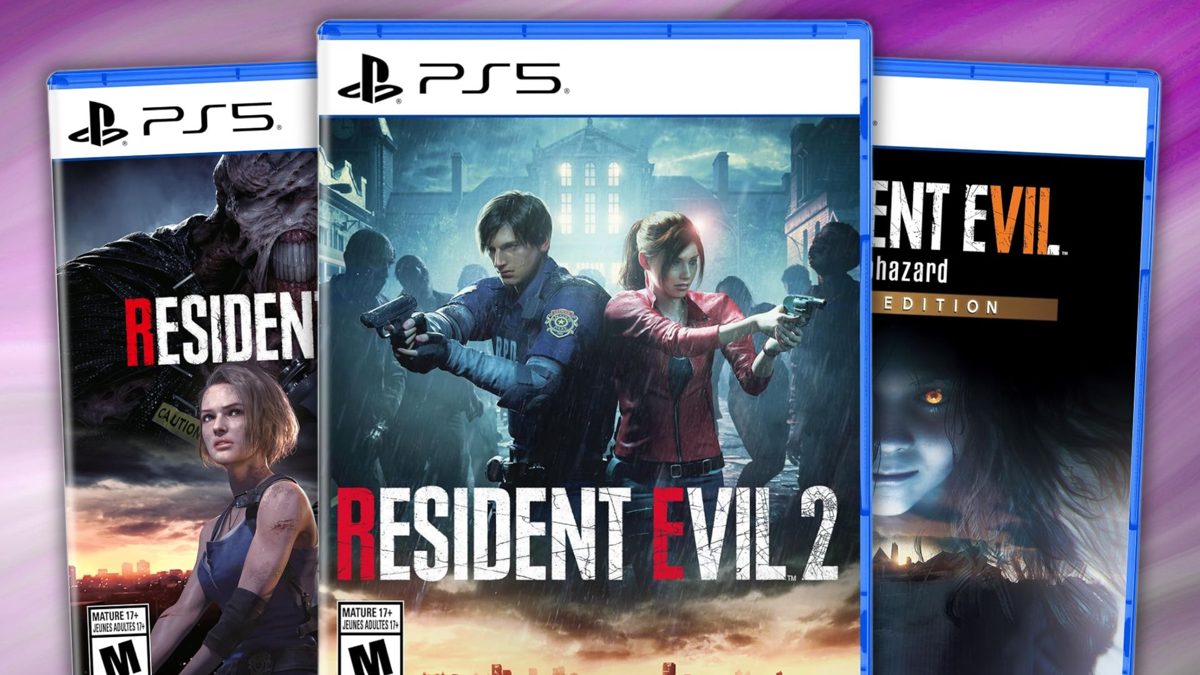
Capcom’s latest quarterly report is more than a business headline. For anyone shopping for a custom gaming PC in Canada, it is a clear signal that major game publishers are thriving on blockbuster releases, long-tail catalogue sales, and steady demand for premium gaming experiences. When a publisher reports major gains from titles like Pragmata, Resident Evil Requiem, Resident Evil 4, Resident Evil 2, Resident Evil 3, Monster Hunter, and even renewed momentum for Devil May Cry 5, that tells PC buyers something important: game performance expectations are not slowing down, and neither is the pressure on your current hardware.
That matters if you are asking a very practical question right now: is your current system ready for the next wave of visually demanding games, higher refresh displays, ray tracing, streaming, recording, content creation, and everything else modern PC users pile onto one machine?
For Canadian buyers, this is not just about reading financial news from a major publisher. It is about understanding what successful game launches usually lead to next: more players upgrading, more demand for stronger GPUs and CPUs, more pressure on premium parts, and tougher choices about whether to buy now, stretch a system for one more year, or finance a stronger PC before replacement costs climb.
What Capcom’s Strong Quarter Really Tells PC Buyers
According to the source material, Capcom posted first-quarter fiscal 2026 results with net sales up 54.7% year over year and operating profit up 66.9% year over year. Its Digital Contents business, which includes video games, performed even more aggressively, with sales up 83.0% and operating profit up 87.5%. Pragmata reportedly shipped over 2.5 million copies, while Resident Evil Requiem continued selling strongly and passed 8 million units shipped overall.
Those are not small numbers. They reflect something larger than one successful quarter. They point to durable consumer appetite for polished AAA releases, major franchises that keep selling well beyond launch, and a market where players continue returning to visually demanding titles that reward stronger hardware.
If older Resident Evil titles are still moving millions of units in a single quarter, what does that suggest? It suggests that back-catalogue games still matter, remakes and replays still drive hardware demand, and buyers are not upgrading only for one title. They are upgrading for an entire ecosystem of current and upcoming games.
That is exactly where many shoppers start thinking differently about their next system. Are you buying a PC for one game, or are you buying a gaming desktop that will handle the next two to five years of releases without forcing an early upgrade?
Why This Matters for Canadian Gamers, Streamers, and Creators
In Canada, buying a new system often involves extra layers of decision-making. Hardware pricing can feel less predictable. Premium GPUs can move quickly when hype rises around major releases. Exchange-rate pressure can ripple through component costs. And if you wait until the exact week a huge game launches, you may end up shopping when everyone else is shopping too.
That is why gaming industry momentum matters to more than just investors. Big publisher wins usually mean renewed excitement around performance-heavy games. Renewed excitement often means more people asking whether they should finally move to 1440p, whether 4K is now realistic, whether ray tracing is worth it, and whether their old CPU is about to bottleneck everything.
It also means creator and hybrid users should pay attention. If you game, stream, edit clips, upload to YouTube, cut short-form content, or work in Photoshop between matches, your PC decision is no longer just a gaming decision. It becomes a content creation and productivity decision too.
So what do you actually want your next PC to do for you? Just play new games at decent settings? Deliver high FPS at 1440p? Handle ultra settings with ray tracing? Run OBS while gaming smoothly? Export videos faster? Open large project files without lag? Support Blender, Adobe apps, and streaming on the same system?
What Do You Want Your Next PC to Do for You?
This is the question many buyers skip, and it is usually the most important one.
If your answer is, “I just want to play new games without compromise,” you need a different machine than someone saying, “I want to game, stream, edit, and keep this system for years.” Likewise, if you are saying, “I need one PC for school, gaming, creative work, and side income,” your best option may not be the cheapest build. It may be the smartest balanced build.
Ask yourself a few honest questions.
- What games are you planning to play most? Competitive esports titles, cinematic AAA games, open-world releases, survival sandboxes, or everything?
- What resolution are you targeting? 1080p, 1440p, or 4K?
- Do you care about ray tracing and ultra settings, or do you mainly want high FPS?
- Will you stream on Twitch, YouTube, or another platform?
- Will you edit clips, full-length videos, thumbnails, photos, or design assets?
- Do you need a PC that stays relevant longer so you can avoid upgrading too soon?
- Would financing a stronger build now make more sense than replacing an underpowered system again later?
These are the kinds of questions that separate a rushed purchase from a well-matched custom build.
What Gaming Performance Tier Fits You Best?
One of the biggest mistakes buyers make is choosing a PC category based on price alone instead of intended use. The better approach is to match the performance tier to your actual workload and display target.
Entry-Level and Budget Gaming: Who Is It For?
A budget gaming setup makes sense if you mainly play lighter titles, esports games, older AAA releases, or you are entering PC gaming for the first time. This category often works best for 1080p gaming with sensible settings and a strong value focus.
Are you mostly playing games where responsiveness matters more than visual effects? Do you want a first gaming system for school breaks, after-work sessions, or competitive online play? Are you trying to get the best value without overbuying?
If that sounds like you, a value-focused Groovy build can make sense, especially if your goal is smooth 1080p performance and an upgrade-friendly base. But even then, it is worth asking: if one better GPU tier or more RAM would keep the system relevant much longer, is going too low really saving money?
Mid-Range 1440p Gaming: The Sweet Spot for Many Canadians
For a huge number of buyers, 1440p is the real target. It gives a noticeable image-quality improvement over 1080p while still being practical for high refresh gameplay and stronger visual settings.
If you are looking at today’s premium single-player titles and the kind of publisher momentum reflected in Capcom’s quarter, this tier is often the smartest long-term choice. It is especially attractive if you want a Gaming PC for New Games without jumping immediately into the most expensive enthusiast category.
Do you want stronger longevity? Better visual fidelity? More room for new releases that may be heavier than the games you play now? Are you planning to pair the system with a 1440p monitor and actually enjoy the upgrade instead of being CPU- or GPU-limited a year from now?
This is where a well-balanced custom gaming PC often delivers the best value over time.
High-End and 4K Gaming: When Premium Makes Sense
If your answer is, “I want ultra settings, premium frame rates, ray tracing, and room for future AAA launches,” then a higher-end system is not overkill. It is alignment. The strongest systems are for buyers who know they want more than basic playability. They want headroom.
Are you moving to a 4K display? Are you chasing a premium experience for visually intense titles? Do you want your machine to stay powerful through multiple release cycles? Are you the kind of buyer who would rather invest once than compromise repeatedly?
That is where a premium custom build can make a lot of sense, especially when top-tier performance today may save you from an earlier full-system replacement tomorrow.
What If You Also Want to Stream, Edit, or Create?
This is where many modern buyers outgrow generic categories. Plenty of customers no longer fit into one box. They game at night, stream on weekends, edit clips for social media, design overlays, and maybe even run Adobe apps or Blender during the day.
So should you buy a pure gaming machine, or should you move into a creator-leaning build?
Gaming and Streaming on One PC
If you plan to run OBS, capture gameplay, record local footage, manage chat, and keep your game responsive, hardware balance becomes critical. GPU performance matters, but so do CPU capability, cooling, RAM capacity, and storage speed.
What PC do you need for streaming if you also care about high FPS? Do you need a separate streaming PC? In many cases, no. A well-designed custom system can handle gaming and streaming on one machine very effectively, especially when the component mix is chosen for that exact use case.
If your old system stutters the moment you start streaming, that is not just annoying. It is a sign your next system should be designed around multitasking, not just raw average frame rates.
Video Editing and Content Creation
If gaming headlines are what got your attention, your buying journey may still end in a creator PC. Why? Because many customers buying for major games also plan to edit trailers, montages, gameplay captures, YouTube videos, or short-form clips.
Do you need a Video Editing PC Canada buyers can trust for 4K timelines, exports, and smooth multitasking? Are you working in Adobe Premiere Pro, DaVinci Resolve, After Effects, or CapCut? Do you want one system that can game hard and still save you serious time in exports and playback?
That is where a stronger CPU, more memory, reliable cooling, and fast SSD storage can transform your experience. If your current machine turns every export into a waiting game, the cost of underpowered hardware is not just frustration. It is lost time.
Photo Editing and Graphic Design
Some readers arrive from gaming news but shop like creators. Maybe you are a photographer, social media manager, designer, or student who wants a machine that can run modern games but also feels snappy in Photoshop, Lightroom, Illustrator, or Canva workflows.
What PC do you need for photo editing? Is a gaming PC good for Photoshop? Sometimes yes, but not always in the right configuration. If colour work, large files, fast previews, and multitasking matter, you may benefit from a custom creator setup that balances GPU performance with RAM, CPU strength, and storage responsiveness.
3D Modeling and Workstation Use
If blockbuster game success is making you think about Unreal Engine, Blender, asset creation, modding, animation, or 3D design, your next machine may need to do more than game. It may need to work.
What PC do you need for Blender? What PC do you need for 3D rendering? Is a gaming PC good for workstation use? Sometimes, but workstation needs often demand a more deliberate component strategy, especially around sustained loads, memory capacity, thermals, and long-session reliability.
If your day includes CAD, rendering, simulation tools, architecture work, or game development, it makes sense to step beyond a generic gaming spec list and buy a machine built around productivity as well as play.
Why Major Game Releases Can Push Buyers to Upgrade Faster
The Capcom story highlights a reality the market keeps proving: successful releases do not just sell copies. They keep raising player expectations. As publishers continue to invest in higher-fidelity visuals, larger worlds, cinematic effects, and broad post-launch engagement, the average “good enough” PC can start feeling old much faster than expected.
That is especially true if you have already noticed one or more of these issues:
- Your frame rates drop hard in newer titles.
- You lower settings more often than you used to.
- Your CPU usage spikes while gaming and streaming.
- Your storage is too small for modern game libraries.
- Background apps slow down the whole system.
- Thermals and fan noise are getting worse.
- You are starting to avoid newer releases because your hardware is the problem.
At that point, the question is no longer “Can this PC still turn on and launch games?” The real question is, “Is this system still giving me the experience I actually want?”
Is It Better to Buy Now or Wait?
This is one of the most common buyer-stage questions in Canada, and it deserves an honest answer.
Sometimes waiting helps. But many buyers do not wait strategically. They wait passively. Then a major release hits, demand spikes, stronger GPUs become harder to find, certain component prices rise, and they end up replacing an aging machine under pressure.
If gaming momentum around major franchises is increasing, if you already know your current system is behind, and if your real goal is to play upcoming titles properly, then waiting can become expensive in ways that are easy to miss.
What if GPU pricing tightens? What if memory or SSD pricing shifts upward? What if the exact parts tier you wanted becomes harder to secure? What if you wait until your PC is failing instead of upgrading while you can still choose calmly?
Buying before your need becomes urgent is often the better move.
How Pricing Volatility Affects a Full PC Purchase
When people talk about PC pricing, they often focus only on the graphics card. But a full custom system is affected by multiple moving parts:
- GPU pressure: AAA launches and premium gaming trends can increase demand for stronger cards.
- CPU demand: Buyers looking to game and stream often move into higher-core or gaming-optimized CPUs.
- RAM requirements: Newer games, multitasking, editing, and browser-heavy habits all push memory needs up.
- SSD capacity: Modern game installs are large, and creator workflows demand even more storage.
- Cooling and case airflow: Stronger components require better thermal planning.
- Power supply quality: Reliable long-term builds need properly matched power delivery.
That is why custom PC buying is not just about grabbing one “best” part. It is about selecting a full system that makes sense together. A weak power supply, cramped airflow, poor thermal planning, or mismatched CPU/GPU pairing can hurt the value of the whole build.
Would you rather buy the cheapest spec sheet, or a complete system designed to perform properly under real use?
Should You Finance a Better PC Instead of Settling?
For many customers, this is where the decision becomes much clearer. If you know you need stronger performance, but paying the full amount at once would push you into a weaker build, financing may be the smarter move.
That does not mean overspending recklessly. It means recognizing that buying too little can be expensive too. A cheaper system that needs replacement sooner, struggles with new games, or holds back your creative work is not always the best value.
Should you finance a gaming PC in Canada if it helps you move from a short-term compromise to a longer-lasting build? If you are trying to secure better gaming longevity, creator performance, or multitasking power before prices shift, many buyers would say yes.
Groovy Computers gives Canadian shoppers the option to explore stronger systems with financing up to 4 years, which can make it easier to step into a better-balanced gaming PC, creator PC, or workstation now instead of postponing the decision until conditions get worse.
Could monthly payments help you secure the build you actually want, instead of the one you will outgrow first?
Custom PC vs Generic Prebuilt: Why the Difference Matters More Now
As game requirements rise and hardware choices become more important, the gap between a carefully planned custom build and a generic one-size-fits-all machine becomes more meaningful.
A custom build is not just about personalization for its own sake. It is about matching the system to your exact use case. That matters if you are trying to decide between budget gaming, premium gaming, streaming, editing, graphic design, content creation, or workstation workloads.
Why buy a custom gaming PC instead of settling for a random spec list? Because system balance matters. Cooling matters. Upgrade path matters. Quality component selection matters. Testing matters. Warranty support matters.
If you are investing in a stronger machine during a period of active game demand, you want confidence that the system is built properly, stress tested, and supported after the sale. That is especially true if your PC is not just entertainment hardware, but also part of your daily work, school, or content pipeline.
How Groovy Computers Helps Canadian Buyers Make a Smarter Choice
Groovy Computers is positioned for customers who want more than a generic checkout experience. If you are shopping for a custom gaming PC in Canada, a creator desktop, or a workstation-grade build, the value is in getting the right machine for how you actually use your PC.
That means considering not just gaming goals, but also whether you need streaming capability, editing speed, RAM headroom, storage expansion, stronger cooling, or a better long-term platform.
It also means trust. Groovy Computers offers custom-built systems backed by testing and a 1-year warranty, giving buyers more confidence than random marketplace options or poorly matched off-the-shelf systems. For shoppers in Nova Scotia, Atlantic Canada, and across the country, that combination of Canadian custom-build expertise and support matters.
Are you in Trenton, New Glasgow, Halifax, elsewhere in Nova Scotia, or ordering from another province and looking for a Canadian PC builder that understands both performance and value? That is exactly the kind of buyer this approach serves well.
Which Type of Buyer Are You Right Now?
You may already know your answer once you see it described clearly.
The Budget-Conscious Gamer
You want smooth entry into PC gaming, good value, and a system that can handle today’s games without wasting money. You may still want to ask whether spending a bit more now prevents a much more expensive upgrade later.
The 1440p Sweet-Spot Buyer
You want excellent all-around performance, stronger longevity, and room for modern AAA games. This is often the best fit for players following blockbuster publishers and wanting a system built for current and upcoming demand.
The Premium Performance Buyer
You want a high-end experience, stronger future-proofing, better ray tracing, and premium settings. You would rather buy once properly than regret underbuying.
The Hybrid Gamer-Creator
You game, stream, edit, post, and multitask. You need a PC that does more than chase frame rates. You need a balanced content-capable machine.
The Workstation User
You need rendering, modeling, productivity, or creative horsepower with gaming as a bonus. Reliability and sustained performance matter just as much as visuals.
Which one sounds most like you? And if your current machine is failing in the exact ways your category predicts, why keep delaying the fix?
Questions to Ask Before You Buy Your Next PC
- What games or software will I use most in the next 2 to 3 years?
- Do I want 1080p, 1440p, or 4K performance?
- Will I stream, record, or edit content regularly?
- How much RAM and storage will I realistically need?
- Do I want a machine that avoids an early upgrade cycle?
- Would financing help me buy the right build instead of a temporary compromise?
- Do I want a tested Canadian custom PC with warranty support?
- Am I buying before major releases, software growth, or price pressure makes the decision harder?
If you cannot answer all of these right away, that is not a problem. It is actually a good reason to shop with a builder that helps match performance tier to real use, instead of pushing you toward a generic machine.
Why Timing Matters After News Like This
Capcom’s quarter reinforces a simple trend: big franchises continue to drive big demand. That is important whether you care most about survival horror, action, open-world titles, or broader AAA gaming. Strong publisher performance usually means more attention, more players upgrading, and more demand around the hardware tiers that run those games best.
If you already know your PC is aging, this kind of market momentum is your reminder not to wait until your system is fully inadequate. The earlier you buy with a plan, the more control you keep over budget, parts tier, and performance outcome.
Do you want to make your next upgrade on your own terms, or only after your current PC starts forcing the issue?
Ready to Choose the Right Build for Gaming, Creating, or Both?
If this Capcom news has you thinking about what comes next for your own setup, now is the right time to match your workload to the right system. Whether you need a balanced gaming rig, a stronger 1440p or 4K machine, a streaming-capable build, a creator desktop, or a workstation-class PC, Groovy Computers can help you choose with more confidence.
Want help figuring out what your next PC should actually do for you, and whether a stronger custom build makes more sense than waiting? Visit GroovyComputers.ca to explore custom options, compare performance tiers, and see whether financing can help you secure the right system before prices or demand move against you.
Final Take: Capcom’s Results Are a Business Story, but Also a Buying Signal
Capcom’s outstanding quarter reflects sustained demand for modern games, long-lived franchises, and premium player experiences. For shoppers considering a custom gaming PC in Canada, that is more than interesting news. It is a useful buying signal. When major publishers keep winning, gamers keep upgrading, performance expectations keep rising, and the cost of waiting can become more noticeable.
If you want a system that can handle current releases, upcoming titles, streaming, editing, creator work, or workstation tasks without forcing another near-term upgrade, this is the moment to choose carefully. A better-matched custom build, backed by testing, warranty support, and practical financing options, can put you in a much stronger position than trying to squeeze one more cycle out of underpowered hardware.
#CustomGamingPCCanada #GamingPCCanada #GamingPCBuilderCanada #CanadianCustomPCBuilders #GamingPCforNewGames #1440pGamingPCCanada #4KGamingPCCanada #CreatorPCCanada #VideoEditingPCCanada #StreamingPCCanada #WorkstationPCCanada #NovaScotiaTech #GroovyComputers
Groovy Computers | All Rights Reserved


Leave a comment
This site is protected by hCaptcha and the hCaptcha Privacy Policy and Terms of Service apply.