






















Gaming PC for Open World Games: What Crimson Desert Tells Canadian Players About Their Next Custom PC
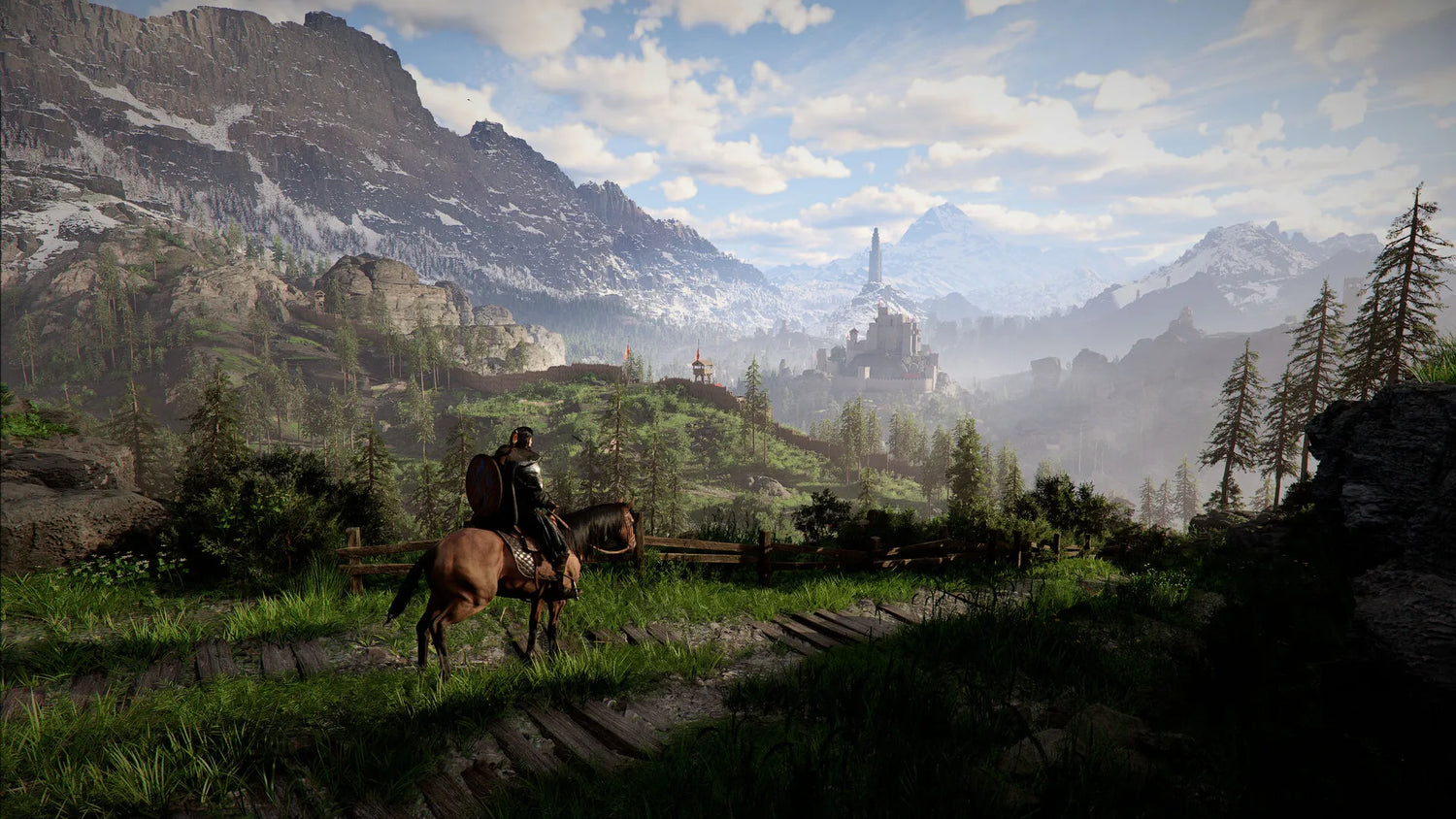
A powerful Gaming PC for Open World Games is no longer just about chasing higher frame rates. Crimson Desert shows exactly where modern PC gaming is heading: enormous handcrafted worlds, dense environmental detail, physics-driven combat, complex AI behaviour, massive battles, long draw distances, streaming-friendly visuals, and creator-worthy cinematic moments that demand more from your hardware than a basic desktop can comfortably provide.
For Canadian gamers watching the conversation around Crimson Desert, the big takeaway is not only whether the game is good. The bigger question is this: is your current PC ready for the kind of open-world RPGs, action-adventure games, survival sandboxes, and next-generation PC releases that are becoming more ambitious every year?
At Groovy Computers, we see this question every day from customers across Canada. Some want a smooth 1080p gaming computer that will not struggle with new releases. Some want a serious 1440p Gaming PC Canada buyers can trust for ultra settings and high refresh rate monitors. Others are planning for a premium 4K Gaming PC Canada setup with ray tracing, streaming, editing, and long-term upgrade room. The right answer depends on what you actually want your next PC to do.
Crimson Desert is a useful case study because it is not just another linear game. Based on the review discussion, it is a sprawling single-player open-world adventure filled with emergent systems, physics-based problem solving, dense towns, large battlefields, layered biomes, camp systems, cooking, gathering, exploration, puzzles, and unpredictable player-created moments. In other words, it represents the kind of game that rewards strong CPU performance, modern GPU power, fast storage, enough RAM, and a well-built system that can stay stable under long gaming sessions.
If you are asking, “What gaming PC do I need for new open-world games?”, Crimson Desert is a perfect reason to think carefully before buying the cheapest system you can find. A bargain PC might open the game. A properly matched custom gaming PC can make the experience feel alive.
Why Crimson Desert Matters for Canadian PC Buyers
Crimson Desert has attracted attention because it blends the freedom of a systemic RPG with the spectacle of a big-budget open-world action game. The source review praised its dense world, emergent gameplay, satisfying progression, flexible battles, environmental interactivity, and huge scope, while criticizing the main story pacing and unskippable narrative sequences. For hardware buyers, the most important part is not the story criticism. It is the design philosophy behind the game.
Games like this are increasingly built around worlds that keep running even when the player is not staring directly at the objective marker. Large villages, NPC schedules, physics interactions, long-range views, environmental audio, dynamic combat encounters, and complex object systems all place pressure on different parts of a PC. The GPU has to render the world. The CPU has to manage simulation, AI, physics, and background systems. The SSD has to feed assets quickly. RAM has to keep the world responsive. Cooling has to keep everything stable for hours.
That is why a modern Gaming PC for Open World Games should not be chosen by looking at the graphics card alone. The full build matters. A powerful GPU paired with a weak CPU can cause stutter. A strong CPU with too little memory can feel choppy in busy cities. A fast system with poor airflow can throttle under long sessions. A beautiful case with a weak power supply can become a reliability problem later.
So, before you choose your next gaming desktop, ask yourself: do you want a PC that merely runs today’s games, or do you want a system built to stay comfortable as open-world games become larger, more cinematic, and more demanding?
What Kind of Experience Do You Want From Crimson Desert-Style Games?
The best custom PC is the one that matches your actual gaming habits. A player who wants relaxed 1080p gaming does not need the same system as someone targeting 4K ultra settings with ray tracing and streaming. A creator who wants to record gameplay, edit YouTube videos, and stream on Twitch needs a different balance again.
Before thinking about part names, ask a better question: what do you want your next PC to do for you?
- Do you want smooth 1080p gaming for open-world RPGs, shooters, survival games, MMOs, and esports titles?
- Do you want high-FPS 1440p gaming with sharper visuals, better texture detail, and a monitor that makes big landscapes look impressive?
- Do you want 4K gaming for maximum image quality, cinematic exploration, and premium visual settings?
- Do you care about ray tracing, advanced lighting, reflections, shadows, and more realistic world presentation?
- Do you plan to stream on Twitch, YouTube Live, TikTok Live, or record gameplay for later editing?
- Do you also edit video in Adobe Premiere Pro, DaVinci Resolve, CapCut, or After Effects?
- Do you create thumbnails, social media graphics, or photography edits in Photoshop, Lightroom, Canva, Illustrator, or other Adobe Creative Cloud apps?
- Do you work in 3D with Blender, Unreal Engine, Unity, AutoCAD, Revit, SketchUp, Maya, Cinema 4D, or SolidWorks?
- Do you want to avoid upgrading too soon because buying once properly is more appealing than replacing a weak PC in a year?
These questions matter because the right system is not always the most expensive one. It is the one with the right CPU, GPU, RAM, SSD, cooling, power supply, and upgrade path for your real workload.
Gaming PC for Open World Games: Why Performance Is More Than FPS
When people shop for a gaming computer, they often focus on one number: frames per second. FPS matters, especially if you play competitive games, but open-world games are about more than a benchmark number. They are about consistency, smoothness, loading speed, responsiveness, and whether the game still feels good after three hours of exploration, combat, inventory management, and travel.
Crimson Desert-style games can challenge a PC in several ways at once. Wide environments require GPU strength. Dense towns and NPC-heavy areas can increase CPU load. Physics interactions can create sudden performance spikes. Large battles can stress both processor and graphics card. High-resolution textures can consume VRAM and system memory. Fast traversal can expose slow storage. If your system is unbalanced, you may not notice the problem on a menu screen, but you will feel it during a crowded battle or while riding through a detailed open world.
That is why Groovy Computers focuses on balanced custom builds, not random part combinations. A Custom Gaming PC Canada buyer should expect more than a flashy GPU name. They should expect a system that is matched, tested, cooled properly, wired cleanly, and built for the actual games and software they use.
What PC Do I Need for 1080p, 1440p, or 4K Gaming?
If you are wondering what PC do I need for 1440p gaming or what PC do I need for 4K gaming, start with your monitor. Your display resolution and refresh rate should guide the entire build. Buying too little PC for your monitor creates frustration. Buying far more PC than your monitor can show may waste budget that could be better spent on storage, RAM, cooling, or future-proofing.
1080p Gaming: Best for Budget Buyers and First Gaming PCs
A 1080p gaming PC is ideal for players who want strong performance without jumping into premium pricing. This tier is often the right fit for students, first-time PC gamers, families, esports players, and anyone who wants to play new games at sensible settings.
For open-world games, a good 1080p system should still have a modern multi-core CPU, a capable graphics card, 16GB to 32GB of RAM depending on multitasking needs, and a fast NVMe SSD. If you only play lighter esports titles, you can stay lean. If you play large AAA games, modded RPGs, survival games, and open-world action titles, you should not cut the build too aggressively.
Ask yourself: are you buying a budget gaming computer because 1080p is genuinely enough, or because the upfront price of a stronger PC feels out of reach? If the second answer is true, financing may help you step into a better system that lasts longer.
1440p Gaming: The Sweet Spot for Many Canadian Gamers
For many players, 1440p is the best balance between image quality and performance. It looks much sharper than 1080p, especially on 27-inch monitors, while still being easier to drive than 4K. A strong 1440p Gaming PC Canada customers can rely on is often the smartest choice for open-world RPGs, cinematic action games, racing games, shooters, and high-refresh gameplay.
At 1440p, the GPU becomes more important, but the CPU still matters. Open-world games can produce uneven frame pacing if the processor cannot keep up with AI, physics, world simulation, and background streaming. If you want high settings, smooth gameplay, and room for upcoming releases, this is the tier where a custom build becomes especially valuable.
Ask yourself: do you want your next PC to feel premium without paying for full 4K performance? If yes, a 1440p-focused custom gaming PC is often the most efficient long-term choice.
4K Gaming: For Premium Visuals, Cinematic Worlds, and Long-Term Builds
A 4K Gaming PC Canada buyer is usually looking for the best visual experience: sharper landscapes, cleaner distant detail, cinematic open worlds, and a system that feels high-end from the moment it is powered on. For games like Crimson Desert, 4K can make forests, villages, mountains, deserts, lighting, and weather effects feel much more immersive.
However, 4K gaming demands a serious graphics card, a strong CPU, enough VRAM, fast storage, and a build that can manage heat properly. This is where premium RTX gaming PCs, high-end power supplies, stronger cooling, and careful component selection matter. A weak 4K build can become an expensive disappointment. A properly designed one can remain impressive for years.
Ask yourself: what PC do I need for 4K gaming if I also want ray tracing, streaming, and video editing? The answer is usually not an off-the-shelf bargain desktop. It is a carefully balanced premium custom build.
Ray Tracing, Ultra Settings, and the Reality of Modern Open-World Graphics
Many modern games are designed to scale from modest hardware to premium systems. That is good news because it means more people can play. But it also means the difference between “the game runs” and “the game looks incredible” can be enormous.
Ray tracing, high-resolution texture packs, advanced shadows, global illumination, complex reflections, and dense foliage settings can push a GPU hard. If you want a Ray Tracing Gaming PC Canada buyers can trust for open-world games, you need to think beyond the minimum requirement. Ray tracing performance depends heavily on the GPU tier, VRAM, upscaling technologies, driver support, and how well the game is optimized.
Do you actually need ray tracing? Not everyone does. If you mostly play competitive titles, high FPS may matter more. If you love cinematic single-player games, screenshots, roleplaying, exploration, and immersive worlds, ray tracing and higher visual settings may be worth prioritizing. Groovy Computers can help you decide whether your budget should go toward a stronger GPU, a better CPU, more RAM, more storage, or a higher-quality monitor pairing.
Why Dense Open Worlds Also Need Strong CPUs
Graphics cards get most of the attention, but Crimson Desert-style games remind us why CPU performance still matters. Open worlds often involve AI routines, NPC schedules, physics calculations, combat systems, object interactions, background streaming, and large numbers of entities. When a town feels alive or a battlefield reacts dynamically, the CPU is part of that experience.
A weak CPU can create stutters even when the graphics card looks powerful on paper. This is especially important for players who also stream, record, chat on Discord, run browser tabs, use mods, or keep creator software open in the background. The more your PC is doing at once, the more important processor selection becomes.
If you are asking, “Is a gaming PC good for content creation?”, the answer can be yes, but only if the system is configured properly. A gaming-first build may prioritize GPU performance, while a Creator PC Canada buyer may need more CPU cores, more RAM, extra SSD capacity, and software-aware tuning.
Do You Stream, Record, or Edit Gameplay?
Crimson Desert and other cinematic open-world games naturally create shareable moments. Maybe it is a chaotic physics interaction, a huge boss fight, a beautiful landscape, a funny bug, a perfect combat clip, or a guide video. If you want to turn those moments into content, your PC needs to do more than play the game.
A Streaming PC Canada buyer should think about OBS, Streamlabs, Twitch, YouTube Live, dual monitors, microphone processing, camera input, browser sources, overlays, recording quality, and encoding. GPU-based encoding can be extremely helpful, especially on modern RTX systems, because it allows you to stream or record with less performance loss than relying only on the CPU.
Ask yourself: what PC do I need for streaming if I also want smooth gameplay? A good gaming and streaming PC needs enough GPU power for the game, enough CPU headroom for multitasking, enough RAM for OBS and browser sources, and enough SSD space for recorded footage.
If you edit your own footage, the system requirements rise again. Video editing in Adobe Premiere Pro, DaVinci Resolve, After Effects, or CapCut benefits from fast CPUs, capable GPUs, high-speed SSDs, and 32GB or more RAM depending on resolution and project complexity. A creator who records 1440p or 4K gameplay will quickly appreciate a stronger system.
Gaming and Creator PC Canada: When One System Has to Do Everything
Many Canadian buyers are not just gamers anymore. They are streamers, YouTubers, TikTok creators, designers, students, photographers, small business owners, 3D artists, and remote workers. A modern desktop may need to handle gaming at night, editing on weekends, graphic design for a side business, and productivity during the day.
This is where a Gaming and Creator PC Canada approach makes sense. Instead of buying a gaming PC now and discovering later that it struggles with editing, you can plan the system around both entertainment and production. The extra investment may save time, reduce frustration, and extend the useful life of the computer.
Consider these common mixed-use scenarios:
- Gaming plus streaming: You need strong GPU performance, encoding support, enough RAM, and reliable cooling.
- Gaming plus YouTube editing: You need storage space, fast exports, smooth timeline playback, and CPU/GPU balance.
- Gaming plus photography: You need a fast SSD, strong single-core performance, enough RAM, and colour-focused workflow support.
- Gaming plus graphic design: You need responsiveness in Photoshop, Illustrator, Canva, InDesign, and multi-monitor setups.
- Gaming plus 3D modeling: You need GPU acceleration, CPU strength, RAM capacity, and workstation reliability.
- Gaming plus school or business productivity: You need stability, multitasking ability, and a system that will not feel outdated quickly.
Ask yourself: are you buying a PC for one game, or are you buying the main machine you will rely on for the next several years? That question changes the build.
What About Video Editing, Photo Editing, Graphic Design, and 3D Modeling?
Even if Crimson Desert is the reason you are thinking about upgrading, your next PC may need to support more than gaming. This is especially true for customers who want to create content around games, run a small business, study design, make social media assets, edit wedding photos, build 3D models, or learn game development.
Video Editing PC Canada: Smooth Timelines and Faster Exports
A proper Video Editing PC Canada buyer should think about footage resolution, codec, effects, colour grading, timeline layers, export speed, and storage. If you are editing 1080p clips, you may not need the same system as someone editing 4K gameplay, 6K camera footage, or heavy After Effects projects. But even casual creators benefit from a system that does not freeze every time they add effects or scrub through a timeline.
If you want a PC for Adobe Premiere Pro Canada, PC for DaVinci Resolve Canada, or PC for After Effects Canada workloads, Groovy Computers can help match CPU, GPU, RAM, and SSD choices to your editing style.
Photo Editing PC Canada: RAW Files, Lightroom, Photoshop, and AI Tools
A Photo Editing PC Canada build does not always need the biggest graphics card, but it does need responsiveness. Lightroom Classic, Photoshop, Capture One, and modern AI photo tools benefit from strong single-core CPU performance, sufficient RAM, fast SSD storage, and a smooth multi-monitor workflow. If you work with high-megapixel RAW files, batch exports, layers, masks, and AI denoise features, a generic low-end desktop can become a bottleneck quickly.
Ask yourself: what PC do I need for photo editing if I also want to game? The answer is often a balanced custom desktop with enough GPU for your games and enough RAM and storage for your creative work.
Graphic Design PC Canada: Adobe Creative Cloud, Canva, Illustrator, and Multi-Monitor Work
A Graphic Design PC Canada system should feel snappy in Adobe Illustrator, Photoshop, InDesign, Canva, CorelDRAW, Affinity Designer, and Adobe Express. Designers often run multiple apps at once, keep browser tabs open, use reference files, manage fonts, export assets, and work across multiple monitors. That requires more than a minimal office computer.
If your PC is used for both open-world gaming and design work, the build should account for GPU acceleration, RAM capacity, fast storage, and monitor output needs. A custom creator PC can be configured so you are not forced to choose between fun and productivity.
3D Modeling PC Canada: Blender, Unreal Engine, CAD, and Rendering
A 3D Modeling PC Canada or 3D Rendering PC Canada build requires even more careful planning. Blender, Unreal Engine, Unity, Maya, 3ds Max, Cinema 4D, ZBrush, AutoCAD, Revit, SketchUp, and SolidWorks can all stress a system differently. Some workflows are GPU-heavy. Some are CPU-heavy. Some demand large amounts of RAM. Some need professional-level stability for long render sessions.
Ask yourself: what PC do I need for Blender or Unreal Engine if I also want to play new games? In many cases, a high-end gaming PC can be an excellent foundation, but the RAM, storage, GPU VRAM, and cooling choices should be selected with 3D work in mind.
Custom PC vs Prebuilt PC Canada: Why the Build Quality Matters
The phrase Custom PC vs prebuilt PC Canada appears in many buyer searches because customers are trying to understand a real risk: not all gaming desktops with similar spec sheets perform the same. Two PCs can list similar CPUs and GPUs but differ dramatically in motherboard quality, memory speed, SSD choice, power supply reliability, airflow, noise, thermals, cable management, upgrade room, and testing.
A cheap prebuilt may look appealing if you only compare the headline GPU. But what happens if the case runs hot? What happens if the power supply is low quality? What happens if the RAM configuration leaves performance on the table? What happens if the SSD fills up after a few large games? What happens if the system is difficult to upgrade?
With Groovy Computers, the goal is to build a system around the customer’s actual use case. That means asking what games you play, what monitor you use, whether you stream, whether you edit, whether you need Wi-Fi, how much storage you need, whether you want quiet operation, and how long you want the PC to last before a major upgrade.
Every serious gaming PC should be treated like a complete system, not a pile of parts. Proper matching matters. Testing matters. Cooling matters. Warranty support matters. Groovy Computers builds custom PCs in Canada with rigorous testing and a 1-year warranty, giving customers more confidence than buying a random marketplace machine with unknown history and unclear support.
Which Performance Tier Fits You Best?
Choosing a gaming PC becomes easier when you match your needs to a tier. You do not have to memorize every component model. You just need to know what level of experience you expect.
Tier 1: Budget Gaming PC for 1080p and Everyday Play
This tier is for players who want an affordable gaming PC that handles popular titles, esports games, schoolwork, browsing, and everyday use. It can be a smart choice for first-time buyers, students, and families. For open-world games, you may need to use optimized settings rather than max everything out, but a properly built budget system can still deliver a strong experience.
Best fit if you are asking: How much should I spend on a gaming PC? or Can a budget gaming PC play new games?
Tier 2: Value 1440p Gaming PC for Strong Performance
This is the sweet spot for many Canadian gamers. A value-focused 1440p build gives you sharper visuals, better settings, and stronger long-term comfort than a basic 1080p machine. It is well suited for open-world RPGs, action games, shooters, racing titles, survival games, and players who want a high-refresh monitor experience.
Best fit if you are asking: What PC do I need for 1440p gaming? or Is it better to buy a gaming PC now or wait?
Tier 3: Premium RTX Gaming PC for 4K, Ray Tracing, and Streaming
This tier is for buyers who want ultra settings, ray tracing, premium visuals, high-end monitors, streaming, recording, and longer upgrade runway. It is also ideal for gamers who want one system that can double as a creator PC for video editing, design, or content creation.
Best fit if you are asking: What PC do I need for 4K gaming? or Should I finance a high-end gaming PC?
Tier 4: Creator and Workstation PC for Gaming Plus Serious Production
This tier is for customers whose PC must make money, save time, or handle professional workloads. If you edit 4K video, render in Blender, build in Unreal Engine, run Adobe Creative Cloud, work in CAD, produce content, or multitask heavily, a workstation-minded custom build is the right conversation.
Best fit if you are asking: What workstation PC do I need? or Workstation PC vs gaming PC: which is right for me?
Is It Better to Buy a Gaming PC Now or Wait?
This is one of the most common questions Canadian buyers ask, and it is a smart one. PC pricing can shift because of GPU demand, memory pricing, storage costs, exchange rates, shipping pressures, new game releases, seasonal sales, and supply constraints. Waiting can sometimes save money, but it can also put you in a worse buying position if demand spikes or replacement costs rise.
Major game releases often create sudden interest in upgrades. When players realize their older system cannot deliver the experience they want, demand can increase quickly for gaming desktops, GPUs, SSDs, and high-refresh monitors. Creator software upgrades can do the same thing. New versions of editing tools, AI features, 3D applications, and game engines can make older hardware feel slower than expected.
Ask yourself: are you waiting because you have a clear reason, or because you are hoping prices magically improve while your current PC continues to fall behind?
If your current system is already struggling, waiting may cost you in other ways: lower settings, stutters, crashes, slow exports, missed content opportunities, and the frustration of upgrading under pressure later. A planned purchase is usually better than a rushed one.
Should You Finance a Better PC Instead of Buying a Cheaper One?
For many customers, the real decision is not “buy or do not buy.” It is whether to buy a weaker PC outright or finance a stronger system that will last longer. This is where Gaming PC Financing Canada can become a practical tool rather than an impulse purchase.
Groovy Computers offers financing options up to 4 years where appropriate, helping Canadian buyers secure a stronger custom gaming PC, creator PC, or workstation PC without needing to pay the full amount upfront. Financing can make sense when the stronger system improves longevity, performance, productivity, or earning potential.
Ask yourself: should I finance a better PC instead of buying a cheaper one? If the cheaper PC will need a GPU upgrade, RAM upgrade, storage upgrade, or full replacement much sooner, the lower upfront price may not be the best value. A better-matched build can reduce upgrade pressure and provide a smoother experience from day one.
Financing is especially worth considering if you are buying before a major game release, before a busy school or work season, before creator workload increases, before a sale period ends, or before component pricing changes. The goal is not to overspend. The goal is to avoid underbuying.
What Parts Matter Most for Crimson Desert-Style Open-World Gaming?
A modern gaming PC is a complete ecosystem. If you want smooth open-world performance, every major component has a role.
Graphics Card: Visual Quality, Resolution, Ray Tracing, and VRAM
The GPU is the most visible performance driver for gaming. It determines how well your system handles resolution, texture quality, ray tracing, shadows, reflections, and high-refresh gaming. For 1080p, you can choose a more value-focused card. For 1440p, you want a stronger GPU with enough VRAM for modern titles. For 4K, premium GPU power becomes much more important.
If you want to stream or edit, a modern RTX GPU can also help with encoding, creative software acceleration, and smoother content workflows. That is why a gaming PC for open-world games can also become the foundation of a strong creator PC.
Processor: Simulation, Frame Consistency, Multitasking, and Streaming
The CPU helps keep the game world responsive. It matters for AI, physics, NPC routines, background systems, loading logic, and frame pacing. It also matters when you stream, record, edit, render, or multitask. A good CPU choice can make the difference between a system that looks strong in a single benchmark and one that feels smooth every day.
RAM: Open Worlds, Browser Tabs, Mods, OBS, and Creative Apps
For many modern gaming systems, 16GB is a baseline, while 32GB is increasingly comfortable for serious gaming, streaming, multitasking, and creator work. If you edit large video projects, work in 3D, run virtual instruments, or manage heavy design files, 64GB or more may be worth considering.
Ask yourself: how much RAM do you need if your game, Discord, browser, OBS, editing software, and background apps are all open at once? If that sounds like your normal setup, do not treat RAM as an afterthought.
Storage: Fast Loading, Large Game Installs, and Creator Files
Open-world games can be huge. So can recorded gameplay, video projects, RAW photos, Blender files, Unreal Engine projects, and design assets. A fast NVMe SSD improves loading, responsiveness, and asset streaming. Enough storage capacity also prevents the constant frustration of uninstalling games to make room for new ones.
A common mistake is buying a powerful gaming PC with too little SSD space. If you play large AAA games and create content, plan storage properly from the start.
Cooling and Power Supply: Stability During Long Sessions
Long open-world sessions can keep your CPU and GPU under sustained load. Cooling affects performance, noise, component lifespan, and stability. A high-quality power supply protects the system and supports future upgrades. These are not exciting marketing features, but they are essential to a reliable gaming computer.
Groovy Computers pays attention to airflow, thermals, power requirements, and testing because a stable PC is worth more than a spec sheet that only looks good online.
Why Canadian Buyers Should Think About Support, Warranty, and Shipping
Buying a gaming PC in Canada is different from reading global hardware advice. Canadian buyers deal with CAD pricing, regional availability, shipping costs, taxes, warranty logistics, exchange rate pressure, and the practical need for support that understands the Canadian market.
Groovy Computers serves Canadian customers who want custom gaming PCs, creator PCs, and workstation PCs built with care. Whether you are in Nova Scotia, Atlantic Canada, Ontario, Alberta, British Columbia, Quebec, or elsewhere in Canada, buying from a Canadian custom PC builder can make the process more straightforward than trying to piece together advice from international marketplaces and forums.
For local relevance, Groovy Computers is especially connected to Nova Scotia and Atlantic Canada, including customers looking for gaming computers near Trenton, New Glasgow, Halifax, and surrounding communities. For buyers outside the region, Groovy Computers can still help customers explore custom systems through GroovyComputers.ca.
Ask yourself: if something goes wrong, do you want support from people who understand your build, or do you want to troubleshoot a mystery PC assembled around the cheapest available parts?
What Should You Ask Before Buying Your Next Gaming PC?
A good buying decision starts with the right questions. Before choosing a system, consider the following:
- What games do I actually play? Open-world RPGs, competitive shooters, simulators, survival games, MMOs, and esports titles all stress hardware differently.
- What resolution do I want? 1080p, 1440p, and 4K require different GPU tiers.
- Do I care more about high FPS or ultra visuals? Competitive players and cinematic single-player fans often prioritize different things.
- Will I stream or record gameplay? If yes, plan for OBS, encoding, storage, and multitasking.
- Will I edit video or create content? If yes, think about CPU, GPU, RAM, and SSD needs beyond gaming.
- Do I use Photoshop, Lightroom, Illustrator, Canva, Premiere Pro, DaVinci Resolve, Blender, Unreal Engine, or CAD software? Software choices should influence the build.
- How long do I want this PC to last? A slightly stronger system today can delay major upgrades later.
- Am I buying before a major game release, school term, work project, sale period, or possible price spike? Timing can affect both availability and cost.
- Would financing help me get the right system instead of settling? Monthly payments may make a better long-term build more realistic.
- Do I want expert help choosing parts? If yes, a custom PC builder can save time and reduce mistakes.
How Crimson Desert Highlights the Future of PC Gaming
The most interesting point from the Crimson Desert review is not simply that the game is large. It is that the reviewer found the most joy in the unscripted moments: using the environment creatively, solving problems through physics, discovering unexpected caves, interacting with systems in ways that felt personal, and building a unique story through play.
That is where PC gaming shines. A strong gaming desktop can let you experience these worlds with better visuals, smoother performance, higher frame rates, faster loading, mods where supported, streaming tools, ultrawide monitors, high refresh displays, and creator workflows. The PC is not just a box that runs games. It is the centre of the modern gaming and content ecosystem.
Open-world games are also becoming more ambitious. More detailed environments, larger maps, stronger physics systems, AI-driven behaviours, and more cinematic presentation are becoming normal expectations. If your PC is already struggling with current games, the next wave of releases may make that gap more obvious.
Ask yourself: do you want to turn settings down every time a new game launches, or do you want your next PC to be ready for the direction gaming is going?
Why Groovy Computers Is Built for This Buying Moment
Groovy Computers is not here to push every customer into the most expensive build. The goal is to help Canadian buyers choose the right system for their games, software, budget, and timeline. That may be a budget gaming computer, a ready-to-ship style gaming PC, a premium RTX gaming PC, a creator desktop, a video editing workstation, or a custom 3D modeling workstation.
What makes the custom approach valuable is the conversation. A gaming PC for Crimson Desert-style open-world games may need a different build than a PC for Valorant, Fortnite, Call of Duty, Cyberpunk-style ray tracing, YouTube editing, Blender rendering, or Adobe Creative Cloud. Groovy Computers helps match the system to the workload instead of forcing a one-size-fits-all answer.
Customers also benefit from rigorous testing, practical upgrade planning, a 1-year warranty, and financing options up to 4 years where available. That combination matters when PC pricing is uncertain and buyers want confidence before they commit.
If you are wondering whether now is the right time, whether financing makes sense, or which performance tier fits your monitor and games, visit GroovyComputers.ca and start with the question that matters most: what do you want your next PC to do for you?
Gaming PC for Open World Games: The Bottom Line for Canadian Buyers
A Gaming PC for Open World Games should be built for more than minimum settings. Crimson Desert is a reminder that modern games are becoming larger, denser, more systemic, more cinematic, and more demanding across the entire PC. If you want smooth exploration, stable frame pacing, fast loading, strong visuals, streaming headroom, and creator flexibility, the right custom build matters.
For 1080p players, the smart move is a value-focused gaming PC that does not cut the wrong corners. For 1440p players, a balanced custom gaming PC is often the best performance-per-dollar choice. For 4K, ray tracing, streaming, and long-term use, a premium gaming desktop or creator-focused system is worth considering. For video editors, designers, photographers, 3D artists, and professionals, the PC should be planned around both gaming and real productivity.
The biggest mistake is buying too little PC because the upfront price looks easier today. If that system struggles sooner, the total cost can become higher. Financing a stronger build, choosing the right tier, and working with a Canadian custom PC builder can help you secure a system that feels better now and lasts longer later.
Ready to choose a custom gaming PC, creator PC, or workstation PC that fits your games, software, budget, and upgrade timeline? Groovy Computers can help Canadian buyers make the right call before pricing, availability, or workload demands change.
#GamingPCForOpenWorldGames #GamingPCCanada #CustomGamingPCCanada #1440pGamingPC #4KGamingPC #GamingPCFinancingCanada #CreatorPCCanada #StreamingPCCanada #GroovyComputers
Groovy Computers | All Rights Reserved


Leave a comment
This site is protected by hCaptcha and the hCaptcha Privacy Policy and Terms of Service apply.