



































Gaming PC for New Games: What Crimson Desert’s Training Challenges Reveal About the PC You Should Buy Next
If you are shopping for a Gaming PC for New Games, action-heavy open-world titles like Crimson Desert are exactly the kind of game that should shape your buying decision. The game’s Training Challenges are not just a checklist of in-game objectives. They are a clear snapshot of what modern PC games are demanding from your hardware: fast movement, dense environments, precise combat timing, smooth camera control, responsive input, large open-world traversal, and visual effects that can punish weak GPUs and aging CPUs.
For Canadian buyers, that matters. A gaming desktop that felt “good enough” for older titles may struggle when a modern open-world action game asks it to handle high-speed traversal, cinematic combat, particle effects, physics interactions, AI-heavy encounters, and streaming or recording at the same time. Are you buying a PC just to launch the game, or are you buying a system that lets you enjoy the experience at the resolution, frame rate, and settings you actually want?
At Groovy Computers, we look at games like this from a practical buyer’s perspective. What does the game ask of the player? What does that mean for the system? Should you prioritize a budget gaming computer, a 1440p performance build, a premium RTX gaming PC, a gaming and streaming PC, or a custom creator PC that can also edit footage, process thumbnails, render short-form video, and power a multi-monitor setup?
This guide uses the ideas behind Crimson Desert’s Training Challenges as a launch point for a bigger question: what kind of custom gaming PC should Canadian players buy before the next wave of demanding games, software updates, and hardware price shifts makes the decision harder?
Why Crimson Desert’s Training Challenges Matter for PC Buyers
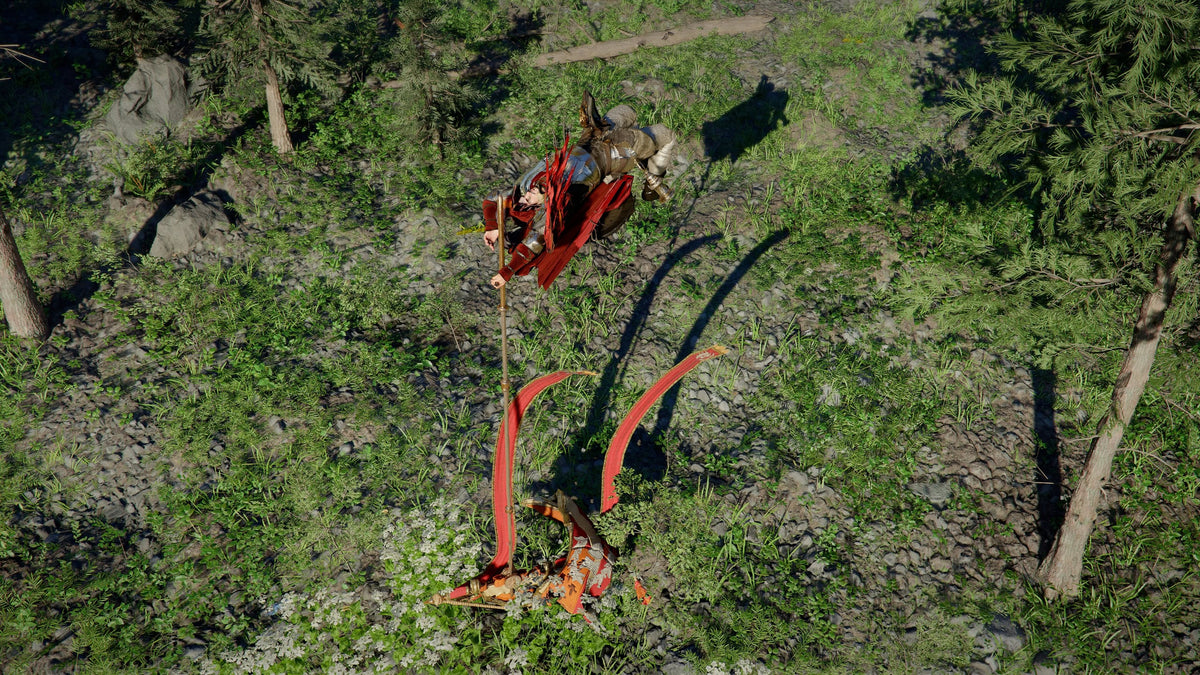
The Training Challenges in Crimson Desert focus on combat mastery, traversal, stamina management, movement precision, swimming, parrying, highlining, grappling, pole vaulting, sliding, aerial attacks, and elemental combat. On the surface, that sounds like gameplay advice. For PC buyers, it is also a hardware warning.
Modern open-world action games are no longer simple “stand still and swing a sword” experiences. They combine fast animation systems, terrain traversal, environmental geometry, high-speed camera movement, detailed world streaming, complex lighting, and intense combat effects. When a challenge asks you to parry repeatedly without taking damage, your frame pacing matters. When you slide down a slope, swing through the air, or chain aerial attacks, input latency matters. When you swim across long distances or move through an open region, storage speed and CPU consistency matter. When elemental attacks fill the screen, GPU performance matters.
So the real buying question is not only “Can my PC run this game?” The better question is: can your PC keep the game smooth when the action becomes chaotic?
If you are already thinking about Crimson Desert, upcoming AAA games, ray tracing titles, high-refresh esports, or content creation, this is the time to think beyond minimum requirements. Minimum requirements are for starting the game. A better custom build is for enjoying it.
What the Source Guide Gets Right: Skill-Based Games Reward Smooth Hardware
The original Training Challenges guide correctly focuses on how to complete each challenge: where to find the unlocks, what the objective asks for, and what skills help you finish them. That is useful for players. But for anyone shopping for a Gaming PC Canada build, there is another layer: the gameplay mechanics show why smooth performance can change how a game feels.
Consider the types of challenges discussed:
- Wrestling and grappling objectives reward fast reactions, readable animation timing, and consistent frames.
- Aerial Force Palm and Diving Force Palm challenges depend on clean input response and smooth camera movement while airborne.
- Sliding and highlining challenges highlight traversal, terrain interaction, and environmental stability.
- Parry challenges are directly affected by frame pacing and input latency because timing windows feel worse when performance stutters.
- Elemental Turning Slash challenges can push GPU effects performance through fire, ice, lightning, wind, and combat animations.
- Long swimming and stamina challenges remind players that open-world travel needs consistent system performance over extended play sessions.
- Bear-grappling challenges show how animation blending, physics-like interactions, and character movement can all happen at once.
When a game is this movement-heavy, a low-end or poorly matched PC can make the experience feel less responsive, even if the average FPS looks acceptable on paper. That is why Groovy Computers focuses on complete-system balance, not just one flashy component.
What Do You Want Your Next PC To Do For You?
Before choosing a gaming desktop, pause and ask the question most buyers skip: what do you actually want your next PC to do for you?
Do you want a simple 1080p gaming PC Canada build for enjoying new titles without overspending? Do you want a 1440p Gaming PC Canada configuration that gives you sharper visuals and smoother performance? Are you chasing a 4K Gaming PC Canada setup for a large monitor or OLED display? Do you want ray tracing, high FPS, livestreaming, video editing, photo editing, graphic design, 3D modeling, or workstation-grade productivity on the same machine?
Many customers begin with one goal: “I want to play new games.” Then they realize their PC also needs to run Discord, OBS, browser tabs, music, game launchers, capture software, RGB control, mod managers, editing apps, and maybe a second monitor. If you plan to stream, record, edit, or create content around games like Crimson Desert, your build should not be chosen like a basic console replacement. It should be chosen like a flexible platform.
Ask yourself:
- What games do you want to play over the next three to five years?
- Do you care more about 1080p high FPS, 1440p visual quality, or 4K cinematic gameplay?
- Will you use ray tracing or prefer maximum frame rate?
- Do you want to stream on Twitch, YouTube, TikTok, or record gameplay for later editing?
- Will you edit in Adobe Premiere Pro, DaVinci Resolve, CapCut, Photoshop, Lightroom, Illustrator, Blender, Unreal Engine, or other creative software?
- Do you want to avoid upgrading too soon?
- Would financing help you secure a stronger system now instead of buying a cheaper PC that needs replacing earlier?
The right answer depends on your workload, your monitor, your standards, and your upgrade timeline. That is where a Canadian custom PC builder can help you make a smarter decision.
Gaming PC for New Games: Why 1080p, 1440p, and 4K Are Completely Different Buying Decisions
A Gaming PC for New Games should be built around the resolution and refresh rate you actually plan to use. A system designed for 1080p esports is not the same as a system designed for 1440p open-world action, and a 4K ray tracing build is in another class entirely.
Do You Need a 1080p Gaming PC Canada Build?
A 1080p gaming PC is still a strong choice for budget-conscious players, students, first-time buyers, and competitive gamers who care more about frame rate than maximum visual detail. If your main goal is to play popular titles smoothly, keep costs controlled, and avoid overbuying, a well-built 1080p system can make sense.
But here is the important question: are you buying for the games you play today, or the games you know are coming? New open-world games often become more demanding as patches, expansions, higher-resolution textures, and new visual effects arrive. If you buy too close to the minimum, your system may feel old sooner than expected.
A good budget gaming computer should still have a modern CPU, enough RAM for multitasking, a capable GPU, fast NVMe storage, reliable cooling, and a power supply that supports future upgrades. Cheap is not the same as good value. Value means the PC performs well, stays reliable, and gives you a reasonable upgrade path.
Is 1440p the Sweet Spot for New Open-World Games?
For many Canadian gamers, 1440p is the best balance between image quality, performance, and cost. A 1440p Gaming PC Canada build gives you a noticeably sharper image than 1080p without the extreme GPU pressure of 4K. If you want games like Crimson Desert to look detailed while staying smooth during combat, traversal, and cinematic moments, this is often the tier to target.
Ask yourself: what PC do I need for 1440p gaming if I want high settings and strong frame pacing? The answer usually includes a stronger GPU, a CPU that will not bottleneck fast action scenes, 32GB of RAM for modern gaming comfort, and fast SSD storage to help with open-world loading and asset streaming.
1440p is also a smart choice for players who want one PC for gaming and light content creation. You can game, stream, record, edit clips, and work across multiple monitors without immediately stepping into ultra-premium pricing.
Should You Choose a 4K Gaming PC Canada Build?
Choose a 4K gaming PC if you want a premium visual experience, play on a large monitor or TV, care about high-resolution textures, or want your system to stay stronger for longer. 4K gaming can be stunning, but it is also much more demanding. More pixels means more GPU workload, more VRAM pressure, and a greater need for proper cooling and power delivery.
If you are asking, what PC do I need for 4K gaming?, the answer is rarely “the cheapest system available.” A true 4K build should be planned carefully around the GPU, CPU, RAM, SSD, cooling, case airflow, and monitor pairing. A premium gaming PC Canada build can be worth it if you want ultra settings, ray tracing, high visual fidelity, and fewer compromises.
This is also where financing can become practical. Instead of buying a lower-tier PC today and replacing parts sooner, some customers prefer to finance a better system over time. If the monthly payment fits your budget, a stronger build can help you avoid the frustration of upgrading too soon.
What Performance Tier Fits You Best?
One of the most common questions buyers ask is, how much should I spend on a gaming PC? The better way to answer is to match the system tier to your performance expectations.
Tier 1: Budget Gaming Computer for 1080p Players
This tier fits players who want an affordable gaming PC Canada option for mainstream titles, esports, school use, browsing, and everyday multitasking. It is ideal if you are using a 1080p monitor and do not need every setting maxed out.
Choose this tier if you want:
- Good 1080p gaming performance
- Solid everyday speed
- A first gaming PC or student gaming PC
- Lower upfront cost
- A balanced build that avoids unnecessary extras
Be careful, though. If you already know you want 1440p, streaming, editing, or long-term AAA performance, buying too low may cost more later.
Tier 2: Performance 1440p Gaming PC for Most Players
This is the sweet spot for many customers. A strong 1440p gaming system can handle modern games with better visual settings, smoother frame rates, and more comfortable multitasking. It is also a smart level for players who may start streaming, recording, or editing gameplay.
Choose this tier if you want:
- Excellent 1440p gaming
- High FPS in many titles
- Better open-world performance
- Enough power for streaming and recording
- A system that feels premium without going extreme
If you are wondering whether a Gaming and Streaming PC Canada build makes sense, this tier is often where the answer becomes yes.
Tier 3: Premium RTX Gaming PC for 4K, Ray Tracing, and Longevity
This tier is for buyers who want fewer compromises. If you want 4K gaming, ray tracing, heavy modding, high-refresh 1440p, creator work, or a longer useful lifespan, premium hardware can be justified.
Choose this tier if you want:
- 4K gaming performance
- Ray tracing and high visual settings
- High-refresh 1440p with extra headroom
- Streaming, editing, and multitasking on one system
- A future proof gaming PC Canada build with a stronger upgrade runway
The key question is not simply is a high-end gaming PC worth it? The key question is whether the performance you gain saves you from replacing the system too soon.
Tier 4: Creator PC or Workstation for Gaming Plus Serious Production
If gaming is only one part of what you do, you may need a custom creator PC or workstation PC Canada configuration. This is especially true if you edit 4K video, work with RAW photos, design in Adobe Creative Cloud, render in Blender, build scenes in Unreal Engine, or multitask across demanding professional software.
Choose this tier if you want:
- Gaming plus video editing
- Gaming plus streaming and recording
- Photo editing and graphic design performance
- 3D modeling and rendering capability
- More RAM, more storage, and stronger CPU/GPU balance
- A reliable system for paid creative work
If the PC helps you earn money, complete client projects, or publish more content, the buying decision changes. Performance is not just entertainment. It becomes productivity.
Are You Gaming, Streaming, Editing, Designing, or Rendering?
Many PC buyers underestimate how different workloads behave. A build that is excellent for gaming may be decent for editing, but a carefully planned creator system can be much better for timeline performance, exports, multitasking, and storage management.
What PC Do You Need for Streaming?
If you want to stream games like Crimson Desert, you need more than raw FPS. You need a system that can game smoothly while OBS or other streaming software captures, encodes, manages overlays, handles alerts, and sends a stable stream. A Gaming PC for Streaming Canada build should prioritize GPU encoding support, enough CPU overhead, 32GB or more of RAM depending on workload, and a stable network-ready setup.
Ask yourself: do you want to stream casually, or are you building a channel? Casual streaming can work on a solid gaming PC. Serious streaming benefits from a stronger GPU, more RAM, fast storage, and a clean multi-monitor workflow.
What PC Do You Need for Video Editing?
If you plan to turn gameplay into YouTube videos, TikToks, Shorts, tutorials, reviews, or walkthroughs, your PC needs to handle editing software well. A Video Editing PC Canada build should be chosen around timeline resolution, codec type, effects, colour work, and export expectations.
For Adobe Premiere Pro, DaVinci Resolve, After Effects, and CapCut editing, the right CPU, GPU, RAM, and SSD setup can make the difference between a smooth workflow and constant waiting. If you work with 4K footage, multiple audio tracks, motion graphics, or heavy colour grading, a stronger build can save hours over time.
Question to consider: is your PC only for playing games, or will it also help you create content from those games?
What PC Do You Need for Photo Editing and Graphic Design?
Photographers and designers often do not need the same GPU power as 4K gamers, but they do need responsiveness, fast storage, enough RAM, and strong CPU performance. A Photo Editing PC Canada build should feel quick in Lightroom, Photoshop, Capture One, and batch export workflows. A Graphic Design PC Canada build should support Photoshop, Illustrator, InDesign, Canva, Affinity Designer, CorelDRAW, and multi-monitor creative layouts.
If you are making thumbnails, stream graphics, overlays, logos, product mockups, social media ads, or branded content, you should not settle for a system that slows down every time you open multiple creative apps. The right creator desktop can make daily work feel dramatically smoother.
What PC Do You Need for 3D Modeling and Rendering?
For Blender, Unreal Engine, Unity, Maya, 3ds Max, Cinema 4D, SketchUp, ZBrush, AutoCAD, Revit, or SolidWorks, the build strategy becomes more serious. A 3D Modeling PC Canada or 3D Rendering PC Canada configuration may need stronger GPU performance, more VRAM, more RAM, and a CPU chosen for your specific rendering workflow.
Ask yourself: are you modeling small assets, rendering product scenes, building game environments, or working on architectural visualization? Each workload can shift the ideal balance between CPU, GPU, RAM, and storage. A custom 3D workstation Canada build should be planned around the software, not guessed from a generic gaming spec sheet.
Why Modern Open-World Games Push More Than Just the GPU
Many buyers focus almost entirely on the graphics card. The GPU is important, especially for 1440p, 4K, ray tracing, and high settings. But a smooth Gaming PC for New Games also depends on the CPU, RAM, SSD, cooling, and power supply.
GPU: The Engine Behind Resolution, Visual Settings, and Ray Tracing
Your GPU has the biggest impact on visual quality at higher resolutions. If you want 1440p high settings or 4K gameplay, the graphics card becomes the centrepiece of the build. More demanding games with dense worlds, lighting effects, particles, shadows, reflections, and high-resolution textures can quickly expose a weak GPU.
For buyers asking about a Ray Tracing Gaming PC Canada build, GPU choice becomes even more important. Ray tracing can look incredible, but it increases workload dramatically. Upscaling features can help, but they do not replace a properly matched graphics card.
CPU: The Part That Keeps the World Moving
Open-world games rely on the CPU for simulation, AI, physics-like interactions, background tasks, asset preparation, and feeding the GPU efficiently. If your CPU falls behind, you may see stutter, inconsistent frame times, or lower minimum FPS even with a decent graphics card.
This matters in skill-based combat. A parry window feels worse when frame timing is uneven. A fast dodge, grapple, or aerial move feels less precise when the system is inconsistent. A good gaming CPU helps the game feel responsive, not just visually impressive.
RAM: The Comfort Zone for Gaming, Streaming, and Multitasking
For modern gaming, 16GB can still work in some situations, but 32GB is increasingly the comfortable recommendation for a new custom gaming PC. If you stream, edit, keep many browser tabs open, use Discord, run launchers, or work with creative software, extra RAM can prevent slowdowns.
For creators, 64GB or more may be worth considering, especially for 4K editing, After Effects, large Photoshop files, 3D work, or heavy multitasking. The question is simple: do you want your PC to feel fast only in one game, or fast across everything you do?
SSD Storage: Why Fast Loading and World Streaming Matter
Fast NVMe SSD storage is now a major part of the gaming experience. Open-world titles constantly load assets, textures, regions, and background data. A slow drive can create longer load times and contribute to hitching in some scenarios.
For content creators, storage planning is even more important. Game footage, 4K clips, RAW photos, project files, cache folders, and exports can fill a drive quickly. A custom build lets you plan capacity and speed properly instead of accepting whatever a generic system includes.
Cooling and Power: The Parts You Notice When They Are Bad
Cooling and power delivery are easy to overlook because they do not show up in a simple FPS chart. But they matter. A hot system can become loud, throttle performance, or age poorly. A weak power supply can limit upgrade options. Poor airflow can make premium parts perform like midrange parts.
Groovy Computers builds complete systems, which means component matching, cooling, power, cable management, testing, and reliability all matter. A gaming PC is not just a pile of parts. It is a system.
Is It Better to Buy a Gaming PC Now or Wait?
This is one of the biggest questions Canadian buyers ask, especially when new games are approaching, hardware demand is shifting, or component pricing feels unpredictable. The honest answer is that waiting can help if you have no urgent need and your current PC is still doing the job. But waiting can also backfire if prices rise, stock tightens, or your current system fails when replacement costs are worse.
For a Gaming PC for New Games, timing matters because buyers often rush right before major releases, school seasons, holidays, tax refund periods, or big software updates. Demand spikes can affect graphics cards, processors, RAM, SSDs, and full-system availability. Even when one component drops, another can rise.
Ask yourself:
- Are you buying before a major game release you know you want to play?
- Is your current PC already struggling with new titles?
- Would a delay force you into a rushed purchase later?
- Are you waiting for a perfect price that may never arrive?
- Could financing help you secure a stronger build before replacement costs climb?
There is no universal answer, but there is a smart buying strategy: choose the right performance tier for your real needs, buy from a builder that tests the system properly, and avoid underbuying just to save a little today.
Should You Finance a Better PC Instead of Buying a Cheaper One?
Financing is not about buying more than you need. It is about matching the PC to the job when paying everything upfront would push you into a weaker system. For some customers, a lower-cost PC is the right decision. For others, financing a stronger system can be more practical than buying a cheap machine that needs upgrades too soon.
If you are comparing a budget build against a more capable 1440p gaming and streaming PC, ask: will the cheaper PC still make sense in two years? If the answer is no, then monthly payments may help you buy the system you actually need now.
Groovy Computers offers financing options up to 4 years where available, making it easier for Canadian buyers to consider a stronger custom gaming PC, creator PC, or workstation PC without paying the full amount upfront. This can be especially useful if you are preparing for new games, starting a content channel, upgrading for school or work, or replacing an aging desktop before prices shift.
Important questions to ask before financing:
- Does the monthly payment fit comfortably within your budget?
- Will the stronger PC reduce the need for near-term upgrades?
- Will the system support gaming, streaming, editing, or work better than a cheaper option?
- Are you buying because the build genuinely fits your needs, not just because a spec looks impressive?
- Would waiting put you at risk of higher prices or limited availability?
Financing can be a smart tool when it helps you buy the right system once instead of compromising twice.
Custom PC vs Generic Prebuilt PC Canada: Why the Build Quality Matters
A generic prebuilt may look attractive because the headline spec is easy to compare. But the full build matters more than one component. Two PCs with the same GPU can perform differently depending on CPU pairing, RAM speed and capacity, SSD quality, cooling, motherboard features, power supply quality, case airflow, BIOS setup, and testing.
That is why the question custom PC vs prebuilt PC Canada should not be answered only by price. It should be answered by value, transparency, reliability, and support.
A custom gaming PC from Groovy Computers can be matched to your actual use case. If you want Crimson Desert at 1440p, that is a different recommendation than a competitive esports build. If you want gaming plus OBS streaming, the system should be planned differently. If you want 4K editing, Photoshop, Blender, or Unreal Engine, the build should reflect those workloads from the start.
Custom building also helps avoid common mistakes:
- Overspending on a CPU while underspending on the GPU for gaming
- Buying too little RAM for streaming or editing
- Choosing a small SSD that fills up after a few game installs
- Using weak cooling in a high-performance build
- Buying a power supply that limits future upgrades
- Ignoring monitor resolution when choosing graphics performance
- Buying a flashy case with poor airflow
Groovy Computers also emphasizes rigorous testing and includes a 1-year warranty, giving Canadian customers more confidence than a random marketplace build or an unknown parts list. When you are investing in a gaming desktop, reliability is part of performance.
Canadian Buying Context: Why Local Trust Matters
Canadian PC buyers face a different market than buyers elsewhere. Component availability, shipping costs, exchange-rate pressure, taxes, regional delivery times, and warranty logistics can all affect the final decision. A price that looks simple at first can become less attractive once shipping, support, and replacement realities are considered.
Groovy Computers is a Canadian custom PC builder, with strong relevance for buyers looking for Custom Gaming PC Nova Scotia support, Gaming Computers Trenton, Gaming Computers New Glasgow, Gaming Computers Halifax, Gaming PC Atlantic Canada, and gaming PCs shipped Canada wide. Whether you are in Atlantic Canada or ordering online from elsewhere in the country, working with a Canadian builder helps keep the buying process more practical.
Ask yourself: if something goes wrong, do you want clear support from a Canadian gaming PC company, or do you want to chase disconnected parts warranties on your own?
Support matters more when your PC is not just a toy. If the system is used for school, work, content creation, streaming, editing, or freelance projects, downtime becomes expensive. A properly built and tested system can save time, stress, and money.
How Crimson Desert’s Challenge Types Translate Into PC Build Priorities
Let’s connect the Training Challenges more directly to hardware decisions. This is not about claiming one game requires one exact part. It is about using the gameplay style to understand what kind of PC experience you should target.
Parrying, Grappling, and Combat Timing: Prioritize Frame Pacing
Challenges that ask you to parry repeatedly or use wrestling-style attacks reward precision. A system with inconsistent frame times can make timing feel less reliable. For games built around action combat, you want not only high average FPS but stable minimum FPS and smooth delivery.
Build priority: strong CPU, capable GPU, enough RAM, good cooling, and a monitor that matches the system.
Aerial Movement, Sliding, and Traversal: Prioritize Responsiveness
Fast traversal makes camera movement and input response highly noticeable. If you are vaulting, sliding, swinging, climbing, and attacking in mid-air, the game needs to feel immediate.
Build priority: high-refresh performance, low system latency, strong GPU, fast storage, and a clean Windows setup without unnecessary background bloat.
Elemental Combat Effects: Prioritize GPU Headroom
Fire, ice, lightning, wind, particles, lighting bursts, and combat animations all increase visual load. If you want high settings or ray tracing-style visual features in modern games, GPU headroom matters.
Build priority: choose a GPU that fits your target resolution, not just the lowest card that launches the game.
Open-World Travel: Prioritize SSD and System Balance
Long-distance swimming, riding, exploring, and moving between regions all highlight open-world streaming. A weak storage setup or unbalanced system can make world traversal feel less seamless.
Build priority: NVMe SSD storage, enough capacity for large games, and a CPU/GPU pairing that avoids bottlenecks.
Questions to Ask Before You Buy Your Next Gaming PC
A smart purchase starts with clear questions. If you are not sure which system fits, use this checklist before browsing.
- What gaming PC do I need for the games I actually play? Do not buy around one old game if your next year is full of demanding releases.
- What monitor do I use? A 1080p 60Hz display, a 1440p 165Hz monitor, and a 4K OLED all need different hardware strategies.
- Do I want ray tracing? If yes, budget for a stronger GPU.
- Will I stream or record gameplay? If yes, plan for encoding, RAM, storage, and multitasking.
- Will I edit video or photos? If yes, do not ignore CPU performance, RAM, and SSD capacity.
- Will I use design or 3D software? If yes, choose a creator or workstation-oriented build instead of a generic gaming-only system.
- How long do I want to keep this PC? A slightly stronger build may be cheaper over time if it delays replacement.
- Should I buy now or wait? Consider upcoming game releases, school or work needs, sale periods, hardware availability, and possible price changes.
- Should I finance a gaming PC? If financing lets you buy the correct system instead of a short-lived compromise, it may be worth considering.
- Do I want help choosing a build? If yes, working with Groovy Computers can simplify the decision.
Which Groovy Computers Customer Are You?
Different customers need different builds. The right recommendation depends on what kind of buyer you are.
The New Gamer
You want your first real gaming desktop and you are coming from a console, laptop, or old family PC. You likely want strong value, simple setup, and a machine that can handle popular games at 1080p or 1440p. Your best fit may be a budget or midrange custom gaming PC with room to grow.
The Open-World AAA Player
You care about immersion, graphics, smooth combat, and big environments. You want games like Crimson Desert to feel fluid and look impressive. Your best fit is likely a 1440p or premium gaming build with a strong GPU, modern CPU, 32GB RAM, and fast NVMe storage.
The Competitive Player
You care about high FPS, fast response, and consistent performance. You may play shooters, battle royales, MOBAs, or esports titles. Your best fit may prioritize CPU performance, high-refresh 1080p or 1440p, and stable thermals.
The Streamer
You want to game, stream, record, and manage a live setup. You need performance headroom. Your best fit is a Gaming and Streaming PC Canada build with a strong GPU encoder, enough RAM, fast storage, and multi-monitor comfort.
The YouTube or TikTok Creator
You want to play games and turn footage into content. You may need Premiere Pro, DaVinci Resolve, CapCut, Photoshop, and audio tools. Your best fit is a custom creator PC with gaming GPU power, a strong CPU, 32GB to 64GB RAM depending on workload, and a smart storage layout.
The Designer or Photographer
You want Photoshop, Lightroom, Illustrator, Canva, InDesign, Capture One, or similar software to feel fast. You may not need the most extreme gaming GPU, but you do need responsiveness, RAM, fast SSDs, and colour-workflow support. Your best fit is a photo editing or graphic design desktop built around your software.
The 3D Artist or Workstation User
You work in Blender, Unreal Engine, Unity, CAD, Revit, SolidWorks, Maya, 3ds Max, Cinema 4D, or rendering tools. You need a serious workstation strategy. Your best fit is a Custom Workstation PC Canada build with GPU, CPU, RAM, and storage chosen around your projects.
Why Avoiding an Early Upgrade Can Save More Than Buying the Cheapest PC
A cheaper PC can be the right choice when it honestly matches your needs. But buying too little performance often creates a hidden cost: early upgrades. A weak GPU may need replacing sooner. Too little RAM can become frustrating as games and creative software grow heavier. A small SSD can fill up quickly. A low-quality power supply can complicate future upgrades. Poor cooling can shorten component comfort and increase noise.
Ask yourself: would you rather save a bit today and upgrade under pressure later, or invest in a balanced system that lasts longer?
This is especially important for buyers watching component-price volatility. If GPU demand rises, memory pricing shifts, storage costs increase, or new game releases create sudden demand, upgrading later may not be cheaper. A well-planned purchase today can sometimes be the more stable path.
How Groovy Computers Helps You Choose the Right Build
Groovy Computers builds custom gaming PCs, creator PCs, and workstation PCs for Canadian customers who want performance without guesswork. Instead of forcing every buyer into the same configuration, the goal is to match the system to the workload.
That means asking the right questions: What games do you play? What resolution is your monitor? Do you stream? Do you edit video? Do you work in Adobe Creative Cloud, Blender, Unreal Engine, or CAD software? Do you need Wi-Fi, extra storage, quiet operation, RGB, a compact case, or upgrade headroom? Are you buying now because a major release is coming, your old PC is failing, or you want to avoid future price spikes?
Groovy Computers can help you browse available systems, compare performance tiers, and consider financing options when a stronger build makes more sense. If you want a reliable, tested gaming desktop with Canadian support, visit GroovyComputers.ca and start with the build that matches what you actually want to do.
CTA: What Should Your Next PC Be Ready For?
If your next PC needs to handle Crimson Desert, upcoming AAA games, 1440p gaming, 4K visuals, ray tracing, Twitch streaming, YouTube editing, Photoshop, Lightroom, Blender, Unreal Engine, or workstation tasks, the best time to plan is before you are forced to rush. A Gaming PC for New Games should be chosen around the experience you want, not just the minimum spec that gets you through the door.
Do you want a budget gaming computer that gets you started, a premium RTX gaming PC that gives you years of headroom, a custom creator PC for editing and streaming, or a workstation that can handle professional workloads? Do you want to pay upfront, or would financing up to 4 years help you secure a stronger system before replacement costs rise?
If you are unsure, that is exactly where Groovy Computers can help. Tell us what you want your PC to do, what games or software matter most, and what budget or monthly payment range makes sense. We will help you choose a system that feels fast today and still makes sense tomorrow.
Final Takeaway: Build for the Experience, Not the Minimum Requirement
Crimson Desert’s Training Challenges are a reminder of where modern gaming is heading: faster movement, tighter combat, bigger worlds, more visual effects, and more pressure on the entire system. For players, that means skill. For PC buyers, it means planning.
The smartest Gaming PC for New Games is not always the most expensive system, and it is rarely the cheapest. It is the build that matches your resolution, frame-rate target, game library, creative workload, upgrade timeline, and budget. Whether you need 1080p value, 1440p performance, 4K power, streaming capability, video editing speed, design responsiveness, 3D rendering strength, or workstation reliability, Groovy Computers can help you choose with confidence.
Before prices shift, demand spikes, or your current PC starts holding you back, ask the most important question: what do I want my next PC to do for me? When you know the answer, Groovy Computers is ready to build it.
#GamingPCForNewGames #GamingPCCanada #CustomGamingPC #GroovyComputers #1440pGamingPC #4KGamingPC #StreamingPC #CreatorPC #WorkstationPC #CanadianPCBuilder
Groovy Computers | All Rights Reserved


Leave a comment
This site is protected by hCaptcha and the hCaptcha Privacy Policy and Terms of Service apply.