



































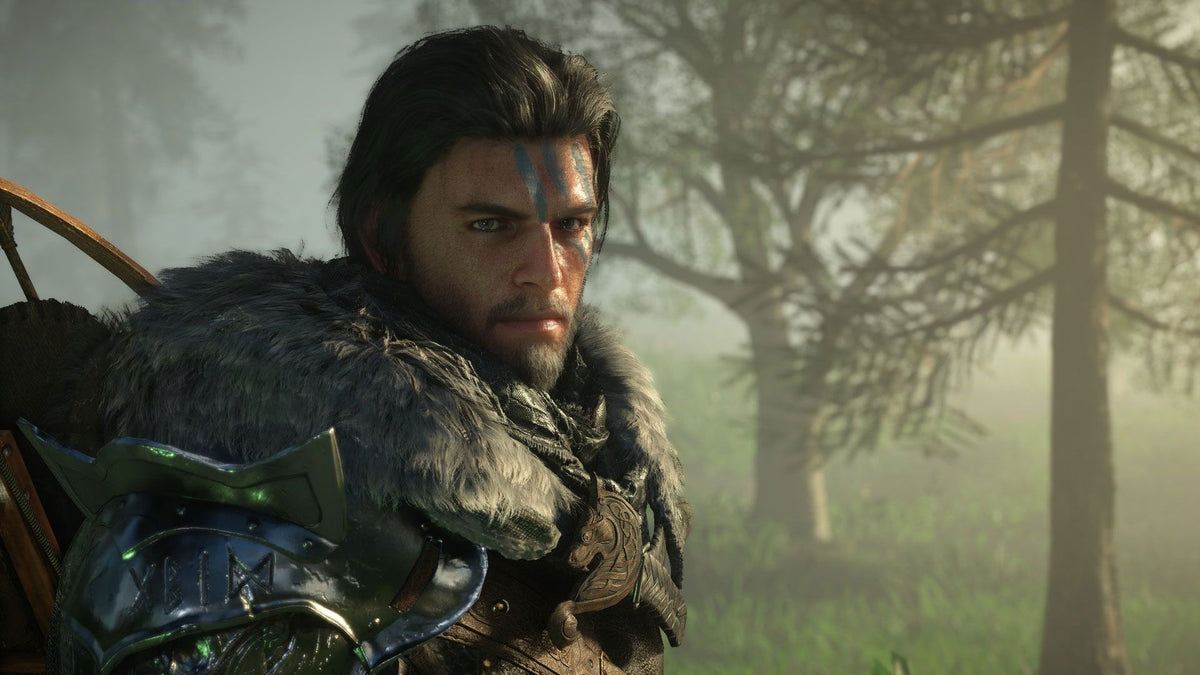
Gaming PC for New Games: What Crimson Desert’s Massive Economy Update Says About the Next Wave of Open-World PC Performance
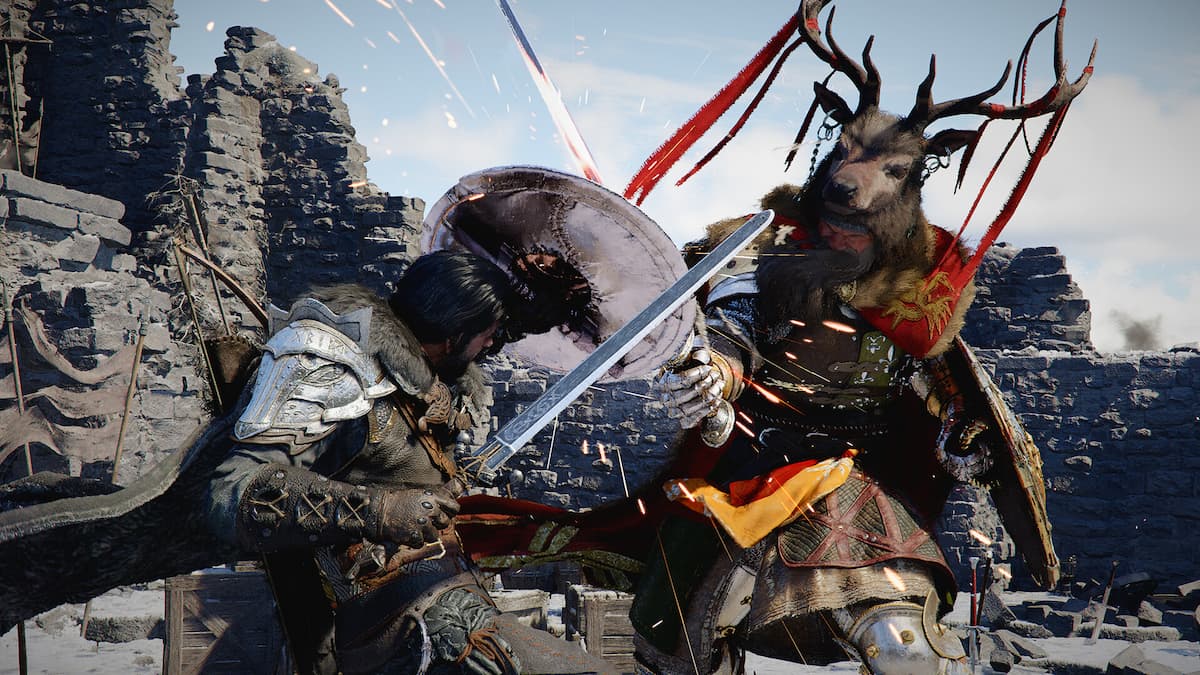
The latest reported Crimson Desert update is not just another patch note story. It is a signal about where open-world games are heading, and why choosing the right Gaming PC for New Games matters more than ever for Canadian players. When a major open-world title expands with 133 new trading posts, dynamic trade good pricing, high-value goods, map filters, routes, workshops, and deeper economy systems, it shows how modern games are becoming more than pretty landscapes and combat arenas. They are becoming dense simulations filled with systems, background calculations, streaming assets, AI behaviours, menu overlays, fast travel logic, and player-driven decision-making.
For gamers, streamers, creators, and workstation buyers in Canada, that matters. A game like Crimson Desert is exactly the type of experience that can expose the difference between a basic gaming computer and a well-balanced custom build. It is not only about whether your PC can launch the game. It is about whether your system can handle large maps, demanding combat, high-resolution textures, smooth frame pacing, ray tracing, recording, Discord, browser tabs, mods, and future updates without turning your expensive gaming night into a stutter-filled compromise.
So what should Canadian buyers take away from this? If you are planning to buy a gaming PC for upcoming AAA games, open-world RPGs, action adventure titles, survival games, or creator workloads, the smarter question is no longer just Can my PC run this game? The better question is: What do I want my next PC to do for me two, three, or four years from now?
That is where Groovy Computers comes in. As a Canadian custom PC builder, Groovy Computers helps buyers choose a build around actual use cases: gaming, streaming, video editing, photo editing, graphic design, content creation, 3D modeling, rendering, productivity, and financing a stronger system before component pricing changes. If you are shopping for a Custom Gaming PC Canada solution that is built, tested, and backed with warranty confidence, this is the kind of buying moment where expert guidance matters.
Why Crimson Desert’s 133 New Trading Posts Matter to PC Buyers
The reported Crimson Desert update adds 133 new trading posts and changes how players interact with the game’s economy. Trading posts appear through quest progression, harder-to-reach wagons can offer better prices, royal posts offer stronger selling opportunities, trade goods change in value when too many are sold in one location, and the map can filter trading posts, royal posts, wagon workshops, wagon routes, and even specific goods.
On the surface, that sounds like a gameplay update. Underneath, it tells us something important about PC performance. Modern open-world games are increasingly packed with interconnected systems. A single update can add new vendors, inventory rules, map markers, economy calculations, route logic, item stacking changes, banking mechanics, and new types of goods. Those features may not be as flashy as a new graphics trailer, but they still affect how a game feels, loads, responds, and performs.
Have you ever played a large open-world game that ran fine in quiet areas but started to stutter in cities, trading hubs, busy combat zones, or menu-heavy sections? That is where system balance matters. A strong GPU is important, but the CPU, RAM, storage, cooling, and overall build quality all contribute to the real experience.
For Canadian buyers researching a Gaming PC for New Games, Crimson Desert is a useful example because it represents the modern AAA trend: bigger worlds, more systems, more updates, more background simulation, and more reasons to avoid underbuying.
What Gaming PC Do I Need for New Open-World Games?
The answer depends on what kind of player you are. Do you want smooth 1080p gaming on high settings? Are you aiming for a sharp 1440p experience with high frame rates? Do you want 4K gaming, ray tracing, ultra textures, and enough headroom for future patches? Are you planning to stream, record, edit clips, or run creator software on the same machine?
Before buying, ask yourself these questions:
- What games do I actually want to play? Are you focused on open-world RPGs, competitive shooters, racing games, survival games, strategy titles, or visually demanding AAA releases?
- What resolution do I want? A 1080p build, a 1440p Gaming PC Canada build, and a 4K Gaming PC Canada build should not be configured the same way.
- Do I care about ray tracing? If you want lighting, reflections, and visual effects pushed higher, GPU selection becomes more important.
- Will I stream or record gameplay? A gaming-only PC and a gaming-plus-streaming PC have different priorities.
- Do I also create content? Video editing, Photoshop, Lightroom, Blender, Unreal Engine, and Adobe Creative Cloud can all change your ideal parts list.
- Do I want to avoid upgrading too soon? Spending slightly more now on the right build can be smarter than replacing parts early.
These questions matter because a generic prebuilt system may look powerful on paper while still cutting corners in areas that affect long-term performance: motherboard quality, power supply headroom, thermal design, RAM configuration, SSD speed, case airflow, and upgrade flexibility. A well-planned custom system is built around what you actually do.
What Do You Want Your Next PC to Do for You?
This is the most important buying question. Not the brand name. Not the RGB. Not the biggest number printed on the box. What do you want your next PC to do for you?
Do you want it to play Crimson Desert-style open-world games smoothly while you keep Discord, Spotify, and a browser open? Do you want to stream on Twitch or YouTube without your frame rate collapsing? Do you want to edit 4K gameplay footage for TikTok, YouTube Shorts, or long-form videos? Do you want to design logos, process RAW photography, render 3D scenes, or run productivity software all day?
If the answer is “a bit of everything,” then you are not just buying a gaming computer. You are buying a multi-purpose performance system. That may point you toward a Creator PC Canada configuration, a gaming and streaming build, or a custom workstation instead of a basic entry-level gaming desktop.
At Groovy Computers, the goal is not to push every customer into the most expensive machine possible. The goal is to match the system to the job. A student buying a first gaming PC, a competitive gamer chasing high FPS, a photographer editing RAW files, and a 3D artist using Blender all need different priorities.
Which Performance Tier Fits You Best?
Choosing the right tier helps you spend intelligently. The best gaming PC is not always the most expensive one; it is the one that fits your monitor, games, software, upgrade plans, and budget.
Entry-Level and Budget Gaming PC: Is a Budget Gaming PC Enough?
A budget gaming PC can be a smart choice if you are playing esports titles, lighter games, Minecraft, Roblox, Fortnite, indie games, older AAA titles, or new games at 1080p with reasonable settings. If your main goal is to get into PC gaming without overspending, an entry-level build can be a strong starting point.
But ask yourself: do you want to play upcoming open-world games at higher settings, or are you comfortable lowering graphics options to maintain smooth performance? Do you plan to keep the PC for several years? Do you want to add streaming, editing, or design work later?
If you are shopping for value, a Budget Gaming PC Canada build should still be balanced. Cheap does not mean careless. You still want a reliable power supply, proper cooling, a fast SSD, enough RAM, and a GPU that matches your monitor. Buying the cheapest system possible can become expensive if you need to replace it too soon.
1080p High Settings: Do You Want Smooth Gaming Without Overspending?
A strong 1080p gaming PC is ideal for players who want smooth frame rates, sharp visuals, and good value. This tier is great for many Canadian gamers who use a 1080p monitor and want dependable performance in new games without pushing into premium GPU pricing.
This is often the sweet spot for students, first-time PC buyers, families, and gamers who want a reliable system for popular multiplayer and single-player games. If you are asking, “How much should I spend on a gaming PC?” the answer often starts here: buy enough performance for your actual monitor and games, not for a fantasy setup you may never use.
1440p Gaming PC Canada: Is 1440p the Best Balance for New Games?
For many gamers, 1440p is the modern sweet spot. It gives you a noticeably sharper image than 1080p while being easier to drive than 4K. If you want open-world games to look detailed, cinematic, and smooth, a 1440p Gaming PC Canada build is often the best balance of price and performance.
This tier is especially attractive for games like Crimson Desert-style open-world titles because it gives you room for high settings, strong textures, good frame rates, and multitasking. If you also stream, record, or edit clips, this is where a properly selected CPU, GPU, and RAM configuration becomes even more important.
Ask yourself: do you want your next PC to feel premium without going all the way to 4K pricing? If yes, 1440p should be high on your list.
4K Gaming PC Canada: Do You Want Ultra Settings, Ray Tracing, and Long-Term Headroom?
A 4K Gaming PC Canada build is for buyers who want a premium experience. This tier is ideal if you have a 4K monitor or TV, want ultra settings, care about ray tracing, and expect your PC to handle demanding future titles for years.
4K gaming places much more pressure on the GPU. It can also increase VRAM demands, texture streaming needs, storage expectations, and cooling requirements. If you want a system that feels powerful today and still capable later, a high-end custom build is usually the safer route.
Do you want to buy once and avoid feeling outdated quickly? Do you want a PC that can handle AAA gaming, content creation, and workstation tasks? If so, financing a stronger system may make more sense than paying cash for a weaker build that you outgrow faster.
Why Open-World Games Need More Than Just a Big GPU
Many buyers focus almost entirely on the graphics card, and for good reason: the GPU is central to gaming performance. But open-world games also stress other parts of the system.
- CPU: Handles game logic, NPC behaviour, physics, simulation, background systems, and frame pacing.
- GPU: Drives resolution, visual settings, ray tracing, texture detail, effects, and high frame rates.
- RAM: Helps with large game worlds, background apps, streaming tools, browser tabs, and creative software.
- SSD: Improves loading times, asset streaming, game responsiveness, and general system speed.
- Cooling: Keeps performance consistent under long gaming, streaming, rendering, and editing sessions.
- Power supply: Provides stable power and upgrade headroom for future GPU or CPU upgrades.
When a game adds systems like dynamic pricing, route filtering, item stacking, banking features, additional vendors, and expanded map logic, it reinforces the point: modern games are complex. They reward PCs that are balanced, not just flashy.
This is why Groovy Computers focuses on complete system design. A custom gaming PC should be built as a whole machine, not as a random collection of high-number parts.
Are You Buying for Gaming, Streaming, Editing, or All Three?
Many Canadian customers no longer buy a PC for just one task. A gamer may also stream. A streamer may also edit videos. A photographer may also play AAA games. A designer may also use AI tools. A student may need gaming performance at night and productivity during the day.
So which category sounds most like you?
Gaming-First Buyer
If you mainly play games, your build should prioritize GPU performance, CPU gaming strength, fast RAM, a good SSD, and cooling that keeps frame rates consistent. The right choice depends on whether you play at 1080p, 1440p, or 4K.
If you are asking, “What gaming PC do I need?” start with your monitor. A 1080p monitor does not need the same GPU as a 4K display. A high-refresh competitive monitor may benefit more from CPU and GPU balance than a casual 60 Hz setup.
Gaming and Streaming PC Canada Buyer
If you want to stream on Twitch, YouTube, TikTok Live, or record gameplay with OBS, your PC needs extra headroom. You do not want your stream to look smooth while your gameplay feels choppy, or vice versa.
A Streaming PC Canada build should consider CPU cores, GPU encoding support, RAM capacity, storage for recordings, and dual-monitor use. Ask yourself: will you stream at 1080p? Do you want to game at 1440p while broadcasting? Will you record high-bitrate footage for editing later?
If your goal is gaming, streaming, and editing on one system, Groovy Computers can help configure a build that balances all three instead of overbuilding one area and bottlenecking another.
Video Editing PC Canada Buyer
If you edit videos in Adobe Premiere Pro, DaVinci Resolve, CapCut, or After Effects, your system needs more than gaming performance. Timeline smoothness, export speed, GPU acceleration, RAM capacity, and storage layout matter.
Ask yourself: are you editing 1080p videos, 4K footage, multi-camera projects, high-bitrate clips, or long-form YouTube content? Do you use effects, colour grading, motion graphics, or AI-powered tools? If so, a custom video editing build can save hours over the life of the system.
A gaming PC can be good for video editing, but only if it is configured properly. The wrong RAM capacity, slow storage, or weak CPU can make editing frustrating even when games run well.
Photo Editing and Graphic Design Buyer
For photographers and designers, the performance priorities are different. Photoshop, Lightroom, Illustrator, InDesign, Canva, Capture One, and other creative tools benefit from fast CPUs, enough RAM, responsive SSD storage, and a GPU that supports acceleration where useful.
Do you work with large RAW files, batch exports, high-resolution compositions, multi-layer Photoshop documents, or multi-monitor design setups? If yes, a custom creator PC may be a better fit than a basic gaming tower.
Creators often underestimate how much time they lose waiting for previews, exports, imports, AI tools, and large files. A stronger PC is not just nicer to use; it can directly improve productivity.
3D Modeling, Rendering, and Workstation Buyer
If you use Blender, Unreal Engine, Unity, Maya, 3ds Max, Cinema 4D, SketchUp, ZBrush, AutoCAD, Revit, SolidWorks, or other professional tools, you should think in workstation terms. Gaming performance matters, but rendering, viewport smoothness, VRAM, RAM capacity, CPU threads, and storage reliability may matter more.
Ask yourself: do you render on the GPU, CPU, or both? Do you need 64GB or 128GB of RAM? Are you building game assets, architectural scenes, product renders, animations, or CAD models? A Custom Workstation PC Canada build can be tailored to your software instead of guessed from a gaming spec sheet.
Is It Better to Buy a Gaming PC Now or Wait?
This is one of the most common questions Canadian buyers ask, and the honest answer is: it depends on your current system, your workload, your budget, and how soon you need performance.
Waiting can make sense if your current PC still does everything you need and you are not worried about upcoming game releases, school projects, client deadlines, editing demands, or hardware price movement. But waiting can also work against you. PC component pricing can shift because of GPU demand, memory pricing, storage costs, exchange rates, shipping conditions, new launches, seasonal demand, and supply constraints.
If you already know your current PC struggles, waiting may not save you much. It may simply delay the upgrade while your games stutter, your edits take longer, your streams drop frames, or your workstation loses productivity.
Ask yourself: are you buying before a major game release, a school semester, a business workload increase, a software upgrade, or a sale period? Are you trying to beat a possible price spike? Do you want your system ready before demand rises?
For many buyers, the best time to buy is when the right system is available, the configuration fits the workload, and the payment plan makes sense.
Could Financing Help You Secure a Stronger PC Before Costs Rise?
Financing is not about buying recklessly. Used properly, it can help you choose a stronger, longer-lasting system instead of settling for a weaker PC that may need upgrades sooner.
If you are considering Gaming PC Financing Canada, ask yourself a practical question: would monthly payments help you move from a short-term compromise to a build that actually fits your needs? For example, financing may help you step up from a low-end 1080p system to a stronger 1440p gaming PC, or from a gaming-only tower to a gaming, streaming, and editing PC.
This matters because underbuying can be expensive. A cheaper PC may look attractive today, but if it struggles with new games, cannot handle streaming, lacks enough RAM for editing, or needs a GPU upgrade quickly, the total cost can climb.
Groovy Computers offers financing options up to 4 years where available, helping Canadian customers plan around monthly payments instead of paying the full amount upfront. If you are wondering, “Should I finance a better PC instead of buying a cheaper one?” the right answer depends on your budget, but the logic is simple: buy the system that matches your real workload, not just the lowest sticker price.
If you want help deciding whether financing fits your situation, visit GroovyComputers.ca and explore custom gaming PCs, creator PCs, workstation PCs, and financing options built for Canadian buyers.
Why Canadian Buyers Should Think Differently About PC Timing
Canadian PC buyers face a different market than buyers in larger global markets. Exchange rates, shipping costs, availability, taxes, and supplier conditions can all affect final system pricing in Canadian dollars. A part that looks affordable one month may become harder to source or more expensive later.
This is why a Canadian custom PC builder can be valuable. Groovy Computers understands the Canadian buying environment and helps customers choose systems that make sense locally, whether they are in Nova Scotia, Atlantic Canada, Ontario, Alberta, British Columbia, or anywhere served by Canada-wide shipping.
A customer searching for a Canada built gaming PC may not just want performance. They may want practical confidence: tested hardware, warranty support, better part matching, cleaner build quality, and a real team that understands gaming and creator workloads.
If you are buying from Canada, ask yourself: do I want a random configuration, or do I want a system built around Canadian availability, Canadian pricing, and my actual needs?
Custom Gaming PC Canada: Why Build Quality Matters More as Games Get Bigger
As games become more demanding, the quality of the PC matters more. A system can have a strong GPU and still disappoint if the case airflow is poor, the power supply is weak, the CPU cooler is undersized, the motherboard limits upgrades, or the RAM and storage choices are not matched to the workload.
A Custom Gaming PC Canada build from Groovy Computers is designed around balance. That means the parts are selected to work together, not just to look good in a product title. It also means the system can be tested properly before it reaches the customer.
Testing matters. Long gaming sessions, creative exports, rendering workloads, and multitasking can reveal issues that basic boot checks miss. A stress tested gaming PC gives you more confidence that the system is ready for real use, not just ready to turn on.
Groovy Computers also provides a 1-year warranty, giving buyers added peace of mind. When you are investing in a gaming PC, creator PC, or workstation PC, warranty confidence is part of the value.
What Parts Should You Prioritize for New Games Like Crimson Desert?
There is no one-size-fits-all parts list, but there are clear priorities depending on your use case.
GPU: The Heart of Visual Performance
The graphics card is critical for resolution, ray tracing, texture quality, visual effects, and high frame rates. If you want a 1440p or 4K experience, your GPU choice matters heavily. Premium GPU options can also help with GPU-accelerated editing, rendering, AI tools, and streaming encoders.
Ask yourself: do I want high FPS at 1080p, balanced 1440p performance, or a premium 4K gaming experience? Do I also use software that benefits from GPU acceleration?
CPU: The Engine Behind Simulation and Multitasking
Open-world games can lean heavily on CPU performance, especially when there are NPCs, physics, economy systems, AI, background tasks, and large city or hub areas. Streaming, editing, rendering, and multitasking also benefit from a strong processor.
If you game and create content, do not ignore the CPU. A balanced CPU and GPU combination usually feels better than an oversized GPU paired with a processor that cannot keep up.
RAM: The Difference Between Smooth Multitasking and Frustration
RAM matters more than many buyers realize. For basic gaming, 16GB may still work in many cases, but 32GB is increasingly attractive for modern gaming, streaming, multitasking, and creator workflows. For serious video editing, 3D modeling, rendering, and workstation use, 64GB or more may be worth considering.
Ask yourself: do you keep Discord, Chrome, OBS, editing software, and game launchers open while playing? Do you edit large files or work with creative suites? If yes, extra RAM can make the whole system feel more responsive.
SSD Storage: Fast Loading, Faster Projects, Better Daily Use
Modern games are large. Creator files are larger. A fast SSD improves loading times, asset streaming, project responsiveness, and overall system feel. For gamers who play several AAA titles, storage capacity matters. For creators, a smart storage setup can improve workflow.
If you record gameplay, edit 4K video, store RAW photos, or work with 3D assets, ask whether your build needs multiple drives or a larger high-speed SSD from the start.
Cooling and Power: The Unsung Heroes
Performance is not just about peak speed; it is about sustained speed. Cooling keeps your CPU and GPU performing properly during long sessions. A quality power supply supports stability, protects the system, and leaves room for upgrades.
Would you rather have a PC that looks powerful in a product listing, or one that stays stable during a three-hour gaming session, a long stream, or an overnight render?
Custom PC vs Prebuilt PC Canada: Which Is Better for You?
A prebuilt gaming PC can be convenient, especially if it is ready to ship and properly configured. But not all prebuilts are equal. Some are built for marketing specs rather than real-world balance. A custom PC gives you more control over performance, upgrade path, aesthetics, cooling, and workload fit.
The right choice depends on how specific your needs are. If you only want a simple gaming desktop, a well-built ready-to-ship system may be perfect. If you want gaming plus streaming, editing, 3D rendering, or business use, a custom build can be much smarter.
Ask yourself:
- Do I know exactly what games or software I need to run?
- Do I want a system matched to my monitor and performance target?
- Do I need quiet operation, extra storage, more RAM, or stronger cooling?
- Do I care about upgrade flexibility?
- Do I want a Canadian PC builder to help me choose?
If the answer is yes, a custom build is worth considering. Groovy Computers can help customers compare ready-to-ship options, custom builds, and financing routes without pushing unnecessary parts.
How Open-World Game Updates Affect Streamers and Content Creators
Game updates like Crimson Desert’s economy expansion are not only relevant to players. They matter to streamers, YouTubers, TikTok creators, guide writers, and editors. A deeper economy system creates more content opportunities: trading guides, route optimization, money-making strategies, patch breakdowns, comparison videos, and livestream challenges.
If you want to create content around new games, your PC needs to do more than play. It may need to capture footage, encode video, run overlays, handle a microphone and camera, manage chat, edit clips, export videos, and store large files.
That is why a Gaming Streaming Editing PC Canada style build can be a smart choice. It is not just a luxury for professional creators. It is practical for anyone who wants to turn gameplay into content.
Ask yourself: if a new game update goes viral, do you want to be ready to record and post quickly? Or do you want to fight your computer while everyone else is already uploading?
What About Photo Editing, Graphic Design, and Business Work?
Many Groovy Computers customers are not only gamers. They may run businesses, create marketing content, edit product photos, design graphics, manage social media, or produce client work. For these buyers, a PC should be judged by both entertainment value and income-producing value.
A custom creator PC can be configured for Adobe Photoshop, Lightroom, Illustrator, InDesign, Canva, DaVinci Resolve, Premiere Pro, OBS, Blender, and other tools. If you are already investing in a powerful desktop, it makes sense to build around every major workload you expect to use.
Questions to ask before buying:
- Do I edit RAW photos or large Photoshop files?
- Do I design for print, social media, branding, or advertising?
- Do I use multiple monitors?
- Do I need colour-accurate workflow support?
- Do I create short-form video content?
- Do I need a PC that can game after work?
The best system for a designer may not be the same as the best system for a competitive gamer. Groovy Computers helps bridge that gap by building systems around the customer, not just the category label.
Workstation PC Canada: When a Gaming PC Is Not Enough
A gaming PC can handle many professional tasks, but some workloads deserve workstation-level planning. If you are rendering, building 3D environments, working in CAD, developing games, editing high-resolution video, or using AI-powered tools, you may need more RAM, more VRAM, stronger cooling, a better CPU, and smarter storage.
Ask yourself: does downtime cost you money? Do slow exports delay client work? Do long renders keep your system unusable? Do crashes interrupt deadlines? If your PC is part of your income, buying the cheapest possible build can be a costly decision.
A custom workstation PC from Groovy Computers can be configured around software needs instead of generic gaming assumptions. That means the build can prioritize CPU threads, GPU acceleration, RAM capacity, storage speed, airflow, and reliability where they matter most.
Why Waiting Too Long Can Lead to Upgrading Twice
One of the most expensive mistakes in PC buying is purchasing a system that is already close to its limit. It may feel like a bargain at checkout, but if it struggles with the next game, the next software update, or the next project type, you may end up upgrading sooner than planned.
That does not mean every buyer needs a premium tower. It means the system should have enough headroom for the actual future you expect. If you know you want 1440p gaming, do not buy a PC that is only comfortable at entry-level 1080p. If you know you want to edit video, do not buy a system with too little RAM and storage. If you know you may stream, do not ignore CPU and GPU encoding capabilities.
Ask yourself: am I saving money, or am I just postponing the real purchase?
Groovy Computers can help customers avoid that trap by comparing performance tiers honestly. Sometimes the right answer is a value build. Sometimes it is a premium build. Sometimes financing a stronger system over time is the more practical choice.
Questions to Ask Before You Buy or Finance a Custom PC
Before choosing your next system, take a moment to answer these questions. They can help you avoid overspending, underbuying, or choosing the wrong category.
- What are my top five games or programs? List them before choosing parts.
- What resolution do I want? 1080p, 1440p, and 4K require different GPU targets.
- Do I want high FPS, ultra settings, ray tracing, or a balance? Your answer affects the build.
- Will I stream or record? If yes, plan for OBS, storage, encoding, and multitasking.
- Will I edit video or photos? If yes, consider RAM, CPU, GPU acceleration, and SSD capacity.
- Will I do 3D modeling or rendering? If yes, workstation planning may be needed.
- How long do I want this PC to feel strong? Longer ownership usually rewards better upfront planning.
- Would financing help me buy the right system now? Monthly payments may help secure better performance before prices shift.
- Do I want Canadian support and warranty coverage? A tested system with support can be worth more than a random low-price listing.
If you are not sure how to answer these questions, that is normal. Most buyers know what they want to do; they do not always know which parts will get them there. That is exactly where a custom PC builder helps.
Why Groovy Computers Is Built for Canadian Gamers, Creators, and Workstation Buyers
Groovy Computers is focused on custom PC building in Canada. That means helping customers choose systems for real goals: new games, high FPS, 1440p gaming, 4K gaming, streaming, video editing, content creation, photo editing, graphic design, 3D modeling, rendering, and productivity.
Every serious PC purchase should come down to confidence. Are the parts well matched? Is the system tested? Is there warranty support? Does the build have airflow? Is the power supply appropriate? Is the storage layout smart? Can the PC grow with you?
Groovy Computers emphasizes custom builds, rigorous testing, and a 1-year warranty. For customers who want flexibility, financing options up to 4 years may make it easier to secure the right system sooner. Whether you are buying your first gaming desktop or upgrading to a premium creator workstation, the goal is the same: get a PC that fits your life, not just a spec list.
Want help choosing the right Gaming PC for New Games? Visit GroovyComputers.ca to browse systems, explore custom options, and find a build that matches your games, software, budget, and upgrade timeline.
Final Takeaway: Crimson Desert Is a Reminder to Buy for the Future, Not Just Today
Crimson Desert’s reported economy overhaul is a perfect example of how modern games keep expanding after launch or throughout ongoing development. New trading posts, dynamic pricing, high-value goods, map filters, banking mechanics, and deeper world systems all point toward a future where games are more complex, more demanding, and more rewarding on strong hardware.
For Canadian buyers, the lesson is clear: choose your next PC around the experience you actually want. If you want smooth 1080p gaming, build for that. If you want 1440p performance, buy accordingly. If you want 4K, ray tracing, streaming, editing, or workstation power, do not pretend an entry-level system will feel the same.
A smart PC purchase is not about chasing every new part. It is about matching performance to purpose, timing the market carefully, and working with a builder that understands gaming and creator needs. If you are asking whether now is the right time, whether financing makes sense, or which tier is best, Groovy Computers can help you make a confident decision before pricing, demand, or your workload changes.
Your next PC should be ready for the games you are excited about, the content you want to create, and the work you need to finish. If that sounds like the system you want, start with Groovy Computers and build from there.
#GamingPCForNewGames #CustomGamingPCCanada #GamingPCCanada #1440pGamingPC #4KGamingPC #StreamingPCCanada #CreatorPCCanada #GamingPCFinancingCanada #GroovyComputers #CanadianCustomPCBuilders
Groovy Computers | All Rights Reserved


Leave a comment
This site is protected by hCaptcha and the hCaptcha Privacy Policy and Terms of Service apply.