































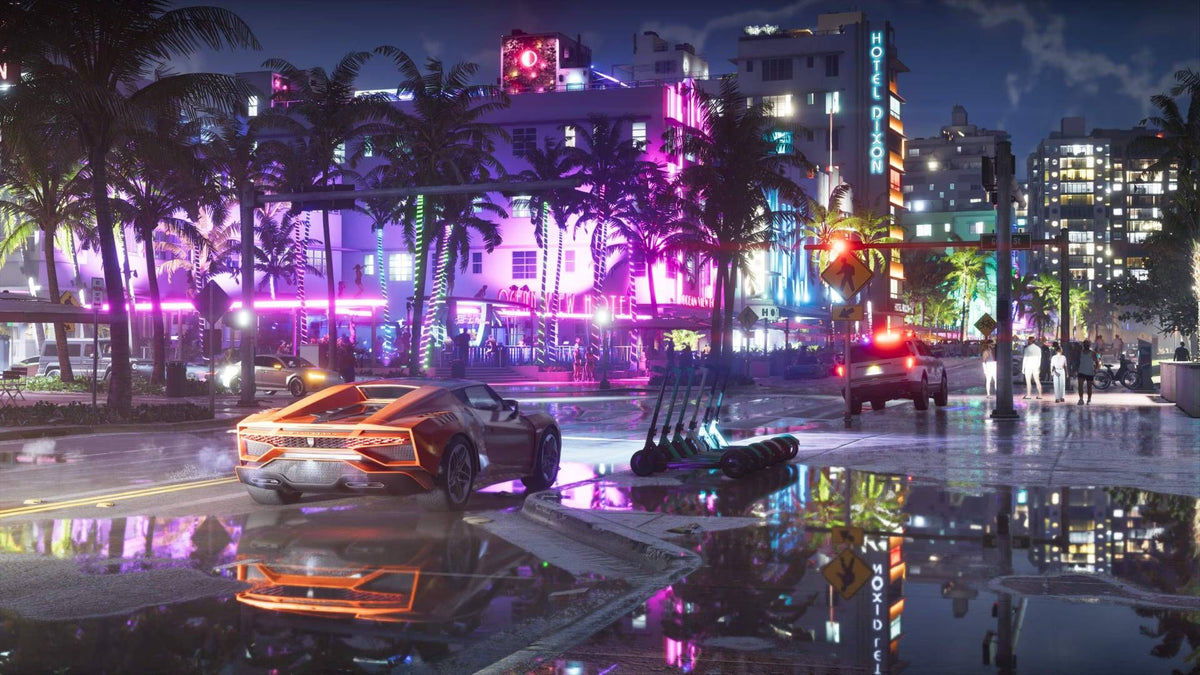
GTA 6 Is Still Undergoing Changes: Why That Matters If You Need a Gaming PC for GTA 6 in Canada
The latest GTA 6 news is a useful reminder for anyone shopping for a new system: big modern games are still evolving right up to launch, and that makes buying the right gaming PC for GTA 6 more important than ever. According to reporting summarized in the source article, Rockstar leadership has openly acknowledged that the game was still changing close to release, with the message that a project of this scale is never completely settled. For Canadian buyers, that is not just interesting industry news. It is a practical buying signal.
If a game as massive as GTA 6 is still being adjusted near launch, what does that usually tell us? It tells us to expect optimization shifts, day-one patches, post-launch updates, evolving performance behaviour, and heavy demand from players who suddenly realize their current hardware may not deliver the experience they want. If you are wondering whether your next PC should be built for 1080p, 1440p, 4K, ray tracing, streaming, recording, editing, or all of the above, this is exactly the time to think carefully.
At Groovy Computers, we look at moments like this through a Canadian custom-PC lens. Hype around major releases does not just move game culture. It can move hardware demand, GPU availability, system pricing pressure, and upgrade urgency. The smartest buyers usually ask the right questions before launch week, not after.
What does Rockstar’s “the game is never completely settled” comment really mean for PC buyers?
The source article makes a simple but important point: giant games are not static products. They are complex technical ecosystems. Teams continue refining visuals, stability, world behaviour, performance targets, and bug fixes even in the final stretch. That does not mean something is wrong. It means modern AAA development is massive.
For PC buyers, that matters because your hardware decision should not be based only on a minimum-spec mindset. A game like GTA 6 is the kind of release people want to enjoy, not merely launch. Do you want smooth city driving at high settings? Do you want stronger frame pacing during crowded scenes? Do you want room for patches, expansions, driver changes, and next-year games too? Those are very different goals from simply asking, “Can it run?”
A weak or aging system may technically survive a launch window, but still leave you lowering settings sooner than expected. A stronger custom build gives you more headroom for updates, mods, multitasking, background apps, and the wider wave of new open-world games that usually follow industry-defining releases.
Why should Canadian buyers think differently before a game like GTA 6 launches?
Canadian buyers often deal with a different reality than broad global headlines suggest. Exchange rates, import costs, component availability, shipping timing, and regional demand can all shape the final price of a system. If a major game release triggers another rush toward GPU-heavy gaming systems, waiting too long can narrow your options or push you toward lower-value choices.
That is especially true if you are shopping for a Gaming PC Canada buyers can trust for both today’s titles and what comes next. A launch as large as GTA 6 can influence more than one category at once:
- Gaming demand rises as people upgrade for better settings and smoother performance.
- Streaming demand rises as creators prepare content, livestreams, clips, and reaction videos.
- Editing and creator demand rises as YouTubers, short-form editors, and social teams need stronger export and multitasking performance.
- Premium GPU pressure rises if buyers target high-refresh 1440p or 4K performance.
So the better question is not just “Should I upgrade?” It is also “What kind of system will stop me from needing another upgrade too soon?”
What do you want your next PC to do for you?
Before you choose a budget, choose an outcome. Are you buying a new PC only for GTA 6, or are you also planning for the rest of your library? Are you going to play competitive shooters on the same system? Do you want to stream to Twitch or YouTube? Do you edit clips in Premiere Pro, DaVinci Resolve, or CapCut? Do you create thumbnails in Photoshop or Illustrator? Do you want one machine that covers gaming, content creation, and school or work?
These questions matter because the right build for one buyer can be the wrong build for another. A customer who wants strong 1080p gaming and basic multitasking does not need the same machine as someone who wants ultra settings, ray tracing, OBS, Discord, browser tabs, and 4K video editing all on one desktop.
If you are unsure, start with this:
- What games do you play most often?
- Are you targeting 1080p, 1440p, or 4K?
- Do you care about ray tracing and high texture settings?
- Will you stream, record, or edit gameplay?
- Do you also need performance for photo editing, graphic design, or content creation?
- Are you buying to last several years, or only to get by right now?
Once you answer those, your ideal system category becomes much easier to identify.
What performance tier fits your GTA 6 and open-world gaming goals?
Entry tier: Is a budget gaming PC enough for you?
If your goal is practical value, an entry-level or lower-midrange build may still make sense. This is the kind of buyer asking: Do I mainly want 1080p gaming? Am I comfortable making settings compromises in newer AAA titles? Do I mostly play a mix of esports games and only occasionally dive into demanding open-world releases?
A Budget Gaming PC Canada shoppers choose should focus on balanced value, not just the cheapest possible spec list. The wrong budget machine can become expensive if it forces an early upgrade. The right one should still give you a modern CPU platform, enough RAM for current games, fast SSD storage, and a GPU that can handle major releases without feeling obsolete immediately.
This tier can be good for:
- 1080p gaming on sensible settings
- Students buying a first gaming desktop
- Players upgrading from much older hardware
- Buyers who want to enter PC gaming without overspending
But ask yourself honestly: if GTA 6 is the game pushing you to upgrade, do you want to buy the bare minimum today and then wish you had gone one step higher six months later?
Midrange tier: Is 1440p the real sweet spot for your next system?
For many Canadian buyers, midrange is where the smartest value lives. If you want strong performance in new AAA games, better visual quality, more headroom for future patches, and the ability to enjoy modern open-world games without constant compromise, this is often the best lane.
A strong 1440p Gaming PC Canada buyers choose can hit the balance between visual quality, long-term satisfaction, and upgrade resistance. It is also a much better fit for buyers who want some combination of:
- Higher refresh gaming
- Better texture and lighting settings
- Stronger minimum frame rates in busier scenes
- Light streaming or recording
- General creator use on the same machine
If you are asking, “What PC do I need for 1440p gaming?” this is probably the category worth your closest attention. It gives you more room for demanding releases like GTA 6 without jumping straight into the premium price class.
High-end tier: Are you buying for 4K, ray tracing, and long-term headroom?
Some buyers do not want to revisit the decision in a year. They want stronger longevity, premium visuals, and more confidence that big future titles will still feel great. If that sounds like you, a High End Gaming PC Canada customers invest in can be the smarter long-term purchase.
This tier is ideal for buyers asking:
- What PC do I need for 4K gaming?
- Do I need an RTX-class GPU for ray tracing and heavy AAA games?
- How long will a high-end gaming PC last?
- Should I finance a stronger system now instead of settling for less?
If you are targeting 4K, high settings, ray tracing, content creation, and premium responsiveness, it usually makes more sense to buy the machine that matches the experience you actually want rather than the one you hope will be “good enough.”
Are you only gaming, or do you also want to stream and create content?
The source story is about GTA 6, but the buying reality around a release this big goes beyond gaming alone. Plenty of customers are not just players. They are streamers, editors, creators, students, freelancers, and side-hustle owners.
If you plan to stream GTA 6 gameplay, capture footage, cut shorts, upload reviews, or build a YouTube or TikTok channel, the system you need may be closer to a Gaming and Streaming PC Canada buyers rely on than a pure gaming box. That means thinking about more than frame rates.
You should also ask:
- Do I need better CPU multitasking for OBS and background apps?
- Do I want an RTX GPU for efficient encoding and creator workflows?
- How much RAM do I need for streaming and editing?
- Will extra SSD storage save me from deleting footage constantly?
A machine built for gaming plus streaming can save you from a frustrating middle ground where gameplay is fine until recording, browser tabs, voice chat, and scene changes all happen at once.
Could a GTA 6 upgrade actually be a creator PC decision?
For many customers, yes. Major game launches often trigger upgrades from creators who need one desktop to do everything. If that sounds familiar, your real search may not be “best gaming PC” at all. It may be “best PC for YouTube editing and streaming” or “what PC do content creators need?”
A proper Creator PC Canada setup should handle gaming, editing, export workloads, thumbnails, social content, and multitasking without feeling like a compromise machine. If you work in Adobe Creative Cloud, DaVinci Resolve, Photoshop, Lightroom, Illustrator, or similar software, component balance matters a lot.
You may need:
- A stronger multi-core CPU for rendering and exports
- More RAM for editing timelines and creative multitasking
- A fast SSD setup for game installs, project files, and media cache
- A GPU that supports both gaming and accelerated creative workloads
Are you buying a machine just to play one game, or are you buying a workstation-grade daily driver that can also dominate game night? The answer changes everything.
What if you also edit video, photos, graphics, or 3D work?
One of the biggest mistakes buyers make is assuming a gaming-focused headline means the buying decision is only about gaming. In reality, many customers use one desktop for work and play. That is why Groovy Computers helps buyers match systems to actual workload, not just trend cycles.
Video editing
If you edit gameplay footage, podcasts, product videos, or YouTube content, a Video Editing PC Canada buyers trust should be designed around timeline smoothness, render speed, storage responsiveness, and memory capacity. Ask yourself: Are you editing 1080p clips, 4K footage, multicam projects, or heavy effects? Do you use Premiere Pro, DaVinci Resolve, or After Effects? How much waiting time are you losing on exports right now?
Photo editing
If your workflow includes Photoshop, Lightroom, Capture One, or AI photo tools, a Photo Editing PC Canada build should focus on snappy responsiveness, RAM, fast storage, and a balanced GPU rather than gaming-first priorities alone. Are large RAW libraries slowing you down? Are you batch exporting, retouching, and browsing high-resolution files every day?
Graphic design
Graphic designers often need a quiet, stable system for Adobe Illustrator, Photoshop, InDesign, Canva workflows, web assets, branding packages, and multi-monitor productivity. If that is your world, the better question is not “Can a gaming PC do this?” but “Would a custom balanced design-focused build serve me better long term?”
3D modeling and rendering
If you use Blender, Unreal Engine, CAD, Maya, Cinema 4D, or 3D visualization tools, your needs move into workstation territory quickly. A 3D Modeling PC Canada or rendering-focused workstation should be selected around viewport performance, render speed, CPU versus GPU workload balance, RAM capacity, thermals, and long-session reliability.
In other words, a GTA 6 headline can still lead to a workstation conversation if what you really need is one machine that handles gaming plus serious production work.
Is it better to buy now or wait until after a major game release?
This is one of the most important buying questions, and the source article makes it more relevant. When a blockbuster release is still changing close to launch, anticipation builds, hardware discussion spikes, and more buyers start planning upgrades. That can create a less comfortable shopping environment later.
Waiting is not always wrong. But ask what you are waiting for. Are you waiting because your current PC is still strong and you genuinely want more information? Or are you waiting out of hesitation, even though you already know your system is behind your goals?
Potential risks of waiting too long include:
- Higher demand on popular gaming GPU tiers
- Less flexibility in build choices
- Delayed fulfillment during peak interest windows
- Buying under pressure once your current system disappoints
- Paying more overall if multiple component categories climb
If your question is “Is now a good time to buy a gaming PC?” the answer depends on your urgency, your budget, and your current machine. But if you already know you want a stronger build before a huge AAA release cycle ramps up, acting earlier is usually the calmer and smarter move.
How do pricing shifts affect the total cost of a custom PC?
Many buyers look only at GPU headlines, but full-system pricing can shift in several places at once. A gaming or creator desktop is not one part. It is a full performance ecosystem, and changes in one category often influence the final cost of the whole machine.
That includes:
- GPUs: the biggest factor for many gaming-focused systems
- CPUs: especially important for streaming, editing, and workstation loads
- RAM: critical for modern multitasking, editing, and future readiness
- SSDs: increasingly important as games and media files grow larger
- Cooling and power delivery: often overlooked, but essential in premium systems
If GTA 6 is one of several reasons you plan to upgrade, it may make sense to secure a properly balanced custom build before your ideal spec range becomes more expensive to recreate later.
Should you finance a stronger PC instead of buying a weaker one?
For many customers, this is the real decision. Not “Can I buy a PC?” but “Should I stretch carefully into the right one?” If you are trying to avoid replacing a too-small system early, financing can be a practical tool rather than an impulse move.
At Groovy Computers, this matters because a buyer comparing an underpowered cash purchase versus a better balanced financed build is often really choosing between short-term compromise and long-term satisfaction. If financing helps you step up to the GPU, CPU, RAM, or storage tier you actually need, it can reduce upgrade regret.
Ask yourself:
- Should I finance a better PC instead of buying a cheaper one?
- Will a stronger build last me longer and delay my next upgrade?
- Do I need this system for gaming and income-producing creative work?
- Would monthly payments make a better machine realistic right now?
For buyers preparing for demanding game releases and creator workloads, Finance Gaming PC Canada options can make the right system accessible before replacement costs rise further. Groovy Computers offers financing up to 4 years, which can be especially useful if your ideal machine is meant to cover gaming, streaming, editing, and workstation-style use all in one tower.
What kind of buyer should choose which build category?
If you are a first-time or value-focused gamer
Look at a balanced entry or midrange system. You probably care most about stable 1080p gaming, fast load times, and better value than an off-the-shelf generic machine. Ask: Do I want a first gaming PC that leaves room to grow, or do I want the absolute lowest upfront price even if it ages quickly?
If you are a serious AAA gamer
You likely want a stronger GPU tier, better cooling, and enough platform headroom for demanding releases. Ask: Do I want to enjoy open-world games at high settings for the next few years without immediately shopping again?
If you stream and record gameplay
You need a system built for multitasking, encoding efficiency, and memory overhead. Ask: Do I want a gaming-only machine, or a streaming-ready setup that handles OBS, clips, browser tabs, and background tools smoothly?
If you are a creator
You may need a custom creator desktop more than a gaming-first system. Ask: Am I editing videos, exporting social content, building thumbnails, grading footage, and switching between apps all day?
If you use Blender, Unreal, CAD, or rendering tools
You should consider a workstation-grade build path. Ask: Is a gaming-focused spec enough, or do my software demands justify a more professional CPU, GPU, RAM, and cooling balance?
Why custom matters more than ever when big games and workloads keep changing
The source article highlights a truth about software: it evolves. That is one reason custom PC selection matters so much. Generic systems often look good on a product card but hide compromises in cooling, power supply quality, motherboard choice, memory configuration, or upgrade path.
A Custom Gaming PC Canada buyer chooses should be designed around what they actually do, not around a one-size-fits-all parts list. The same logic applies to creator PCs and workstation builds. Custom selection helps you avoid overpaying in the wrong places while also preventing underbuying in the parts that actually affect your experience.
That means matching:
- GPU power to your target resolution and settings
- CPU strength to gaming, streaming, and software demands
- RAM capacity to modern multitasking and creative apps
- SSD layout to game installs, footage, project files, and workflow speed
- Cooling and power delivery to reliability and longevity
When a game like GTA 6 becomes the headline, buyers often focus only on the graphics card. But the better result usually comes from a full-system strategy.
Why do testing and warranty support matter when you are spending real money?
Because confidence matters. A custom system should not just be powerful on paper. It should be built, tested, and delivered with care. Groovy Computers emphasizes rigorous testing and a 1-year warranty because reliability is part of value, especially for buyers using one PC for gaming, school, work, or creative output.
If you are ordering a desktop in Canada, especially from outside your immediate local area, you should ask more than “What are the parts?” You should also ask:
- Has the system been properly stress tested?
- Was the part selection balanced by actual builders?
- Is there support after the sale?
- Will this machine arrive ready for the way I actually use a PC?
Those questions become even more important when you are spending for a premium GPU, a creator-focused workstation, or a build you expect to last.
Why Groovy Computers is a strong fit for Canadian buyers
Groovy Computers is built around what many shoppers actually need: guidance, customization, performance matching, financing flexibility, and trust. Instead of forcing customers into a generic box, the goal is to help buyers in Canada choose the right desktop category for the way they game, create, work, and upgrade.
That includes buyers looking for:
- Custom gaming desktops for new AAA releases
- Balanced systems for 1080p, 1440p, or 4K gaming
- Gaming and streaming PCs
- Creator systems for editing, design, and content production
- Workstations for demanding 3D and professional software
- Financing options that help secure a stronger build sooner
- Canada-wide confidence from a Canadian custom PC builder
Whether you are in Nova Scotia, elsewhere in Atlantic Canada, or ordering from another region of the country, the value is the same: a system chosen for your real use case, with testing and support behind it.
What should you ask before choosing your next PC?
If GTA 6 is pushing you toward a new system, do not stop at “How much does a gaming PC cost?” Ask better questions first.
- What do I want this PC to do for me over the next few years?
- Am I buying for 1080p, 1440p, or 4K?
- Do I care about ray tracing or high-refresh gaming?
- Will I stream, record, or edit video?
- Do I also need Photoshop, Lightroom, Premiere Pro, Blender, or CAD performance?
- Would financing help me buy the right system instead of a temporary compromise?
- Do I want to avoid upgrading again too soon?
Those answers will point you toward the right tier much faster than chasing random spec lists online.
If you are buying before GTA 6, what is the smartest move right now?
The smartest move is to buy intentionally. Use the GTA 6 news cycle as a reason to evaluate your needs honestly. If your current system is already struggling in recent AAA games, if you want better 1440p or 4K performance, if you plan to stream or create content, or if you know a major upgrade is inevitable, then delaying may only make the decision harder later.
And if budget is the thing holding you back, financing may be the bridge between the PC you can settle for and the PC you will actually enjoy using. That is especially true if your next machine needs to cover gaming, streaming, video editing, photo editing, graphic design, content creation, or 3D workloads all at once.
Are you wondering what performance tier fits your budget and goals best? Are you trying to decide between a budget gaming desktop, a premium RTX build, a creator PC, or a workstation-style system? Visit GroovyComputers.ca and let Groovy Computers help you choose a custom build that makes sense for how you play and work.
Final thoughts: GTA 6 hype is exciting, but your PC decision should be strategic
The source article’s core message is simple: even a month before release, a game like GTA 6 can still be changing. For players, that builds anticipation. For buyers, it should build awareness. A major launch is exactly when you want enough hardware headroom, not just enough hardware to scrape by.
If you need a gaming PC for GTA 6, now is the right time to think beyond launch day. Think about your target resolution, your content plans, your software needs, your upgrade timeline, and whether financing a stronger system now could save you from replacing a weaker one too soon. Groovy Computers gives Canadian buyers a better path: custom builds, thoughtful performance matching, rigorous testing, a 1-year warranty, and financing options up to 4 years for those who want to buy smarter.
#GamingPCforGTA6 #GamingPCCanada #CustomGamingPCCanada #GamingAndStreamingPCCanada #CreatorPCCanada #VideoEditingPCCanada #3DModelingPCCanada #CanadianCustomPCBuilders #NovaScotiaComputers #GroovyComputers
Groovy Computers | All Rights Reserved



Leave a comment
This site is protected by hCaptcha and the hCaptcha Privacy Policy and Terms of Service apply.