
































GTA 6 on Nintendo Switch 2? Why This News Matters for Anyone Shopping for a Gaming PC in Canada
The latest GTA 6 on Nintendo Switch 2 conversation is doing more than fueling gaming rumours. It is reminding buyers of a bigger reality: when a massive open-world game pushes hardware limits, platform choice matters. For Canadian gamers, creators, and streamers, that makes this a smart time to think beyond one console headline and ask a more practical question: what kind of system will actually give you the performance you want for the next wave of demanding games?
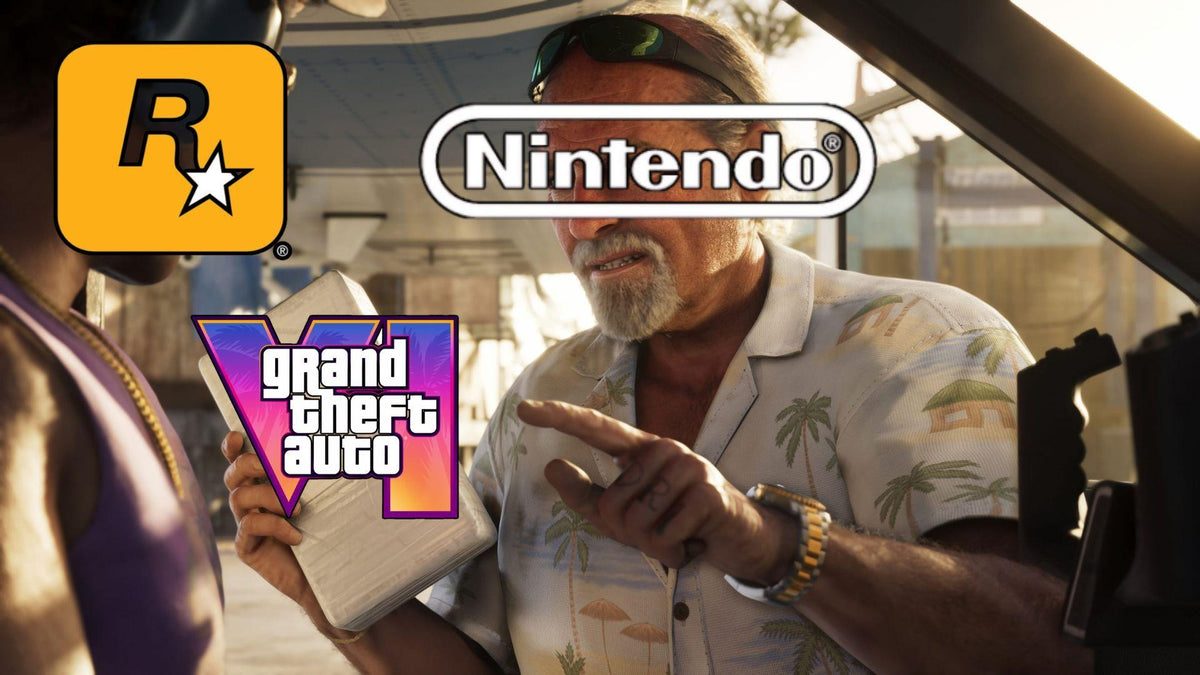
According to the source material, a Nintendo executive was asked directly whether GTA 6 could come to the Nintendo Switch 2. The answer was cautious and non-committal, with the decision effectively left to Rockstar and Take-Two. That is not a yes, and it is not a no. It is a reminder that some of the biggest upcoming releases may be limited by platform power, developer priorities, and the compromises needed to make modern AAA games run on smaller hardware.
For shoppers in Canada, this is where the story becomes more useful than speculative. If a game as technically ambitious as GTA 6 may require reduced resolution, heavy upscaling, lowered settings, or capped frame rates to fit on weaker hardware, what does that mean for your next purchase? Are you trying to play new releases at 1080p? Are you aiming for 1440p high refresh gaming? Do you want ray tracing, smooth streaming, fast load times, and room to grow over the next few years without replacing your machine too soon?
That is where a properly matched desktop matters. At Groovy Computers, this kind of industry news is not just entertainment. It is a buying signal. When a major title starts exposing the performance limits of portable and entry-tier hardware, many buyers begin rethinking whether a console-only setup is enough, or whether a custom gaming PC in Canada makes more long-term sense.
What did Nintendo actually say about GTA 6 on Switch 2?
The key takeaway from the source article is simple: Nintendo did not confirm a GTA 6 release for Switch 2. The company did not reject the idea either, but the response was carefully framed as a matter for the publisher and developer. That kind of language usually means there is no public announcement to share, and no clear commitment that buyers can rely on.
Why does that matter? Because uncertainty affects buying decisions. If you are counting on one specific platform for one specific game, uncertainty can leave you waiting, compromising, or spending twice. First on the hardware you hoped would run it, and later on the hardware that actually does.
That is especially relevant for players who follow blockbuster franchises. GTA 6 is expected to be one of the most demanding and talked-about games of its generation. If there is even open debate around whether a hybrid system can run it natively at an acceptable standard, that should push buyers to think carefully about performance headroom, not just launch hype.
Why is GTA 6 on Nintendo Switch 2 even in doubt?
The source article points to the technical challenge, especially on the CPU side. That is an important detail because gamers often focus only on the graphics card or visual fidelity. In massive open-world games, however, the CPU plays a huge role in simulation, AI behaviour, traffic systems, NPC density, streaming world assets, and maintaining consistent frame pacing.
If a system is underpowered in those areas, the issue is not always just lower image quality. It can also mean reduced world complexity, unstable performance, longer loading, more aggressive pop-in, and a less convincing version of the game overall.
That is why GTA 6 on Nintendo Switch 2 has become such a hot topic. Even if modern upscaling can help reduce GPU load, it does not magically erase CPU limitations. So the real debate is not simply, “Can it launch?” The better question is, “What kind of version would players actually get?”
Now bring that thinking into your own buying decision. Are you the kind of player who is happy with a scaled-down version as long as the game runs? Or do you want the full experience with better draw distance, stronger settings, smoother frame delivery, and flexibility for future AAA titles? Your answer changes the kind of system you should buy.
Why Canadian buyers should look past the rumour and think about hardware strategy
In Canada, gaming hardware decisions are often more expensive to undo. Shipping costs, replacement timing, sales cycles, and component availability can all affect the final value of your purchase. That means buying the wrong performance tier is not a small mistake. It can leave you upgrading earlier than expected, or paying more later when GPUs, SSDs, or memory kits move upward in price.
That is why this GTA 6 on Nintendo Switch 2 story matters beyond Nintendo fans. It highlights a pattern we see every time a major game generation matures: software gets heavier, optimization expectations rise, and low-headroom systems age faster than buyers expect.
If you are shopping for a Gaming PC Canada buyers can rely on for new releases, the better move is to buy around the performance level you actually want, not the minimum level you hope might work. A properly selected desktop gives you more control over resolution, visual quality, frame targets, cooling, storage, upgradeability, and long-term value.
What do you want your next PC to do for you?
Before you buy anything, ask yourself a direct question: what do you want your next PC to do for you over the next two to four years?
Do you just want to play GTA 6-style open-world games at good settings without worrying about compromises? Do you want a system that can handle shooters, racing games, RPGs, and live-service titles at 1080p or 1440p? Are you planning to stream to Twitch or YouTube while gaming? Do you also edit videos, work in Photoshop, design graphics, or render 3D scenes in Blender?
A lot of buyers start with one game in mind, but the smarter question is broader. Will your PC only be for gaming on weekends, or will it also be your daily workstation, your editing suite, your content creation setup, and your upgrade-safe platform for future titles?
If the answer is “more than just one game,” then choosing the right custom desktop becomes much more important than chasing one rumoured console port.
What gaming performance tier fits you best?
One of the most useful ways to shop is by performance tier instead of by hype. Not every buyer needs the same machine, and not every trending game demands the same budget.
Entry tier: good for 1080p gaming and esports
If your goal is mainly 1080p gaming, competitive titles, lighter AAA settings, and strong everyday use, an entry-tier build can make sense. This kind of system is often ideal for buyers asking, “What gaming PC do I need if I mostly play popular multiplayer games and want solid value?”
It may also suit students, first-time desktop buyers, or households that want a Budget Gaming PC Canada shoppers can grow into. The important part is balance. You still want a capable CPU, enough RAM, and fast SSD storage so the system feels modern and responsive rather than disposable.
Mid tier: the sweet spot for 1440p and new releases
For many buyers, the sweet spot is a 1440p Gaming PC Canada setup with enough GPU strength for modern AAA titles, enough CPU power to avoid bottlenecks, and enough memory for gaming plus background apps, browser tabs, Discord, launchers, recording software, and light editing.
If you are reading about GTA 6 on Nintendo Switch 2 and thinking, “I do not want to wonder whether the game will be compromised,” this is often the tier where confidence starts to improve. A strong mid-range custom gaming PC gives you more breathing room for future titles and often delivers the best blend of cost, settings, and lifespan.
High end: for 4K, ray tracing, streaming, and longevity
If you want 4K Gaming PC Canada performance, heavier ray tracing, high refresh 1440p, premium visuals, or room for demanding games over a longer cycle, a high-end build is the right conversation. This is where buyers should ask deeper questions. How long do you want your system to last before major upgrades? Do you want to game and stream at the same time? Are you trying to avoid buying “just enough” now and then replacing it sooner than expected?
For premium buyers, the value is not only about frame rates today. It is about delaying obsolescence, improving smoothness, reducing compromise, and gaining a better overall experience across gaming, multitasking, and creative work.
What if you also want to stream, edit, or create?
This is where many shoppers underestimate their needs. A lot of people searching for a gaming desktop are not just gamers anymore. They are streamers, aspiring YouTubers, social media creators, students in design programs, editors working with 4K footage, photographers handling RAW files, or 3D hobbyists experimenting with rendering and animation.
So ask yourself: do you need a system only for gameplay, or do you need a machine that also handles OBS, Premiere Pro, DaVinci Resolve, Photoshop, Illustrator, Blender, or Unreal Engine?
If yes, then your decision is no longer just about a gaming tower. It may be time to look at a Creator PC Canada build, a Video Editing PC Canada configuration, or even a 3D Modeling PC Canada workstation depending on your workload.
Gaming and streaming
If you want to play demanding titles while streaming, your PC needs more than just enough gaming power. Encoding, scene management, browser sources, capture handling, chat tools, overlays, and background tasks all add load. A balanced Gaming and Streaming PC Canada setup can save you frustration later by giving you stronger multitasking performance from day one.
Are you planning to stream at 1080p? Do you want stable frame rates while gaming live? Do you want to clip content for short-form video later? Those are exactly the kinds of questions that should shape your build.
Video editing and content creation
If your workflow includes editing footage, exporting regularly, or running multiple Adobe apps together, then the right PC for your needs may look different from a pure gaming build. A proper Video Editing Workstation Canada approach may prioritize more CPU power, more memory, larger and faster storage, and a GPU that helps with playback, effects, AI tools, and export acceleration.
Are you editing 1080p clips, 4K timelines, or multi-camera content? Do you work in Premiere Pro, DaVinci Resolve, After Effects, or CapCut? Do you need quick exports because time literally affects your income? Then your buying decision should be made around workflow efficiency, not just game benchmarks.
Photo editing and graphic design
For photographers and designers, responsiveness matters in different ways. Import speed, catalogue handling, brush smoothness, high-resolution previewing, batch exports, multitasking, and colour workflow all become more important. A proper Photo Editing PC Canada or Graphic Design PC Canada setup should feel fluid all day, not just fast in one benchmark run.
Are you working in Photoshop and Lightroom? Illustrator and InDesign? Adobe Creative Cloud across multiple monitors? If so, choosing the right CPU, RAM, SSD layout, and display-ready configuration matters more than buying the flashiest gaming label.
3D modeling and workstation use
If you are using Blender, Unreal Engine, CAD tools, rendering software, or asset creation pipelines, then you may need a true workstation-minded system. A 3D Rendering PC Canada build often needs more memory, stronger sustained cooling, and hardware selected around render time, viewport smoothness, and project complexity.
What PC do you need for Blender? What workstation PC do you need if you model by day and game by night? Those are exactly the kinds of buyer-stage questions Groovy Computers can help solve with a build that is matched to the actual software you use.
Is it better to buy now or wait?
This is one of the most common buying questions, and it becomes more important whenever a huge game release is approaching. If software demand rises, many shoppers rush at the same time. That can put pressure on full-system inventory, popular GPU tiers, memory kits, and SSD pricing.
Waiting can make sense if your current system already does everything you need. But waiting can also backfire if you are already near the edge of acceptable performance. If your current PC struggles in modern games, stutters while streaming, crawls through exports, or leaves no room for future titles, delaying the purchase may simply mean paying more later for the same or slightly better result.
Ask yourself a practical question: are you trying to time the perfect market, or are you trying to secure the right machine before your current one becomes the problem?
That is a much better decision framework than chasing rumours or assuming every next-gen title will scale gracefully to weaker hardware.
Should you buy a cheaper PC now or finance a stronger one?
This is where a lot of smart buyers change direction. If you know you need more than an entry-level system, buying too low just to reduce the upfront cost can be expensive in the long run. A cheaper machine may need replacement sooner, struggle in demanding games sooner, and deliver less satisfaction from the start.
So the real question becomes: should you settle for less now, or secure a stronger system that lasts longer?
For many Canadian customers, financing is what makes that choice practical. If monthly affordability matters, spreading out the cost can help you move into a better GPU tier, a stronger CPU class, more RAM, or a larger SSD now instead of cutting too many corners. That can be especially helpful when you want a system for both gaming and creative work, or when you want to avoid buying again too soon.
Groovy Computers offers financing options up to 4 years, which can help buyers lock in a more capable custom build before replacement costs rise further. If you have been asking yourself, “Should I finance a better PC instead of buying a cheaper one?” the answer often depends on how quickly you would outgrow the lower tier.
Why custom builds matter more when new games get heavier
When big releases start exposing hardware limitations, generic one-size-fits-all systems become less appealing. A custom build lets you target the actual use case. That means your money goes toward the parts that matter most for your goals instead of getting wasted on weak pairings, limited cooling, or upgrade-hostile shortcuts.
A Custom Gaming PC Canada buyer should not have to guess whether the CPU is too weak for modern open-world games, whether the power supply is future-safe, whether the cooling can sustain performance, or whether the case airflow is good enough for long sessions. Those details matter more as software gets heavier.
The same is true for creator systems. If you edit, stream, design, or render, component matching becomes even more important. The right machine is not the one with the loudest spec headline. It is the one built around your actual workload.
Why Groovy Computers makes sense for Canadian buyers
Groovy Computers is built around the needs of Canadian buyers who want more than a random box with flashy marketing. Whether you need a gaming desktop, a creator build, or a workstation-class system, the value comes from proper part selection, real testing, support confidence, and a system designed for what you actually do.
That is especially important if you are shopping from Nova Scotia, Atlantic Canada, or anywhere else in the country and want a Canadian PC builder that understands performance tiers, upgrade paths, and practical long-term value. You are not just buying parts. You are buying a completed system strategy.
Groovy Computers also backs systems with rigorous testing and a 1-year warranty, which matters when you are investing in a machine for major game releases, daily work, or multi-purpose use. Reliability is not a bonus feature. It is part of the value.
What kind of buyer should choose which kind of build?
If you mainly want to play new games smoothly
Choose a gaming-focused build based on your real resolution target. If you want stable 1080p and strong value, start with a balanced entry-level or lower-mid configuration. If you want 1440p and better longevity, step into a stronger mid-tier GPU and CPU pairing. If you want ultra settings, ray tracing, or 4K ambitions, look at a premium build with more headroom.
If you want gaming plus streaming
Move up from a pure gaming spec. Streaming rewards balance. More CPU breathing room, enough RAM, and a capable GPU can make the difference between a frustrating setup and one that feels ready for long sessions and multi-app use.
If you want gaming plus editing or design
Think hybrid creator build. This kind of machine can still game very well, but it should also be selected around editing responsiveness, export performance, and multitasking. If you use Adobe apps, Resolve, or multiple creator tools, do not underbuy memory or storage.
If you want professional 3D, rendering, or workstation performance
Buy for your software first and gaming second. A workstation-oriented system should be designed around render loads, scene complexity, RAM needs, cooling, and sustained performance. If gaming is also part of the plan, that can absolutely be included, but it should not come at the expense of your core productivity tasks.
Questions to ask yourself before you buy your next PC
- What games or software do I actually use most?
- Am I targeting 1080p, 1440p, or 4K?
- Do I care about ray tracing, high refresh rates, or ultra settings?
- Will I stream, record gameplay, or edit content?
- Do I use Premiere Pro, DaVinci Resolve, Photoshop, Illustrator, Blender, or CAD tools?
- Do I want a system that lasts longer so I do not need to upgrade too soon?
- Would financing help me secure the right build now instead of settling for less?
- Do I want a custom PC that is tested, supported, and built in Canada?
The real lesson from the GTA 6 on Nintendo Switch 2 debate
The real takeaway is not just whether one game may or may not come to one platform. The bigger lesson is that game requirements are rising, hardware compromises are becoming more visible, and buyers need to be more intentional about what they purchase next.
If a blockbuster title already raises serious performance questions for portable-class hardware, that should tell you where the market is heading. More ambitious worlds, more CPU pressure, more storage demands, and more expectation around visual quality all point in the same direction: if you want fewer compromises, you need more headroom.
That does not mean every buyer needs a flagship tower. It means every buyer should choose a system based on real future use, not wishful minimums.
Need help choosing the right build for gaming, streaming, or creative work?
Are you trying to figure out whether you need a budget gaming desktop, a premium RTX-based gaming rig, a custom creator PC, or a workstation for editing and 3D workloads? Are you wondering if now is the right time to buy before demand spikes around major releases? Do you want help choosing a system that fits your performance target without wasting money on the wrong parts?
If so, Groovy Computers is the place to start. Visit GroovyComputers.ca to explore custom builds, get guidance on the right performance tier, and find a system designed for how you actually game, create, work, and upgrade in Canada.
Final thoughts: buy for the experience you want, not the compromise you fear
The GTA 6 on Nintendo Switch 2 discussion is interesting because it exposes a simple truth: some experiences are defined by compromise, and some are defined by capability. If you are serious about modern gaming, future releases, streaming, editing, or creator work, this is the right time to think carefully about the machine you will rely on next.
A strong, properly matched desktop gives you clarity. It gives you confidence going into new game launches. It gives you room to create, multitask, and grow. And for many buyers, it is the difference between asking whether a game might run and knowing your system is ready.
#GTA6 #NintendoSwitch2 #GamingPCCanada #CustomGamingPCCanada #GamingPCForNewGames #1440pGamingPCCanada #4KGamingPCCanada #CreatorPCCanada #VideoEditingPCCanada #3DModelingPCCanada #CanadianCustomPCBuilders #NovaScotiaTech
Groovy Computers | All Rights Reserved

Leave a comment
This site is protected by hCaptcha and the hCaptcha Privacy Policy and Terms of Service apply.