































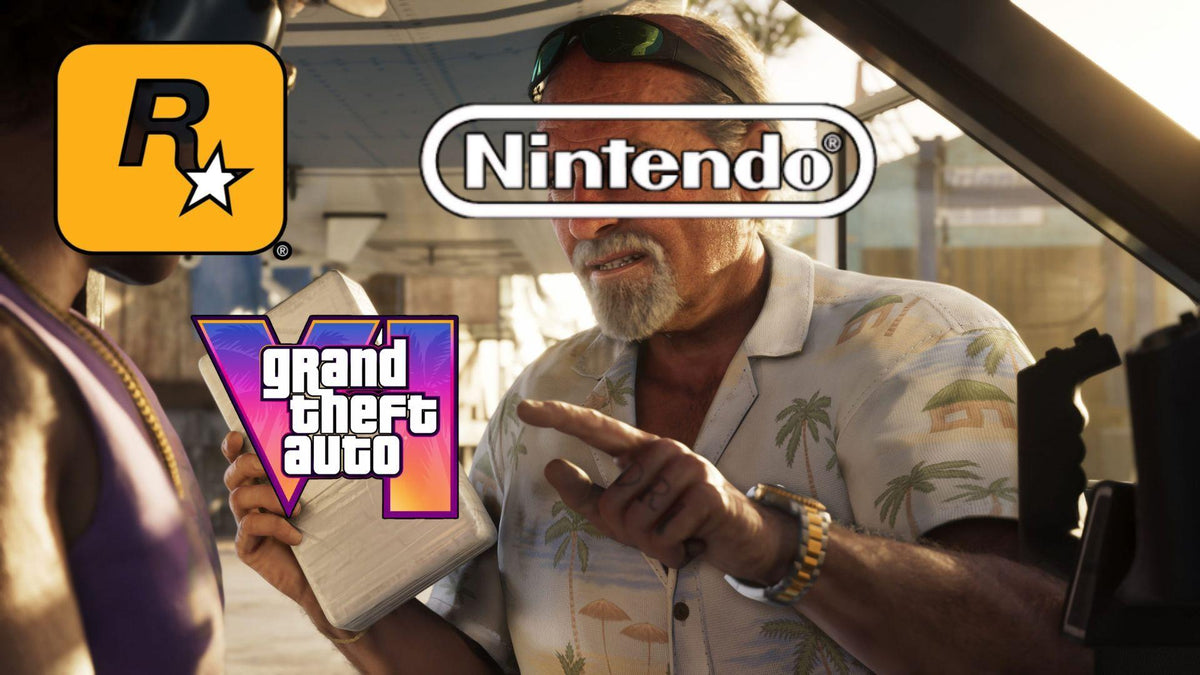
GTA 6 on Switch 2? Why This News Matters More for Canadian Gamers Shopping for a Gaming PC
The latest GTA 6 on Switch 2 discussion is getting attention for a simple reason: Nintendo leadership reportedly says the hardware could run Grand Theft Auto VI, but whether a port happens is still up to Rockstar. That is big news for players following the future of one of the most anticipated games in years. But for Canadian buyers, the bigger question is not just whether GTA 6 lands on another console. The real question is this: what are you planning to play GTA 6 on, and is your next system ready for the kind of games launching now?
If you have been waiting for clearer signals on where GTA 6 may appear beyond current consoles, this update changes the conversation. It does not confirm a Nintendo release. It does not guarantee timing. It does, however, reinforce something PC buyers should already be thinking about: modern AAA games are demanding more power, more VRAM, faster storage, and better overall system balance than ever before.
For many buyers across Canada, that leads naturally to another question: if a handheld-style console needs serious horsepower just to enter the conversation, what should your desktop look like if you want better visuals, higher frame rates, ray tracing, streaming, recording, mods, multitasking, or long-term upgrade flexibility?
What the GTA 6 on Switch 2 Story Really Tells Us
The headline is easy to summarize. Nintendo appears confident enough in Switch 2 capability to avoid shutting the door on GTA 6. That matters because it suggests the hardware discussion is no longer purely hypothetical. Even so, there is still no announced port, no release confirmation for that platform, and no guarantee that Rockstar will prioritize it.
So what does that mean for buyers? It means performance conversations are shifting. Instead of asking whether GTA 6 is too big for certain systems, people are now asking how much hardware is enough to enjoy the next wave of blockbuster games properly.
That is where the desktop advantage becomes much clearer. A custom gaming PC in Canada gives you the flexibility to target the experience you actually want instead of hoping a game arrives on the right platform with the right compromises.
Do you want smooth 1080p gameplay and strong value? Do you want 1440p with high settings and room for streaming? Do you want 4K visuals, ray tracing, and enough GPU strength for tomorrow's open-world releases too? Those are desktop buying questions, and they matter more now than ever.
Why Canadian Gamers Should Think Beyond Console Port News
Console headlines create excitement, but they can also distract buyers from the more practical decision in front of them. If you are in Canada and looking at your next gaming setup, waiting around for platform uncertainty may not be your best move. A better question may be: do you want to be ready for new games on your terms?
That matters because a powerful desktop does more than run one title. It can become your all-in-one gaming, streaming, editing, and creator machine. It can support your Steam library, online multiplayer, content capture, Discord, OBS, browser tabs, background apps, and upgrade path all at once.
And unlike a closed console platform, a custom gaming PC Canada buyers choose carefully can be built around the exact performance target that suits their budget and goals.
Are you mostly playing story-driven open-world games? Are you mixing in Call of Duty, Fortnite, racing games, or competitive shooters? Are you hoping to record clips, edit videos, stream on Twitch or YouTube, or create short-form content for TikTok? Your answers should shape your next PC more than console rumours ever will.
What Do You Want Your Next PC to Do for You?
Before you compare GPUs, CPUs, or monthly payment options, start with the most useful question: what do you actually want your next PC to handle over the next few years?
- Gaming only: You want great performance in new games, fast loading, stable thermals, and strong value.
- Gaming and streaming: You need enough CPU and GPU headroom for gameplay, OBS, recording, chat apps, and multitasking.
- Gaming and video editing: You want strong in-game performance plus fast export times and smooth timeline playback.
- Content creation: You need a creator PC Canada buyers can use for Photoshop, Premiere Pro, DaVinci Resolve, Canva, Illustrator, and more.
- 3D work or development: You need a 3D modeling PC Canada professionals can trust for Blender, Unreal Engine, rendering, and heavy assets.
- Workstation use: You need a custom workstation PC Canada customers can rely on for demanding productivity and professional workloads.
If your current system struggles with newer games, runs hot, or forces you to lower settings more than you would like, it may already be telling you that your upgrade window is here.
What PC Do You Need for GTA 6 and Other New AAA Games?
Even without inventing official PC launch specifics that have not been confirmed here, one thing is obvious: games in this category reward stronger hardware. Massive open worlds, high-resolution textures, more advanced lighting, denser traffic and NPC systems, and modern effects all put pressure on the GPU, CPU, RAM, and SSD.
If you are shopping for a gaming PC for GTA 6, think in performance tiers rather than minimum survival specs. Minimum specs often answer, “Can it launch?” Serious buyers should ask, “Will I actually enjoy the experience?”
Entry Tier: Is a Budget Gaming PC Canada Buyers Choose Enough?
If your goal is 1080p gaming at sensible settings, a budget gaming PC Canada shoppers choose carefully can still be a smart option. This tier is best for players who want strong value, good responsiveness, and a major leap over older hardware without pushing into premium pricing.
This is often the right fit if you are asking:
- Can a budget gaming PC play new games well?
- How much should I spend on a first gaming PC in Canada?
- Do I need ultra settings, or do I just want smooth gameplay?
For buyers in this category, balance matters most. A weak GPU paired with a decent CPU can feel limiting fast in new releases. Too little RAM can hurt background multitasking. A small SSD fills up quickly with modern game installs. The best value systems avoid all three mistakes.
Mid Tier: What PC Do I Need for 1440p Gaming?
For many Canadian gamers, 1440p is now the sweet spot. It offers a sharp visual upgrade over 1080p without demanding full 4K-level spending. If you want a 1440p gaming PC Canada shoppers can use for new AAA titles, high settings, and long-term comfort, this is often where the smartest money goes.
This tier makes sense if you are wondering:
- What PC do I need for 1440p gaming?
- Should I buy a gaming PC now or wait?
- Do I want a system that still feels strong two to four years from now?
Mid-tier builds are also excellent for mixed-use buyers. If you game at night but also use Adobe apps, school software, creator tools, or productivity workloads during the day, this range often gives you the best blend of performance and value.
High End: Do You Want 4K, Ray Tracing, and Long-Term Headroom?
If your goal is ultra settings, ray tracing, higher refresh rate gaming, premium visual quality, and better future-proofing, then a high end gaming PC Canada buyers invest in should be built with the next few years in mind, not just today.
This is the category for buyers asking:
- What PC do I need for 4K gaming?
- Do I need an RTX GPU for new games?
- How long will a high-end gaming PC last?
- Should I finance a high-end gaming PC instead of settling for a cheaper one?
These buyers are not just purchasing current performance. They are buying margin. Margin for upcoming games. Margin for patches and graphical updates. Margin for streaming, mods, creator apps, and demanding multitasking. Margin so they do not need another upgrade too soon.
How Streaming Changes the Decision
Are you only planning to play, or do you also want to stream, record, and grow a channel? That one answer can change the entire build recommendation.
A gaming and streaming PC Canada customers choose should not just hit in-game frame rates. It should also handle encoding, scene transitions, overlays, browser sources, background apps, voice chat, and recording without turning every session into a compromise.
If you are asking what PC do I need for streaming, think about these practical questions:
- Do you want to stream at 1080p while keeping gameplay smooth?
- Will you record gameplay for later editing?
- Do you use OBS Studio, Streamlabs, Discord, music apps, and multiple monitors?
- Are you streaming competitive games, cinematic AAA titles, or both?
For streamers, GPU choice matters for modern encoding support, but CPU quality and overall cooling matter too. Fast storage also helps when managing recordings and editing assets. If you want one machine to game, stream, and edit on, a stronger build often saves money compared with buying twice.
Is a Gaming PC Good for Video Editing, Photo Editing, and Graphic Design?
Sometimes yes, but only if it is the right kind of gaming PC. This is where many buyers in Canada get stuck. They start with a gaming budget, then realize they also want to use Premiere Pro, DaVinci Resolve, Photoshop, Lightroom, Illustrator, Canva, or After Effects. Suddenly the lowest-cost gaming build no longer looks like the best fit.
If you are a student, freelancer, content creator, or side-hustle entrepreneur, your system may need to do more than run games well. It may need to speed up exports, improve playback, reduce lag in layered projects, and stay responsive while multitasking.
Ask yourself:
- What PC do I need for video editing?
- How much RAM do I need for video editing?
- Is a gaming PC good for Photoshop and Illustrator?
- Do I need a creator PC instead of a standard gaming build?
A custom creator PC Canada buyers select through a proper builder can be tuned around that reality. More RAM, stronger multi-core CPU performance, fast NVMe storage, and the right GPU can make a huge difference not only in frame rates but in workflow speed.
For Video Editors
If you edit 4K footage, work in layered timelines, use effects, or export regularly, you should be considering a video editing PC Canada professionals and creators can count on. Premiere Pro and DaVinci Resolve users especially benefit from balanced CPU and GPU choices, plus enough RAM to avoid slowdowns as project complexity grows.
Do you edit gameplay clips? YouTube videos? Client reels? Podcasts with video? Wedding footage? Product promos? The more demanding the workload, the more important it becomes to buy enough PC the first time.
For Photo Editors and Designers
Photo editing and design users often underestimate how much smoother their workflow becomes with better hardware. A photo editing PC Canada customers choose for Lightroom, Photoshop, or high-resolution RAW work should feel fast when browsing previews, exporting batches, and handling AI tools. Graphic design users working in Illustrator, InDesign, Canva, and Adobe Creative Cloud also benefit from strong CPUs, RAM, and storage, especially across multiple displays.
Are you opening giant layered files? Running many creative apps together? Working with brand assets, print files, or social content all day? Then your system should be built like a productivity tool, not just a gaming toy.
What If You Need Blender, Unreal Engine, or a Serious Workstation?
The GTA 6 hardware conversation also reminds us that visual workloads are getting heavier across the board. That affects not only gamers but also 3D artists, indie developers, students in architecture or engineering, and professionals working in rendering or simulation.
If you are researching a 3D modeling PC Canada buyers can use for Blender, Unreal Engine, Maya, Cinema 4D, Unity, CAD, or rendering, your buying priorities shift again. GPU acceleration, CPU throughput, memory capacity, thermals, and storage planning all become more important.
Useful questions here include:
- What PC do I need for Blender?
- What PC do I need for 3D rendering?
- Is a gaming PC good for Blender?
- Workstation PC vs gaming PC: which makes more sense for my workload?
In many cases, there is overlap. A powerful gaming-focused GPU can still be excellent for creator and 3D tasks. But a real workstation build needs proper planning around sustained performance, RAM capacity, storage layout, cooling, and reliability under longer heavy loads.
Should You Buy Now or Wait?
This is one of the most common buyer questions, and it becomes more relevant whenever a huge game dominates the conversation.
Is it better to buy a gaming PC now or wait? The honest answer depends on what you already own, what you plan to play, and how frustrated you are with current performance. But there are practical reasons many buyers decide not to wait too long.
- Major game releases often increase demand for stronger GPUs and full systems.
- Component pricing can shift unpredictably, especially for graphics cards, memory, and storage.
- If your current PC already feels behind, waiting may only mean settling for lower settings longer.
- Buying too cheap now can force a second purchase or upgrade sooner than expected.
If a game like GTA 6 is part of your motivation, ask a better question than “Should I wait?” Ask this instead: “What system can keep me happy through this game cycle and the next one?”
That question usually leads buyers toward better long-term value.
Could Financing Help You Get the Right PC Before Prices Change?
For many customers, the biggest buying mistake is not overspending. It is underspending on the wrong tier and regretting it a year later. That is why financing matters when used strategically.
If a stronger build is the difference between replacing your PC too soon and actually enjoying the next several years, then asking about payment flexibility makes sense. Groovy Computers offers options that can help qualified buyers spread out the cost, including financing up to 4 years.
That can be especially useful if you are debating questions like:
- Should I finance a gaming PC instead of buying a weaker one outright?
- Can I finance a gaming PC in Canada and get the specs I actually need?
- Is financing a gaming PC worth it if I want longer useful life?
- Should I secure a better GPU now before replacement costs rise again?
Financing is not about buying recklessly. It is about matching your purchase to your real use case. If stepping up one tier means better gaming performance, more VRAM, stronger streaming capability, and more years before your next upgrade, then the monthly difference can be easier to justify than a full replacement later.
Which Performance Tier Fits You Best?
If you are unsure where you land, this quick framework can help.
Choose a Value-Focused Build If:
- You mainly want 1080p gaming.
- You play a mix of popular titles and some newer AAA games.
- You want a first gaming PC in Canada without overcommitting.
- You are asking, “Can a budget gaming PC still handle new games?”
Choose a Mid-Range Performance Build If:
- You want 1440p gaming and stronger visual settings.
- You plan to stream casually or record content.
- You use creative apps alongside gaming.
- You want better value over time and fewer upgrade regrets.
Choose a Premium or High-End Build If:
- You want 4K gaming, ray tracing, or ultra settings.
- You are shopping for a gaming PC for new games over the next several years.
- You stream, edit, and multitask heavily.
- You want a future proof gaming PC Canada buyers can rely on longer.
Choose a Creator or Workstation Build If:
- You spend serious time in Premiere Pro, DaVinci Resolve, Photoshop, Lightroom, Blender, or Unreal Engine.
- You care about time saved in exports, rendering, and multitasking.
- You need reliability for client work, school, or production deadlines.
- You want a custom creator PC or workstation that is built around software, not just gaming.
Why Custom PC vs Prebuilt PC Canada Is Still the Right Question
When a major release drives hardware interest, mass-market systems can look tempting. But not all prebuilts are equal, and not all specs tell the full story. A generic box may advertise a decent GPU while cutting corners on cooling, motherboard quality, power supply, RAM configuration, or storage planning.
That is why custom PC vs prebuilt PC Canada remains such an important buying comparison. A proper custom build gives you better control over balance, thermals, upgrade path, and intended use.
Are you buying a machine that only looks good on paper, or one that has been planned for the games and software you actually use?
That difference matters even more if you are buying with long-term ownership in mind.
Why Groovy Computers Makes Sense for Canadian Buyers
Groovy Computers is positioned for the buyer who wants more than a random spec sheet. If you are shopping for a custom gaming PC Canada gamers can trust, or a creator/workstation system that is meant to perform reliably under real workloads, the details matter.
With Groovy Computers, the value is not just in parts. It is in system planning, proper component matching, rigorous testing, and support confidence. That matters whether you are buying a budget-friendly gaming desktop, a premium RTX gaming PC, a content creation setup, or a more serious workstation.
For Canadian shoppers, that also means buying from a Canadian custom PC builder that understands local needs, Canadian dollar budgeting, and support expectations. For buyers in Nova Scotia, Atlantic Canada, and across the country, trust matters. So does knowing your machine is built with care and backed by a 1-year warranty.
Do you want help choosing the right tier instead of guessing? Do you want a build that fits gaming today but still gives you room for tomorrow? Do you want to avoid buying cheap now and replacing too early? Those are exactly the kinds of decisions Groovy Computers is built to help with.
What Should You Do Next If GTA 6 Is Part of Your Upgrade Decision?
If the Switch 2 conversation got you thinking about GTA 6, that is useful. But do not stop at platform headlines. Use this moment to decide what kind of experience you actually want from your next machine.
Do you want a budget gaming desktop that gets you in the game? A stronger 1440p build with room to stream? A high-end system for ray tracing and premium visuals? A creator PC that can game at night and edit by day? A 3D workstation that can handle both play and production?
If you are asking what gaming PC do I need, or whether now is a good time to buy a gaming PC in Canada, the best next step is to shop with a builder that can match hardware to your real goals. Visit GroovyComputers.ca to explore custom builds, compare performance directions, and ask about financing options if stepping up to a stronger system now would help you avoid upgrading too soon.
Final Take: GTA 6 on Switch 2 Is Interesting, but Your PC Decision Matters More
The GTA 6 on Switch 2 story is important because it shows just how far performance expectations have moved. Even when a console is considered capable, a release still depends on business priorities, optimization work, and platform strategy. Your desktop decision does not have to be that uncertain.
If you want better control over performance, visual quality, upgrade flexibility, streaming ability, creator workflows, and long-term value, a custom gaming PC in Canada remains one of the smartest ways to buy for the next generation of games. And if budget is the main obstacle, financing can help you secure a better-fit machine before higher replacement costs or stronger demand make the same class of build harder to reach.
The best time to ask what your next PC should do for you is before the next major release arrives, not after your current system starts falling behind.
#GamingPCCanada #CustomGamingPCCanada #GamingPCForGTA6 #GamingPCBuilderCanada #CanadianCustomPCBuilders #CreatorPCCanada #VideoEditingPCCanada #StreamingPCCanada #3DModelingPCCanada #WorkstationPCCanada #NovaScotiaTech #BuyGamingPCOnlineCanada
Groovy Computers | All Rights Reserved



Leave a comment
This site is protected by hCaptcha and the hCaptcha Privacy Policy and Terms of Service apply.