
































GTA 6 PC Buying Guide for Canada: What Nintendo’s New Statement Means for Your Next Gaming PC
The new GTA 6 conversation just got more interesting, and for Canadian buyers, it matters far beyond console news. After Nintendo’s latest official statement touched on the possibility of Grand Theft Auto 6 appearing on different hardware in the future, one thing remains clear from the source material: GTA 6 is launching on PlayStation 5 and Xbox Series X/S, while other platforms remain unconfirmed. For anyone watching this unfold and wondering whether to wait, upgrade, or finally move to a stronger desktop, this is exactly where a GTA 6 PC buying guide for Canada becomes useful.
Why? Because whenever a major open-world release lands after more than a decade of hype, it does not just shape game discussions. It shapes buying behaviour. It changes how players think about performance, resolution, ray tracing, streaming, recording, editing clips, and whether their current system is about to feel old very quickly.
If you are reading the headlines and asking yourself, Should I keep waiting for platform news, or should I start planning the right PC now? you are asking the right question.
What Nintendo’s Statement About GTA 6 Really Tells Buyers
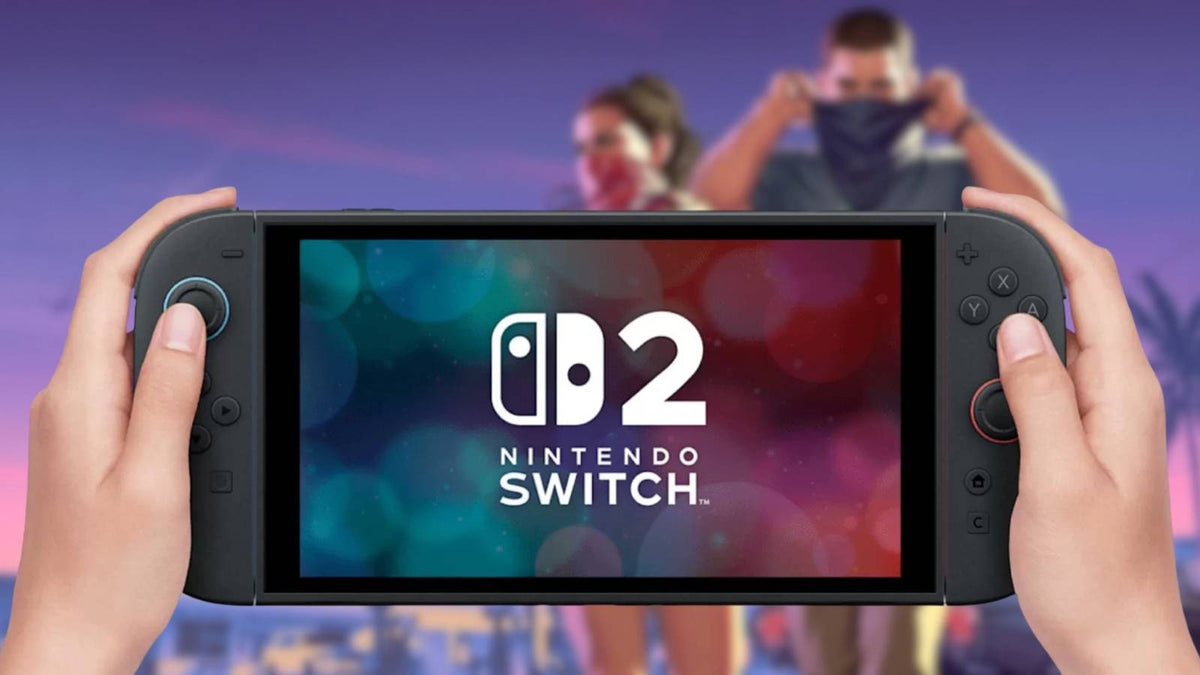
Based on the source article, Nintendo confirmed that GTA 6 is not currently coming to Switch 2, though the possibility of future change was discussed in a general sense. That is not the same thing as an announcement. It is not confirmation of a port. It is not a timeline. It is simply another reminder that massive AAA games often arrive first on certain platforms, while players on other hardware are left waiting.
That matters because uncertainty creates hesitation, and hesitation can become expensive. If you are a gamer, streamer, or content creator in Canada, waiting for platform rumours to settle may leave you shopping during a period of higher demand, tighter GPU availability, or less appealing system pricing.
Ask yourself: are you trying to buy for the news cycle, or buy for the experience you actually want?
If your real goal is to enjoy big open-world games at high settings, record gameplay smoothly, stream to Twitch or YouTube, or edit highlight videos without your current PC struggling, then your decision should be based on performance needs rather than platform speculation.
Why GTA 6 Hype Changes the PC Market Even Before a PC Version Is Confirmed
Big game launches move hardware. Even when a PC version is not formally dated, the expectation of a future release drives demand for stronger graphics cards, newer CPUs, faster SSDs, and systems with more memory. Buyers start asking what PC they need for GTA 6, what GPU can handle modern open-world games, and whether now is a good time to upgrade before prices shift.
That demand does not only come from hardcore players. It also comes from:
- Console players thinking about switching to PC for better visuals and flexibility
- Existing PC gamers who want smoother 1440p or 4K gaming
- Streamers who want one system for gaming and broadcasting
- Video editors and content creators turning game footage into long-form and short-form content
- Students and first-time buyers who want one machine for gaming, school, and creative work
So even though the source article is about Nintendo and GTA 6 platform uncertainty, the real buying story is much bigger. Canadian customers are not just asking where the game might appear. They are asking what kind of computer will keep up with the next generation of games and workloads.
What Do You Want Your Next PC to Do for You?
Before you choose a build, pause and answer one question honestly: what do you want your next PC to do for you over the next three to five years?
Do you just want to play new AAA games at 1080p without compromise?
Do you want a 1440p gaming system with stronger frame rates and room for future releases?
Do you want 4K gaming, ray tracing, and premium visual settings because cinematic open-world games are the whole point?
Do you also want to stream gameplay through OBS, record footage, edit in Adobe Premiere Pro or DaVinci Resolve, design thumbnails in Photoshop, or run Blender for 3D scenes and assets?
This is where many buyers go wrong. They shop by headline instead of by workload. A proper custom PC decision starts with your real usage pattern, not just one game.
If You Want a PC for GTA 6, What Performance Tier Fits You?
One of the most useful ways to shop is by performance tier. Not every buyer needs the same machine, and not every system should be sold the same way. The best PC for one customer may be wasteful for another.
Entry-Level Performance: 1080p Gaming and Everyday Use
If your priority is value, this tier is ideal for buyers who want solid 1080p performance in modern games, esports titles, school tasks, web use, and light content creation. It is often the right answer for first-time desktop buyers, students, and people moving away from older hardware that no longer keeps up.
Is this enough if you mostly play competitive titles today but want to be ready for larger single-player releases tomorrow? In many cases, yes, but only if you buy carefully and avoid underpowered, no-name configurations that age out too quickly.
This type of buyer should think about:
- Reliable 1080p performance
- Fast SSD storage for modern game installs
- Enough RAM for gaming plus background apps
- A proper upgrade path for future GPU improvements
Mid-Range Sweet Spot: 1440p Gaming, Streaming, and Better Longevity
For many customers, this is the smartest category. A strong 1440p Gaming PC Canada shoppers can rely on is often the best balance of cost, visual quality, and lifespan. If you are interested in open-world games, smoother high settings, livestreaming, and editing clips for social media, this tier usually makes the most sense.
Are you the kind of buyer who hates upgrading too soon? Then this may be your lane.
This level is often ideal if you want:
- High settings in demanding new games
- Better frame pacing and smoother overall gameplay
- Stronger streaming performance with modern GPU encoding
- Enough CPU and RAM headroom for multitasking
- A more future-ready platform for upcoming releases
High-End Performance: 4K, Ray Tracing, and Premium AAA Gaming
If your goal is premium immersion, this is where a High End Gaming PC Canada customers invest in starts to make sense. This tier is for buyers who want 4K-capable gameplay, stronger ray tracing, ultra settings in many titles, and enough performance for large-scale gaming plus creator work.
Do you care more about compromise-free visuals than simply hitting the minimum requirement? Do you want your next system to last longer before feeling outdated? Then a premium build deserves serious consideration.
This level is best for:
- 4K gaming or high-refresh 1440p gaming
- Ray tracing-focused experiences
- Gaming and streaming at the same time
- Recording, editing, rendering, and multitasking
- Buyers who want a stronger long-term investment
What if You Also Stream, Edit, or Create Content?
This is where the GTA 6 conversation becomes even more relevant. Major game launches are not just for playing. They create content opportunities. Reviews, livestreams, reactions, guides, shorts, thumbnails, clips, and long-form videos all increase around high-profile releases.
So ask yourself: is your next PC just for gaming, or is it also part of your content pipeline?
If you stream, a Gaming and Streaming PC Canada buyers choose should have enough CPU and GPU balance to handle gameplay, encoding, browser tabs, chat tools, Discord, music, and OBS without feeling overloaded.
If you edit, a Creator PC Canada users depend on should prioritize not only graphics power, but also memory capacity, storage speed, and processor strength for smoother timelines and exports.
If you work in Photoshop, Illustrator, Lightroom, Premiere Pro, DaVinci Resolve, or After Effects, your buying decision should reflect the software you actually use every week.
For Streaming
Do you want to go live in 1080p while gaming on the same machine? Do you want clean performance in OBS and enough overhead for overlays, browser sources, voice tools, and capture workflows? Then your build should be selected with streaming in mind from day one, not treated like an afterthought.
A proper Streaming PC Canada setup should include balanced processing power, modern GPU-based encoding support where appropriate, and enough RAM for background multitasking.
For Video Editing
Are you planning to cut gameplay videos, reaction content, YouTube uploads, or TikTok clips? Then a Video Editing PC Canada creators can rely on should focus on timeline responsiveness, export speed, and fast storage for footage.
If you are asking, Is a gaming PC good for video editing? the answer is often yes, but only if the parts are chosen intelligently. Gaming-first systems with weak memory or limited storage can become frustrating very quickly in editing software.
For Photo Editing and Graphic Design
Do you mainly want to create thumbnails, social media graphics, channel branding, promotional assets, or edit RAW photos? Then your needs are different from someone chasing 4K ray tracing. A Photo Editing PC Canada professionals want or a Graphic Design PC Canada users trust should still be fast and responsive, but should also support smooth Adobe Creative Cloud workflows, large files, multitasking, and dependable storage.
For 3D Modeling and Workstation Use
Are you using Blender, Unreal Engine, CAD software, product visualization tools, or rendering projects for school or work? Then you may need something closer to a 3D Modeling PC Canada buyers use for production rather than a standard gaming tower.
That is an important distinction. Some buyers start with a gaming question and discover they really need a workstation-class configuration because their real workload includes rendering, simulation, or heavy multitasking.
Why Canadian Buyers Should Think Differently Right Now
Canadian customers have to make buying decisions in a different context than general gaming headlines suggest. We deal with a unique combination of exchange pressure, hardware demand swings, shipping costs, and replacement-value risk. Even when an article is platform-focused, the practical takeaway in Canada is often about timing and configuration value.
If a release as large as GTA 6 pushes more gamers toward upgrades, what happens next? Usually, interest rises in GPUs first. Then stronger CPUs and larger SSD capacities become more attractive. Then complete-system pricing becomes less forgiving, especially on better-balanced builds.
That does not mean panic-buying is smart. It means delayed buying is not automatically safer either.
Would you rather buy when you have more options and more time to compare, or shop when everyone suddenly wants the same performance tier?
Is It Better to Buy a Gaming PC Now or Wait?
This is one of the most important buyer-stage questions, and there is no one-size-fits-all answer. But there is a smarter way to think about it.
If your current system already struggles in modern games, suffers from low storage, runs hot, or cannot comfortably handle the mix of gaming and creative work you do now, waiting may only increase your frustration. It may also raise your replacement cost if stronger parts become more expensive or more in-demand later.
If you are close to buying anyway, the better question is often this: Should I finance a better PC instead of buying a cheaper one I outgrow too fast?
That is where timing and financing intersect in a practical way. A weak compromise build can feel affordable upfront but become poor value if it needs replacing or upgrading far sooner than a stronger custom system would.
Could Financing Help You Secure a Better Build Before Prices Shift?
For many buyers, yes. Financing is not about spending carelessly. It is about matching the right system to your actual needs without being forced into an underpowered option because of one upfront payment moment.
If you are looking at a machine for long-term gaming, streaming, editing, content creation, or workstation use, financing can help you step into a more appropriate tier while keeping cash flow manageable.
Would monthly payments make it easier to get the GPU, RAM, or storage level you really need instead of settling for the bare minimum?
Would financing up to 4 years help you lock in a stronger custom PC before replacement costs rise further?
For buyers who know they need more than entry-level performance, that can be the difference between buying once properly and buying twice out of frustration.
What Parts Matter Most for a GTA 6-Ready Mindset?
Even without inventing unconfirmed PC requirements, we can still make practical buying decisions based on how modern AAA games behave. Large open-world titles tend to reward strong GPU performance, fast SSD storage, balanced CPU power, and enough RAM for background tasks and future demands.
Graphics Card
The GPU is usually the biggest driver of gaming performance, especially if your target is 1440p, 4K, or ray tracing. If you want a system built for major new releases instead of older back-catalogue gaming only, this is not the place to cut too aggressively.
Processor
CPU choice matters for overall system responsiveness, streaming, simulation-heavy gameplay, background apps, and creator workflows. If you game and create on the same desktop, CPU quality becomes even more important.
Memory
How much RAM do you need? That depends on whether you only game or also stream, edit, design, or multitask heavily. Buyers who run OBS, Chrome, Discord, editing tools, and large games together usually benefit from more memory headroom.
Storage
Modern games are large, and creator files grow even faster. Fast SSD storage improves loading, installs, transfers, and editing workflows. If you record gameplay or keep active project libraries, storage planning should be part of your system design from the start.
Custom PC vs Prebuilt PC Canada: Why the Difference Matters More During Big Game Cycles
When excitement around a release builds, the market fills with generic options that sound good on a spec sheet but often cut corners where buyers do not immediately notice. That might mean weak cooling, poor power delivery, limited upgrade paths, or mismatched parts.
So what should you ask before buying?
- Is this system balanced, or is one flashy component hiding several weak ones?
- Will it still make sense for my needs a year from now?
- Can it handle my gaming and creator workload together?
- Does it come from a Canadian builder that actually tests systems properly?
- Will I have support and warranty confidence after delivery?
A custom build gives you more control over that answer. Instead of accepting a generic box made for broad retail appeal, you can target your real use case: a Budget Gaming PC Canada buyers want for value, a stronger 1440p gaming rig, a custom creator desktop, or a workstation that can handle demanding software every day.
Why Testing and Warranty Support Matter When You Are Spending Real Money
Performance numbers matter, but so does reliability. If you are buying a serious desktop for gaming, content creation, or professional use, you should care about assembly quality, thermals, stability, and post-purchase confidence.
That is why rigorous testing matters. A system should not just power on. It should be stress tested and configured to work as a complete machine.
Would you trust a random marketplace listing for a major long-term purchase, or would you rather buy from a Canadian custom PC builder that stands behind the build?
Groovy Computers gives Canadian buyers a stronger path here: custom-built systems, proper testing, and a 1-year warranty that supports confidence instead of guesswork.
Which Buyer Are You?
Sometimes the fastest way to narrow your choice is to identify your buyer type.
The Budget-Conscious Gamer
You want strong value, smooth 1080p performance, and a system that can play today’s games without overspending. You still want quality, but you need a practical starting point.
Ask yourself: would a slightly stronger mid-range build save you from upgrading again too soon?
The 1440p Sweet-Spot Buyer
You want a system that feels modern for gaming now and remains comfortable for future releases. You care about settings, frame rate, visual quality, and overall longevity.
If that sounds like you, a balanced custom gaming PC is often the smartest move.
The Premium AAA Enthusiast
You want better visuals, stronger ray tracing, higher resolutions, and less compromise. You know you are buying for major releases and want the machine to feel exciting, not merely adequate.
Would it make more sense to buy once at a higher tier than to chase upgrades every year?
The Hybrid Gamer-Creator
You play games, but you also stream, edit, design, or produce content. Your computer is part entertainment machine and part productivity tool.
This is where many off-the-shelf systems disappoint. You need a build that understands both sides of your workflow.
The Workstation User Who Also Games
You may be working in Blender, Adobe apps, CAD, or rendering tools, but you also want excellent game performance after hours. That means your build needs to be selected around software demands first, then gaming goals second.
What Questions Should You Ask Before Buying Your Next PC?
Before you commit, ask these questions honestly:
- What games do I actually want to play over the next year?
- Am I targeting 1080p, 1440p, or 4K?
- Do I care about ray tracing and ultra settings, or just smooth gameplay?
- Do I want to stream or record at the same time?
- Will I use Adobe Creative Cloud, DaVinci Resolve, Blender, or other demanding software?
- How soon do I want to upgrade again?
- Is a budget build really enough, or will it just delay a better purchase?
- Would financing help me get the right system now instead of a weaker one?
- Do I want help from a real Canadian builder instead of guessing alone?
These are not abstract questions. They directly shape whether you should be shopping for a budget gaming computer, a premium RTX gaming desktop, a custom creator PC, or a workstation-oriented build.
Why Groovy Computers Is a Strong Fit for Canadian Buyers
Groovy Computers is built around what many customers actually need: guidance, customization, testing, and Canadian trust. Not everyone wants to sort through endless parts lists or risk buying an unbalanced machine. Many just want a system that is right for their goals and backed by people who understand gaming and creator workloads.
That matters whether you are in Nova Scotia, Atlantic Canada, or ordering from elsewhere in the country and want a Canada-built gaming PC from a company focused on performance and support.
At Groovy Computers, buyers can shop with a clearer purpose:
- Custom gaming PCs for modern titles and future releases
- Creator PCs for editing, streaming, Adobe apps, and content production
- Workstation PCs for heavier productivity and 3D workloads
- Financing options that can help you step into a stronger build sooner
- Rigorous testing and a 1-year warranty for added confidence
If you are wondering, What gaming PC do I need? or What PC do I need for streaming, editing, or 3D work? that is exactly the kind of question Groovy Computers is built to help answer.
Final Take: Don’t Let Platform Uncertainty Stop You From Planning the Right System
Nintendo’s latest statement on GTA 6 is a reminder that not every platform gets every blockbuster at launch, and not every buyer should wait around for perfect clarity before making a hardware decision. If anything, this kind of news highlights why flexibility matters. A good desktop can become your gaming machine, streaming station, editing suite, creative workspace, and long-term upgrade platform all at once.
So what do you want your next PC to do for you?
If you want a desktop that is ready for major new games, smooth creator workloads, and a better long-term experience than a rushed compromise purchase, now is the right time to start planning. Whether you need a budget-friendly entry point, a stronger 1440p gaming build, a premium high-end setup, or a creator/workstation hybrid, a proper GTA 6 PC buying guide for Canada leads to one conclusion: buy for your real workload, buy with room to grow, and buy from a builder you trust.
Need help choosing the right custom build for gaming, streaming, editing, or workstation use? Visit GroovyComputers.ca and explore a better Canadian path to your next PC before demand, pricing, or your current hardware makes the decision for you.
#GTA6PC #GamingPCCanada #CustomGamingPCCanada #GamingPCForNewGames #CreatorPCCanada #StreamingPCCanada #VideoEditingPCCanada #3DModelingPCCanada #CanadianCustomPCBuilders #NovaScotiaTech
Groovy Computers | All Rights Reserved


Leave a comment
This site is protected by hCaptcha and the hCaptcha Privacy Policy and Terms of Service apply.