































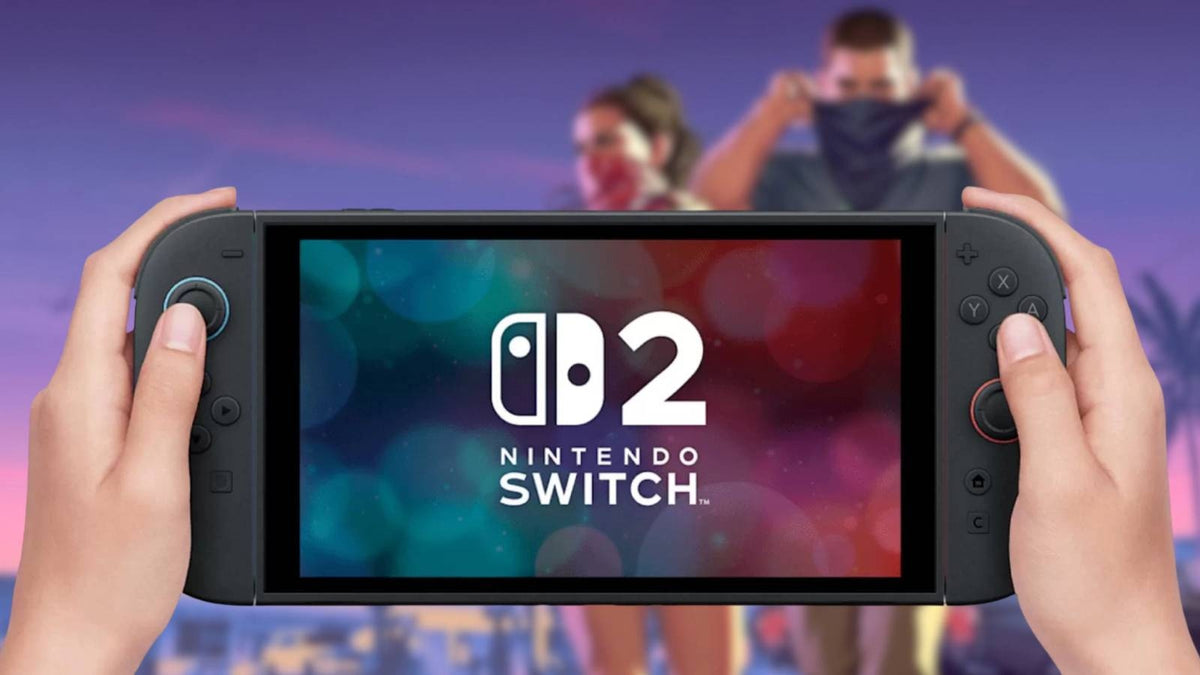
GTA 6 on Switch 2 Is Unclear, but Your Gaming PC Upgrade Plan Shouldn’t Be
The latest GTA 6 on Switch 2 conversation tells players something important: when a massive game launch is approaching, platform uncertainty creates buying pressure everywhere else. Nintendo has reportedly made it clear that whether Grand Theft Auto 6 arrives on Switch 2 is not its decision to announce, which leaves gamers doing what gamers always do during a major release cycle: planning ahead. If you are in Canada and wondering whether to wait, upgrade, finance a stronger system, or move to a custom desktop that is ready for demanding open-world games, this is the moment to think strategically.
For Groovy Computers, this story is bigger than one console question. It is really about how players prepare for blockbuster releases, rising performance expectations, and the reality that the best experience is often the one you can fully control. If a game as large as GTA 6 is only confirmed on top-tier current-generation platforms so far, what does that tell PC buyers? It suggests that future game requirements, GPU demand, and full-system performance expectations are likely to stay high.
That matters whether you are shopping for a gaming upgrade, a streaming setup, a creator machine, or a workstation that needs gaming-level graphics power on the side. The smarter question is no longer just, Will this game come to my platform? It is also, What do I want my next PC to do for me over the next several years?
What the GTA 6 on Switch 2 news really means for buyers
From the source discussion, the key takeaway is straightforward: Nintendo is not confirming anything about GTA 6 on Switch 2, and that decision appears to sit with the game publisher and developer rather than the console maker. For players, that means uncertainty. And uncertainty changes buying behaviour.
Some readers will decide to stay patient and wait for more platform announcements. Others will look at the trend line and realize that if a game is being positioned around newer, more powerful hardware, then performance planning matters now. That is especially true for anyone who wants higher frame rates, better image quality, faster load times, stronger ray tracing support, or the flexibility to game, stream, record, edit, and multitask on one machine.
If you are asking yourself whether a handheld-style version of a future AAA blockbuster will deliver the experience you really want, that is a fair question. But it leads naturally to a better one: do you want portability first, or do you want the best visual and performance headroom for major new releases?
Why Canadian buyers should think differently about upcoming game releases
In Canada, buying timing matters more than many shoppers expect. Major game launches often push more people toward upgrades at the same time. When demand rises, pressure can spread across graphics cards, prebuilt inventory, memory pricing, SSD stock, and even monitor upgrades. If you already know you want a better setup for open-world games, competitive multiplayer, streaming, or creative work, waiting until the last minute can leave you with fewer ideal options.
That does not mean everyone should panic-buy. It means buyers should plan realistically. Are you hoping to play new releases at 1080p and good settings without overspending? Are you aiming for 1440p high refresh gaming? Do you want 4K, ray tracing, and long-term overhead? Or are you trying to build one system that handles gaming at night and editing, design, or content creation during the day?
Canadian buyers also benefit from working with a company that understands local expectations around shipping, support, warranty confidence, and practical value. A custom desktop from a Canadian builder is often the difference between buying a generic box and investing in a system that is actually matched to your goals.
If GTA 6 is pushing you to upgrade, what do you want your next PC to do for you?
This is the most important question in the whole buying process.
Do you want a machine mainly for gaming? Do you also want to stream to Twitch or YouTube? Are you creating short-form content, editing gameplay clips, or working in Adobe apps? Do you need a custom creator PC that balances GPU strength with CPU performance and memory capacity? Or are you really buying one computer to cover school, work, gaming, and content creation all at once?
Before choosing a performance tier, ask yourself:
- What games do I actually play? Open-world AAA titles, esports games, sandbox games, or a mix?
- What resolution am I targeting? 1080p, 1440p, or 4K?
- Do I care about ray tracing? Or would I rather maximize raw FPS for competitive play?
- Will I stream or record gameplay? If yes, your CPU, GPU encoder, cooling, and RAM matter more.
- Will I edit video or photos too? That changes the storage, processor, and memory requirements.
- Do I want to avoid upgrading again too soon? Future-proofing usually costs less than replacing the wrong machine later.
When readers arrive from a headline about GTA 6 platform uncertainty, many of them are really trying to solve a broader problem: they want confidence. They want to know that when the next wave of games lands, their system is ready.
What gaming PC do I need for new open-world games?
Massive open-world games tend to punish weak systems in ways that are easy to feel. Frame pacing, texture streaming, city density, background simulation, lighting effects, CPU load, storage speed, and memory usage all matter. This is why a buying guide around a game like GTA 6 should not focus only on minimum specs. Minimum specs answer one question: Can it launch? Buyers usually care more about another one: Will it feel good to play for hundreds of hours?
Entry-level gaming buyers
If your goal is solid 1080p gaming and strong value, a budget-focused build can still make sense. This tier is ideal for players who want dependable performance in popular games and reasonable settings in heavier titles without chasing ultra visuals or premium ray tracing.
You may be a good fit for this class of build if you are asking, How much should I spend on a gaming PC? and the honest answer is that you want the best balance of price and longevity. For many first-time desktop buyers, students, and casual gamers, this is where smart customization matters most. A weak off-the-shelf system can look cheap upfront and feel expensive later.
Mid-range gaming buyers
If you want the sweet spot for modern gaming, 1440p is where many custom builds start to feel truly exciting. This tier is excellent for players who want sharper visuals, higher settings, smoother frame rates, and enough overhead for demanding releases over the next few years.
Are you the type of buyer who wants one machine for AAA gaming, Discord, browser tabs, music, maybe OBS, and occasional content creation? Then mid-range is often the smartest place to shop. It avoids the compromises of entry level without forcing you into a flagship budget.
High-end gaming buyers
If your target is 4K gaming, ultra settings, stronger ray tracing, or the confidence that your system can stay relevant longer, a premium custom gaming PC is the answer. This tier is also attractive for buyers who do not want to feel pressure to upgrade again the moment the next major game wave hits.
Ask yourself: do you want your PC to survive the next few game cycles comfortably, or do you want to buy only for today? If you are the kind of player who notices frame drops, cares about visual fidelity, and plans to pair the system with a higher-end monitor, buying stronger once is often the better long-term decision.
Should you buy a gaming PC now or wait for more game announcements?
This is one of the most common questions around major releases. The answer depends on what kind of buyer you are.
If you are purely waiting for official PC requirements for one single game, then waiting may feel safer. But if you already know you need a stronger system for upcoming AAA games, streaming, or creator workloads, delaying too long can work against you. Demand spikes rarely make buying easier. They often compress inventory, reduce ideal configuration choices, and make shoppers settle for whatever is left.
There is also a practical side to timing. If your current PC already struggles with modern games, background apps, capture software, or editing programs, then waiting for one more announcement may not improve your daily experience at all. It may just delay the upgrade you already need.
That is why many Canadian buyers choose to secure the right system before hype season peaks. A custom build gives you the chance to choose performance with intention instead of rushing under pressure later.
What PC do I need for 1080p, 1440p, or 4K gaming?
Resolution is one of the easiest ways to decide what class of system fits you.
1080p gaming PC buyers
If you are focused on 1080p, ask yourself whether you care more about value or maximum frame rate. For esports and lighter games, a modest system can go a long way. For newer AAA games, however, 1080p does not automatically mean easy to run. Visual complexity keeps rising, and many modern titles still benefit from a capable GPU, strong CPU, fast SSD, and enough RAM.
This tier makes sense if you want a practical first gaming desktop, a family gaming PC, or a lower-cost custom system that still feels responsive and upgradeable.
1440p gaming PC buyers
If you want the most balanced enthusiast experience, 1440p is often the best answer. It is where image clarity and strong frame rates meet, and it is a favourite target for players who want premium-feeling performance without fully committing to 4K pricing.
Are you also planning to stream, keep browser tabs open, use voice chat, or edit clips? A 1440p-ready system tends to align well with those mixed-use goals.
4K gaming PC buyers
If you are shopping for a 4K gaming setup, the GPU tier becomes far more important. This is also where buyers should think seriously about long-term value. A machine that handles 4K more comfortably now is far more likely to age gracefully as new releases become heavier.
What PC do you need for 4K gaming? One that is built around the reality of your display, your settings expectations, and whether features like ray tracing matter to you. If you want premium image quality without constant compromise, this is not the place to under-buy.
Will you only game, or do you also want to stream, edit, and create?
This is where many buyers accidentally choose the wrong system.
A gaming-focused machine and a gaming-plus-creator machine are not always the same. If you plan to use OBS, edit in Premiere Pro or DaVinci Resolve, design thumbnails, process photos, or cut vertical clips for social media, your system needs more than just enough power to launch games.
Ask yourself:
- Will I record gameplay while playing?
- Do I want smooth timeline playback in video editing software?
- Am I working with 4K footage or large photo libraries?
- Do I use Photoshop, Lightroom, Illustrator, or other Adobe Creative Cloud apps?
- Would one stronger custom creator PC save me from needing separate devices?
If the answer is yes to more than one of those, a balanced content creation system may be a better investment than a gaming-only build. This is especially true for YouTube creators, streamers, students in media programs, photographers, and side-hustle editors who want one desktop to do everything well.
Is a gaming PC good for video editing, photo editing, and graphic design?
Sometimes yes, but not automatically.
A strong gaming desktop can overlap nicely with creative work, especially if it has a capable CPU, sufficient RAM, fast storage, and a modern GPU. But the right creator build is about component balance. A system optimized only for game benchmarks may not be ideal for export speed, multi-app workflows, large project files, or stable long sessions.
For video editing
If you are editing 1080p or 4K footage, your processor, memory, scratch storage, and GPU acceleration all matter. Do you mainly edit gameplay clips for social media, or are you cutting long-form YouTube content, podcasts, interviews, or commercial footage? The answer changes what kind of editing PC makes sense.
If your workflow includes Premiere Pro, DaVinci Resolve, After Effects, or heavy multi-layer timelines, a custom video editing PC Canada buyers can trust should be built for sustained performance, not just gaming aesthetics.
For photo editing
Photo editing workloads can scale quickly. Large RAW files, AI features, batch exports, and catalogue management all benefit from responsive storage and ample memory. If your current computer pauses while switching tools or exporting albums, that lost time adds up.
Are you a hobbyist photographer, a working pro, or a social content creator who edits hundreds of images a month? A properly configured photo editing PC can make your workflow dramatically smoother.
For graphic design
Graphic design buyers often need fast app switching, strong single-core responsiveness, enough memory for large files, and reliable multi-monitor support. If you spend your time in Photoshop, Illustrator, InDesign, or Canva while also gaming after hours, a custom creator desktop is often the best middle ground.
Would you rather buy one machine that handles both work and play properly, or compromise on one side and regret it later?
What if your needs go beyond gaming and editing into 3D modeling or workstation use?
The GTA 6 conversation may bring gamers in, but plenty of shoppers end up realizing they actually need more than a gaming machine. If you work in Blender, Unreal Engine, CAD software, rendering tools, simulation workloads, or technical design applications, you should not choose a system based only on gaming buzz.
What PC do you need for Blender or 3D rendering? One that matches your render engine, scene complexity, memory demands, and whether your work is CPU-bound, GPU-bound, or both. The same goes for engineering, architecture, and professional workstation tasks.
If your next system has to game beautifully but also function as a real productivity asset, a workstation-minded custom build is often the safest investment. It protects your time, your project deadlines, and your upgrade path.
Which performance tier fits you best?
Not every buyer needs the same class of machine. The best system is the one that fits your real workload and helps you avoid replacing it too soon.
Choose a budget-oriented custom build if:
- You mainly play lighter games or want practical 1080p gaming
- You are buying your first desktop and want value without junk components
- You need a machine for school, general use, and casual gaming
- You want an upgrade path later instead of overspending now
Choose a mid-range custom build if:
- You want 1440p gaming and stronger longevity
- You play a mix of AAA and competitive titles
- You might stream, record, or edit occasionally
- You want a balanced system that feels fast in daily use
Choose a premium RTX gaming PC if:
- You want 4K gaming or high-end 1440p with stronger ray tracing
- You care about visual quality and future-proofing
- You want to avoid upgrading again too soon
- You expect upcoming games to keep getting heavier
Choose a creator or workstation build if:
- You game and edit regularly
- You work in Adobe apps, DaVinci Resolve, or photo software
- You run Blender, Unreal Engine, CAD, or rendering tools
- You need reliability under long workloads, not just gaming bursts
If you are not sure where you fit, that is exactly where expert guidance matters. The wrong build wastes money either by underperforming now or by overspending on the wrong parts.
Why financing can make sense before prices change
When a major game release approaches and hardware interest rises, one of the smartest questions a buyer can ask is this: Should I finance a better PC instead of buying a cheaper one that I outgrow quickly?
For many shoppers, the answer is yes. Financing can help you secure the right performance tier now rather than settling for a weaker system that needs upgrades sooner. If you already know your target is stronger AAA gaming, streaming, editing, or content creation, a monthly payment can be more practical than paying in full for a compromised build.
This is especially relevant when replacement costs can rise. GPUs, memory, and storage pricing do not always move in the buyer’s favour. If you wait until demand is hotter and parts are tighter, the stronger machine you wanted may become harder to justify or harder to find.
Groovy Computers helps Canadian buyers think through this decision carefully. Would financing up to 4 years make it easier to step into a machine that actually matches your goals? Would a slightly stronger GPU, more RAM, or faster storage save you from frustration for years? Those are better buying questions than simply asking what is cheapest today.
Why custom PC builds matter more during uncertain release cycles
Console uncertainty pushes more people toward PC research, but not all PCs are equal. This is where custom builds stand apart from generic mass-market systems. A properly selected custom build gives you control over the parts that actually shape your experience: graphics capability, processor strength, thermal performance, memory capacity, storage speed, and future upgrade flexibility.
Custom also matters because trends shift fast. One buyer may need a Gaming PC for GTA 6 and other open-world games. Another may need a Gaming and Streaming PC Canada shoppers can rely on for OBS, Discord, browser tabs, and dual monitors. Another may need a Creator PC Canada customers can use for editing, design, and publishing.
Do you want a machine chosen by a warehouse algorithm, or one selected for your actual use case?
Why testing, warranty, and support should influence your decision
When buyers focus only on headline specs, they often overlook the parts of the purchase that matter after checkout. Rigorous testing, thermal stability, part compatibility, BIOS setup, cable management, airflow, and long-session reliability all affect the ownership experience.
That is particularly important when you are buying for demanding games or mixed-use creative workloads. A machine that looks powerful on paper but runs hot, unstable, or poorly configured can create headaches right when you need it most.
Groovy Computers positions itself around custom builds that are properly assembled and tested, backed by a 1-year warranty, and built for real-world use rather than spec-sheet marketing alone. For Canadian buyers, that support confidence matters. It is one thing to buy a machine. It is another to buy one with real accountability behind it.
Questions to ask yourself before buying your next PC
Before you check out, ask these questions honestly:
- Am I buying only for one game, or for the next few years of games?
- Do I want 1080p, 1440p, or 4K performance?
- Will I stream, record, edit, or multitask heavily?
- How long do I want this system to feel fast?
- Would financing help me buy the right system once instead of upgrading too soon?
- Do I want a custom gaming PC, a creator PC, or a workstation-style hybrid?
- Do I want help choosing a build from a Canadian custom PC builder?
If those questions reveal that your needs are bigger than a basic gaming tower, that is a good thing. It means you are buying with clarity.
So, what should you do if GTA 6 has you thinking about an upgrade?
If the GTA 6 on Switch 2 uncertainty has reminded you that platform limitations can change the whole buying conversation, use that moment wisely. Do not just ask where a game may or may not launch. Ask what experience you want when it does. Ask whether your current computer is keeping up. Ask whether now is the right time to secure a stronger system before demand gets louder.
If you want help choosing between a budget gaming desktop, a premium RTX gaming PC, a custom creator system, or a workstation-class build, Groovy Computers is the place to start. Canadian buyers looking for custom performance, financing options, tested systems, and practical guidance can explore builds or request help directly at GroovyComputers.ca.
Whether you are preparing for new open-world games, planning a streaming setup, editing content, designing professionally, or simply trying to buy smarter before the next hardware rush, the best move is the one that matches your real goals. GTA 6 on Switch 2 may still be uncertain, but your upgrade path does not have to be.
#GamingPCCanada #CustomGamingPCCanada #GamingPCforGTA6 #GamingPCforNewGames #CreatorPCCanada #VideoEditingPCCanada #StreamingPCCanada #CustomPCBuilderCanada #CanadianCustomPCBuilders #GamingPCShippedCanadaWide
Groovy Computers | All Rights Reserved



Leave a comment
This site is protected by hCaptcha and the hCaptcha Privacy Policy and Terms of Service apply.