



































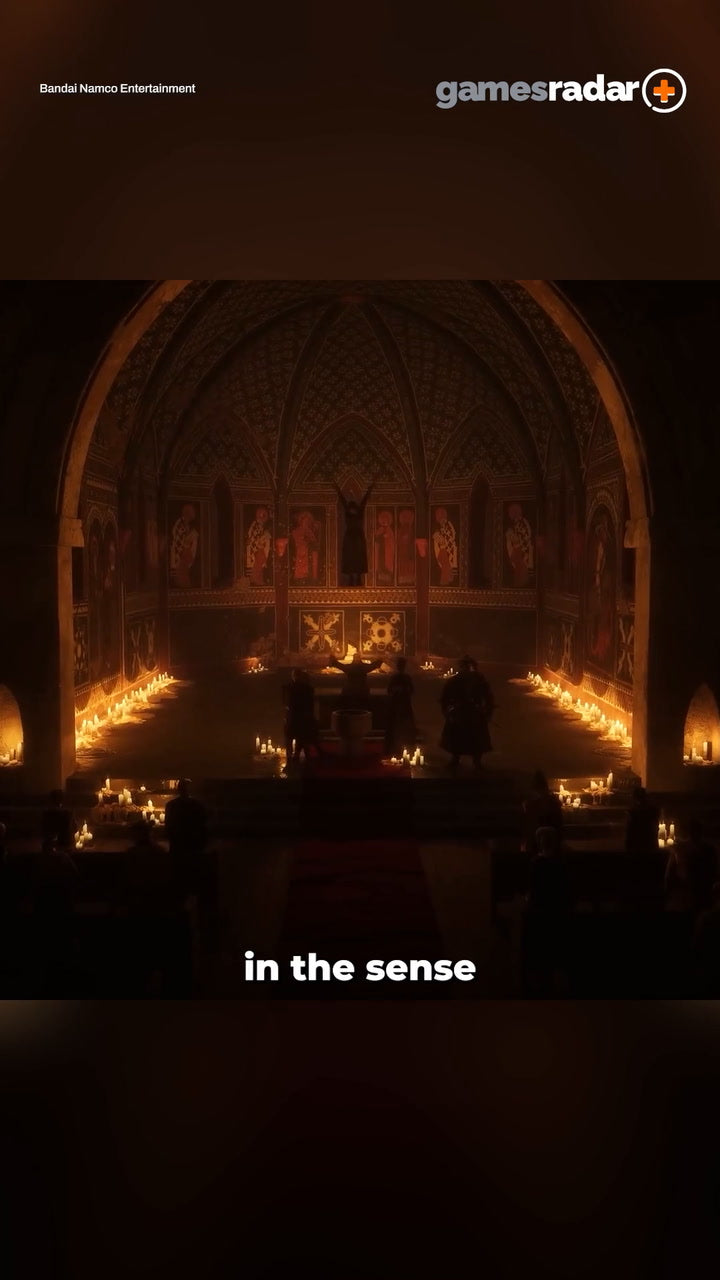
Gaming PC for New Games: What The Witcher 3 Director’s Praise for Crimson Desert Says About the Future of RPG Performance
The conversation around modern RPGs is getting louder, more ambitious, and more important for anyone shopping for a gaming PC for new games. When a director associated with one of the most respected role-playing games of the modern era praises the unique approach of a title like Crimson Desert, it signals something bigger than one upcoming release. It points to a renewed era of massive worlds, layered systems, cinematic storytelling, complex combat, high-resolution assets, and PC hardware demands that can separate a smooth experience from a frustrating one.
For Canadian gamers, streamers, creators, and workstation buyers, that matters. The next wave of RPGs and open-world games is not just about having a computer that can launch the game. It is about having a system that can handle the resolution you actually want, the visual settings you care about, the frame rates you expect, and the multitasking you do in the background. Are you planning to play at 1080p, 1440p, or 4K? Do you want ray tracing? Are you streaming to Twitch or YouTube while you play? Are you editing gameplay clips afterward? Do you want your next PC to last through more than one major game release?
That is where Groovy Computers comes in. As a Canadian custom PC builder, Groovy Computers helps buyers match real workloads to the right system category, whether that is a budget gaming computer, a premium RTX gaming PC, a gaming and streaming PC, a creator desktop, a video editing workstation, or a 3D modeling and rendering build. The RPG renaissance is exciting, but it also makes one thing clear: buying the cheapest generic desktop is rarely the best way to prepare for the next generation of demanding games.
Why This RPG Trend Matters for Anyone Buying a Gaming PC for New Games
The source discussion highlights a key idea: role-playing games are becoming more diverse, more experimental, and more technically ambitious. Instead of every RPG following the same structure, newer titles are leaning into different forms of exploration, combat, narrative freedom, and world interaction. That creativity is great for players, but it also raises the practical question Canadian PC buyers should be asking right now: what gaming PC do I need for the type of games I actually want to play?
Games inspired by large-scale RPG design often combine several demanding elements at once. You may see large open spaces, high-density environments, physics-driven interactions, detailed character models, complex lighting, heavy texture packs, and fast traversal. If a game also includes ray tracing, advanced upscaling, large battles, or cinematic cutscenes rendered in real time, your PC has to work harder across the CPU, GPU, RAM, and storage.
That is why the phrase “gaming PC for new games” should not be treated as a vague search term. It is a buying strategy. A new RPG-focused PC should be chosen around the experience you want, not just the minimum requirement listed on a storefront. Minimum specs often mean “the game runs.” They do not always mean “the game feels great.” If you want smooth frame pacing, sharp visuals, and headroom for future patches or expansions, you need to think beyond minimum.
What Do You Want Your Next PC to Do for You?
Before choosing parts, financing a build, or comparing performance tiers, ask a more useful question: what do you want your next PC to do for you?
Do you want it mainly for story-driven RPGs, open-world adventures, and AAA games? Do you want a competitive esports system for titles where high FPS matters more than ultra graphics? Do you want to stream gameplay while keeping your frame rate stable? Do you want to record, edit, and upload videos for YouTube or TikTok? Do you use Adobe Premiere Pro, DaVinci Resolve, Photoshop, Lightroom, Blender, Unreal Engine, AutoCAD, Revit, or other creative software? Are you buying for gaming today, or are you trying to avoid upgrading again too soon?
These questions matter because two PCs with similar price tags can be built for very different purposes. A high-refresh 1080p esports system is not the same as a 4K ultra-settings RPG build. A gaming and streaming PC is not the same as a video editing workstation. A 3D rendering workstation is not the same as a budget gaming computer. The best build is the one aligned with your actual games, software, monitor, timeline, and upgrade expectations.
RPGs Are Becoming More Cinematic, More Open, and More Hardware-Hungry
Modern RPGs are no longer just inventory screens, dialogue trees, and turn-based combat. Many of today’s most anticipated role-playing and action-RPG games blend cinematic presentation with open-world design, physics, real-time combat, character customization, large asset libraries, and complex AI behaviour. That is exactly why games in this category tend to expose weak spots in a PC build.
A slower CPU can cause dips in crowded towns, heavy combat scenes, and simulation-heavy moments. A weaker GPU can struggle with high resolutions, ray tracing, ultra textures, and large outdoor environments. Not enough RAM can make multitasking feel sluggish, especially if you are running Discord, a browser, recording software, RGB control software, and a game launcher at the same time. A slow or cramped SSD can make installs, updates, loading, and content creation workflows more painful than they need to be.
So when you read about a respected RPG director praising fresh approaches to the genre, it is not just entertainment news. It is a reminder that PC gaming is moving forward. If the games are becoming more ambitious, your hardware plan should be just as intentional.
Should You Aim for 1080p, 1440p, or 4K Gaming?
One of the most important decisions for a Canadian buyer is resolution. Your monitor choice can change the entire PC recommendation. A system that feels excellent at 1080p may not deliver the same experience at 1440p or 4K. Before buying, ask yourself: what PC do I need for 1440p gaming, and is 4K worth it for the way I play?
1080p Gaming PC Canada: Best for Value, Esports, and First Gaming PCs
A 1080p gaming PC is ideal if you want strong performance without overspending. This tier is great for students, first-time gaming PC buyers, budget-conscious families, and competitive players who care more about high frame rates than ultra-heavy visual settings. If your main games include esports titles, lighter RPGs, older AAA games, or you are comfortable lowering some settings in future releases, a well-built 1080p system can offer excellent value.
The key is not to buy a system that is already at its limit. A good budget gaming computer should still include a modern CPU, enough RAM, fast SSD storage, a capable GPU, and proper cooling. If you choose too low, you may save money now but replace the system sooner. Is a cheaper PC really cheaper if it forces an upgrade after one or two demanding game releases?
1440p Gaming PC Canada: The Sweet Spot for Modern RPGs
For many players, 1440p is the best balance of sharp visuals and smooth performance. A strong 1440p gaming PC Canada build gives open-world games more visual impact than 1080p while remaining more practical than full 4K ultra settings. This is often the sweet spot for RPG fans who want high settings, detailed environments, smooth combat, and a monitor upgrade that feels meaningful.
If you are excited for new RPGs, open-world games, cinematic action titles, and visually rich releases, 1440p is often where a custom build starts to make the most sense. You can choose a GPU, CPU, RAM capacity, storage setup, and cooling solution that fit the target experience instead of accepting a one-size-fits-all prebuilt configuration.
4K Gaming PC Canada: For Premium Visuals, Ray Tracing, and Long-Term Headroom
A 4K Gaming PC Canada build is for buyers who want a premium experience. If you have a 4K monitor or TV, want ultra settings where possible, care about ray tracing, and expect your system to remain powerful for years, you should be looking at higher-end GPU and CPU combinations. This is also where financing can become a practical tool, because the difference between “almost enough” and “actually built for 4K” can be significant.
Ask yourself: do you want to compromise visual settings right away, or would you rather secure a stronger system now and keep it relevant longer? For many buyers, especially those watching component pricing and demand cycles, the smarter move is not always buying the cheapest system today. It may be financing a stronger custom gaming PC before replacement costs rise.
Do You Need Ray Tracing, Upscaling, or an RTX Gaming PC?
Ray tracing can make lighting, reflections, and shadows more realistic, especially in cinematic RPGs and open-world games. But it is also demanding. If ray tracing is a priority, your GPU choice becomes much more important. A ray tracing gaming PC Canada build should be selected with realistic expectations for your target resolution, not marketing hype alone.
Do you want ray tracing at 1080p, 1440p, or 4K? Are you comfortable using upscaling technologies to improve frame rates? Do you want ultra settings, or would you rather balance high settings with smoother gameplay? These are the kinds of questions Groovy Computers can help answer before you spend money on the wrong tier.
For RPG fans, ray tracing can be a major visual upgrade, but only if the rest of the system supports it. A powerful GPU paired with weak cooling, limited RAM, a low-end power supply, or poor airflow is not a premium experience. A custom build should be balanced, stress tested, and configured for stability.
Is a Gaming PC Good for Streaming and Editing?
Many customers no longer buy a gaming PC only for gaming. They play, stream, record, edit, post clips, design thumbnails, manage social media, and sometimes run business or school workloads on the same machine. That is why a gaming and streaming PC Canada build is one of the most practical categories for modern buyers.
If you want to stream RPGs, competitive games, or new releases, you need a system that can maintain gameplay performance while encoding video, running OBS or Streamlabs, managing alerts, handling audio, and supporting multiple monitors. If you also edit clips in Premiere Pro, DaVinci Resolve, or CapCut, your CPU, GPU, RAM, and storage choices become even more important.
Ask yourself: are you only playing, or are you building a content workflow around your gameplay? If you want to grow on YouTube, Twitch, TikTok, or other platforms, a basic gaming computer may not be enough. A custom creator PC can be configured to support both high-FPS gaming and smooth editing timelines.
What PC Do Content Creators Need When Games Become More Demanding?
A modern Content Creation PC Canada build should be flexible. Creators often need to game, capture, edit, render, export, design, and multitask. New RPGs and open-world games can create huge video files, especially when recording at high bitrates or higher resolutions. If your PC struggles with gameplay, it will likely struggle even more when you add recording and editing.
For YouTubers and streamers, the question is not just “can this PC play the game?” The better question is: can this PC play the game, record it cleanly, edit the footage smoothly, export quickly, and stay reliable under pressure?
A strong creator PC may include more RAM than a typical gaming-only system, additional SSD capacity for project files, a GPU that helps with editing acceleration, and a CPU selected for multitasking. If you work with Adobe Creative Cloud, DaVinci Resolve, Photoshop, Lightroom, Blender, or Unreal Engine, Groovy Computers can help choose parts based on the software you actually use.
What About 3D Modeling, Game Development, and Rendering Workstations?
The renewed interest in RPG innovation also matters to 3D artists, game developers, animation students, architects, and designers. Games like the ones being discussed in the RPG space are built from massive amounts of 3D work: environments, characters, lighting, animation, effects, textures, and cinematic assets. If you are not just playing games but creating worlds of your own, you may need more than a gaming PC.
A 3D Modeling PC Canada or 3D Rendering PC Canada build is designed around software like Blender, Unreal Engine, Unity, Maya, 3ds Max, Cinema 4D, SketchUp, ZBrush, AutoCAD, Revit, and SolidWorks. Some workloads lean heavily on GPU rendering. Others require strong CPU performance. Many benefit from 64GB or 128GB of RAM, fast SSD storage, and reliable cooling for long render sessions.
Ask yourself: are you building a PC for entertainment, professional work, school projects, client deadlines, or all of the above? A workstation PC vs gaming PC decision depends on what you create, how often you render, how large your scenes are, and how much time slow exports or viewport lag are costing you.
Which Performance Tier Fits You?
Choosing the right tier is easier when you connect the PC to your real goals. Below is a practical way to think about your next build before you buy or finance.
Entry-Level and Budget Gaming Computer
Choose this tier if you want an affordable gaming PC Canada option for 1080p gaming, esports, school, general use, and lighter creative workloads. This is a strong fit for first gaming PCs, younger players, students, and buyers who want value without overbuilding. The main question is: can this budget gaming PC play the new games you care about at settings you will actually enjoy?
Mainstream 1440p Custom Gaming PC
This is the best fit for many RPG fans. A mainstream custom gaming PC Canada build targets smoother 1440p performance, better graphics settings, stronger multitasking, and a more future-ready experience. If you want a balanced system for open-world games, RPGs, shooters, racing games, and everyday productivity, this is often the category to start with.
Gaming and Streaming PC
Choose this tier if you want to play and broadcast at the same time. A gaming and streaming system should account for CPU/GPU encoding, RAM, storage, multiple monitors, microphones, cameras, and capture workflows. If your question is “what PC do I need for streaming?” the answer depends on whether you stream at 1080p, 1440p, or 4K, and whether you edit videos afterward.
Premium RTX Gaming PC
This tier is for players who want higher resolutions, ray tracing, ultra settings, high refresh rates, and more long-term headroom. If you are planning for major RPGs, open-world releases, and visually demanding games, a premium RTX gaming PC may be the better investment. The key question is: do you want to buy once and enjoy your system longer, or buy low now and upgrade sooner?
Custom Creator PC
Choose a custom creator PC if your workload includes video editing, photo editing, graphic design, streaming, podcast editing, social media content, and Adobe Creative Cloud. A creator build is not just a gaming PC with a different name. It should be configured for the software you use, the file sizes you handle, and the deadlines you face.
3D Modeling and Workstation PC
This tier is best for Blender, Unreal Engine, CAD, rendering, animation, product design, architecture, and professional workloads. If slow renders, laggy viewports, or limited memory are hurting your workflow, a custom workstation PC Canada build can save time every week. For many professionals, time saved is part of the return on investment.
Is It Better to Buy a Gaming PC Now or Wait?
This is one of the most common questions Canadian buyers ask, and it is a fair one. Hardware prices can shift because of GPU demand, memory pricing, storage costs, exchange rates, supply constraints, new game releases, seasonal demand, and product availability. Waiting can sometimes help, but it can also mean missing a better build window.
If you are buying before a major game release, a school semester, a content schedule, a business workload increase, or a planned software upgrade, waiting may cost more than it saves. You may end up paying more later, choosing from weaker availability, or settling for a lower-tier system because the parts you wanted are no longer priced the same way.
Ask yourself: are you waiting because you have a clear reason, or are you waiting because choosing a PC feels overwhelming? If the decision feels confusing, getting expert guidance from Groovy Computers may be more useful than delaying until prices or availability change again.
Could Financing Help You Secure a Stronger PC Before Costs Rise?
Financing is not just about affordability. For many Canadian buyers, it is about timing and total value. If a stronger GPU, more RAM, better storage, or a higher-quality power supply helps you avoid an early upgrade, financing may be a smarter move than buying a weaker system outright.
Groovy Computers offers financing options up to 4 years where available, helping customers secure a better custom gaming PC, creator PC, or workstation PC without paying the full amount upfront. That can matter if you are trying to buy before a major game release, before a sale period ends, before parts become harder to source, or before your current computer fails at the worst possible time.
Should you finance a better PC instead of buying a cheaper one? If the cheaper system will not meet your needs for 1440p gaming, streaming, video editing, photo editing, graphic design, or 3D rendering, then the “cheaper” option may become more expensive over time. The right financing plan can help you buy the system you actually need now instead of compromising and upgrading sooner.
Why Custom Builds Matter More Than Generic Prebuilts
A generic prebuilt PC may look convenient, but the details matter. Two systems can advertise similar headline specs while using very different cooling, motherboards, power supplies, RAM speeds, storage quality, airflow designs, and upgrade paths. For demanding RPGs, streaming workloads, creator software, and rendering tasks, those details affect stability and long-term satisfaction.
Groovy Computers focuses on custom builds that match the customer’s use case. That means the build can be configured around the games you play, the monitor you own, the software you use, your budget, and your upgrade goals. A custom gaming PC Canada build should not be random. It should be intentional.
Testing also matters. A beautiful PC that crashes under load is not a good PC. Groovy Computers emphasizes rigorous testing, reliability, and a 1-year warranty, giving Canadian buyers more confidence than a random marketplace system or a poorly matched generic desktop. If you are investing in a high-performance machine, you deserve a system that is built and tested with care.
Canadian Buyers Should Think About More Than the Sticker Price
Canadian PC shoppers face a different reality than buyers in larger markets. Component pricing, shipping costs, exchange-rate pressure, inventory movement, and regional availability can all affect what you actually pay. A price that looks good one week may not be available the next. A GPU that fits your build today may be harder to source when a major game, hardware launch, or seasonal rush increases demand.
That is why Canadian customers should think in terms of total system value. Does the PC include the right GPU for your monitor? Does it have enough RAM for your software? Is the SSD large enough for modern game installs and project files? Is the cooling good enough for long sessions? Is there support if you need help? Is the system backed by a warranty? Can it be shipped Canada wide?
Whether you are in Nova Scotia, Atlantic Canada, Ontario, Alberta, British Columbia, or elsewhere in Canada, buying from a Canadian custom PC builder can make the process more practical. Groovy Computers understands Canadian buyers, Canadian pricing pressure, and the importance of getting the build right the first time.
What Questions Should You Ask Before Buying?
Before buying or financing your next PC, ask the questions that actually predict satisfaction.
- What games do I care about most? Are you focused on RPGs, open-world games, esports, shooters, simulation games, or upcoming AAA releases?
- What resolution do I want? Is your target 1080p, 1440p, or 4K?
- Do I care about ray tracing? If yes, your GPU tier matters more.
- Will I stream or record gameplay? If yes, consider a gaming and streaming PC Canada build.
- Will I edit videos or photos? If yes, you may need more RAM, stronger CPU performance, GPU acceleration, and additional SSD storage.
- Do I use creative software? Premiere Pro, DaVinci Resolve, Photoshop, Lightroom, Illustrator, Blender, Unreal Engine, AutoCAD, and Revit all benefit from thoughtful hardware choices.
- How long do I want this PC to last? A future proof gaming PC Canada strategy may cost more upfront but reduce upgrade pressure later.
- Am I buying before demand increases? Major game releases, school seasons, holidays, and hardware cycles can change availability.
- Would financing help me choose the right system instead of settling? Monthly payment options can make a stronger build more realistic.
- Do I want expert help? If you are unsure, Groovy Computers can help you choose a build that fits your goals.
How Groovy Computers Helps Match the PC to the Player
Groovy Computers is not just selling boxes with parts inside. The goal is to help customers choose the right performance category. A buyer looking for a budget 1080p esports system does not need the same machine as someone building a 4K RPG setup. A Twitch streamer does not need the same configuration as a Blender artist. A photographer using Lightroom and Photoshop does not need the exact same system as a video editor exporting 4K timelines in DaVinci Resolve.
That is the advantage of working with a Canadian custom PC builder. You can focus on what you want to do, and Groovy Computers can help translate that into the right hardware balance. CPU, GPU, RAM, SSD, cooling, case airflow, power supply, and upgrade path all matter. The right combination matters more than any single part.
If you are asking, “what gaming PC do I need?” or “what PC do I need for 1440p gaming?” or “is a gaming PC good for content creation?” the answer depends on your exact goals. Groovy Computers helps narrow that down so you are not overpaying for the wrong features or underbuying for the workload you actually care about.
Ready to Choose a Gaming PC for New Games?
If the renewed energy around RPGs, open-world games, and ambitious PC releases has you thinking about upgrading, now is the time to plan carefully. A gaming PC for new games should be chosen around your monitor, your performance expectations, your software, your budget, and your future plans. Do you want a budget gaming computer, a 1440p custom gaming PC, a premium RTX gaming PC, a streaming and editing setup, or a full workstation for 3D modeling and rendering?
If you want help choosing the right build, visit GroovyComputers.ca to explore custom gaming PCs, creator PCs, workstation options, and financing. Are you ready to buy a system that fits what you actually do, instead of guessing and hoping it is enough?
The Bottom Line: RPGs Are Evolving, and Your PC Should Be Ready
The praise for innovative RPG design is a reminder that PC gaming is entering another exciting phase. Games are becoming richer, larger, more cinematic, and more technically complex. That is great news for players, but it also means that the right hardware matters more than ever.
For Canadian buyers, the smartest path is to think beyond minimum specs and choose a system that fits your real use case. Whether you need a gaming PC for new games, a 1440p RPG machine, a 4K ray tracing build, a streaming PC, a custom creator PC, or a professional workstation, Groovy Computers can help you build with confidence before pricing, availability, or your workload changes again.
#GamingPCForNewGames #CustomGamingPCCanada #GamingComputersCanada #1440pGamingPCCanada #4KGamingPCCanada #StreamingPCCanada #CreatorPCCanada #GroovyComputers
Groovy Computers | All Rights Reserved


Leave a comment
This site is protected by hCaptcha and the hCaptcha Privacy Policy and Terms of Service apply.